How to resolve the HTTP Error 500.19 - Cannot login locally
Follow these steps to change the Physical Path Credentials option for the hosted Bold Reports® application:
-
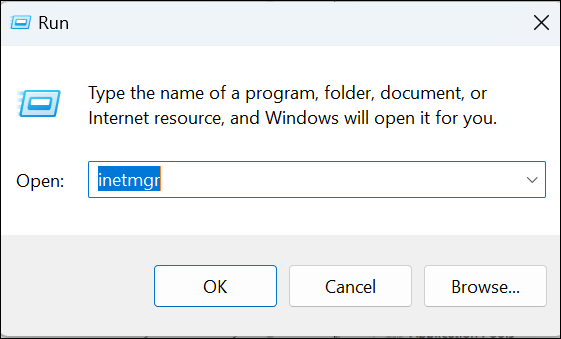
Open Internet Information Services (IIS) Manager by typing inetmgr in the Run dialog box (accessible through Start menu).
-
Navigate to the
Sitessection in the navigation pane on the left, then select your Bold Reports® application. -
Right-click on the Bold Reports® application and select
Manage Website > Advanced Settings.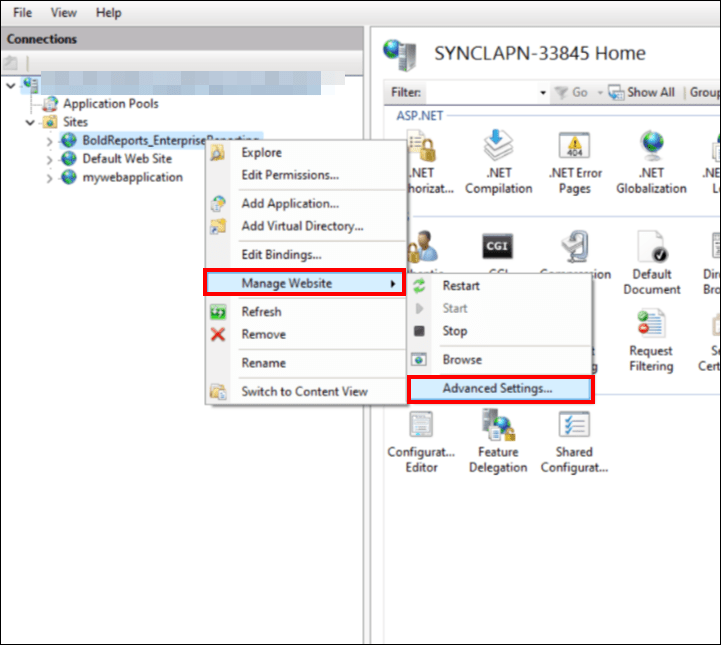
-
Set the
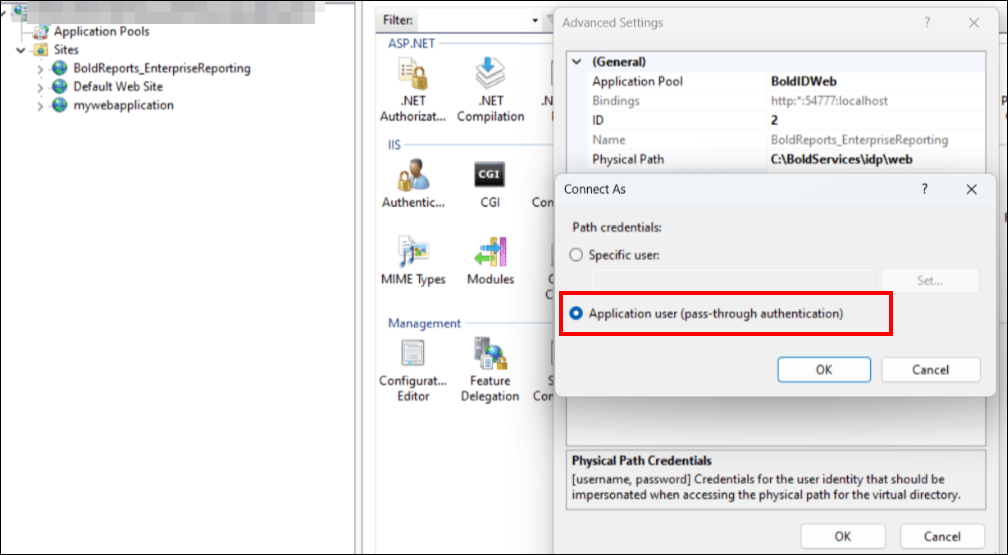
Physical Path Credentialsfield toApplication user (pass-through authentication). ClickOKto save the path credential changes, and then clickOKon the Advanced Settings prompt.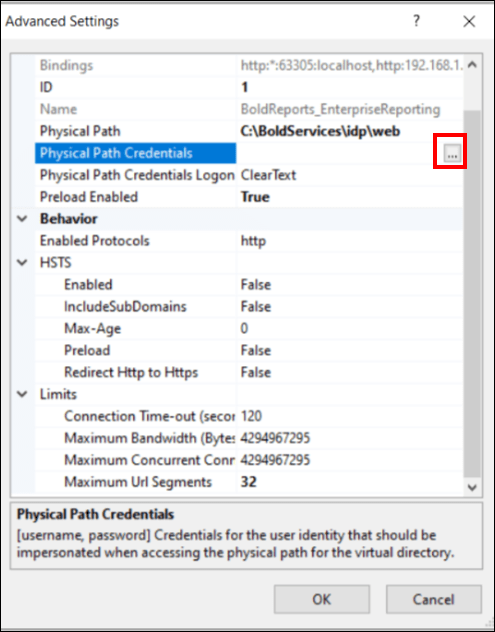
-
Right-click on your Bold Reports® site and select
Manage Website > Restartto refresh the changes that were just made.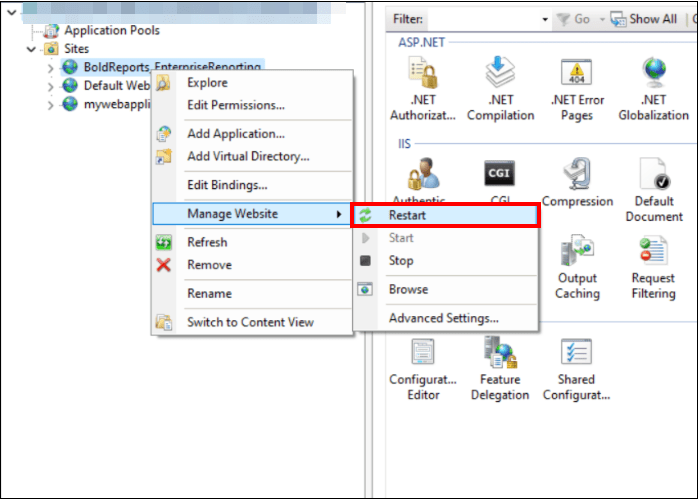
-
Now, you can log in to the Bold Reports® server.