How to reset the database of the Bold Reports® application
Resetting the application database details in the Bold Reports® application requires updating the application database details in different places.
- Updating the database details for Bold Reports® Server.
- Updating the database details for Bold Reports® sites.
Steps to reset the Bold Reports® application database
-
Follow the steps in the link below to reset the database of the Bold Reports® server.
-
After successfully updating the database, restart the application in IIS, and then log in to the site management portal using the link
{host:port}/ums/sites. -
Update the existing site’s database details using the edit option.
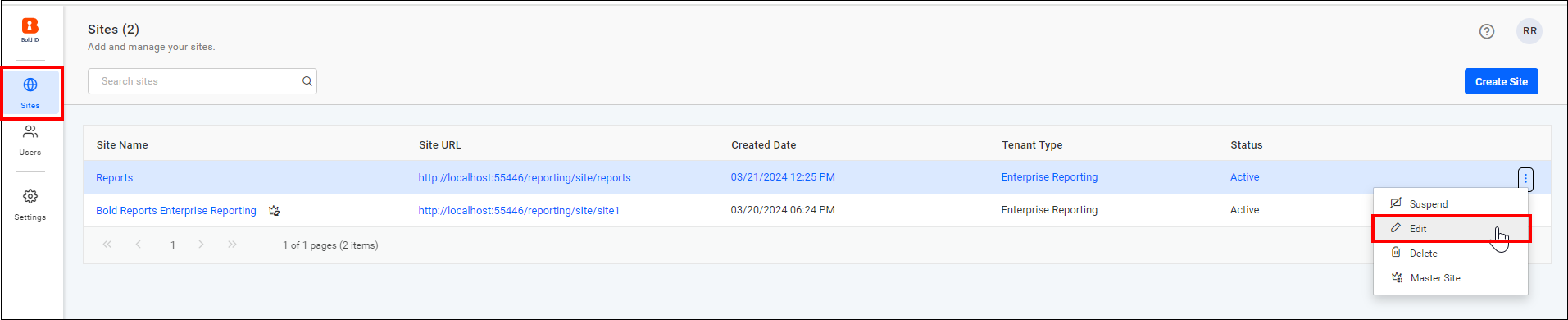
-
Enter the database details and click the update button.
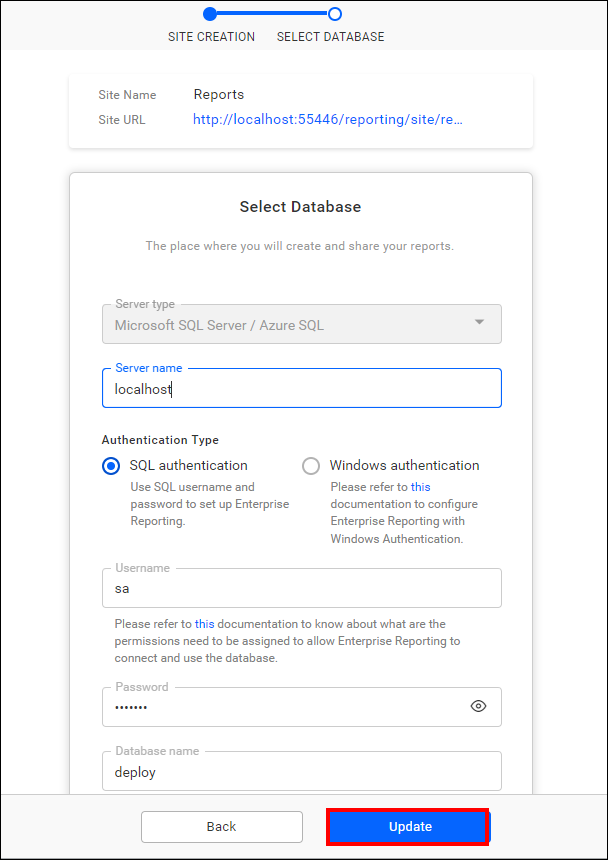
Note: You can only update the server name, user name, and password in the site database details.
-
Now, you can access your site with the updated database.