Login failed for the user in Windows authentication mode
When connecting to the SQL Server Windows authentication mode in Bold Reports®, it will throw the following error:

Why this issue occurred
DOMAIN\MACHINENAME$ is not added in IIS/IIS Express to access SQL Server in Windows Authentication mode.
- DOMAIN - refers to your Active Directory domain
- MACHINENAME - refers to the name of the server where IIS is running
How do I resolve this
- To resolve this issue, you need to add DOMAIN\MACHINENAME$ as a valid login in SQL Server with the necessary permissions.
- This login should be mapped to the database you want to access and should be assigned a role that has the necessary permissions.
Note: When you’re dealing with a
remote server(where IIS and SQL Server are on different machines), you need to use DOMAIN\MACHINENAME$. If IIS and SQL Server are on thesame machine, you can use NT Authority\System.
The steps for adding NT AUTHORITY\SYSTEM as a valid login to access SQL Server in Windows Authentication mode in IIS or IIS EXPRESS
In Microsoft SQL Server Management Studio, do the following on the server:
-
Right-click on “Login” and select
New Loginto add the respective login to SQL Server.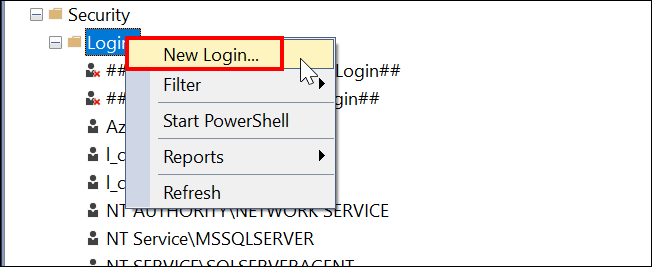
-
Click on the “Search” button, then select
Advanced -> Find Now -> Systemin the newly opened windows.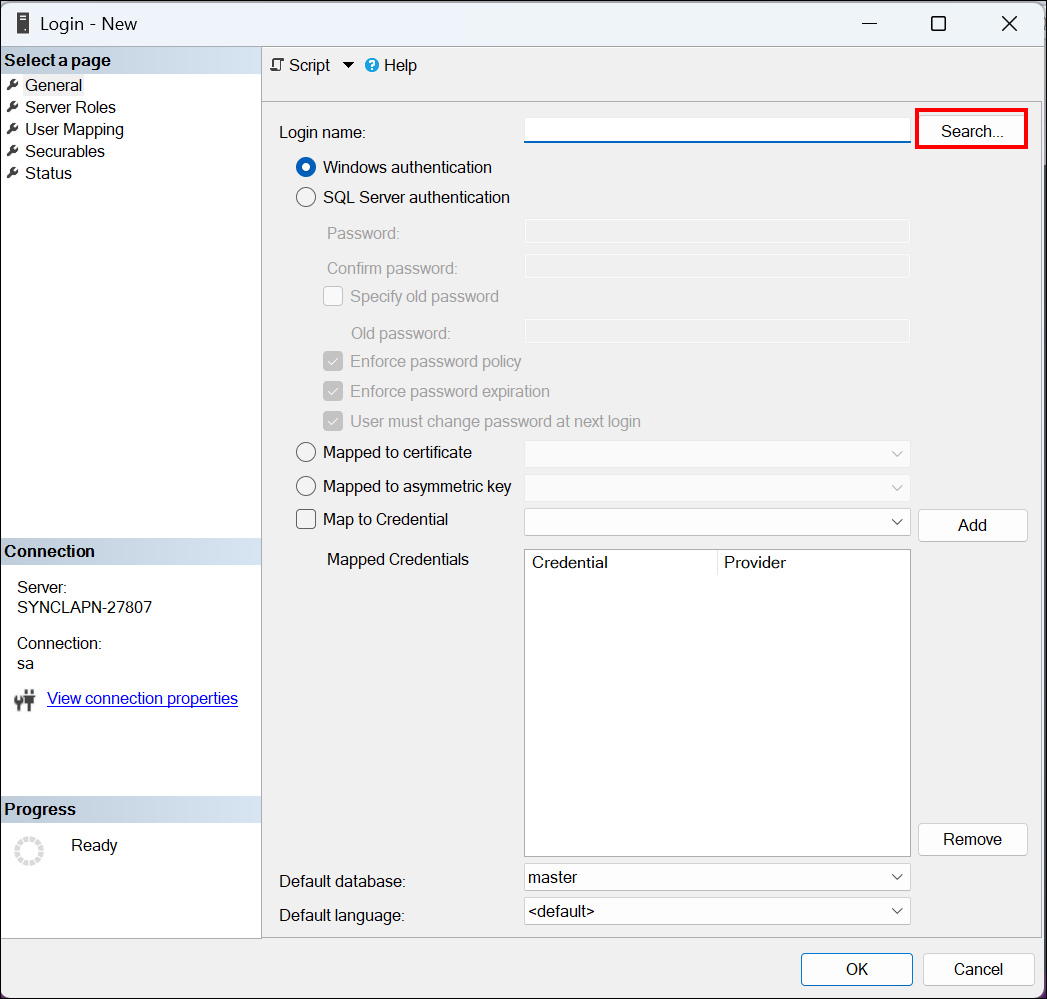


-
Then click “OK” to add the login NT AUTHORITY\SYSTEM. Once it has been added, we could access Windows authentication mode in Bold Reports®.