Create ASP.NET Web API service
In this section, you will learn how to create a Web API Service for Report Viewer using the new ASP.NET Empty Web Application template.
To get start quickly with Web API Service for Report Viewer, you can check on this video:
- Start Visual Studio 2022 and click Create new project.
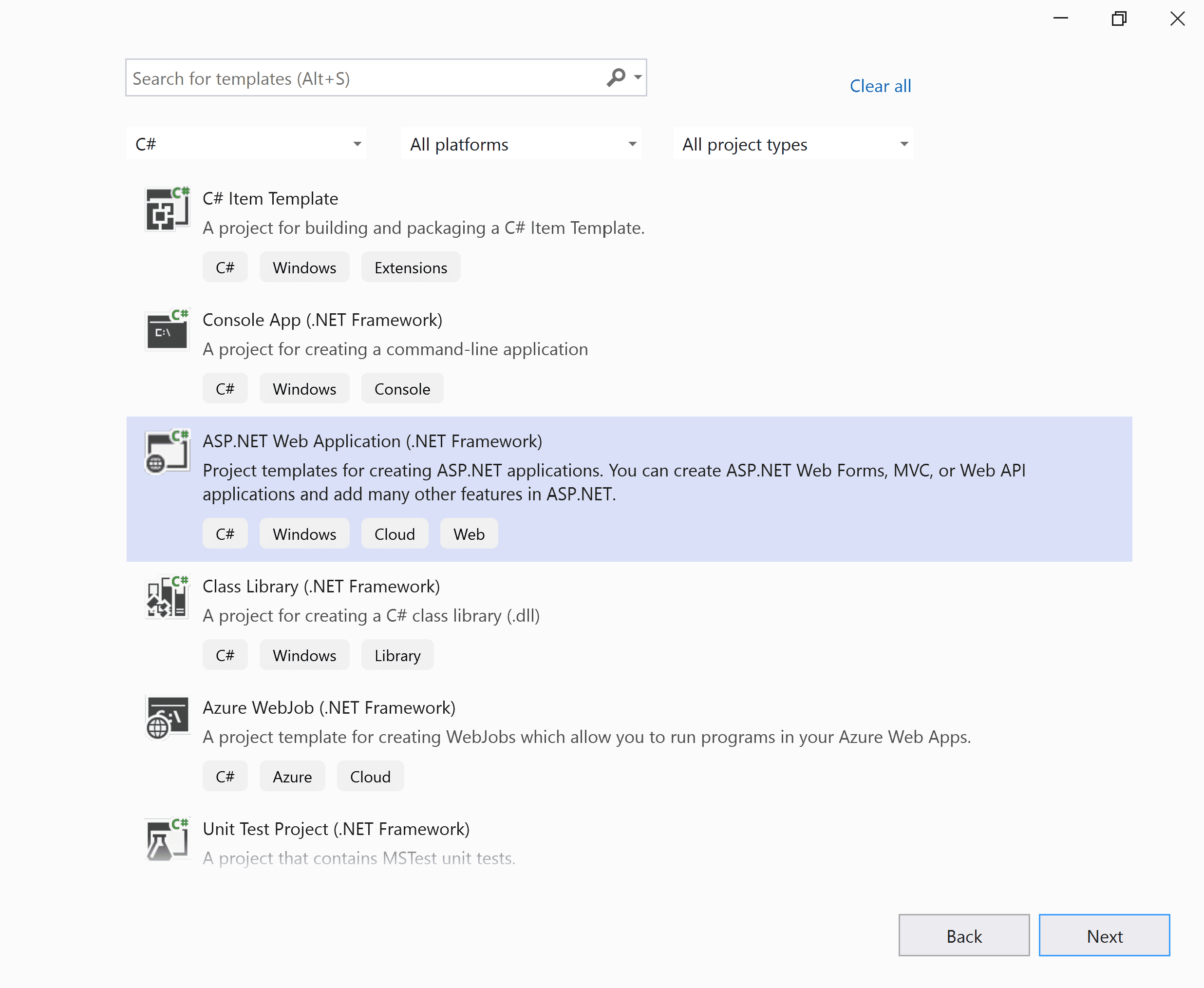
- Select ASP.NET Web Application (.NET Framework).
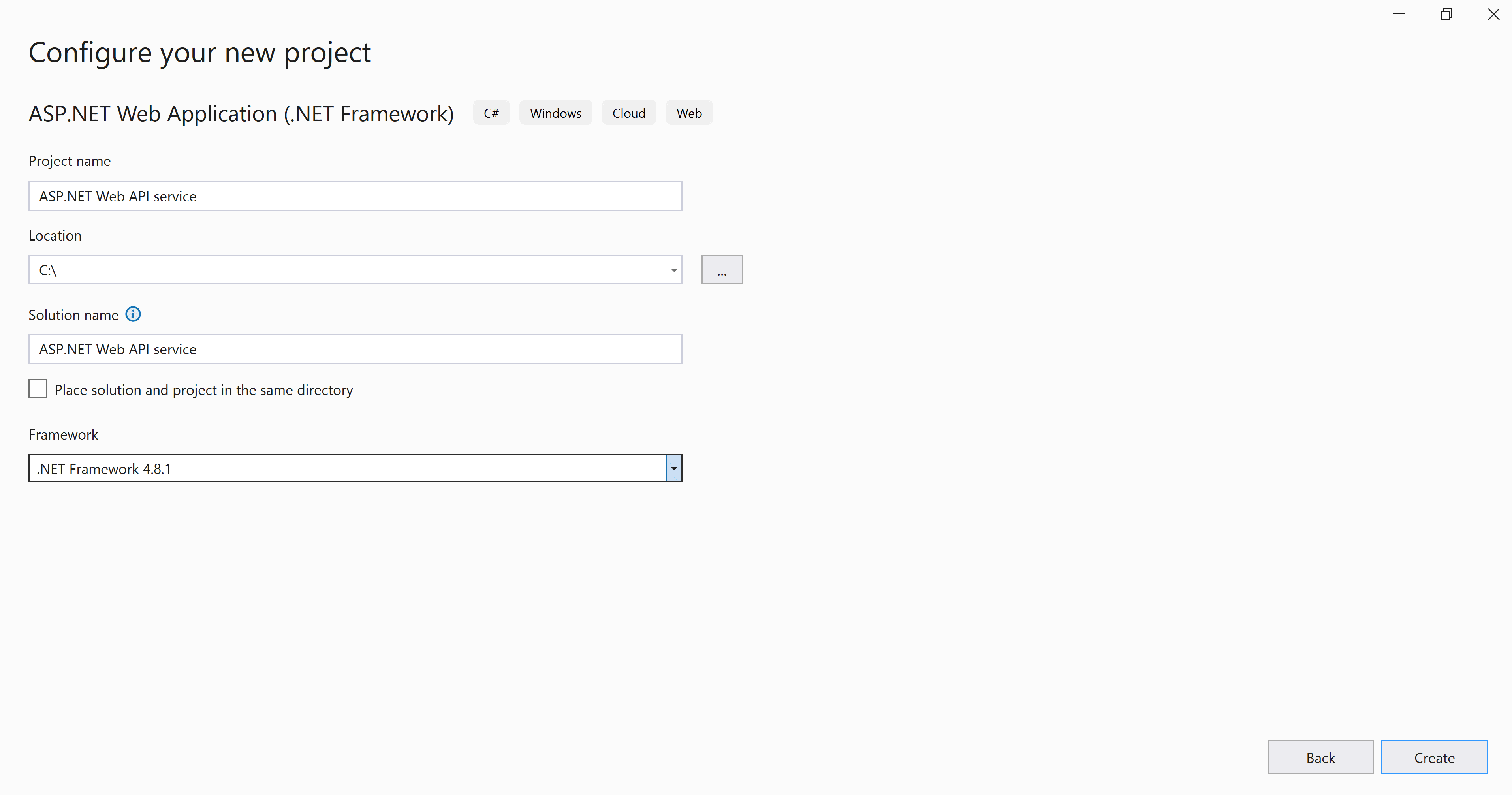
- Change the application name, and then select the required .NET Framework in the drop-down.
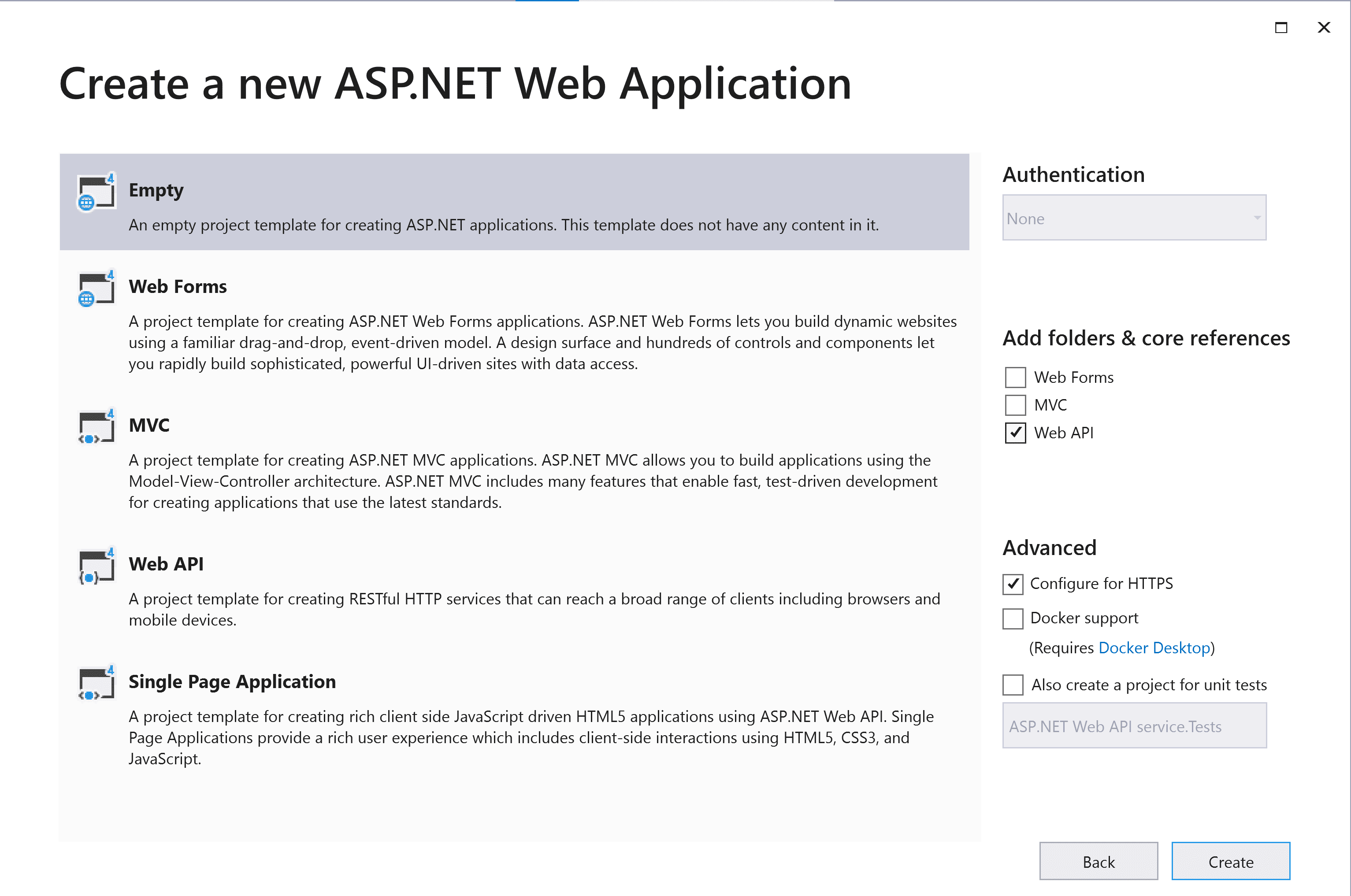
- Choose Empty, Web API and then click OK. Now, the Web application project is created with default ASP.NET Web template.
Configure Report Viewer Web API
-
Right-click the project or solution in the Solution Explorer tab, and choose Manage NuGet Packages. Alternatively, select the Tools > NuGet Package Manager > Manage NuGet Packages for Solution menu command.
Refer to the NuGet Packages section to learn more details about installing and configuring Report Viewer NuGet packages.
-
Search for
BoldReports.WebNuGet packages, and install them in your Web application.Package Purpose BoldReports.WebBuilds the server-side implementations. -
The following table provides details about the dependency packages and its usage.
Package Purpose Syncfusion.Pdf.AspNetExports the report to a PDF. Syncfusion.DocIO.AspNetExports the report to a Word. Syncfusion.XlsIO.AspNetExports the report to an Excel. Syncfusion.Presentation.AspNetExports the report to an PowerPoint. Newtonsoft.JsonSerializes and deserialize data for the Report Viewer. It is a mandatory package for Report Viewer, and the package version should be higher than 10.0.1 for NET Core 2.0 and others should be higher than 9.0.1.
Configure Web API
The interface IReportController has declaration of action methods that are defined in the Web API Controller for processing the RDL, RDLC, and SSRS reports and for handling request from the Report Viewer control. The IReportController has the following action methods declaration:
| Methods | Description |
|---|---|
| PostReportAction | Action (HttpPost) method for posting the request in report process. |
| OnInitReportOptions | Report initialization method that occurs when the report is about to be processed. |
| OnReportLoaded | Report loaded method that occurs when the report and sub report start loading. |
| GetResource | Action (HttpGet) method to get resource for the report. |
ReportHelper
The class ReportHelper contains helper methods that help to process a Post or Get request from the Report Viewer control and return the response to the Report Viewer control. It has the following methods:
| Methods | Description |
|---|---|
| GetResource | Returns the report resource to the requested key. |
| ProcessReport | Processes the report request and returns the result. |
Add Web API Controller
-
Right-click Controller folder in your project and select Add > New Item from the context menu.
-
Select
Web API Controller Classfrom the listed templates and name it asReportViewerController.cs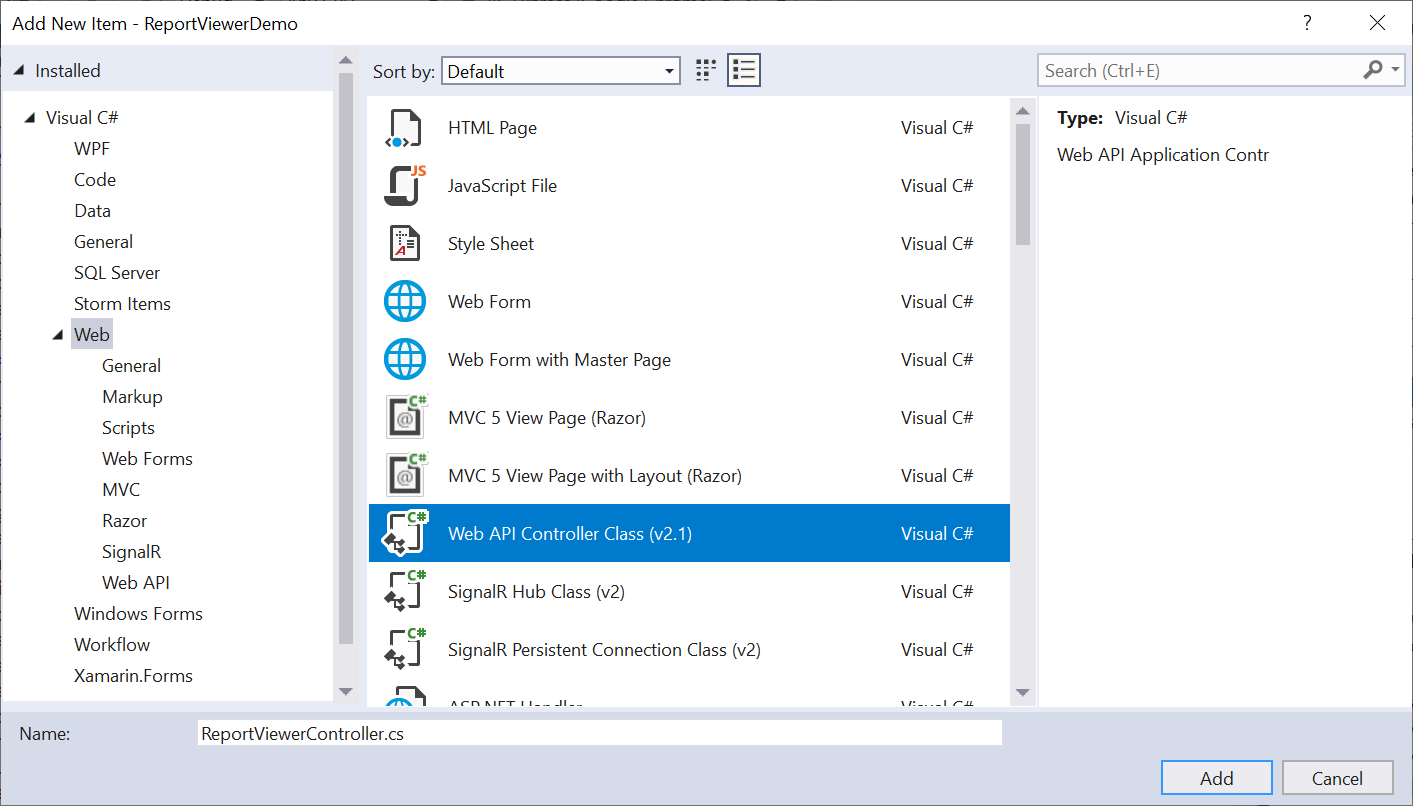
-
Click Add.
While adding Web API Controller class, name it with the suffix
Controllerthat is mandatory. -
Open the
ReportViewerControllerand add the following using statement.using BoldReports.Web.ReportViewer; -
Inherit the
IReportControllerinterface, and implement its methods (replace the following code in newly created Web API controller).public class ReportViewerController : ApiController, IReportController { // Post action for processing the RDL/RDLC report public object PostReportAction(Dictionary<string, object> jsonResult) { return ReportHelper.ProcessReport(jsonResult, this); } // Get action for getting resources from the report [System.Web.Http.ActionName("GetResource")] [AcceptVerbs("GET")] public object GetResource(string key, string resourcetype, bool isPrint) { return ReportHelper.GetResource(key, resourcetype, isPrint); } // Method that will be called when initialize the report options before start processing the report [NonAction] public void OnInitReportOptions(ReportViewerOptions reportOption) { // You can update report options here } // Method that will be called when reported is loaded [NonAction] public void OnReportLoaded(ReportViewerOptions reportOption) { // You can update report options here } }
Add routing information
-
To configure routing to include an action name in the URI, open the
WebApiConfig.csfile and change therouteTemplatein the Register method as follows,public static class WebApiConfig { public static void Register(HttpConfiguration config) { // Web API configuration and services // Web API routes config.MapHttpAttributeRoutes(); config.Routes.MapHttpRoute( name: "DefaultApi", routeTemplate: "api/{controller}/{action}/{id}", defaults: new { id = RouteParameter.Optional } ); } } -
Compile and run the Web API service application.
Enable Cross-Origin Requests
Browser security prevents Report Viewer from making requests to your Web API Service when both runs in a different domain. To allow access to your Web API service from a different domain, you must enable cross-origin requests.
-
Right-click the project or solution in the Solution Explorer tab, and choose Manage NuGet Packages. Alternatively, go to Tools > NuGet Package Manager > Manage NuGet Packages for Solution menu command.
-
Search for
Microsoft.AspNet.WebApi.CorsNuGet packages, and install them in your Web API application. -
Call
EnableCorsinWebApiConfigto add CORS services to the Register method. Replace the following code to allow any origin requests.public static class WebApiConfig { public static void Register(HttpConfiguration config) { // Add Enable Cors config.EnableCors(); // Web API configuration and services // Web API routes config.MapHttpAttributeRoutes(); config.Routes.MapHttpRoute( name: "DefaultApi", routeTemplate: "api/{controller}/{action}/{id}", defaults: new { id = RouteParameter.Optional } ); } } -
To specify the CORS policy for API controller, add the
[EnableCors]attribute to the controller class. Specify the policy name.[EnableCors(origins: "*", headers: "*", methods: "*")] public class ReportViewerController : ApiController, IReportController { // Post action for processing the RDL/RDLC report public object PostReportAction(Dictionary<string, object> jsonResult) { return ReportHelper.ProcessReport(jsonResult, this); } // Get action for getting resources from the report [System.Web.Http.ActionName("GetResource")] [AcceptVerbs("GET")] public object GetResource(string key, string resourcetype, bool isPrint) { return ReportHelper.GetResource(key, resourcetype, isPrint); } // Method that will be called when initialize the report options before start processing the report [NonAction] public void OnInitReportOptions(ReportViewerOptions reportOption) { // You can update report options here } // Method that will be called when reported is loaded [NonAction] public void OnReportLoaded(ReportViewerOptions reportOption) { // You can update report options here } }