Insert or delete a tablix row in the Bold Reports® Web Report Designer
In the Bold Reports® Web Report Designer, you can insert or delete rows in a tablix to organize the data in your report.
How do I insert a row?
You can add a row to a Bold Reports® tablix in two ways: from the row gripper or from a cell.
To insert a row by selecting the row:
- Right-click the row gripper where you want to insert a row.
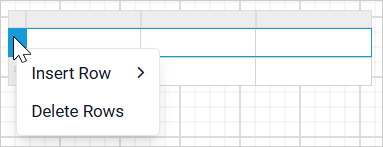
- Click
Insert Rowand then clickAboveorBelow.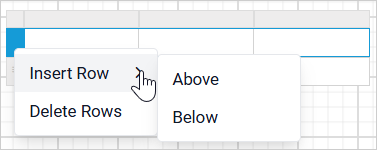
To insert a row by selecting a cell:
- Right-click a cell in the tablix where you want to insert a row.

- Click
Insert Rowand then clickAboveorBelow.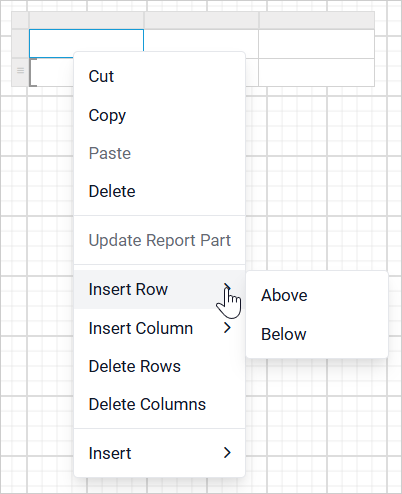
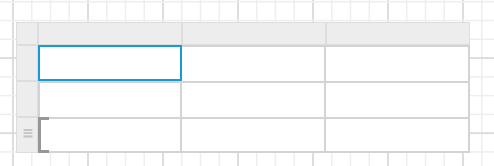
A new row is added above or below the target row.
How do I insert a row in a group?
You can add a row to a group in a Bold Reports® tablix in two ways: from the row group gripper or from a row group cell.
To insert a row by selecting the row group:
- Right-click the row group gripper where you want to insert a row.
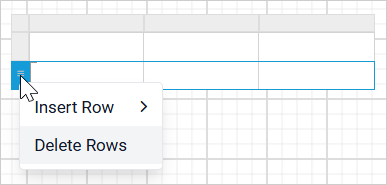
- Click
Insert Row.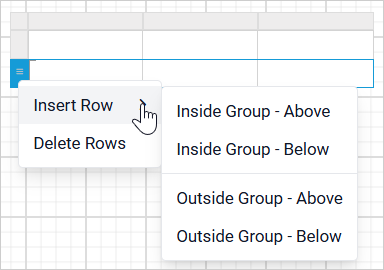
To insert a row by selecting a cell:
- Right-click a row group cell in the tablix where you want to insert a row.
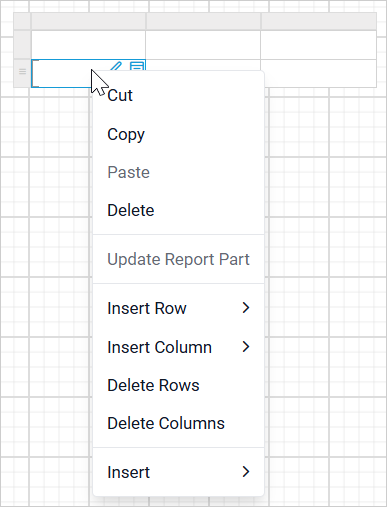
- Click
Insert Row.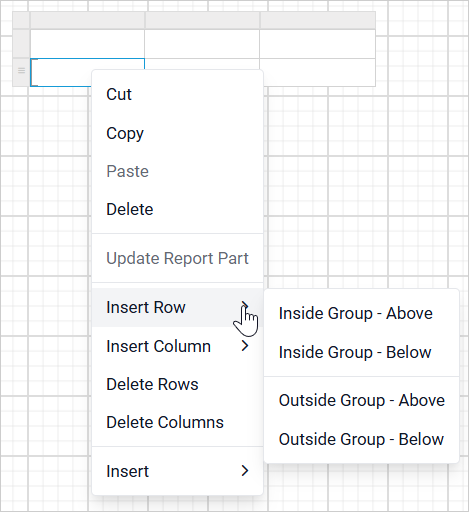
Which Insert Row options are available in a group?
The Web Report Designer lists the following options in the Insert Row menu:
- Inside Group - Above - A new row is added inside the target group but in the top position. In the following image, the
Grouping Indicatorshows that the row is added inside the group.
- Inside Group - Below - A new row is added inside the target group but in the bottom position. In the following image, the
Grouping Indicatorshows that the row is added inside the group.
- Outside Group - Above - A new row is added outside of the target group but in the top position. In the following image, the
Grouping Indicatoris shown only for the target group.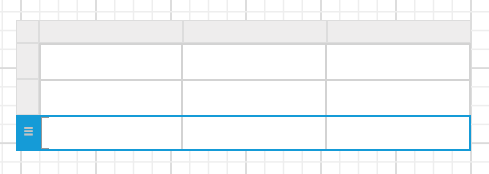
- Outside Group - Below - A new row is added outside of the target group but in the bottom position. In the following image, the
Grouping Indicatoris shown only for the target group.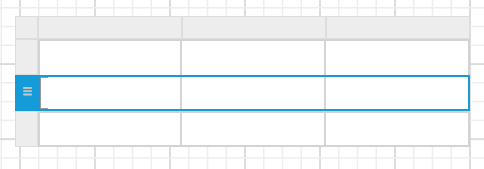
How do I delete a row?
You can delete a row from a Bold Reports® tablix in two ways: from the row gripper or from a cell.
To delete a row by selecting the row:
- Select the row that you want to delete.
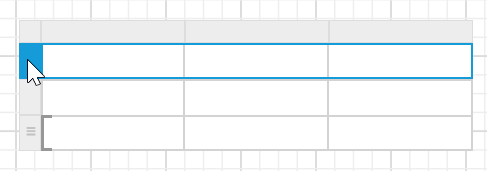
- Right-click the row gripper of that row.
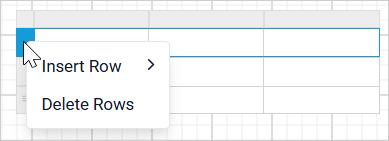
- Click
Delete Rowsin the context menu.
To delete a row by selecting a cell:
- Right-click a cell in the tablix where you want to delete a row.
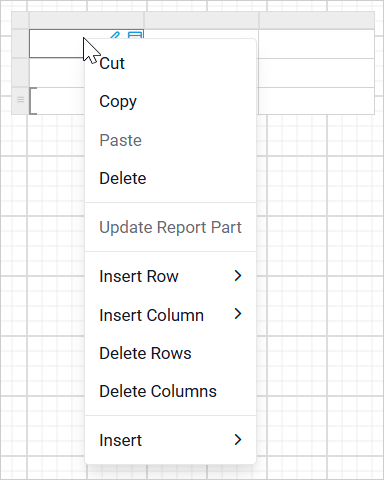
- Click
Delete Rowsin the context menu.
The selected row or rows are deleted from the tablix.
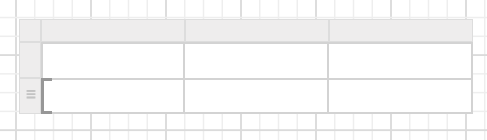
How do I delete a row from a group?
To delete a row from a row group in a Bold Reports® tablix, follow these steps:
- Right-click a row group cell in the row group of a tablix.
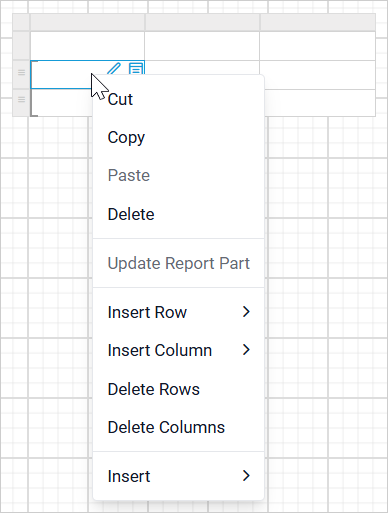
- Click
Delete Rows.
The selected row is deleted from the tablix.
Frequently asked questions
What is the difference between Inside Group and Outside Group?
In the Bold Reports® Web Report Designer, Inside Group adds the new row inside the target group. Outside Group adds the new row outside the target group, so the Grouping Indicator is shown only for the target group.