Modify shared dataset
You modify a shared dataset in the Bold Reports® Web Report Designer by choosing Edit from the dataset context menu in the DATA panel. Editing changes the data feed for your report.
How do I edit a shared dataset?
You edit a shared dataset from the DATA panel of the Bold Reports® Web Report Designer with the following steps:
-
Select the data in the
DATApanel that you want to edit.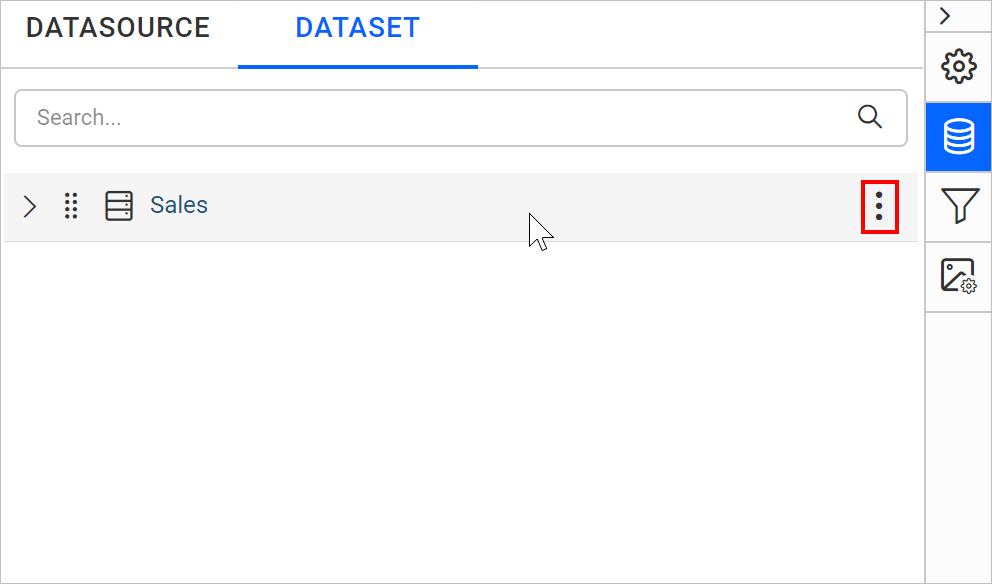
-
Click the highlighted icon shown in the previous image to open the
Editcontext menu of the selected data.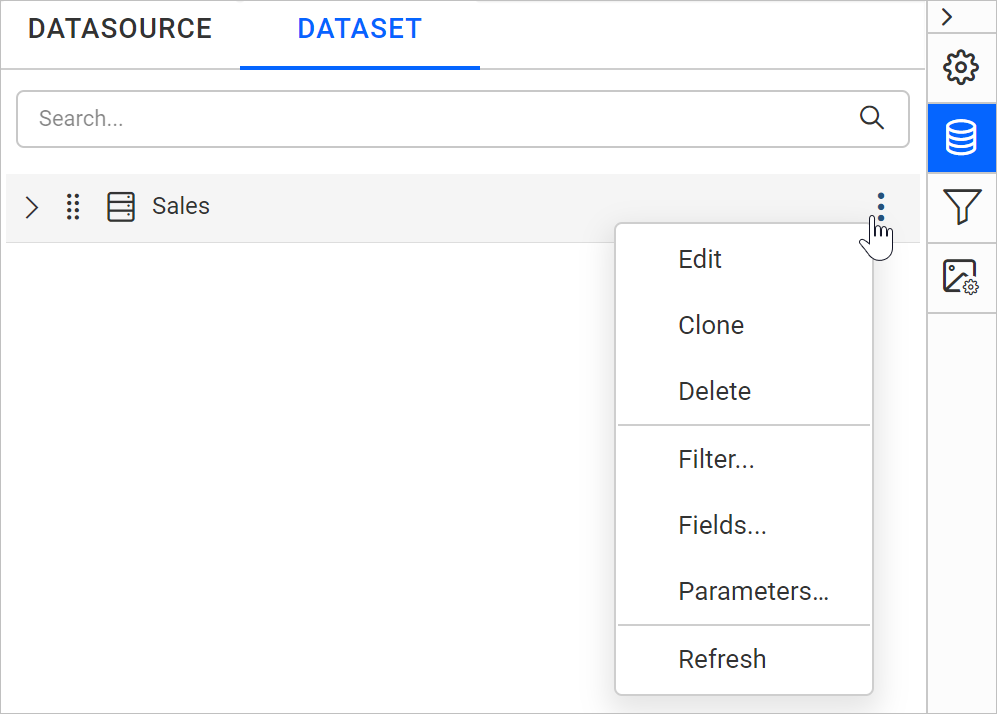
-
Choose the
Editoption from the context menu. The edit panel opens, where you can make your changes.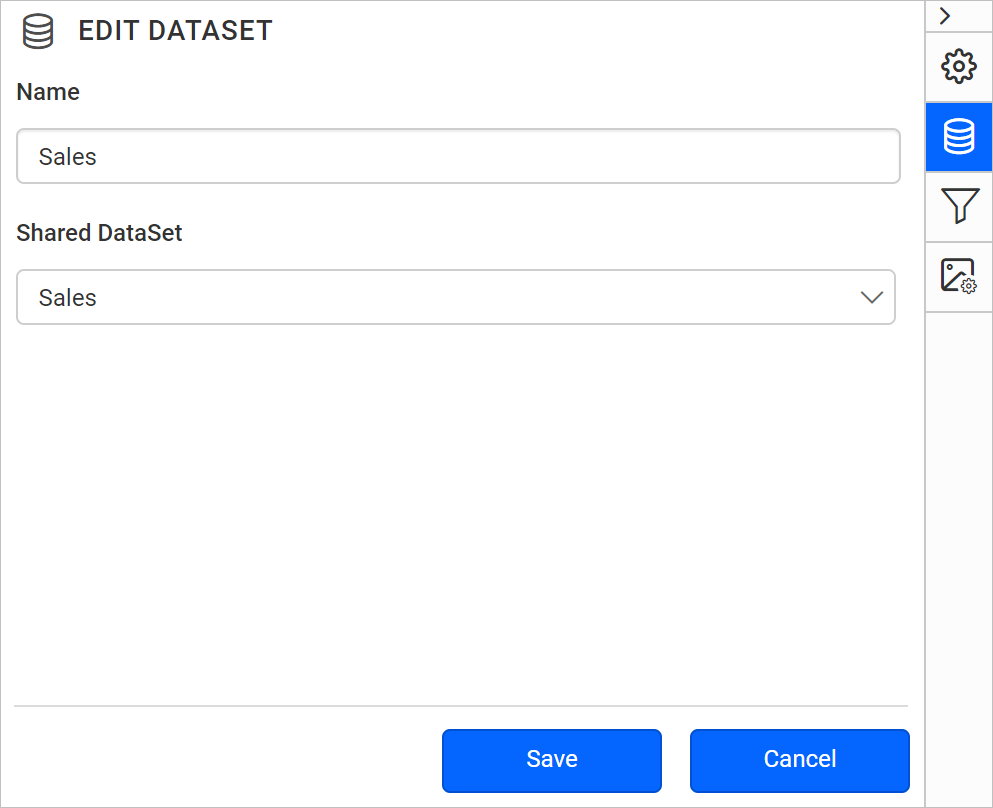
-
After you modify the fields, click the
Savebutton.