How to get distinct values in parameter dropdown
To get distinct values in a parameter dropdown in Bold Reports® Report Designer, enable the Show unique values option when you create the parameter.
Why does my parameter dropdown show duplicate values?
A Bold Reports® parameter dropdown shows duplicates when the dataset query returns duplicate records. At report run time, these values are listed in the parameter dropdown as they are.
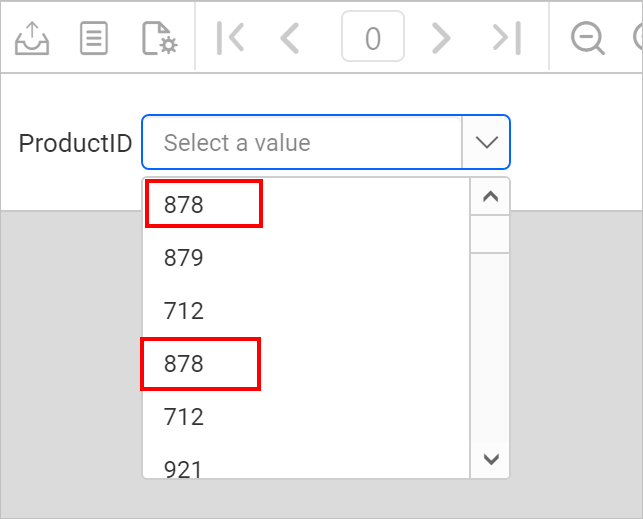
Steps to configure distinct values for parameters
Bold Reports® designer provides an option called Show unique values when you create a parameter. Enable this option to get distinct values in the parameter dropdown.
- Create a new parameter or edit an existing parameter.
- In the parameters configuration panel, enable the
Show unique valuescheckbox.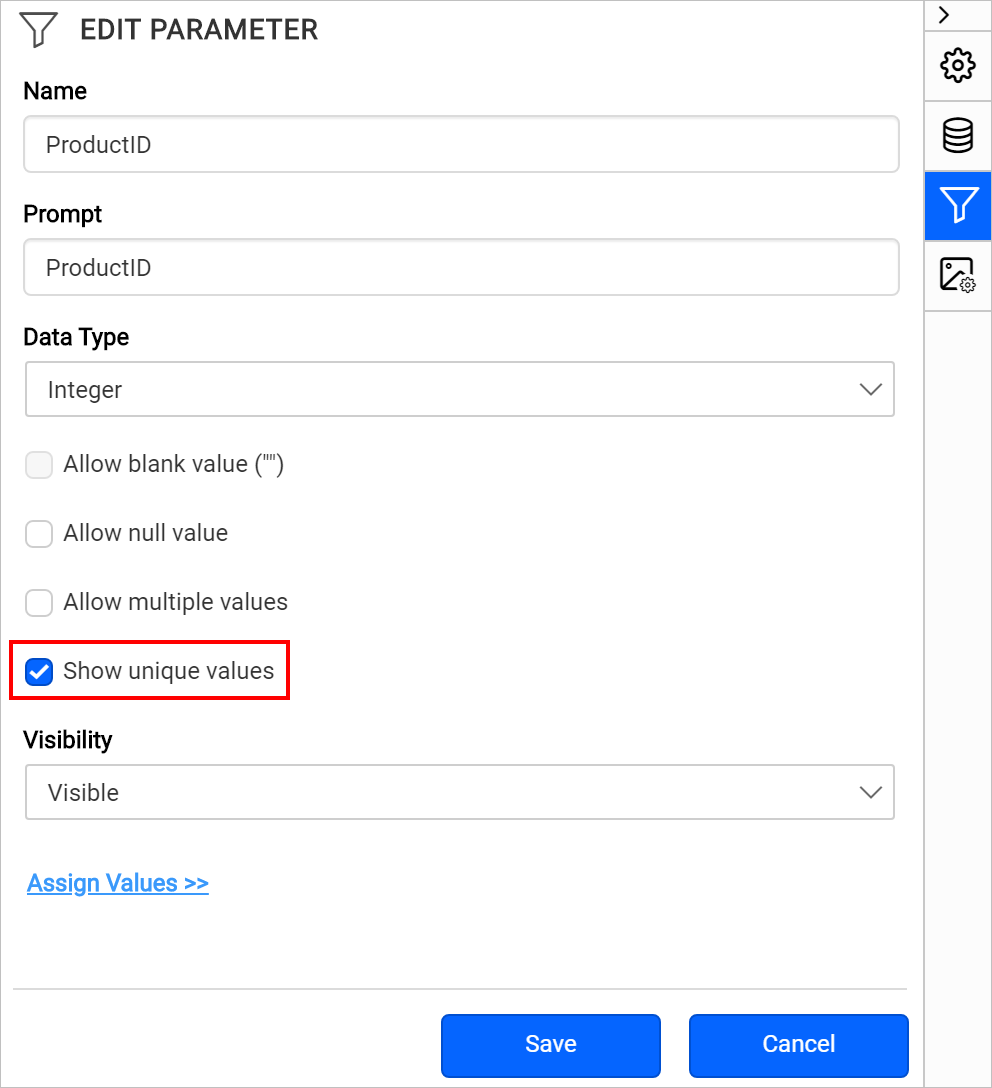
- Save the parameter.
When the report runs, the unique values are listed in the parameter dropdown.
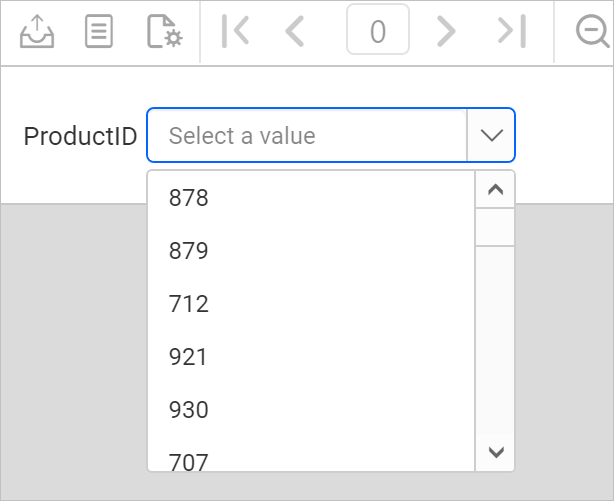
The ability to get distinct values from parameter drop down feature was introduced in the Bold Reports® version 5.2.26. Ensure you have upgraded your report server to this version or later to access this feature.
Frequently asked questions
Which Bold Reports® version supports distinct parameter values?
The feature was introduced in Bold Reports® version 5.2.26. Upgrade your report server to this version or later to use it.