Which formats can I export reports to in Cloud Reporting?
In Bold Reports® Cloud, you can export a report from the report context menu, choose one or more formats, and set filter parameters before export.
To export a report, select Export in the report context menu.
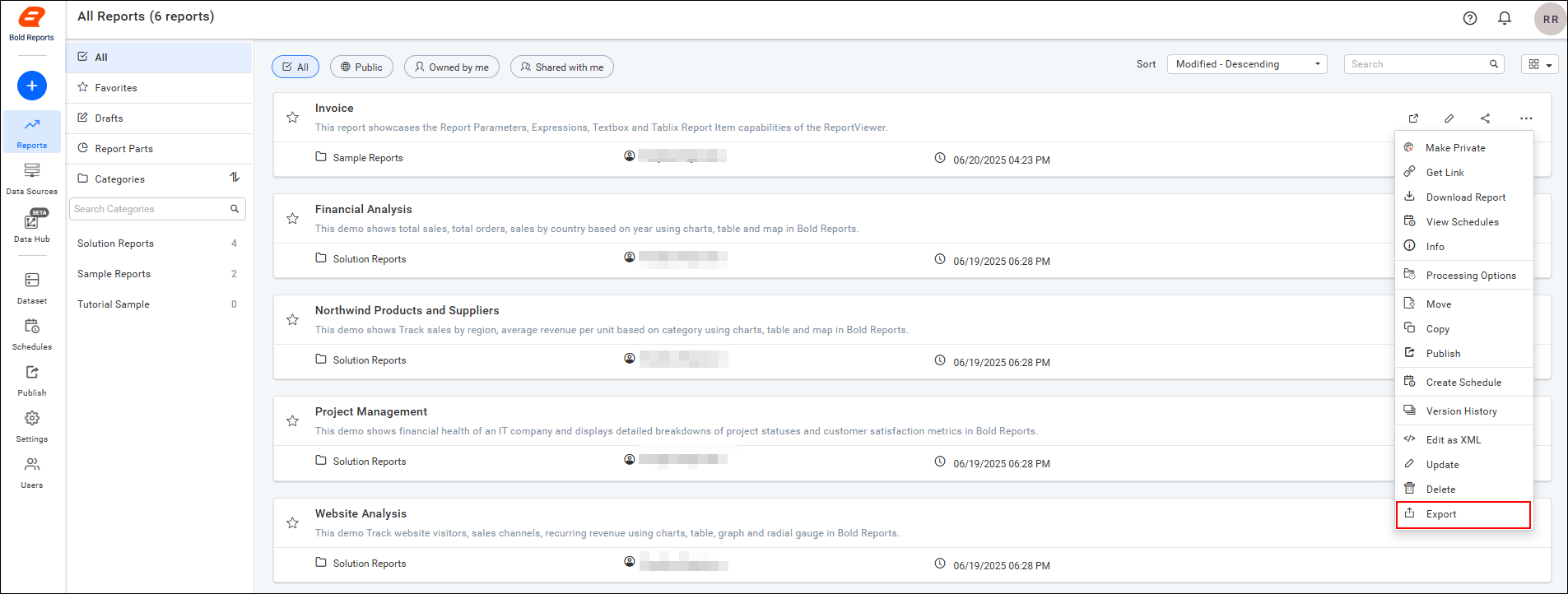
Which formats can I export a report to?
Cloud Reporting exports reports to the 7 core formats: PDF, Excel, Word, PowerPoint, CSV, XML, and HTML. It also supports TXT. You can select more than one format in the same export.
How to select export formats and filters
After you select Export, you select one or more formats, set the filter parameters, and then export the report.
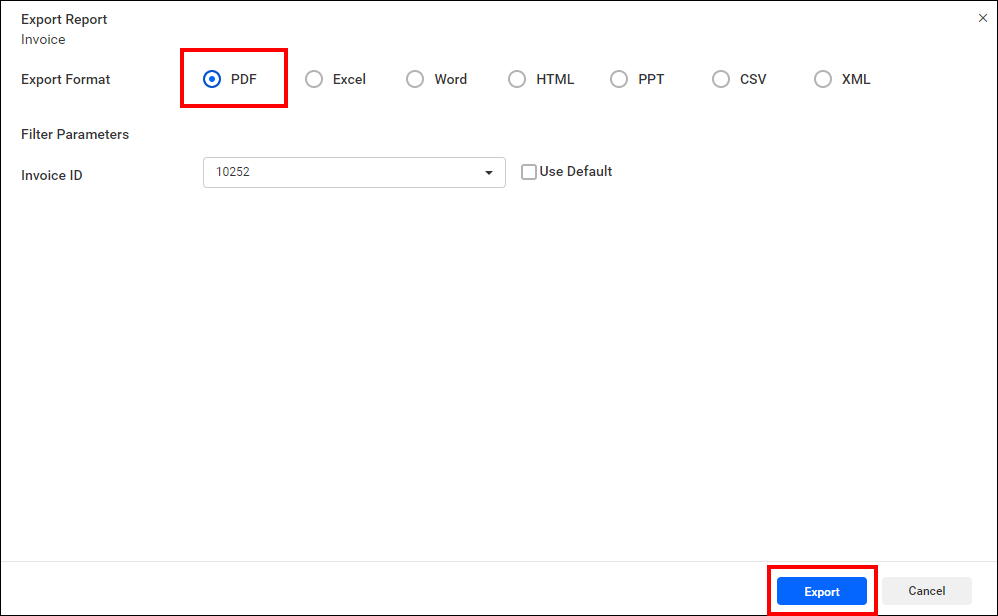
Multiple export formats can be selected at the same time. Each selected format is exported separately and opened in a new browser tab.
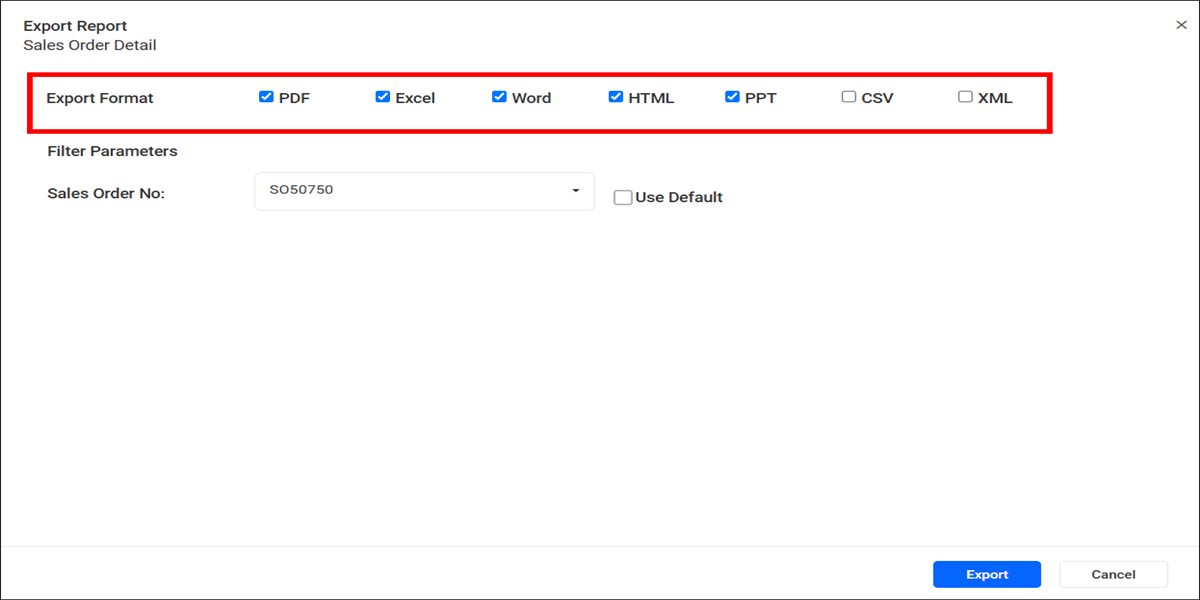
Note: Each selected export format opens in a separate browser tab or window. If your browser blocks pop-ups, a notification may appear asking you to allow pop-ups from the Bold Reports® application. Allow pop-ups to ensure all exported reports are opened successfully.
Frequently asked questions
Can I export a report automatically on a schedule?
Yes. Create a schedule and choose the export formats. When you select more than one format, the schedule delivers them as a single ZIP attachment. See Manage report schedules.
Can I export a report with the REST API?
Yes. Users with read access to a report can export it with the REST API by sending the report ID and export type. The response is an array of bytes. See Export the report using API.
Can I pass filter parameters when I export with the API?
Yes. See Export the report with filter parameters using API.
Why did only one of my exported files open?
Each format opens in its own browser tab. If your browser blocks pop-ups, allow pop-ups from the Bold Reports® application and export again.