Shape types
Report Designer supports the following basic shapes.
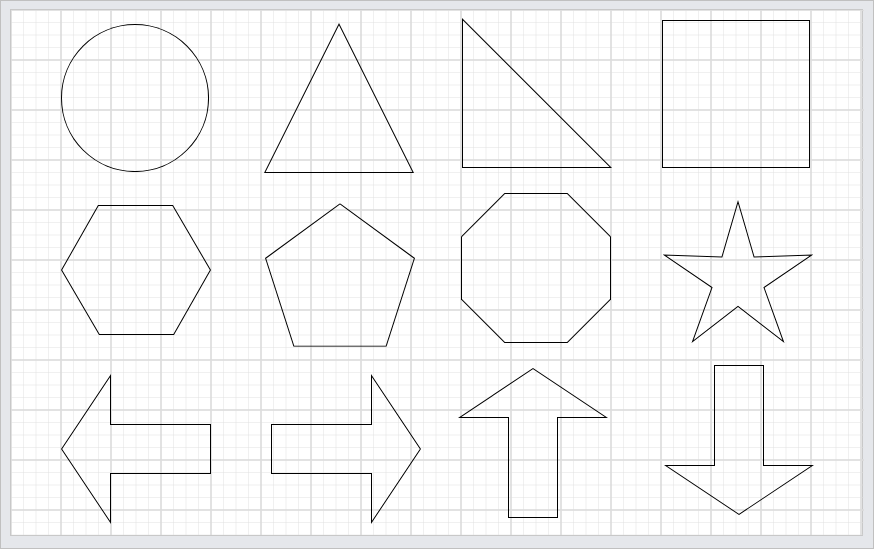
| Types | Description |
|---|---|
| Ellipse | A smooth, ellipse shape used to highlight content or add a decorative touch. |
| Triangle | A three-sided shape often used to indicate direction, hierarchy, or to draw attention. |
| Right Angle Triangle | A triangle with one 90° angle, typically used to suggest direction or represent corners. |
| Rectangle | A defined area used for conditional formatting, interactive elements. |
| Hexagon | A six-sided polygon symbolizing modularity, balance, or interconnected systems. |
| Pentagon | A five-sided shape, often used for symbolic meaning or visual emphasis. |
| Octagon | An eight-sided polygon commonly used to represent stops, warnings, or alerts. |
| Star | A multi-pointed decorative shape, often used for emphasis, highlights, or ratings. |
| Left Arrow | Points left to show previous steps or backward navigation. |
| Right Arrow | Points right to show next steps or forward movement. |
| Up Arrow | Points upward to indicate increase, hierarchy, or upward navigation. |
| Down Arrow | Points downward to show continuation, dropdown, or deeper detail. |
| Plus | Represents addition or aggregation operations between multiple data values. |
| Minus | Represents subtraction, reduction, variance, or exclusion operations. |
| Multiplication | Indicates multiplication or scaling operations. |
| Division | Represents division or ratio calculations. |
| Trapezoid | A four-sided shape with one pair of parallel sides, often used for process flows or hierarchies. |
| Parallelogram | A four-sided shape with opposite sides parallel, commonly used for data or process representation. |
| Equation | Represents equality or assignment of calculated results. |