Interact with our REST API
This section explains you how to use our interactive API documentation.
You need to obtain an access token to authenticate with the API endpoints to get the responses.
Get Access Token
Each user has their own unique token to authenticate requests. This token should be added to the header of the request.
To obtain the User Token, please follow the steps outlined below:
-
Navigate to the appropriate interactive Rest API documentation link.
-
Expand the
Authenticationsection and clickTry it out.
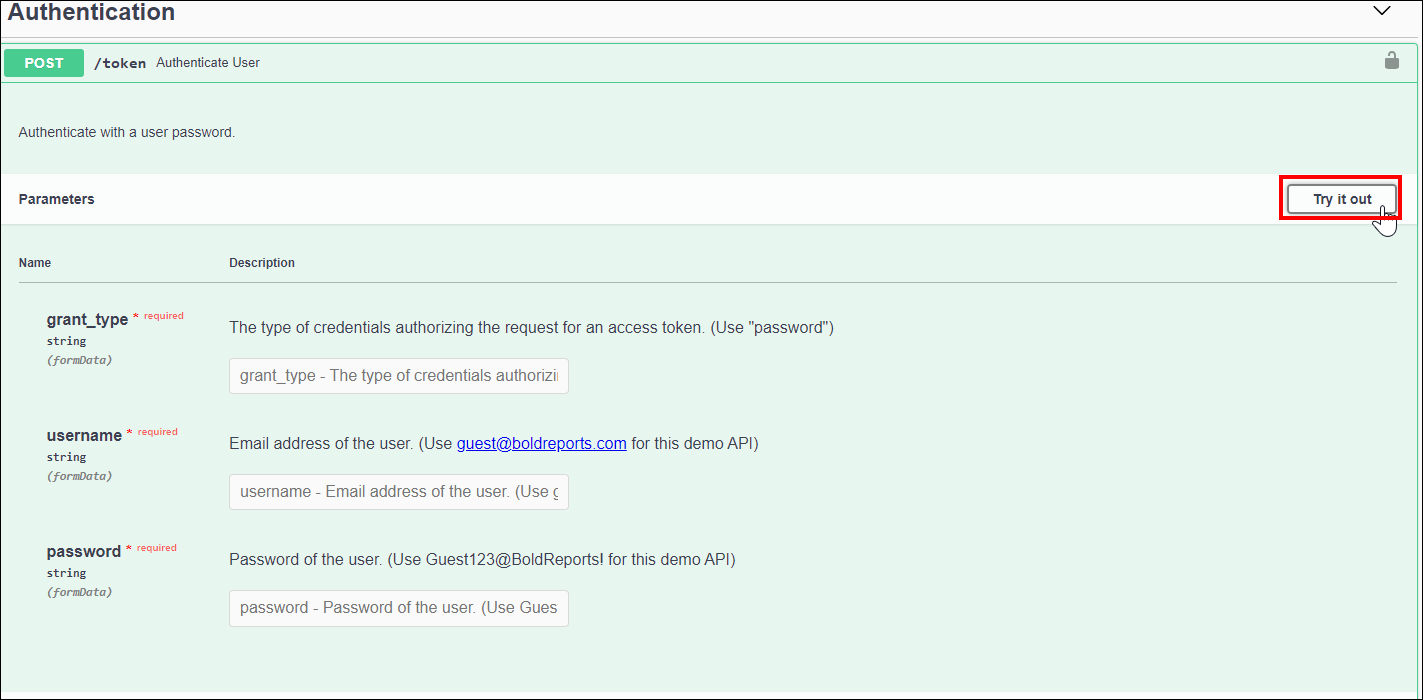 3. We have already hosted a public demo of the Bold Reports® Server at this domain. To use the public demo, you need to obtain the access token using the sample credentials provided below.
 Username - [email protected]

 grant_type - password

 password - Guest123@BoldReports!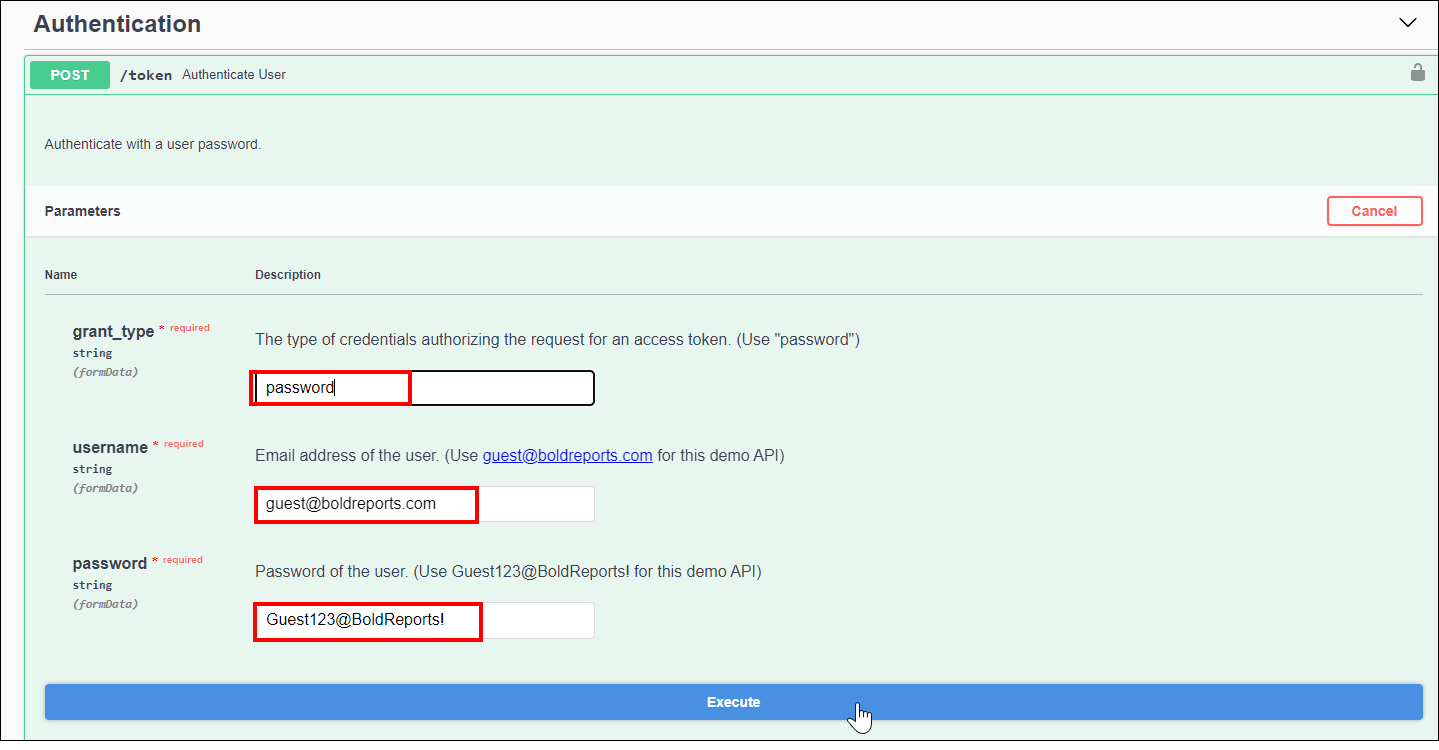
-
Click
Executeand you will receive a response similar to the one below. Retrieve theaccess_tokenfrom the response body.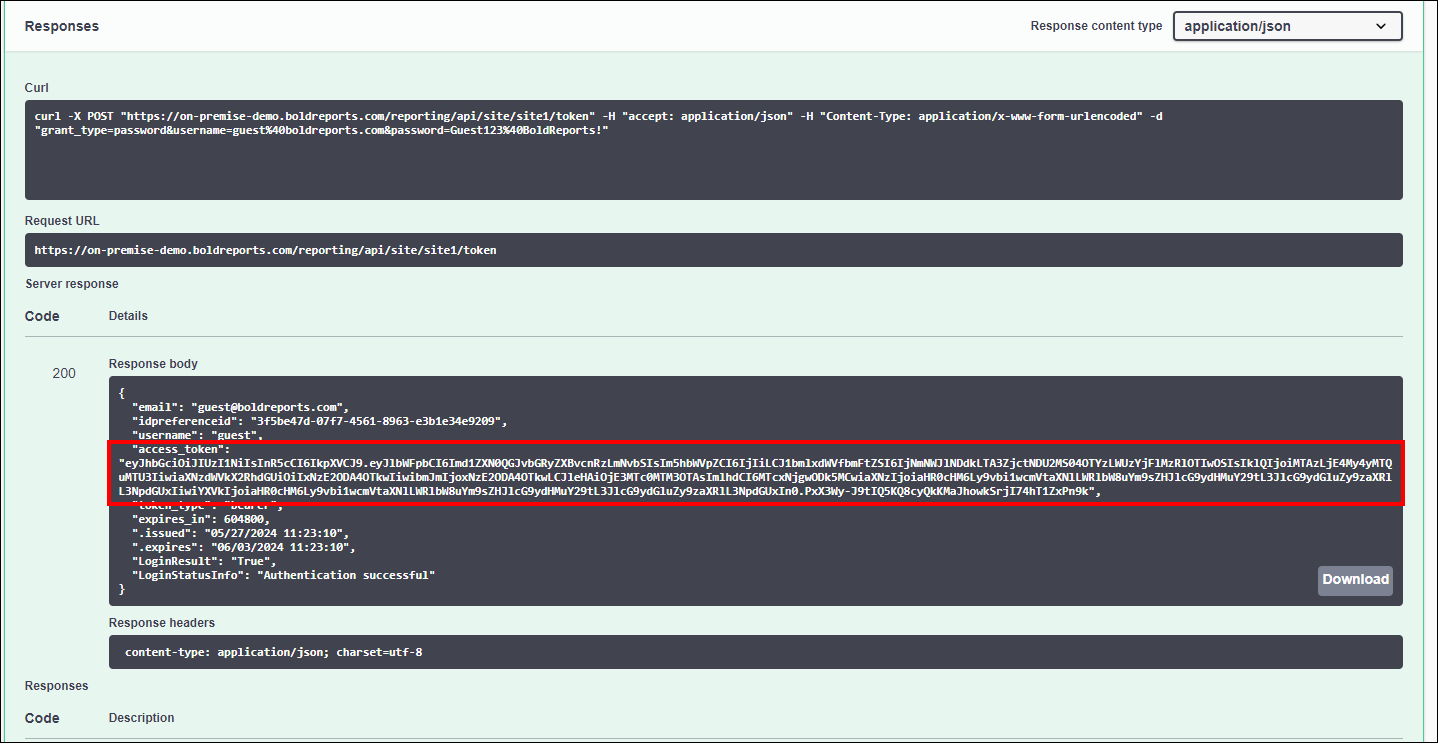
-
Now, you need to include the access_token as an Authorization header for subsequent API calls.
-
Click the
Authorizebutton, which is located in the top right corner of the page.
-
A dialog will open. Enter the access token in the
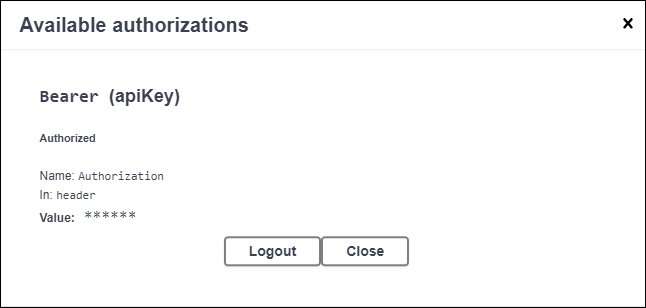
Valuebox with this format, ‘Bearer’ + access_token, then click theAuthorizebutton.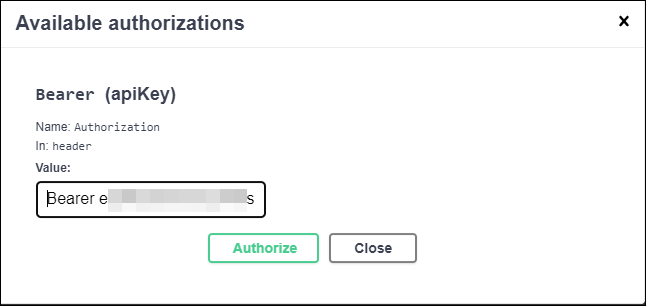
-
Now, you can interact with the other REST APIs using the respective parameters as mentioned in each API’s documentation.
NOTE: In this interactive document, both API responses and their corresponding code descriptions are provided.