Starting from version 6.1, Bold Reports® introduced a feature that supports a single database for multiple sites.
Single Database For multiple sites
In a multi-tenant architecture, multiple instances of an application operate in a shared environment. The instances (sites) are logically isolated but physically integrated. In the context of databases, this means that multiple sites share the same database, but each site has its own set of tables that are distinguished by schema and prefix. This allows for efficient resource utilization while ensuring data isolation and security for each site.
Site Creation
You can create a new site in the Bold Reports® On-premise application by clicking on the Create Site button in the site management module.

Please enter the site name and site identifier in the Site Creation tab, then proceed with Next.
Select Database:
MSSQL Server
-
Select the server type as
Microsoft SQL Server, and provide the Server name, Username, and Password.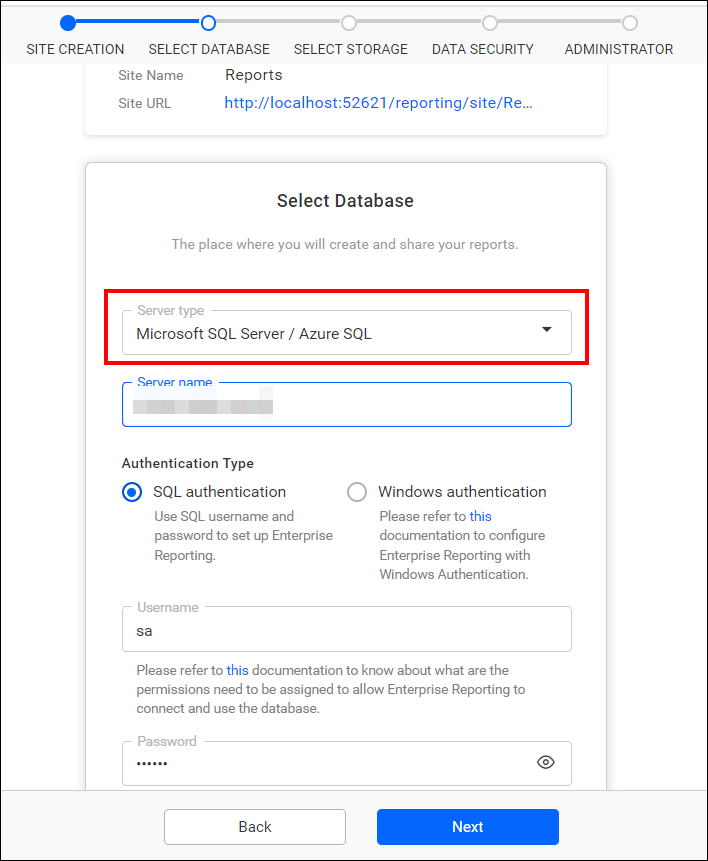
-
Please provide the name of the
existing databasethat you have already used to create a site, as well as thenew database schema nameand thenew server table prefix name. Once provided, clickNextto proceed further.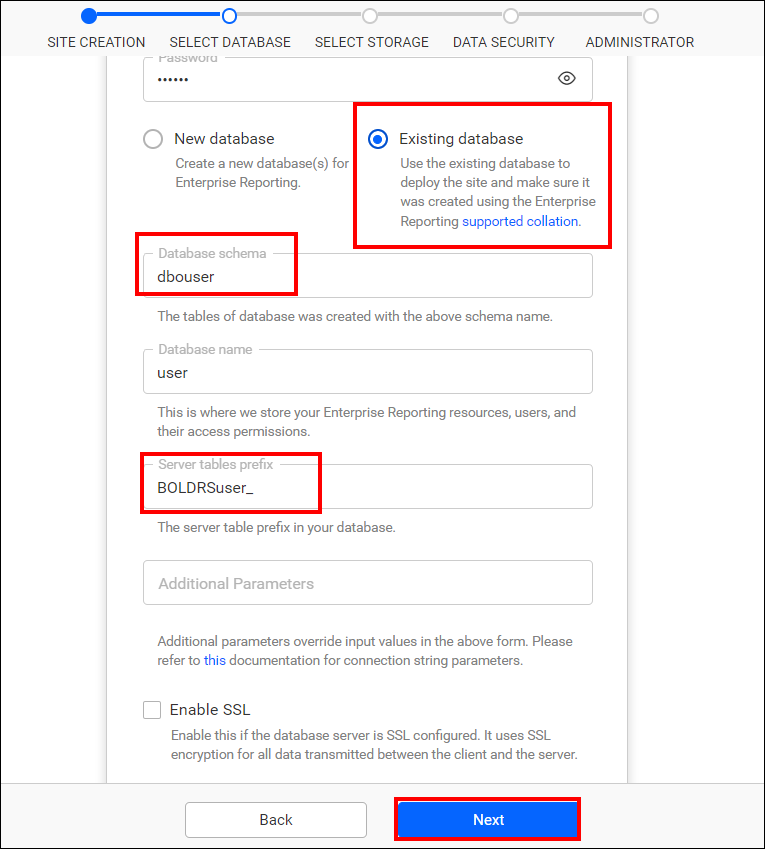
Note: After configuring the database, follow the steps in the provided link to create a site.
-
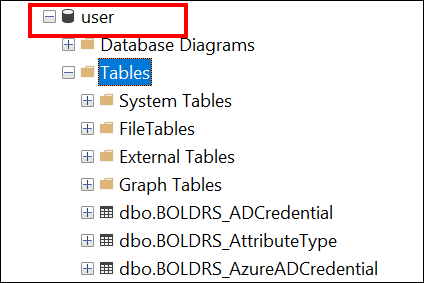
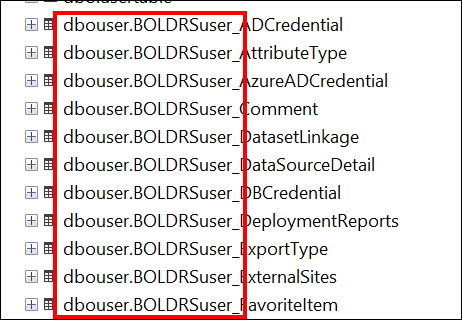
In the screenshots below,
userrepresents the existing database,dbo.BOLDRS_is the schema and prefix used for the tables created forsite 1, whiledbouser.BoldRSuser_denotes the newly created schema and prefix for the tables created forsite 2. Here, both schemas are present within the single database. By differentiating the schema and prefix names, you can createmultiple siteswithin asingle database.
Note: By default in MSSQL, the
database schema nameis dbo, andserver table prefix nameis BoldRS_.
PostgreSQL
-
Select the server type as
PostgreSQLServer, and provide the Server name, Username, and Password.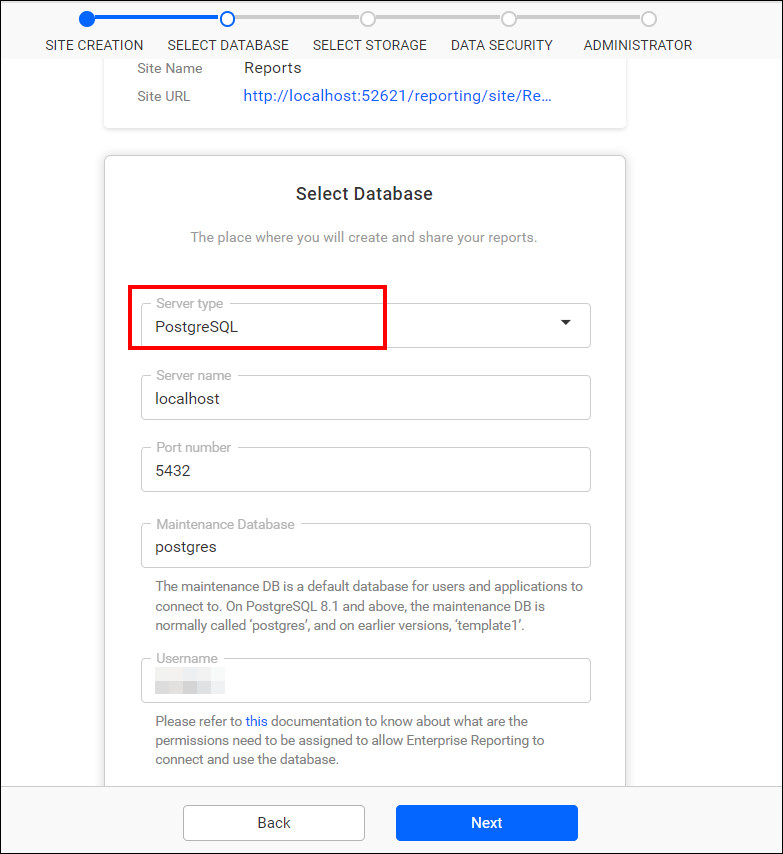
-
Please provide the name of the
existing databasethat you have already used to create a site, as well as thenew database schema nameand thenew server table prefix name. Once provided, clickNextto proceed further.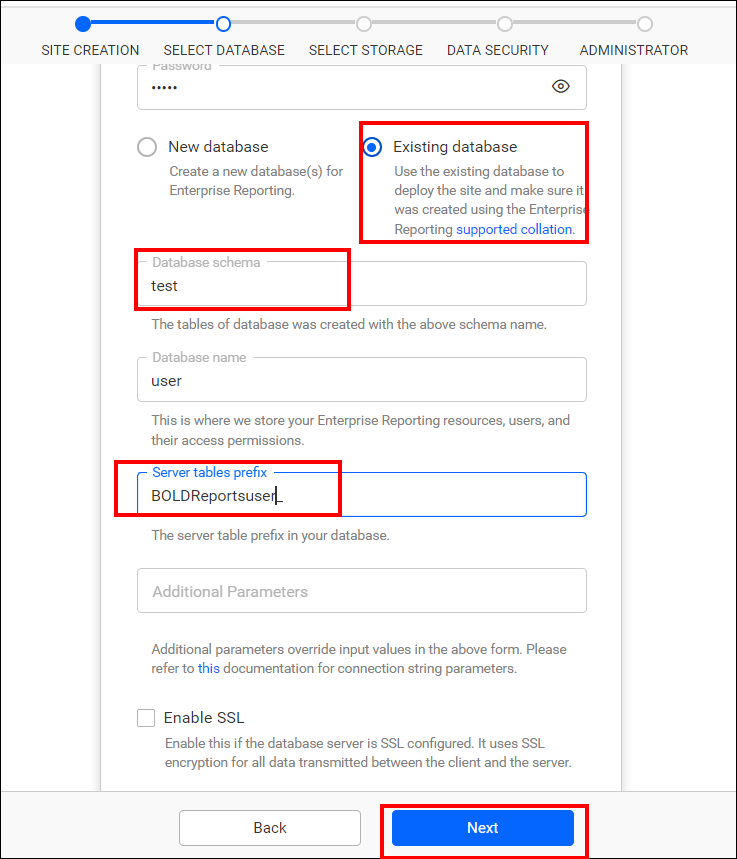
Note: After configuring the database, follow the steps in the provided link to create a site.
-
In the screenshots below,
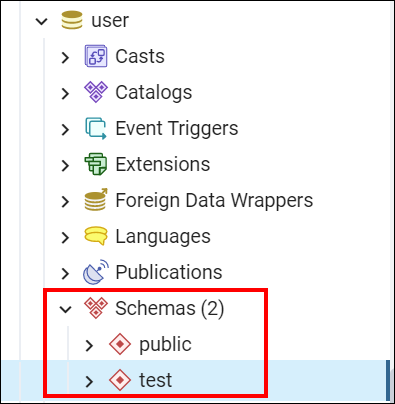
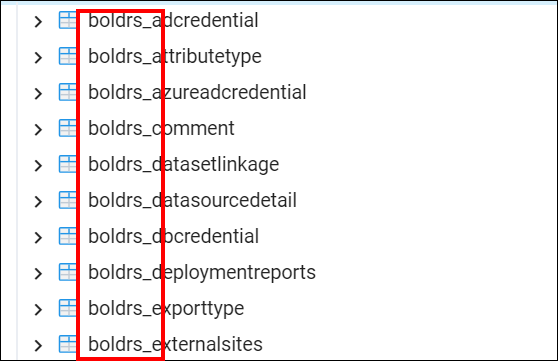
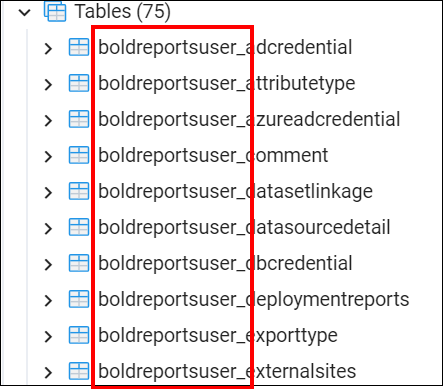
userrepresents the existing database,publicis the schema, andboldrs_is the prefix for the tables created forsite 1, whiletestdenotes the newly created schema andboldreportsuser_is the newly created prefix for the tables created forsite 2. Here,bothschemasare present within the single database. By differentiating the schema and prefix names, you can createmultiple siteswithin thesingle database.
Note: By default in PostgreSQL, the
database schema nameis public, andserver table prefix nameis BoldRS_.
MySQL
-
Select the server type as
MySQLServer, and provide the Server name, Username, and Password.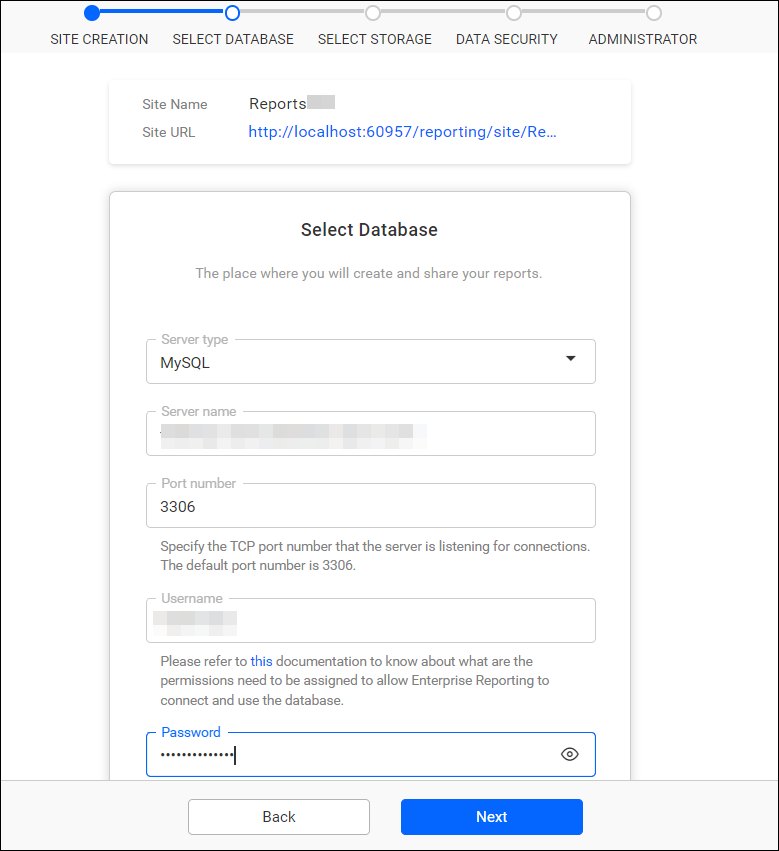
-
Please provide the name of the
existing databasethat you have previously used to create a site, along with thenew server table prefix name. After providing these details, clickNextto continue.
Note: After configuring the database, follow the steps in the provided link to create a site.
-
In the screenshots below,
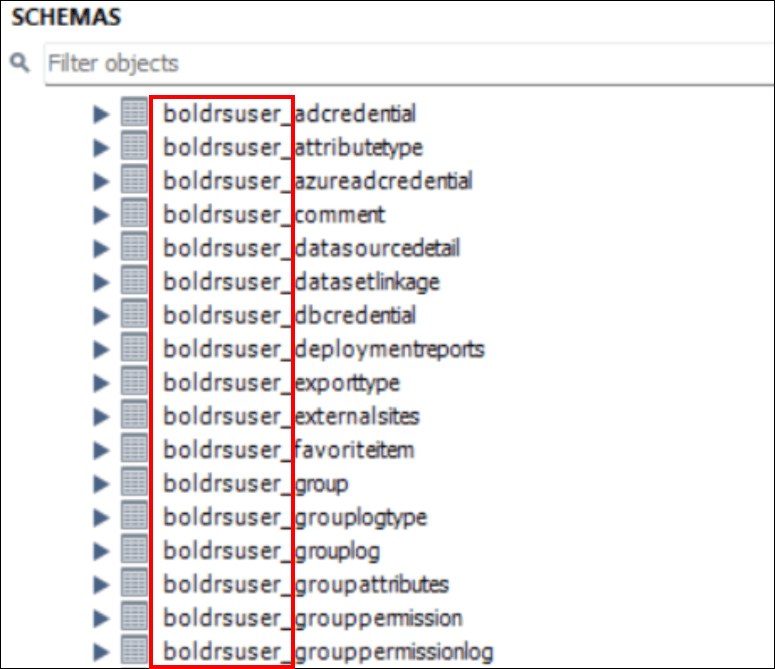
userrepresents the existing database,boldrs_is the prefix for the tables created forsite 1, whileboldrsuser_is the newly created prefix for the tables created forsite 2. Here, tables for both the sites are present within the single database. By differentiating the prefix names, you can createmultiple siteswithin thesingle database.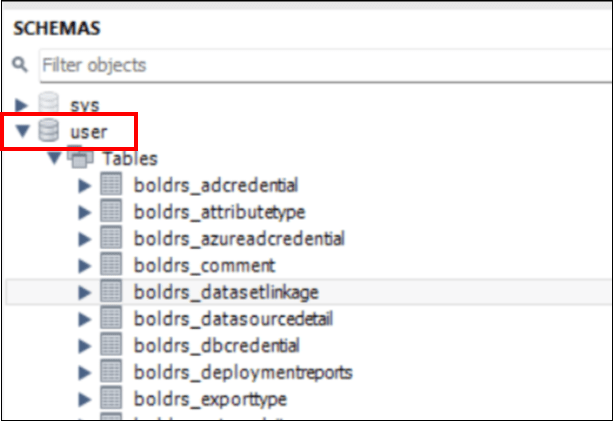
Note: By default in MySQL, the
server table prefix nameis BoldRS_.