Azure Active Directory Synchronization Schedule
This section explains how to schedule the synchronization of users and groups from Azure Active Directory with the users and groups in Bold Reports® On-Premise.
Note: Before you set up the synchronization schedule for Azure Active Directory users and groups, follow the given steps:
- Configure Azure Active Directory Settings
- To synchronize Azure Active Directory users, import users from Azure Active Directory to Bold Reports® On-Premise by referring to the following link: Import Azure Active Directory Users.
- To synchronize Azure Active Directory groups, import groups from Azure Active Directory to Bold Reports® On-Premise by referring to the following link: Import Azure Active Directory Groups.
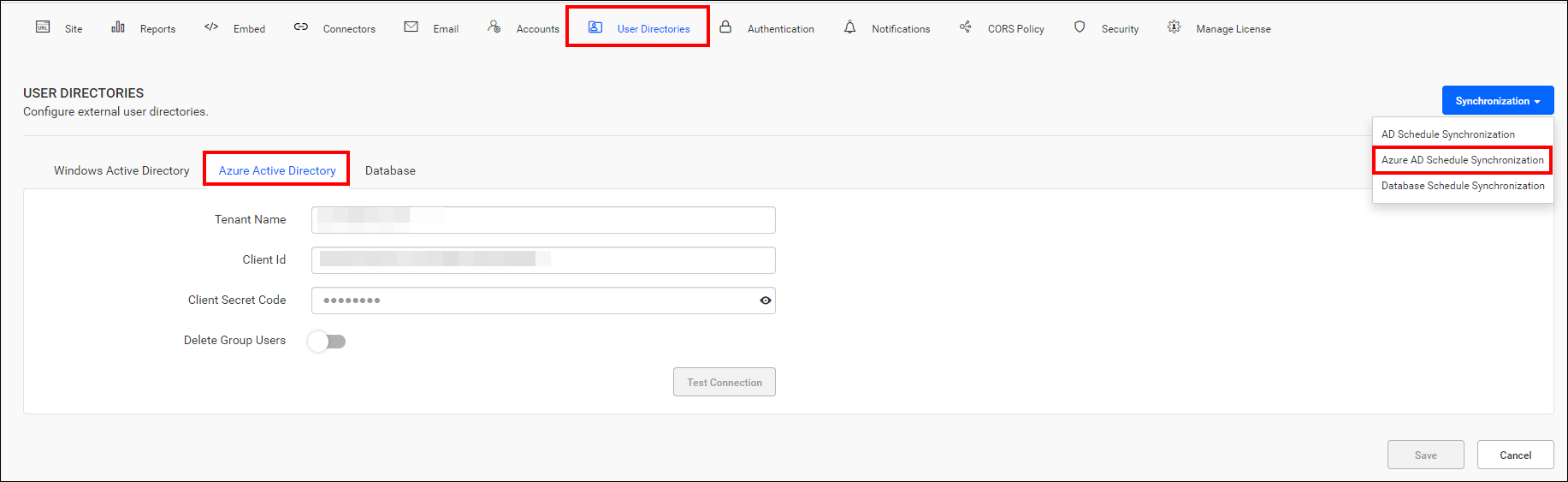
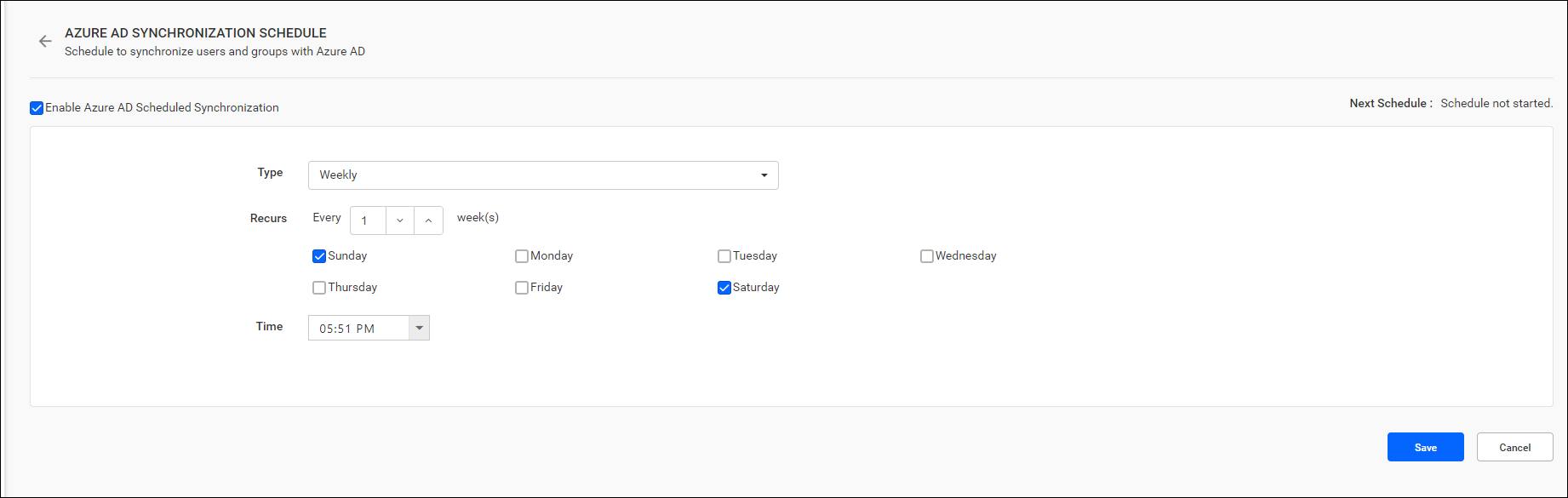
-
Users and groups from Azure Active Directory can be synchronized according to a schedule, ensuring that their latest details are updated in Bold Reports®.
-
Please find more details on synchronizing users and groups from Azure Active Directory with the Report Server in the links provided below:
Email Notifications
After a scheduled synchronization recurrence is completed, users in the System Administrator group will receive email notifications regarding the synchronization status.
Enable/Disable Synchronization schedule
The synchronization schedule can be enabled or disabled at any time using the checkbox at the top.