Schedule database user synchronization in Bold Reports®
You can schedule Bold Reports® On-Premises Edition to synchronize users imported from an existing database on a recurring basis.
What do I need before scheduling database user synchronization?
Before you schedule database user synchronization in Bold Reports® On-Premises Edition, configure the database settings and import the users.
Note: Make sure to configure the database settings before initiating the synchronization process for existing database users.
To synchronize existing database users, import users from the database to Bold Reports® On-Premises Edition. See Import Database Users.
How does the database user synchronization schedule work?
The following images show the Database option and the imported database users synchronization schedule in Bold Reports® Report Server.
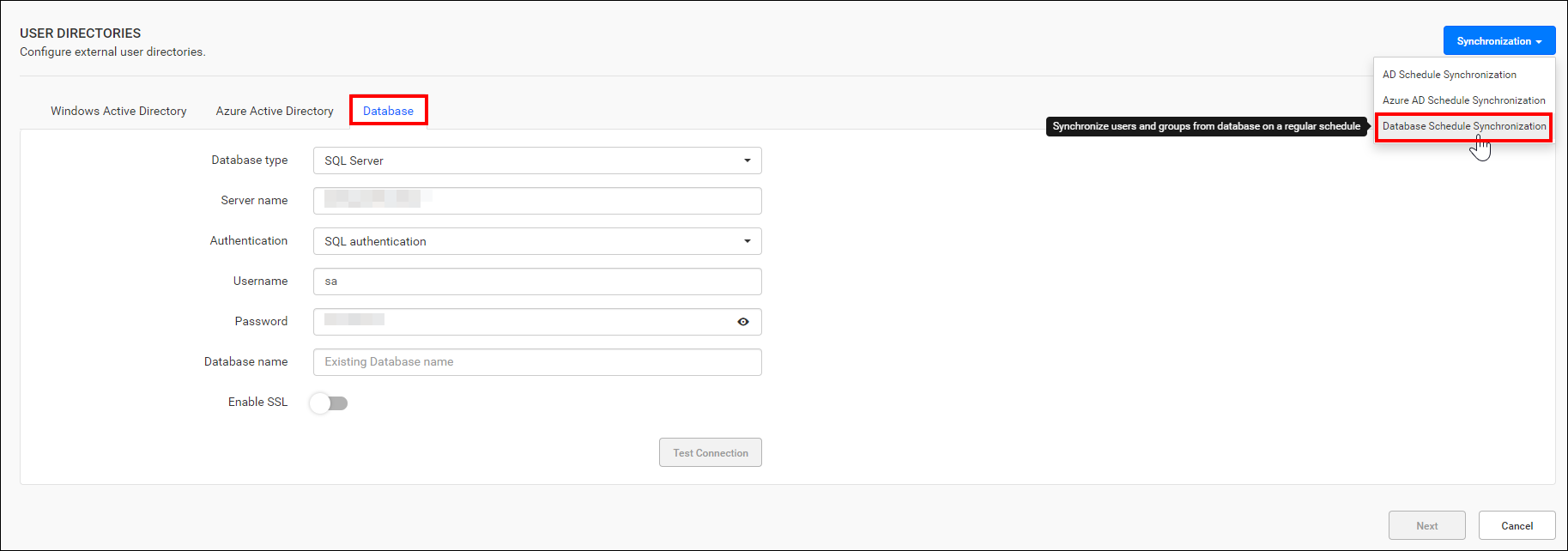
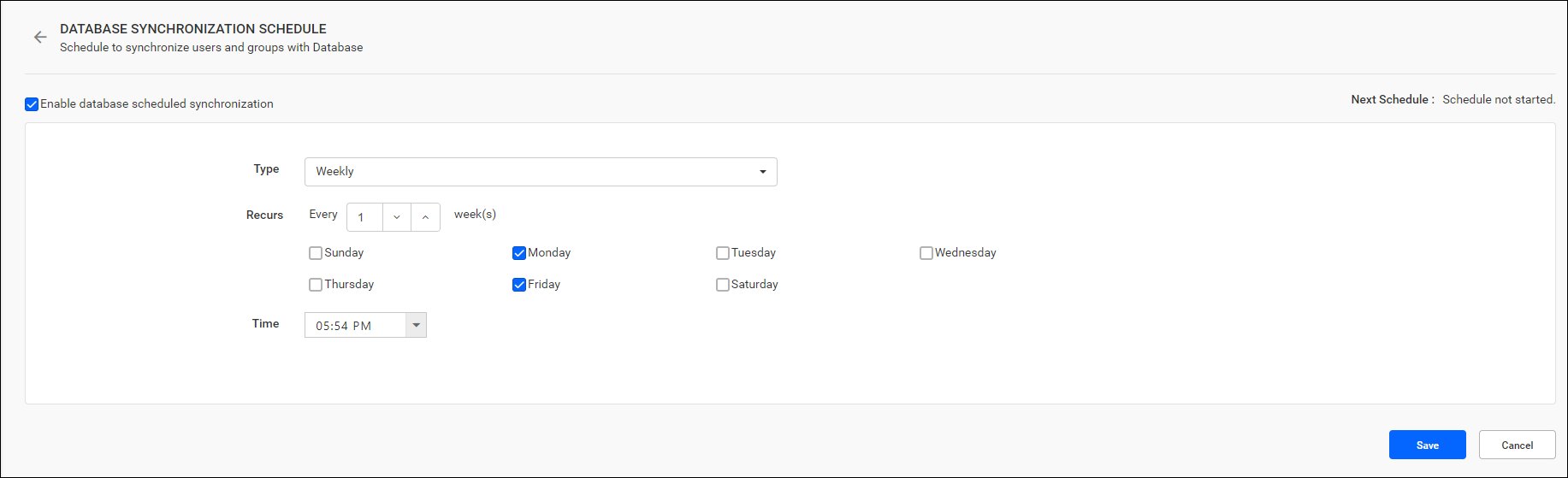
-
You can synchronize users from the existing database on a schedule to keep their details up to date in Bold Reports®.
-
For more details on synchronizing users from the existing database with the Bold Reports® Report Server, see the following link:
Who gets email notifications about synchronization?
After a scheduled recurrence of synchronization is completed, Bold Reports® sends users in the System Administrator group email notifications about the synchronization status.
How do I enable or disable the synchronization schedule?
You can enable or disable the Bold Reports® synchronization schedule at any time with the checkbox at the top.
Frequently asked questions
What must I configure before synchronizing database users?
Configure the database settings and import the users from the database to Bold Reports® On-Premises Edition first.