How to migrate EC2 instance windows server with postgresql
We can migrate Bold Reports® Server data from one EC2 instance Windows Server (staging) to another EC2 instance Windows Server (production) without any data loss. Please follow the below steps:
-
Before proceeding with the migration, Install the same version of Bold Reports® build on your EC2 instance Windows Server target machine (production).
-
After installation, do not launch or start the application.
-
We need to make some configuration changes in the files to migrate data from EC2 instance Windows Server 1 (staging) to EC2 instance Windows Server 2 (production). So please Stop BoldReports_EnterpriseReporting application in IIS manager in Server 2.
-
Copy the app_data folder from the C:\BoldServices\ location in Server 1 and paste that folder in the same location on Server 2.
-
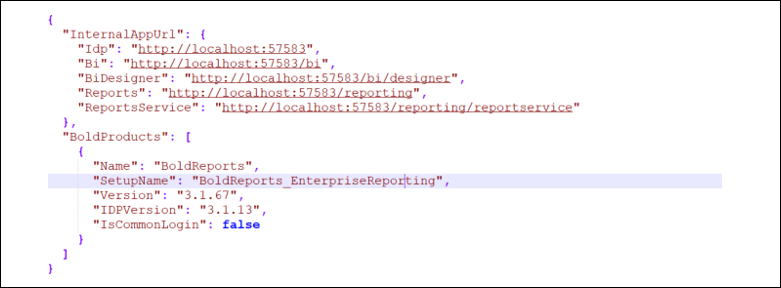
In Server 2, open config.xml file and product.json file under (C:\BoldServices\app_data\configuration) folder and update the Server 2 domain name.
Config.xml

Product.json
-
Start the BoldReports_EnterpriseReporting application in IIS manager.
-
In Server 2 go to the site listing page of UMS application.
-
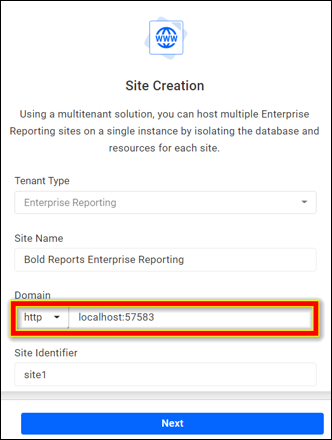
Go to the settings and change the Site URL with your domain name like below.
-
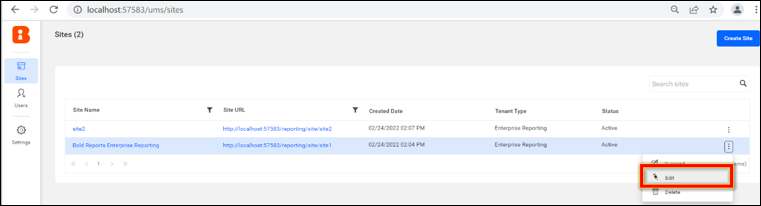
Click the context menu of the site and select the Edit option.
-
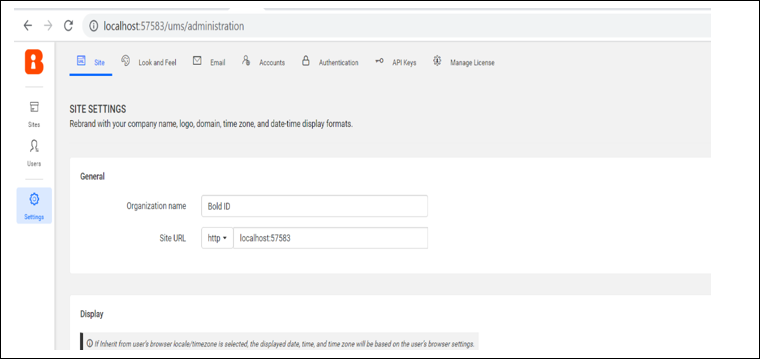
Update the domain name of server 2.
-
Proceed to the next page and you will find an option to change the site’s database connection. Update the password with the server 1 database details.
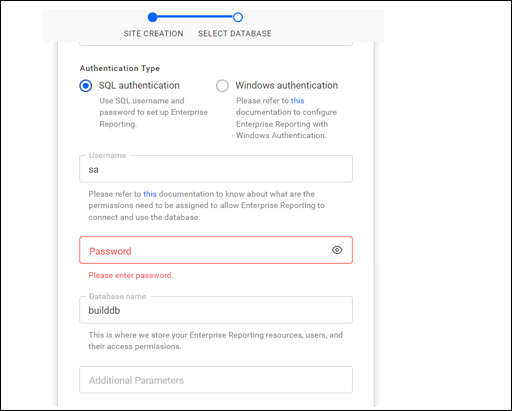
-
Repeat the steps from 9 to 11 for all your sites. Now your Bold report sites will launch with your existing data.