Insert or Delete a Column Group
You can add column groups in the table to display data in a visual hierarchy. You can create both nested groups and adjacent groups. Column group can be added either using the cell context menu or using the group menu provided in grouping panel. In cell context menu the Column Group option will be shown only if there is a possibility to add column group in the respective place.
Insert a column group
In tablix data region the data can be grouped using the following options:
- Parent Group
- Child Group
- Adjacent Group
The parent and child group are used for creating a hierarchy, the groups depend on each other. While the adjacent grouping functionality can be used to create separate groupings in the same table.
Parent column group
To add a first column group in the basic tablix structure follow the below steps.
- Select and right click in the cell to which you need to add a parent child group.
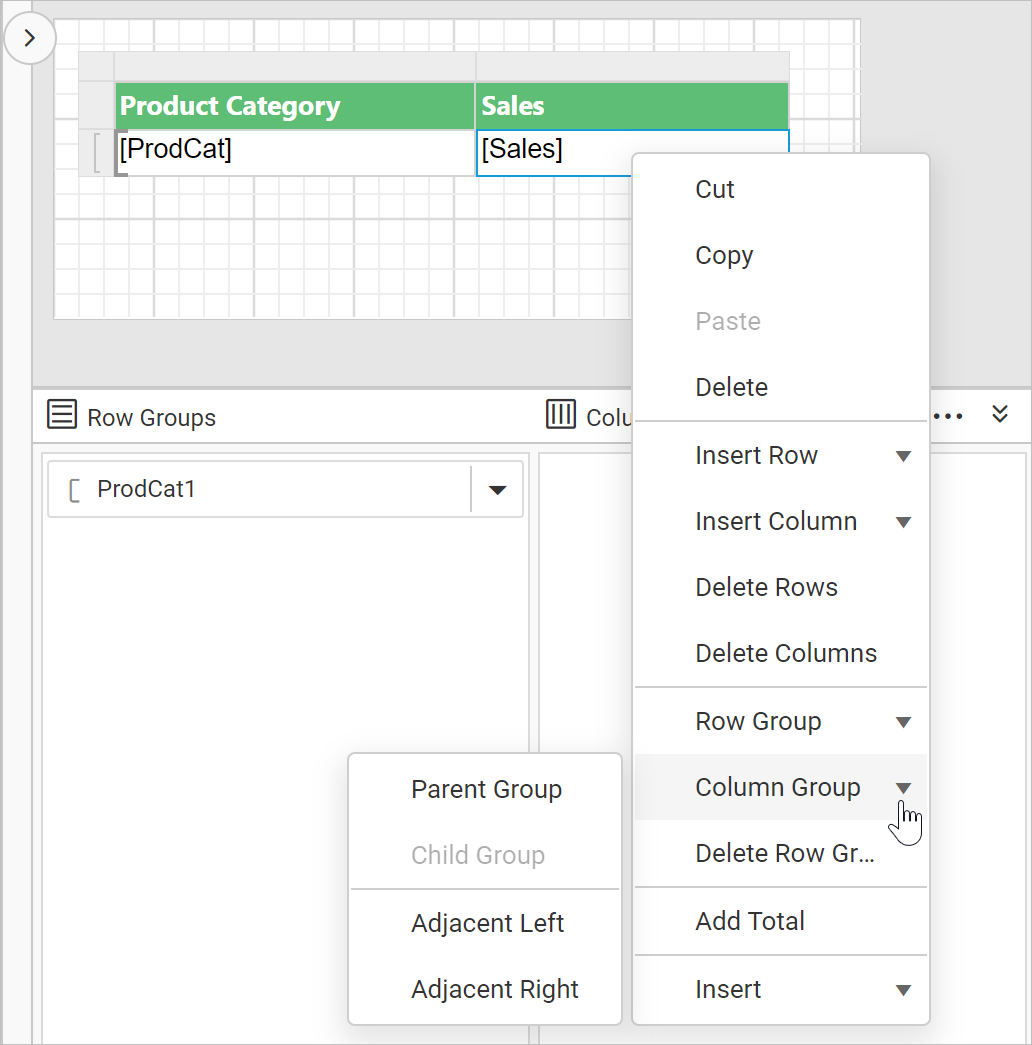
- In the cell menu, click on the
Parent Groupunder theColumn Groupcategory. - Once you click on the
Parent Groupoption, aTablix Groupdialog will be opened to configure the grouping.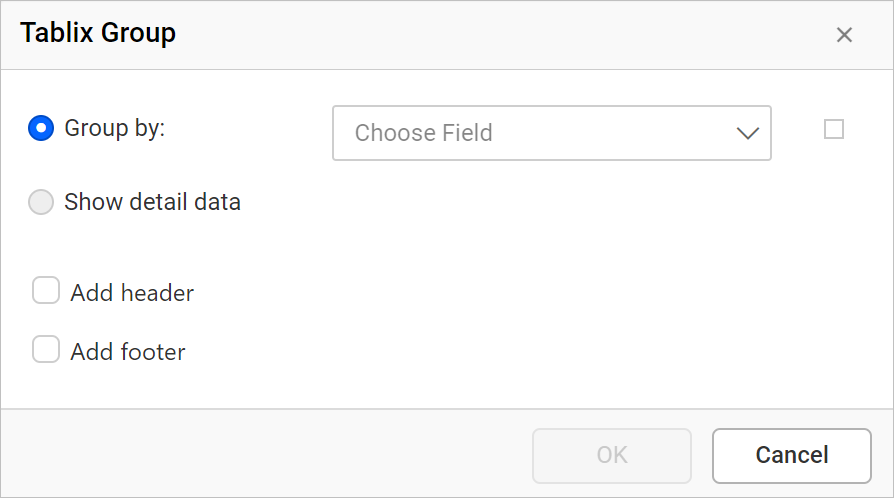
- Group By: Based on the dataset assigned to the tablix region, dataset fields will be listed in this drop-down or else click on the square icon to create an expression.
- Add Group Header: Enable this option to add a header to this group
- Add Group Footer: Enable this option to add a footer to this group
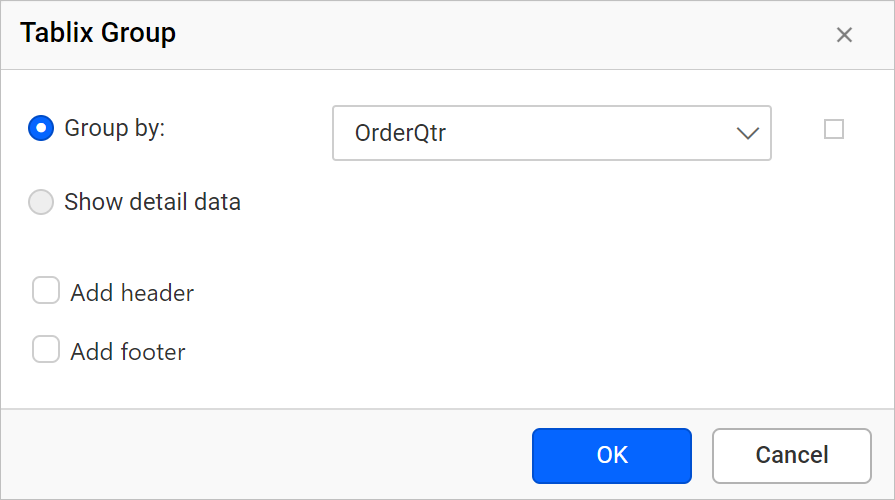
- Here,
OrderQtrfield is chosen as parent group in tablix data region. Click on theOKbutton.
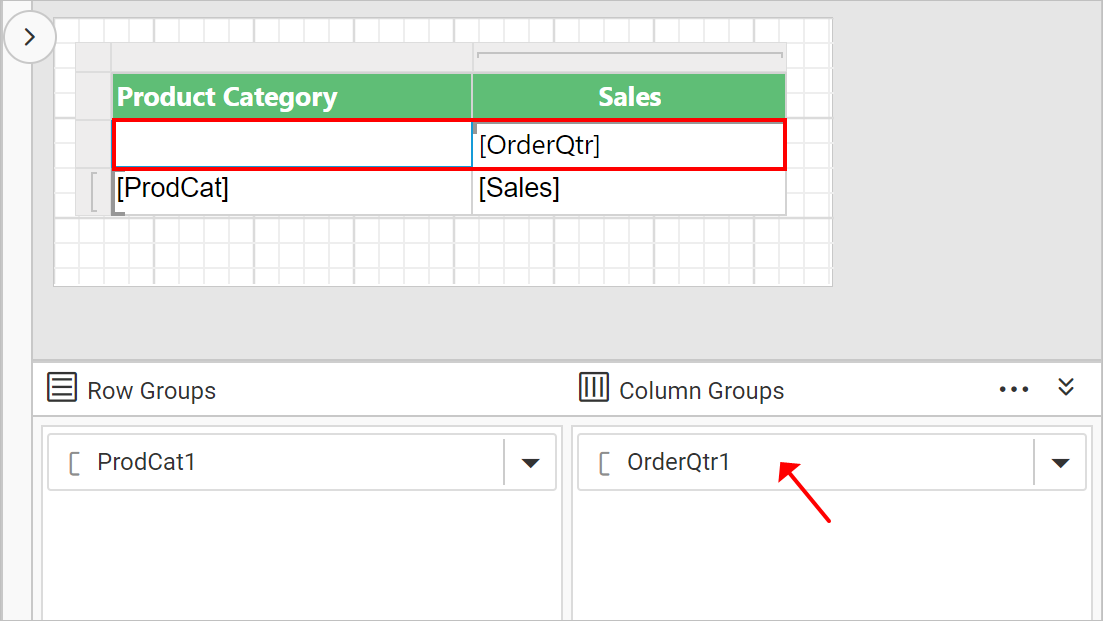
Now, a new row will be added in tablix data region and a new group member will be added in the Column Groups pane in grouping panel hierarchical view.
On report preview, each quarter sales of a year will be grouped along column.
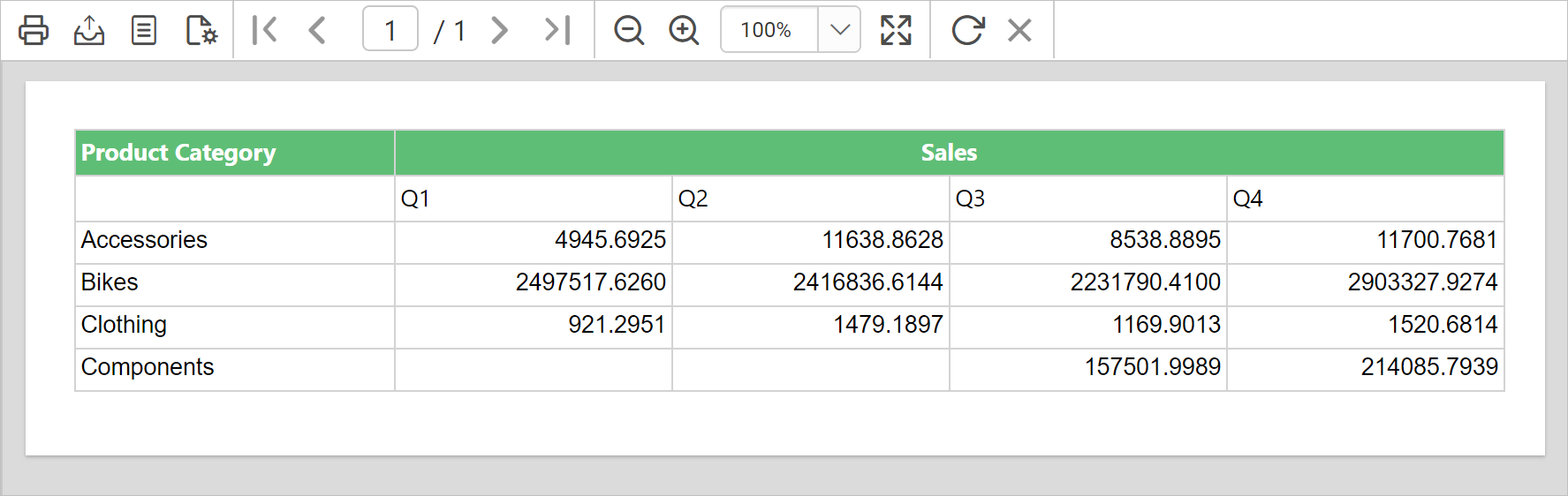
Similarly, you can add child and adjacent group in the column group. Refer Insert or Delete Row Group section to add row groups.
Download the above report design from link.
Delete column group
Column group can be deleted either using the cell context menu or using the group menu provided in grouping panel.
- Select and right click on a column group which you want to delete from the tablix data region.
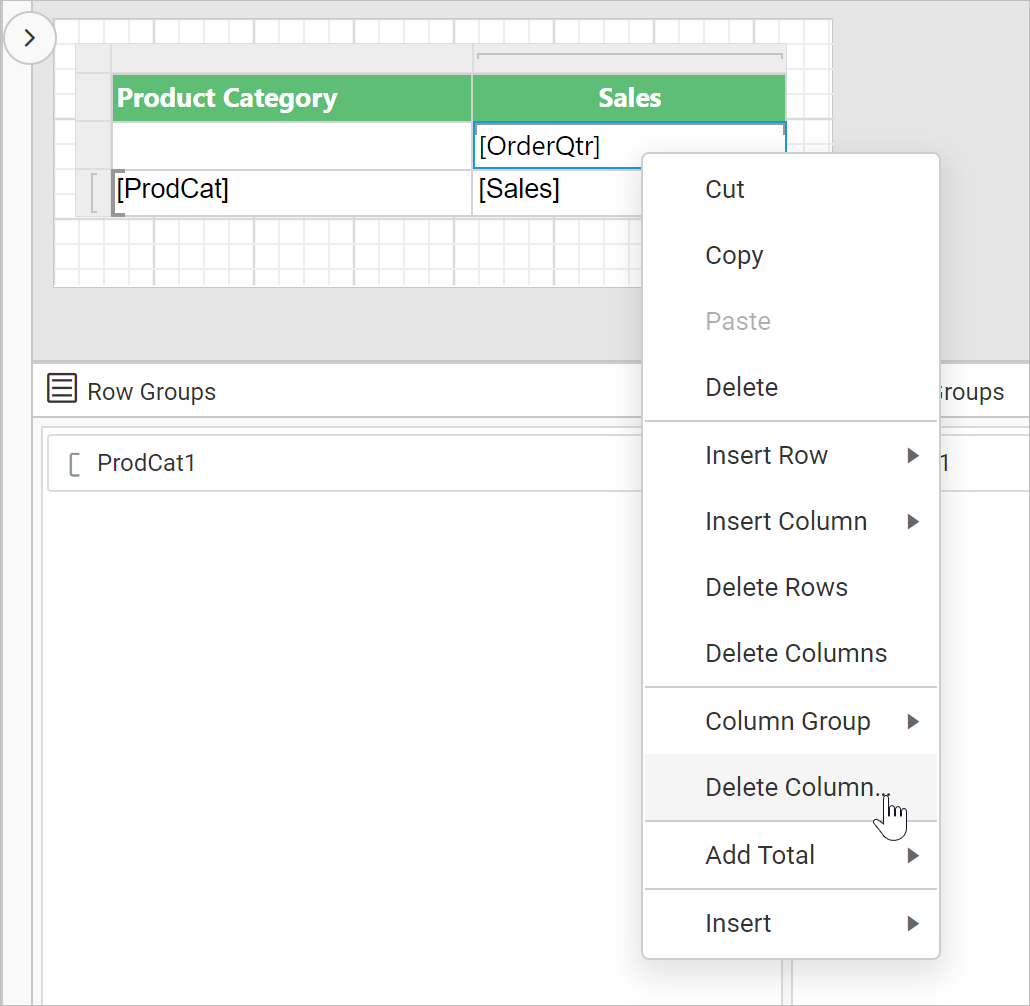
- In the cell menu, click on the
Delete Column Groupoption. Now, the following confirmation dialog will be launched.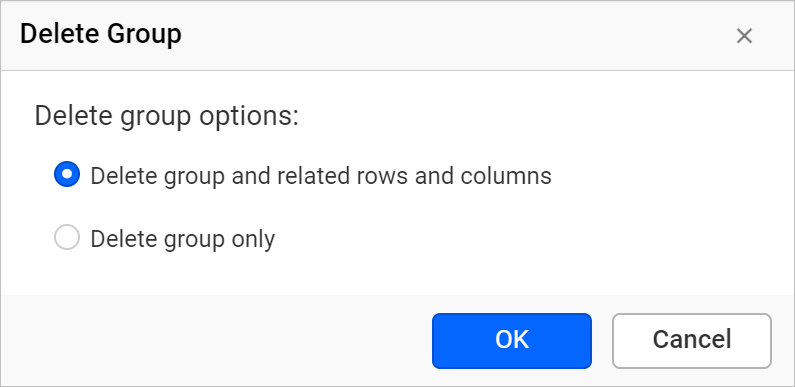
- In the
Delete Groupdialog choose one of the following options and click on theOKbutton.- Delete group and related rows and columns - Choose this option to delete the group and all related rows that display group data. For the details group, if the same column belongs to both detail and group data, only the detail data rows are deleted.
- Delete group only - Choose this option to keep the structure of the tablix data region and delete only the group definition.
Now, the respective group information will be deleted from the tablix data region.
Edit group properties
To edit a column group properties in a tablix data region, refer Tablix member properties section.