Electronic Signature
Electronic signature allows users to graphically sign a report by drawing a signature directly within the report interface. This is intended solely for visual representation of a person’s signature on reports or documents.
Design an invoice report with an electronic signature
This section describes the steps to add a signature in the Invoice Details report.
Download the invoice report
You can download the invoice report from this link.
Add the electronic signature item to the report
- Open the downloaded
invoicereport.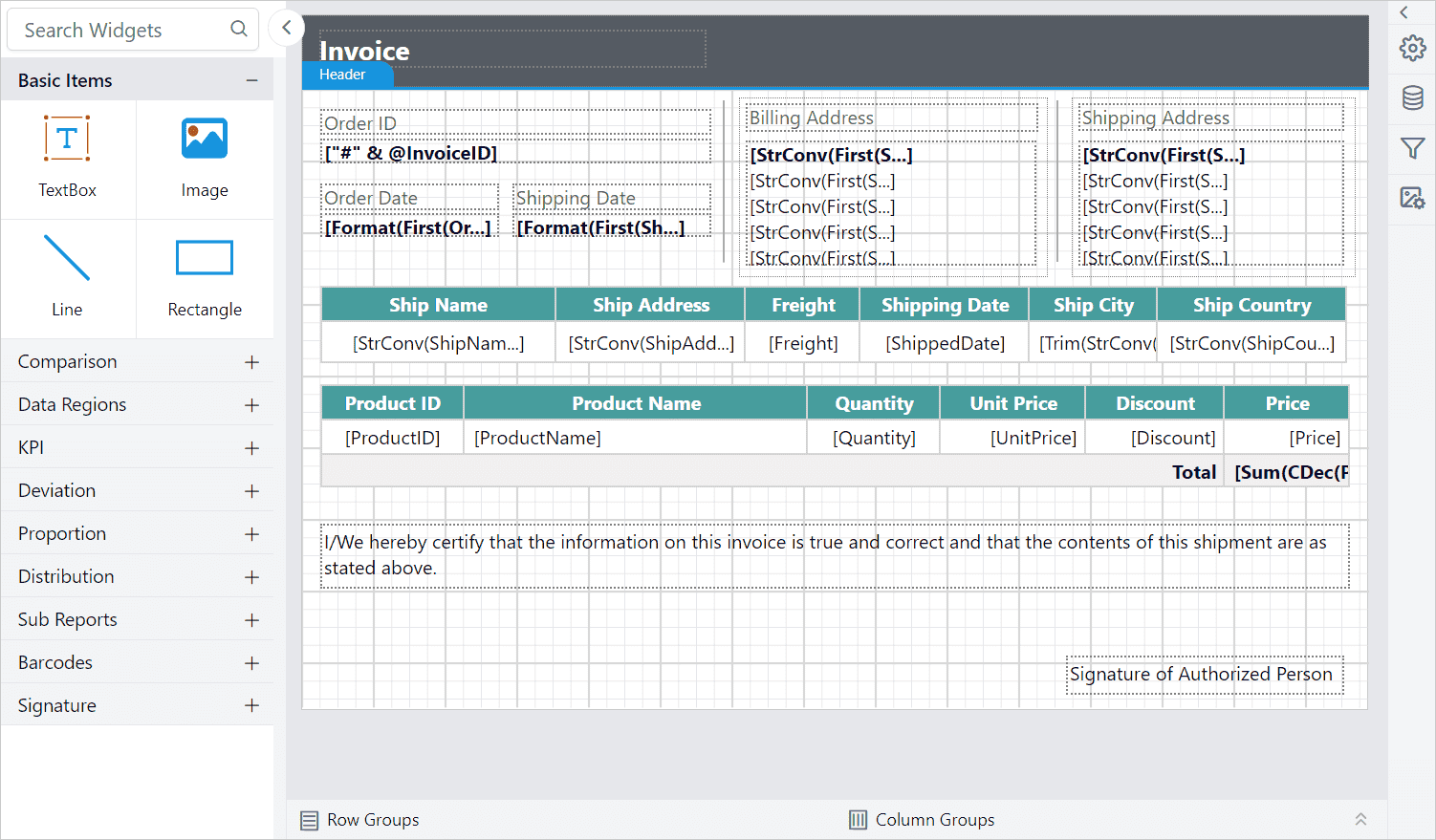
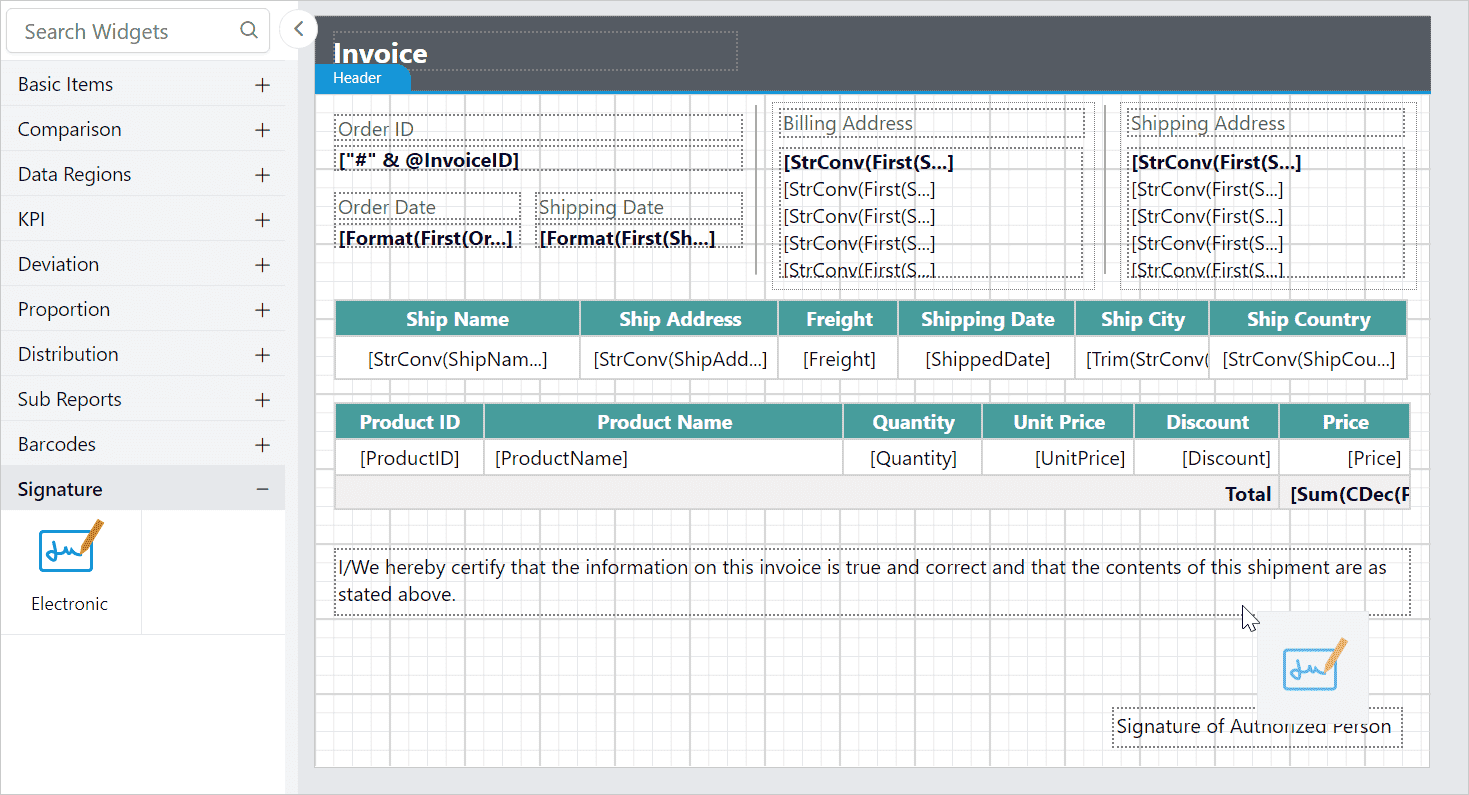
- Drag and drop the signature report item into the required area of the report.
- The respective item properties will now be listed in the properties panel. Click on the
Draw...button to open the signature dialog.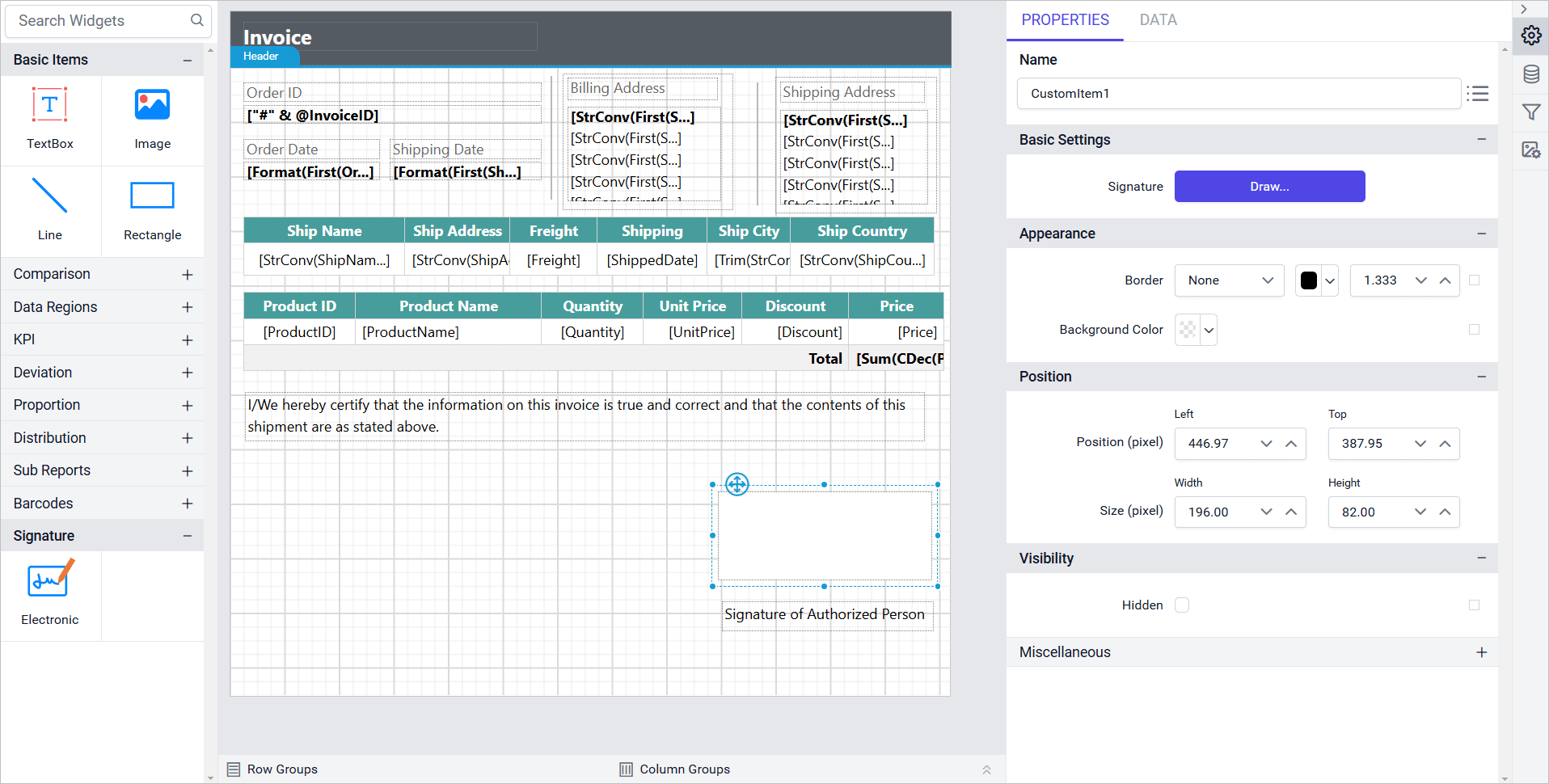
- Draw the desired signature using a mouse or touch input within the dialog. Additionally, you can:
Stroke width- Adjust the thickness of the signature lines.Stroke color- Change the color of the signature lines to enhance visibility and match the design of your document.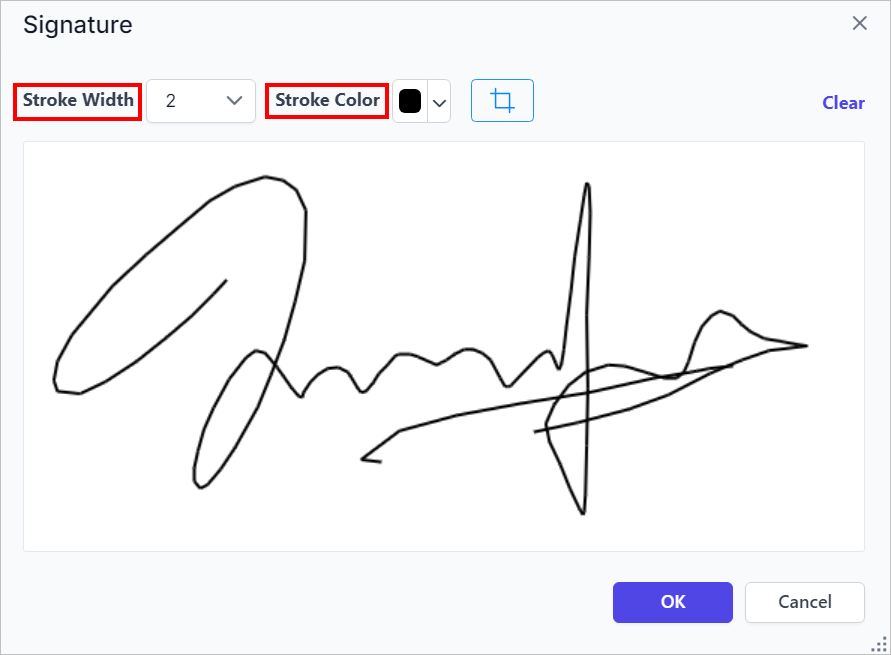
- Click on the
Cropbutton to enable cropping and fine-tune the visible portion of the signature.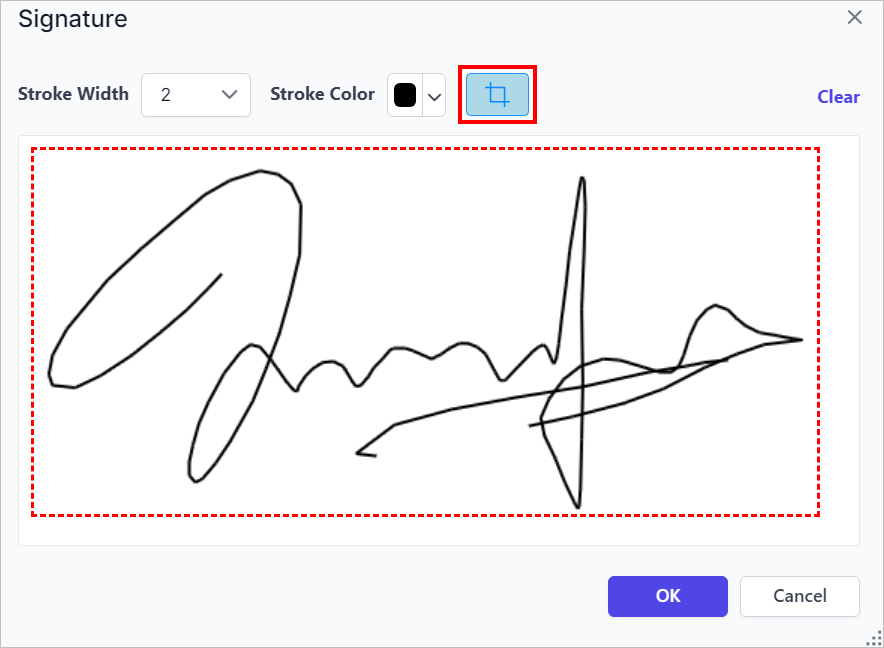
- Click
OK. Now, the signature will be updated on the canvas in the Designer Area. You can change the height and width of the signature.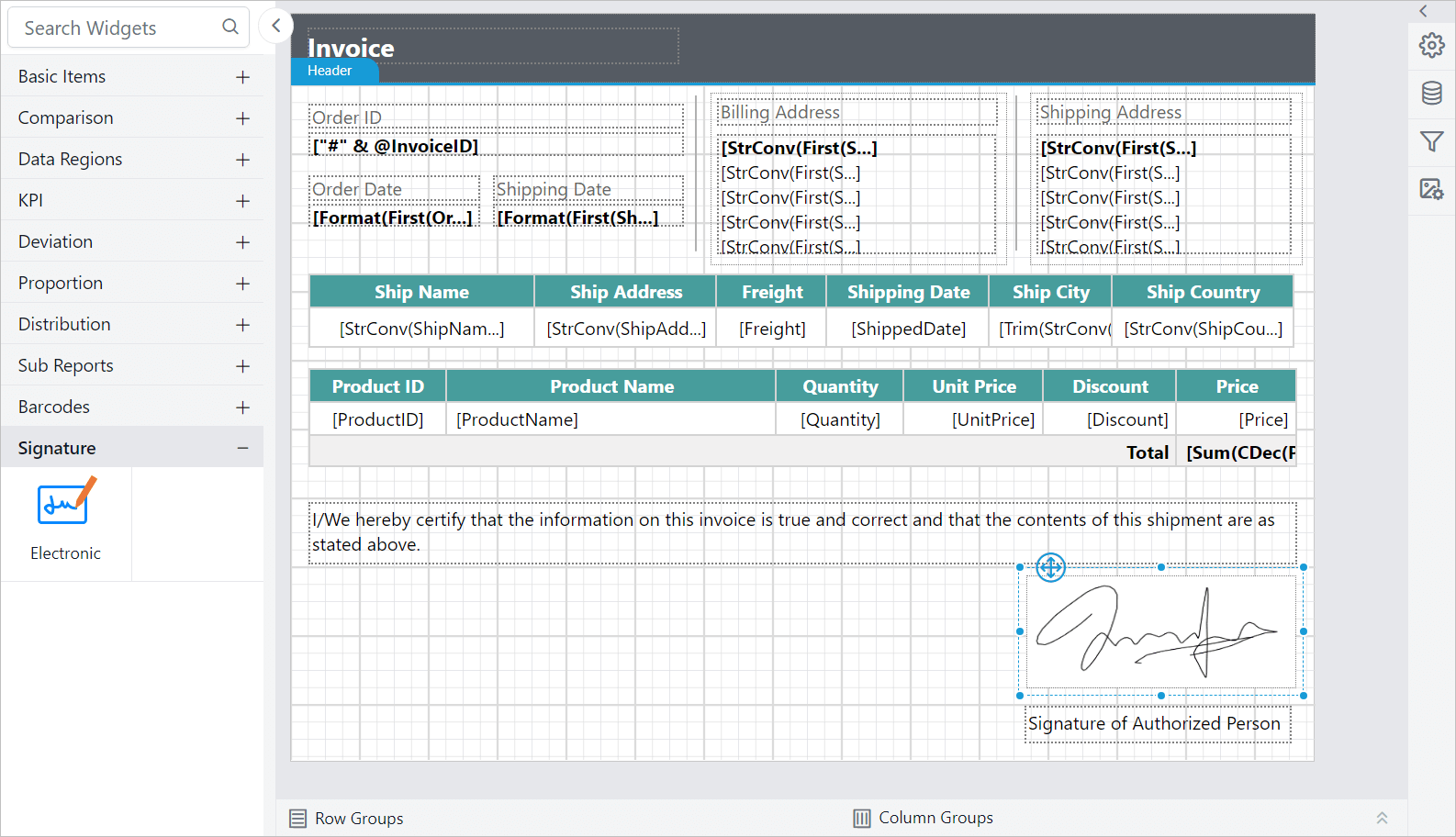
Note: The electronic signatures are intended to visually represent a person’s signature on a report. They do not include cryptographic security or digital certificate validation, and are not legally binding. This feature is best used for adding a personal touch or indicating informal approval within internal workflows.
Preview and edit signature
- Click on the
Previewbutton in the report header.
- Hover over the signature to see the
Editicon, and click to open the Signature Dialog.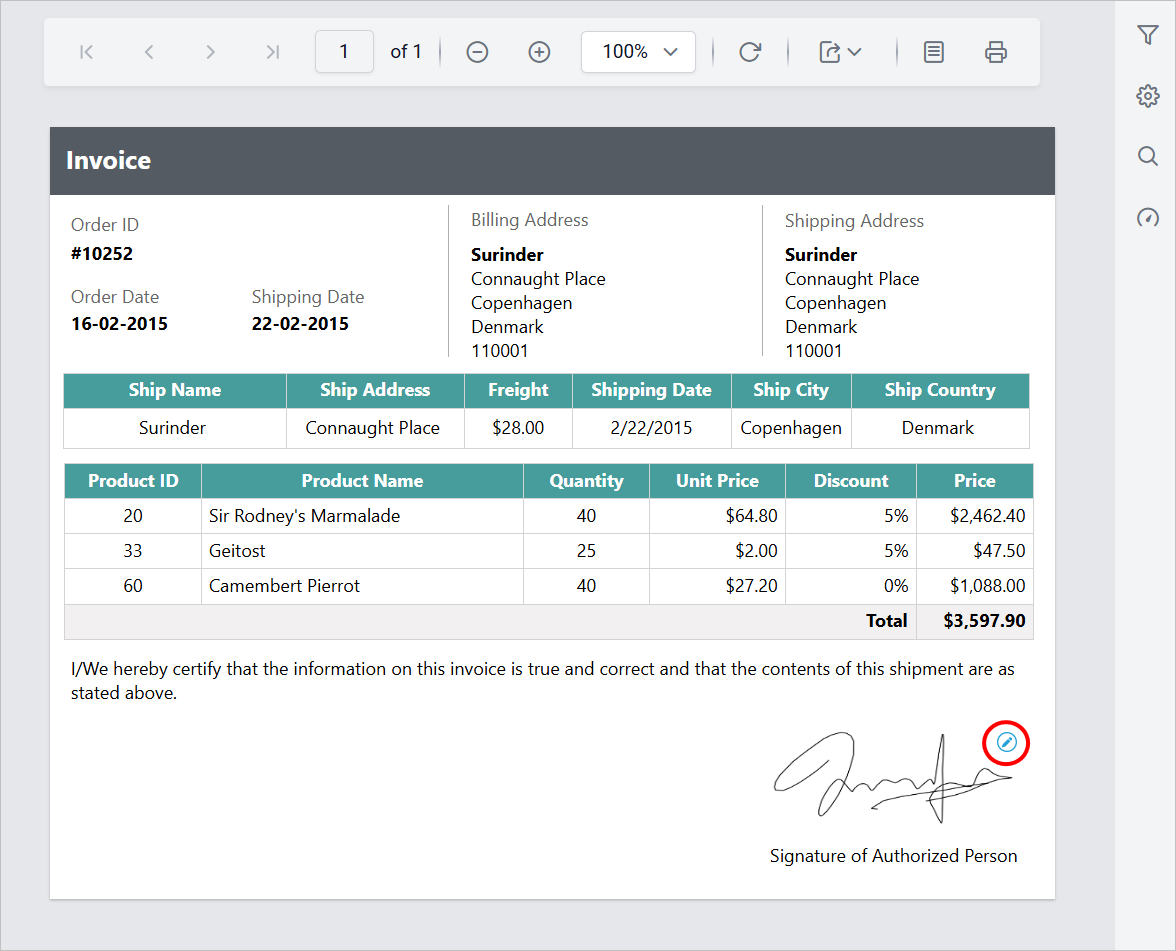
- If needed, you can clear the existing signature and draw a new one directly within the dialog.
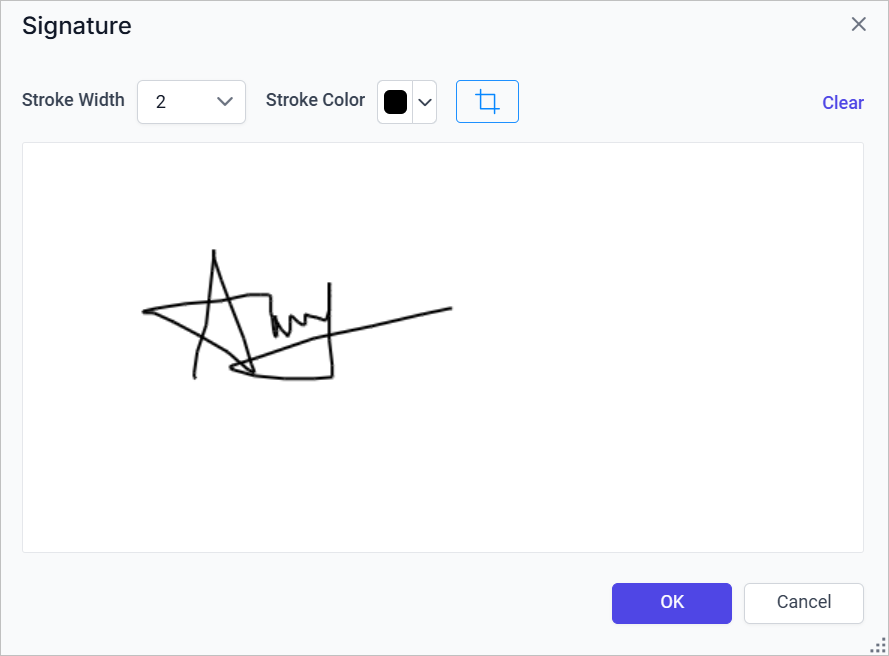
- Click
OK, The updated signature will reflect in the Preview Area.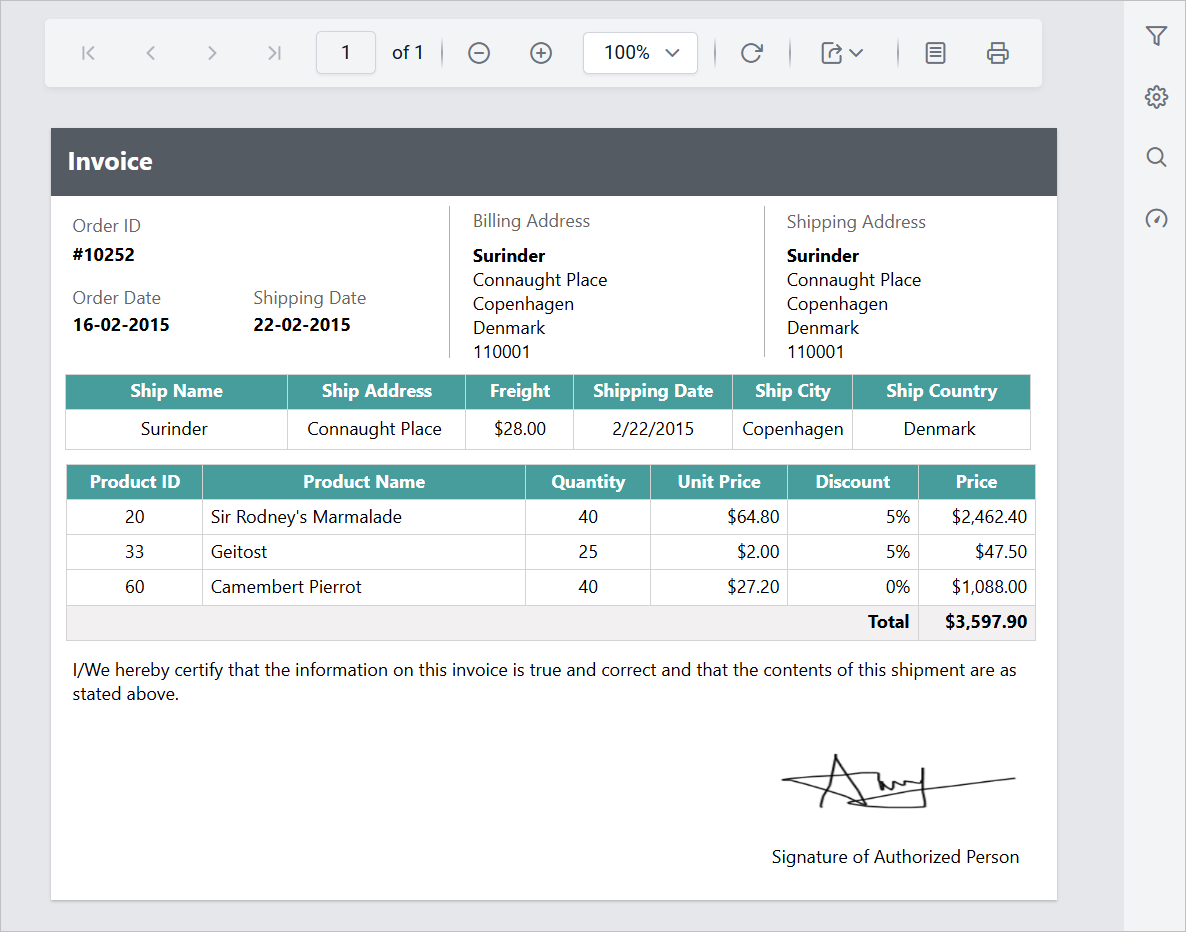
Export report with signature
When you export the report, the signature in the preview area will be included in the exported report.
Download the above report from this link.