How to use JSON data as Report Data
You have to use Web Api data source for using JSON in Bold Reports®.
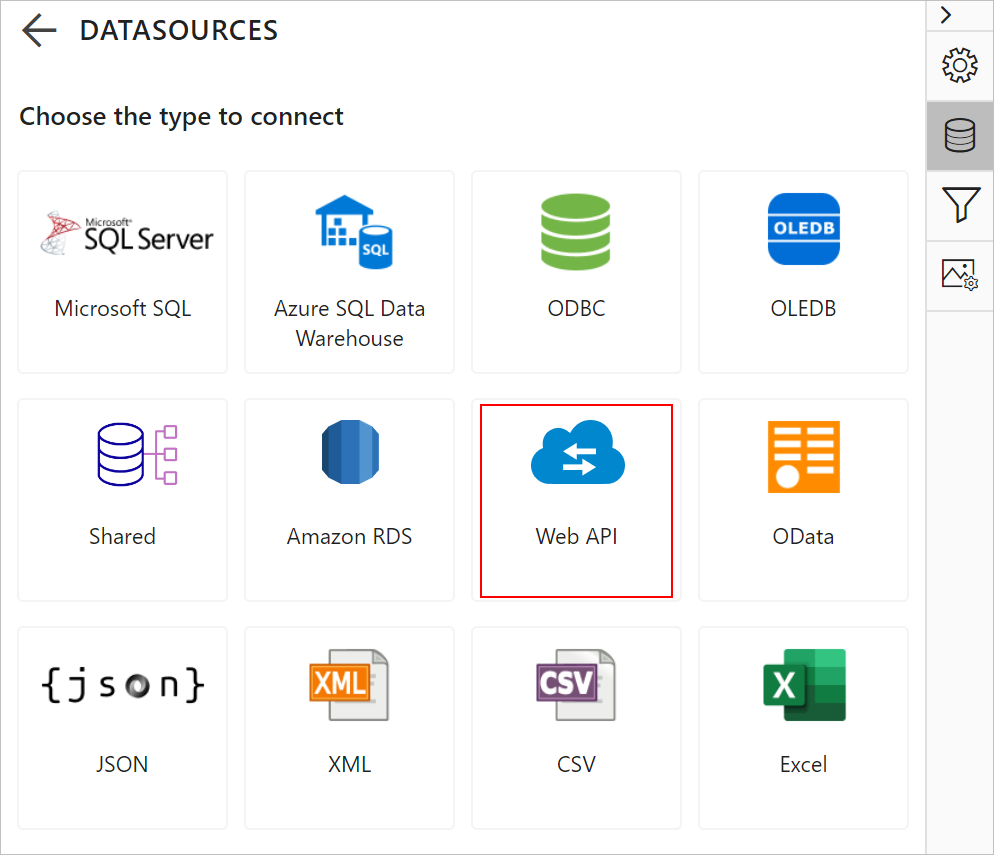
- Run the application, add
NEW DATAand chooseWebApiin properties pane.
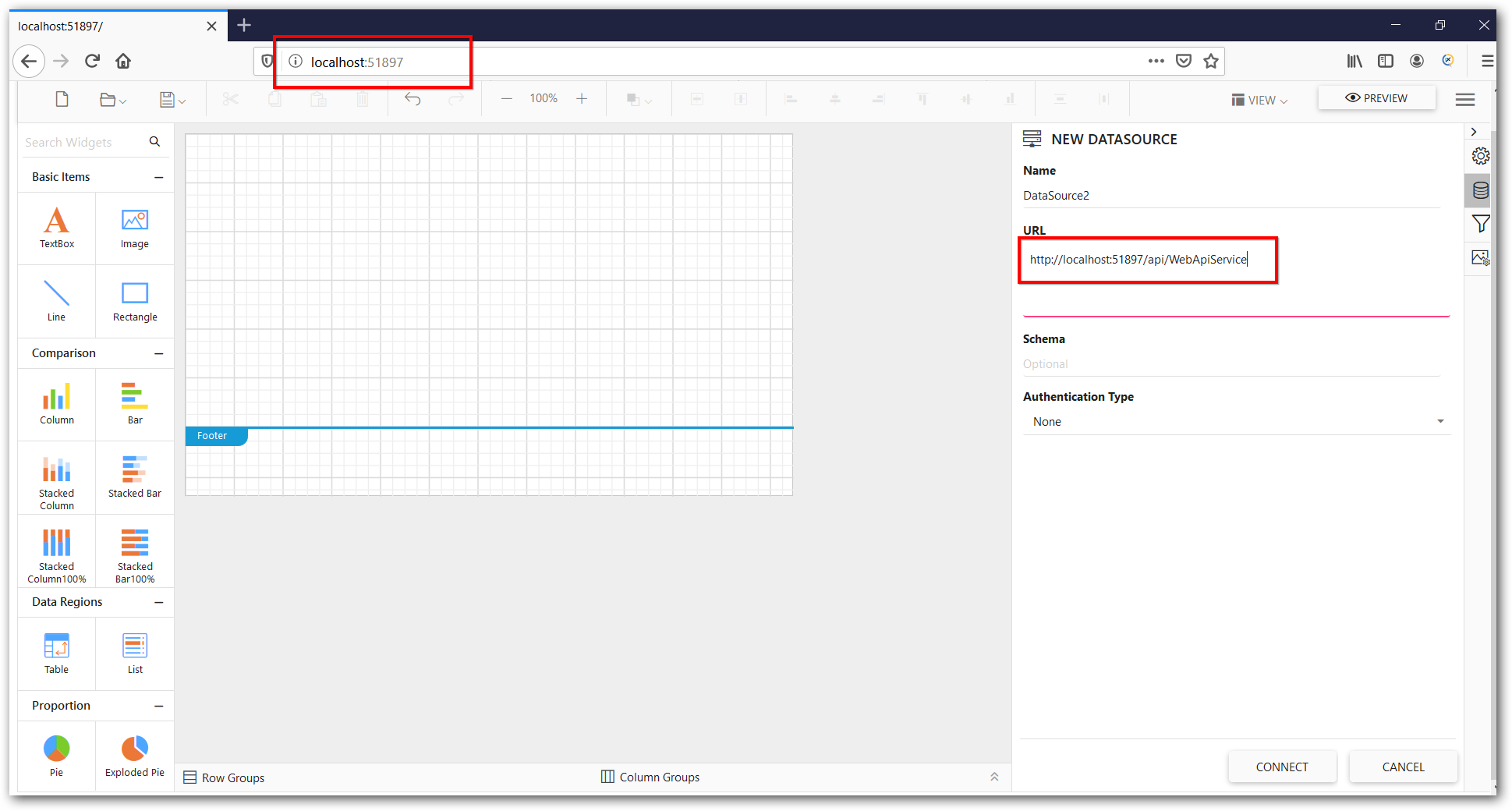
- Provide the URL in
localhost:<portnumber>/api/<webapi controller name>.
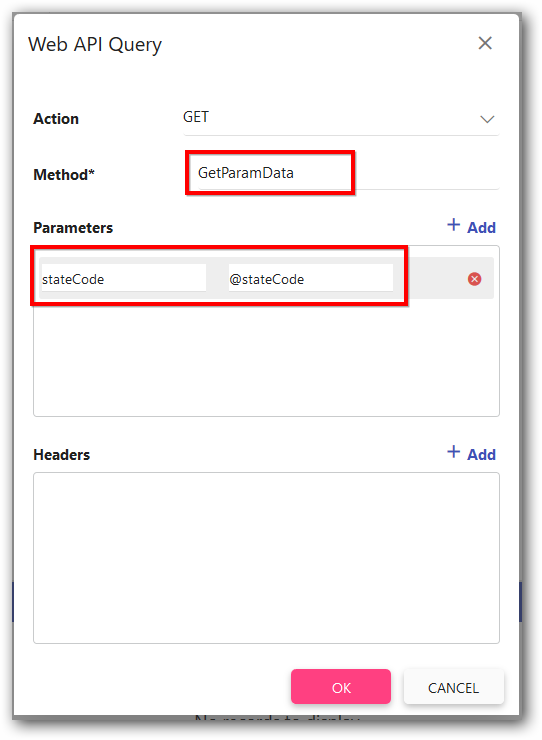
- Mention the Web API controller method name and add parameter name and value.
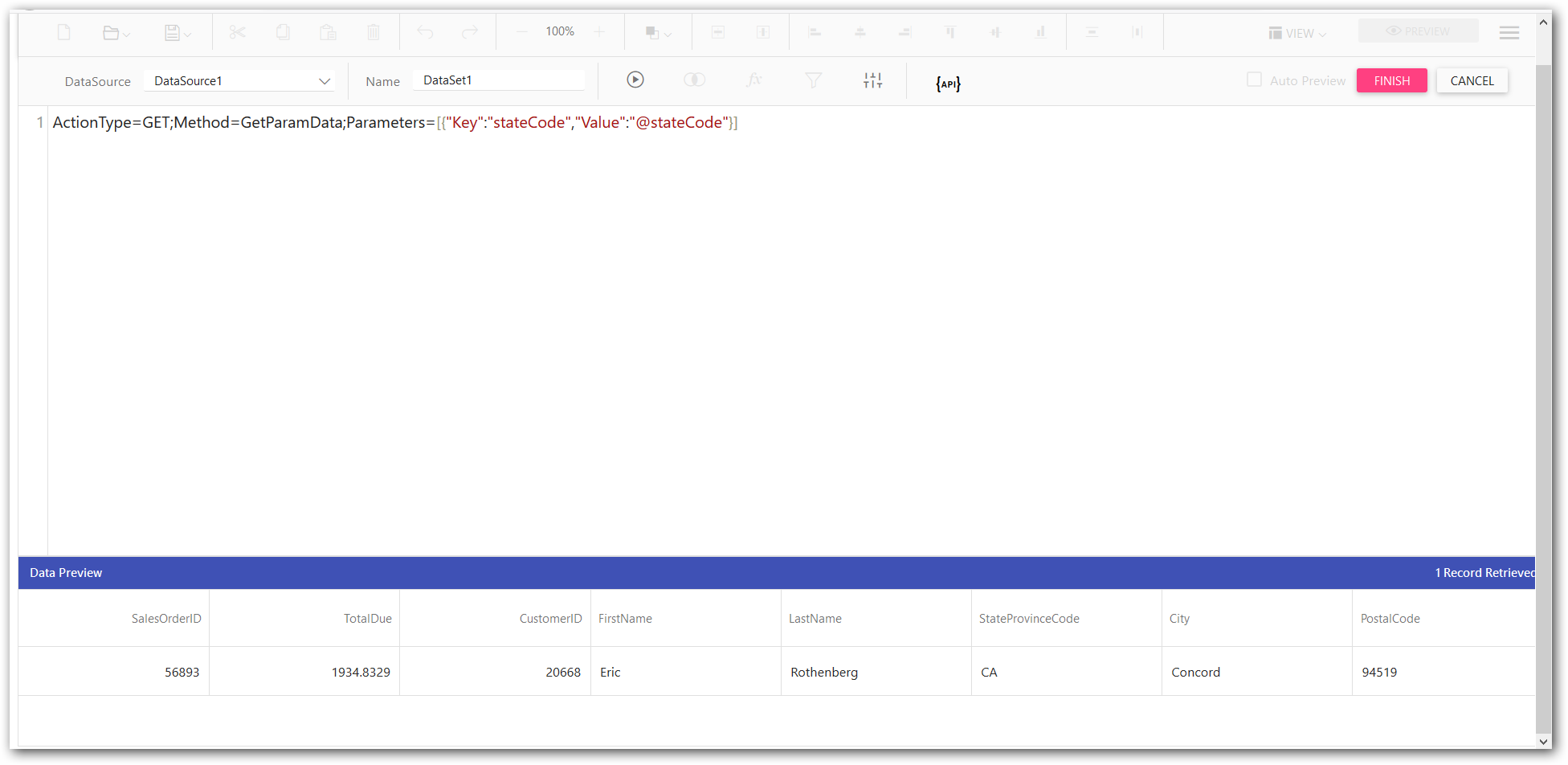
- JSON data is get from Web api controller to report data set report designer.
-
You can use this following video reference for how to use web API in Report Designer and it can be downloaded from this link.
-
Use the following code sample in controller to get the JSON data.
 public class WebApiServiceController : ApiController
   {
       [HttpPost]
       public object PostParamData([FromBody]string stateCode)
       {
           var data = StoreSales.GetData(stateCode);
           return data;
       }

       [HttpPost]
       public object PostParamInt([FromBody]int id)
       {
           return null;
       }

       [HttpGet]
       public object GetParamData(string stateCode)
       {
           var data = CustomerSales.GetData(stateCode);
           return data;
       }

       [HttpGet]
       public object GetData()
       {
           var data = StoreSales.GetData(string.Empty);
           return data;
       }
   }

   public class CustomerSales
   {
       public int SalesOrderID { get; set; }
       public double TotalDue { get; set; }
       public int CustomerID { get; set; }
       public string FirstName { get; set; }
       public string LastName { get; set; }
       public string StateProvinceCode { get; set; }
       public string City { get; set; }
       public string PostalCode { get; set; }

       public static List<CustomerSales> GetData(string stateCode)
       {
           List<CustomerSales> customerSals = new List<CustomerSales>();
           CustomerSales cusSal = null;

           cusSal = new CustomerSales()
           {
               SalesOrderID = 56893,
               TotalDue = 1934.8329,
               CustomerID = 20668,
               FirstName = "Eric",
               LastName = "Rothenberg",
               StateProvinceCode = "CA",
               City = "Concord",
               PostalCode = "94519"
           };
           customerSals.Add(cusSal);

           return customerSals;
       }
   }