Refer Bold Reports® Scripts and Themes from BoldReports.Javascript NuGet in .NET Core application
To refer Bold Reports® scripts and themes from the BoldReports.Javascript NuGet package in a .NET Core application, install the package, find its installed location, and copy the Scripts and CSS files into the project’s wwwroot folder.
How do I install the BoldReports.Javascript NuGet package?
Install the BoldReports.Javascript NuGet package from Solution Explorer:
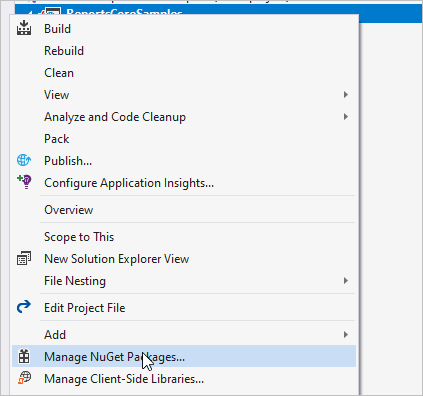
- In Solution Explorer, right-click either References or the project and select
Manage Nuget Packages.
- Under the browser tab search for
BoldReports.Javascriptpackage and install the required version.

Where is the NuGet package installed?
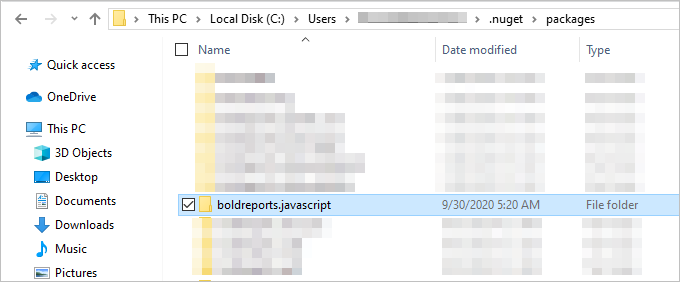
The installed BoldReports.Javascript NuGet package is available under the path C:\Users\{CurrentUser}\.nuget\packages\.
How do I copy and refer the scripts and CSS files in my project?
Copy the Bold Reports® Scripts and CSS files from the installed package path into the wwwroot folder of your project, and then refer to them.
-
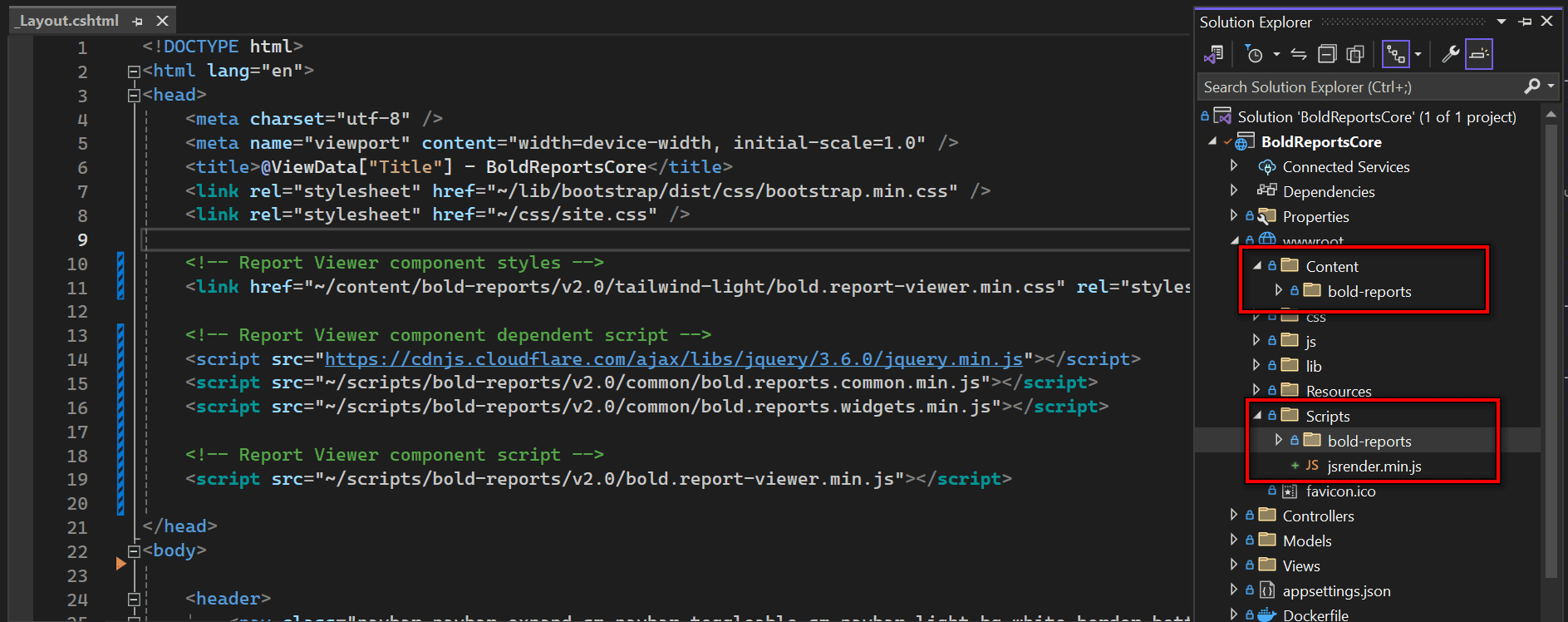
Copy the Scripts and CSS files from the installed path to your project location inside the ‘wwwroot’ folder.
-
The following image shows the files referenced in the project.