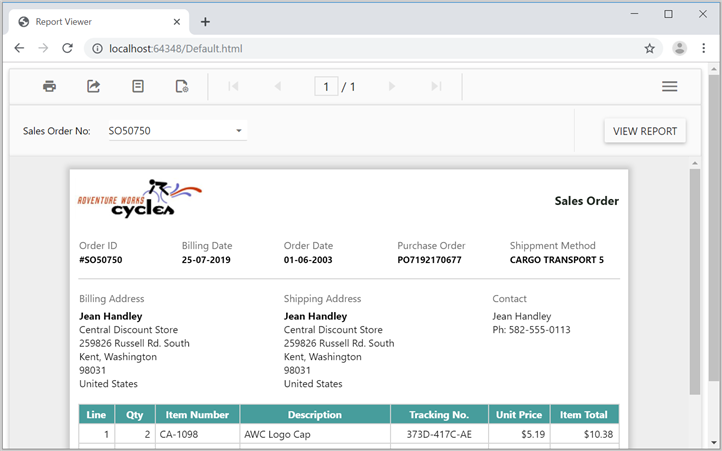
Responsive layout rendering of Angular Report Viewer
To make the Bold Reports® Angular Report Viewer render responsively, set the isResponsive property to true. The Report Viewer then renders optimal user interfaces for phone, tablet, or desktop form factors, so your application scales on all form factors.
import { Component } from '@angular/core';

@Component({
  selector: 'app-root',
  templateUrl: './app.component.html',
  styleUrls: ['./app.component.css']
})
export class AppComponent {
  title = 'jsreport-sample';
  public serviceUrl: string;
  public reportPath: string;
  public isResponsive: boolean;

    constructor() {
        this.serviceUrl = 'https://demos.boldreports.com/services/api/ReportViewer';
        this.reportPath = '~/Resources/docs/sales-order-detail.rdl';
        this.isResponsive = true;
    }
}<bold-reportviewer id="reportViewer_Control" [reportServiceUrl] = "serviceUrl" [reportPath] = "reportPath" [isResponsive] = "isResponsive" style="width: 100%;height: 950px">
</bold-reportviewer>Normal layout
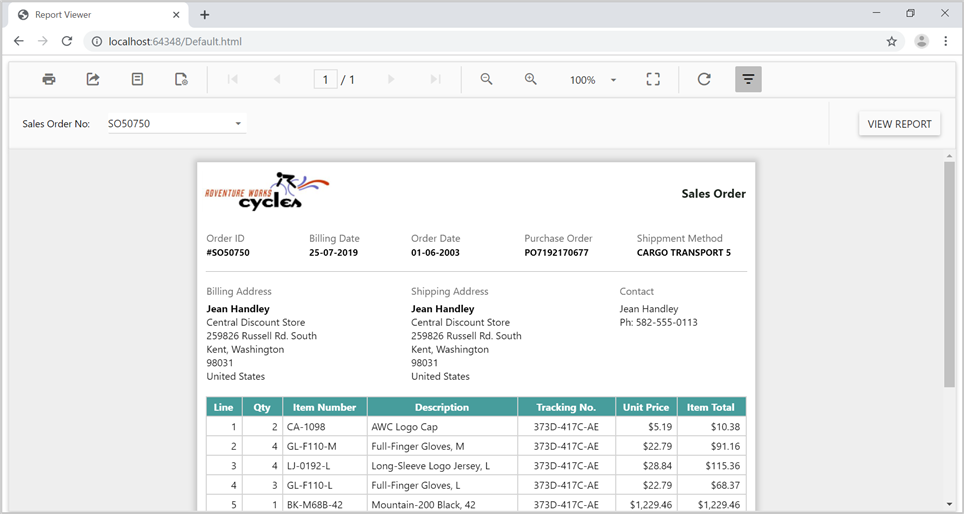
The following output shows the normal layout rendering of the Angular Report Viewer toolbar items.
Responsive layout
The following output shows the responsive layout rendering of the Angular Report Viewer toolbar items.