Add grouping and totals to a tablix in Bold Reports®
To add grouping and totals to an SSRS RDL report in the Bold Reports® Web Report Designer, add row groups and totals to the tablix data region with the following steps.
Prefer watching over reading? Check out this video for adding grouping and totals in a tablix data region:
How do I create the dataset?
To present data in tabular format in the Bold Reports® Web Report Designer, create a dataset and bind data to the tablix data region. This design example uses the following dataset query for dataset creation:
SELECT Top 50  PC.Name AS ProdCat, PS.Name AS SubCat, DATEPART(yy, SOH.OrderDate) AS OrderYear, 'Q' + DATENAME(qq, SOH.OrderDate) AS OrderQtr,SUM(SOD.UnitPrice * SOD.OrderQty) AS Sales
FROM Production.ProductSubcategory PS INNER JOIN
Sales.SalesOrderHeader SOH INNER JOIN
Sales.SalesOrderDetail SOD ON SOH.SalesOrderID = SOD.SalesOrderID INNER JOIN
Production.Product P ON SOD.ProductID = P.ProductID ON PS.ProductSubcategoryID = P.ProductSubcategoryID INNER JOIN
Production.ProductCategory PC ON PS.ProductCategoryID = PC.ProductCategoryID
WHERE (SOH.OrderDate BETWEEN '1/1/2002' AND '12/31/2003')
GROUP BY DATEPART(yy, SOH.OrderDate), PC.Name, PS.Name, 'Q' + DATENAME(qq, SOH.OrderDate), PS.ProductSubcategoryID
Refer to the Create Data section and create a dataset using the above query. The
AdventuresWorksdatabase is used here.
How do I create a simple table design?
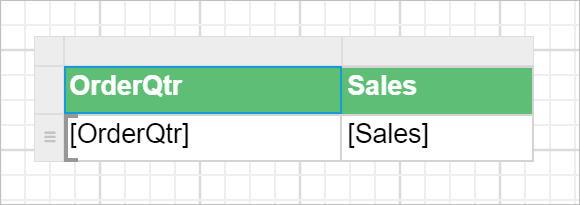
You start with a simple table report design in the Bold Reports® Web Report Designer by following the steps in the Table Design section.
How do I add group data?
You add group data to a tablix in the Bold Reports® Web Report Designer by creating a parent row group and then a child row group from the grouping panel.
How do I add a parent row group?
To add the first row group to the basic tablix structure, follow these steps:
- Select the tablix data region in the design area. The
Grouping Panelis enabled in the design view.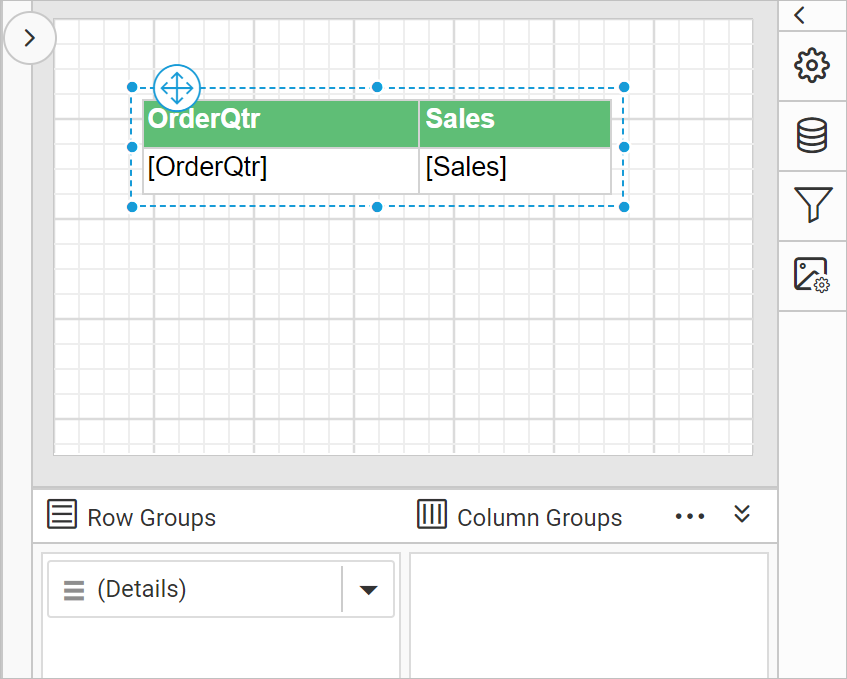
To add the first row group in the basic tablix structure, use the group menu in the grouping panel.
- Go to the
Row Groupspane in the grouping panel and open the context menu on theDetailsgroup field.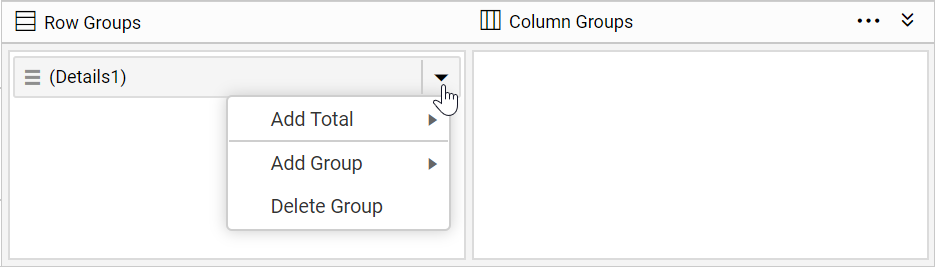
- From the context menu, click the
Parent Group...option under theAdd Groupcategory.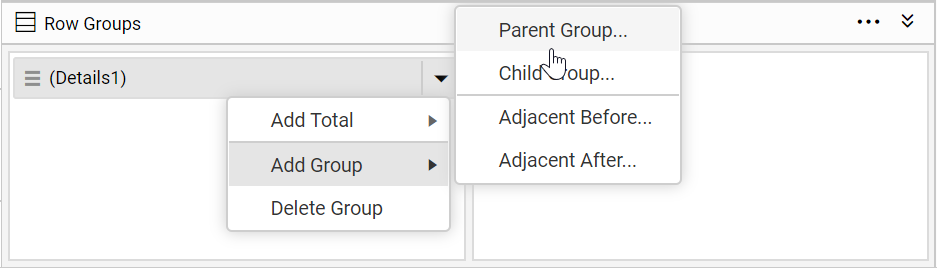
- Configure the grouping in the
Tablix Groupdialog that opens after you click theParent Groupoption.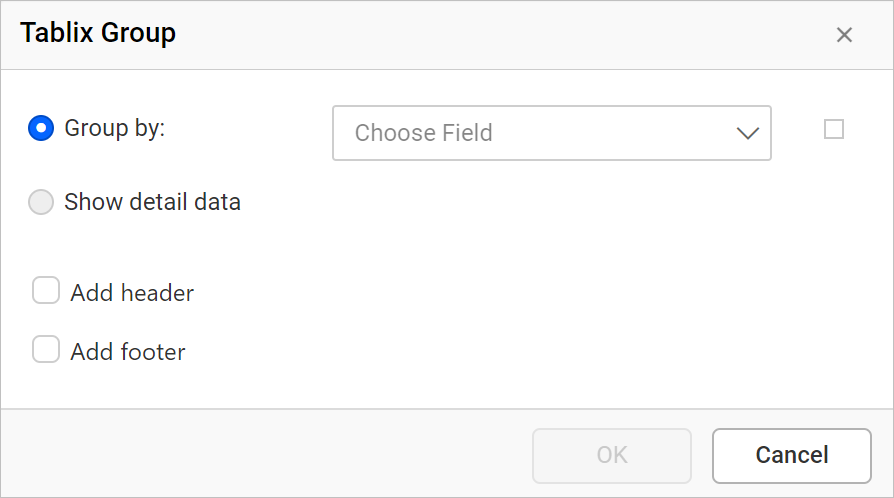
- Choose the
Product Categoryfield as the parent group in the tablix data region, as in this example. Click theOKbutton.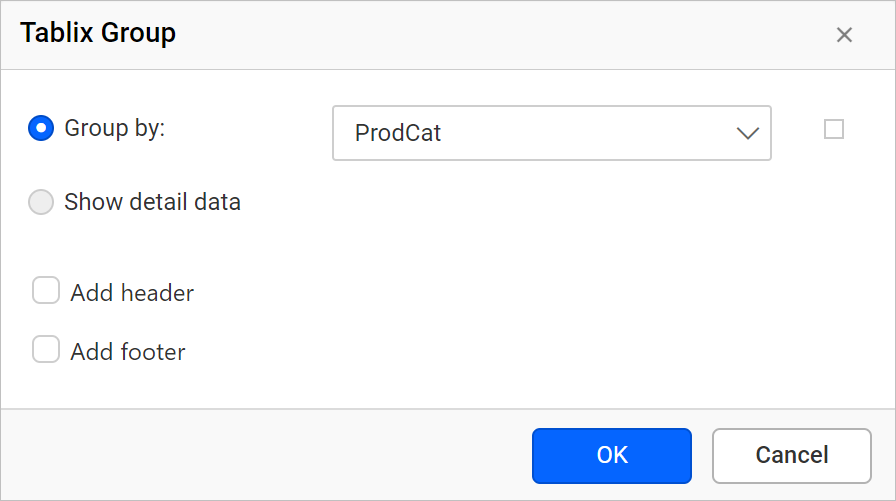
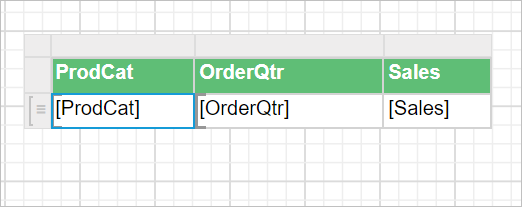
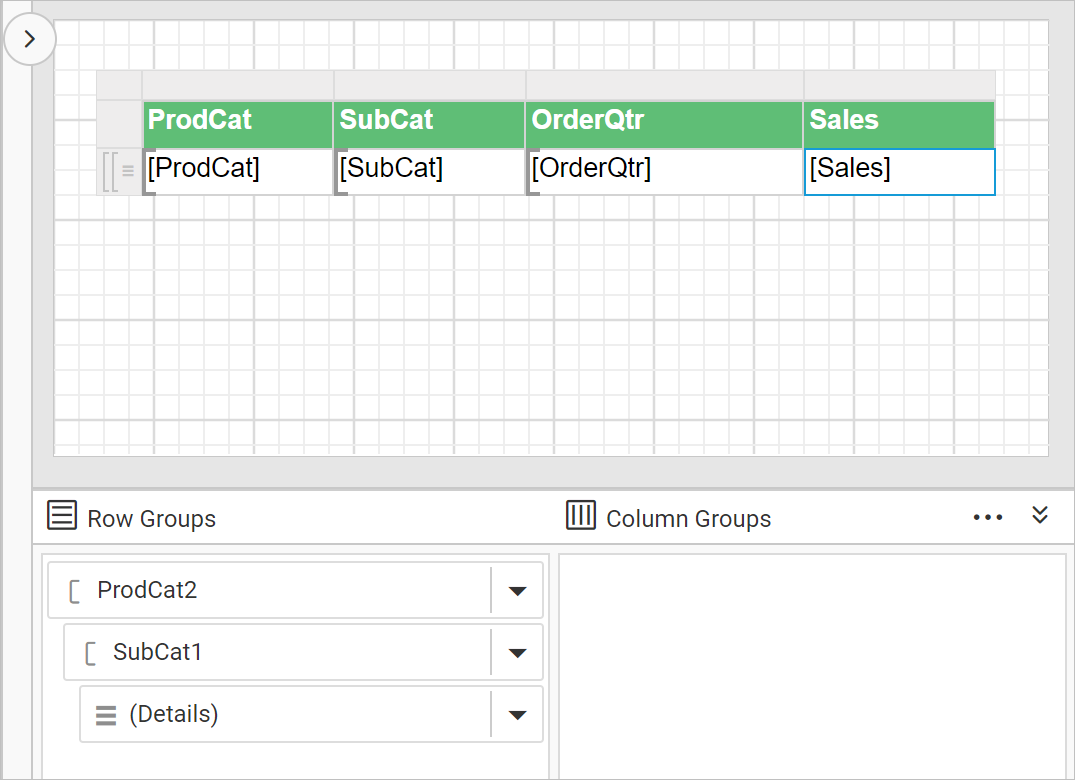
A new column is added to the right side of the detail group in the tablix data region, and a new group member is added above the Detail group of the Row Groups pane in the grouping panel hierarchical view.
How do I add a child row group?
You add a child row group in the Web Report Designer with the Child Group... option.
- Click the
Child Group...option under theAdd Groupcategory.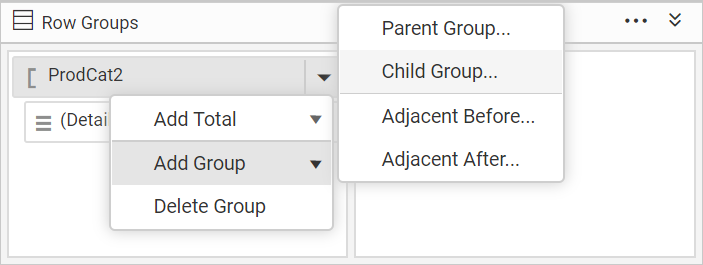
- Review the
Tablix Groupdialog, which opens as shown in the following image.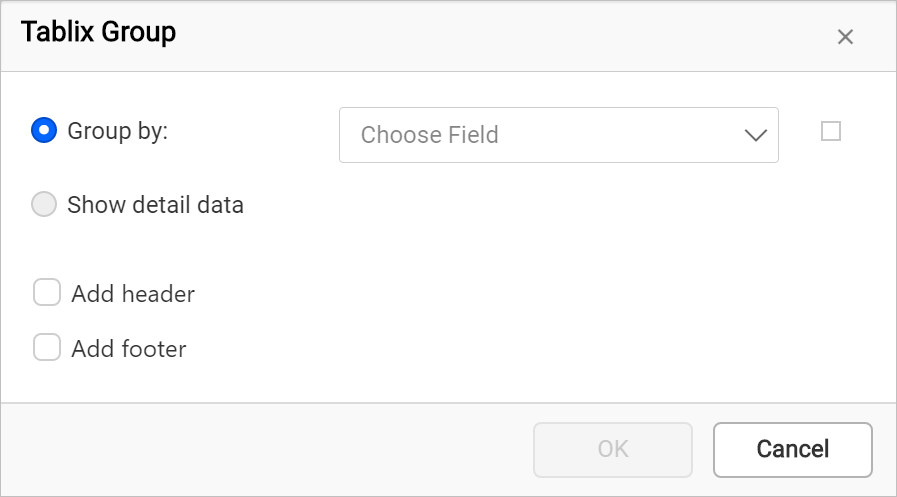
- Choose a field in the group dialog and click the
OKbutton.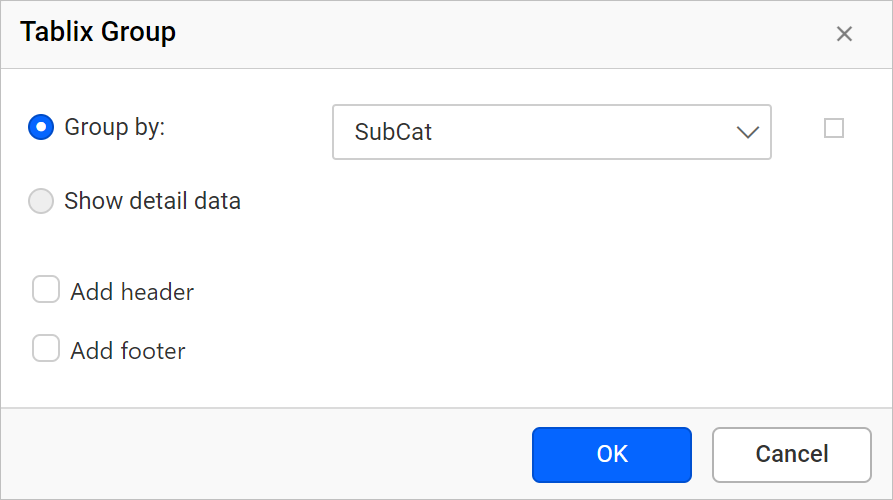
A new column is added to the right side of the Product Category row group in the tablix data region. A new field is also added below the Product Category group in the hierarchical view of the Row Groups pane.
How do I add totals?
You add totals to a tablix in the Bold Reports® Web Report Designer with the Add Total option in the cell menu. The steps below add a product total, a product category total, and a grand total.
How do I add the total yearly sales of a product?
In the following steps, you create a total field that calculates the sum of sales for each subcategory product:
- Right-click in the cell that contains the
[Sales]expression, and clickAdd Totalin the cell menu.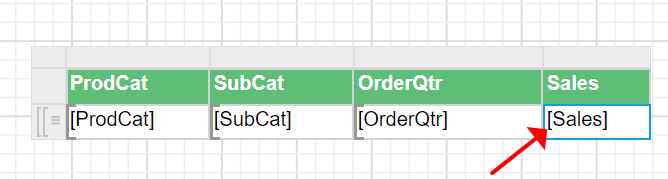
- Check that a new row is added inside the
ProdCatgroup in the data region.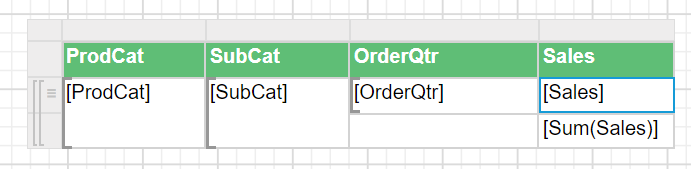
How do I add the total yearly sales of a product category?
To calculate the sum of yearly sales for each product category, follow these steps:
- Right-click in the third row, last cell of the data region that contains the
[Sum(Sales)]expression, and clickAdd Totalin the cell menu.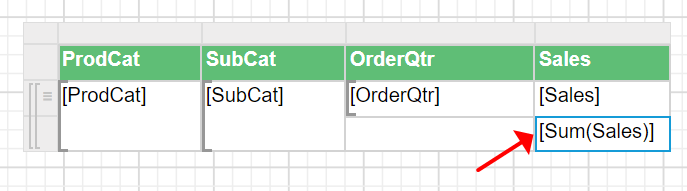
- Check that another new row is added inside the
ProdCatgroup in the data region.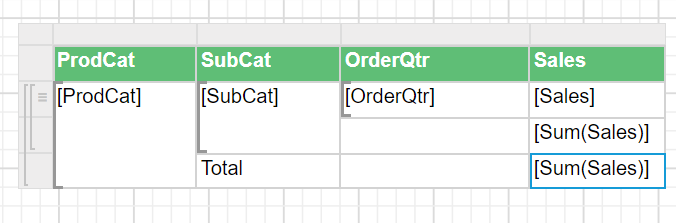
How do I add the grand total to the report?
To calculate the grand total of all product sales, follow these steps:
- Right-click in the fourth row, last cell of the data region that contains
[Sum(Sales)], and clickAdd Totalin the cell menu.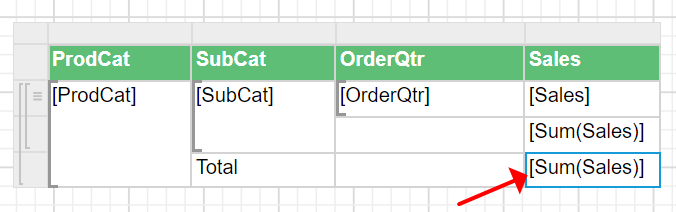
- Check that another new row is added outside the
ProdCatgroup in the data region.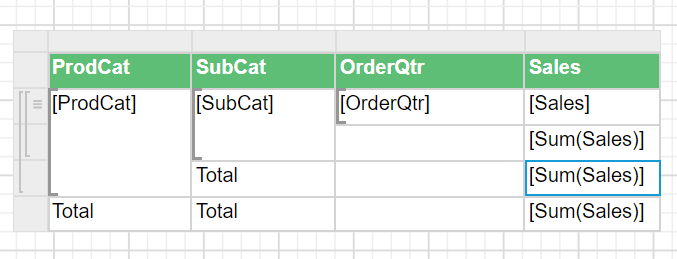
How do I edit the total cell content?
You modify the text for each total in the Bold Reports® Web Report Designer by editing the cells and setting expressions.
- Edit the third row, third column cell that contains the
Totaltext and set the expression= "Total yearly sales of " & Fields!SubCat.Valuein the expression builder.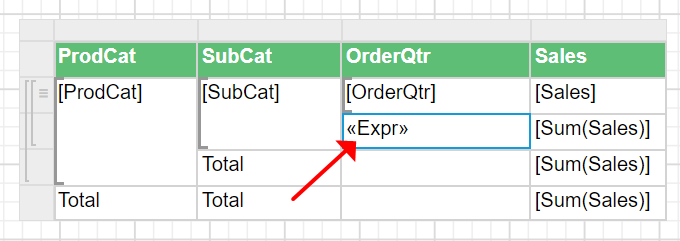
- Edit the fourth row, second column cell that contains the
Totaltext and set the expression= "Total yearly sales of " & Fields!ProdCat.Valuein the expression builder.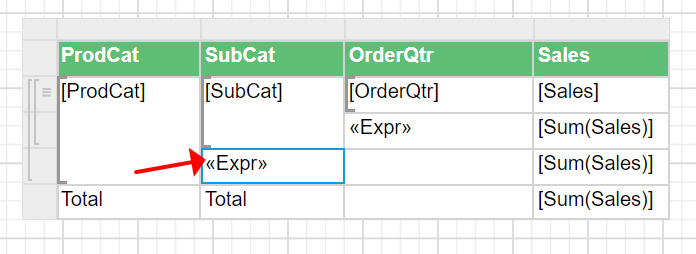
- Remove the
Totaltext value from the fifth row, second column cell.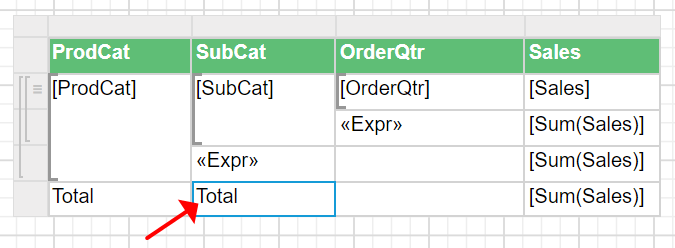
- Edit the fifth row, first cell content as
Grand Total. The table design now looks like the following image.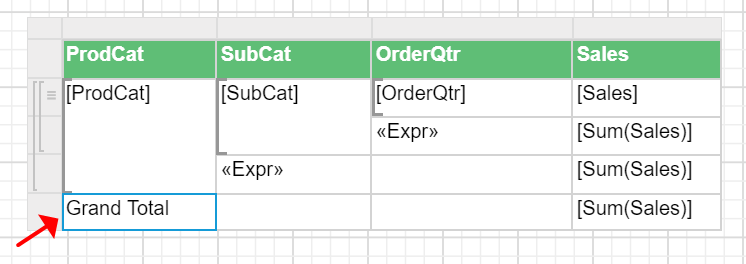
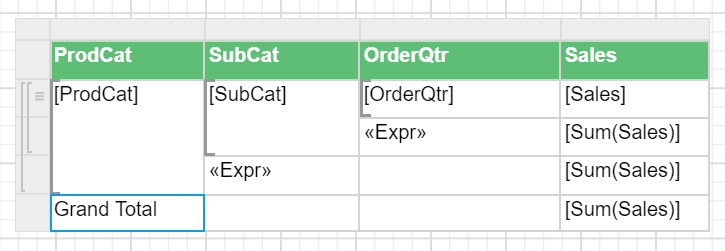
The final design now looks like the following image:
How do I format the total rows?
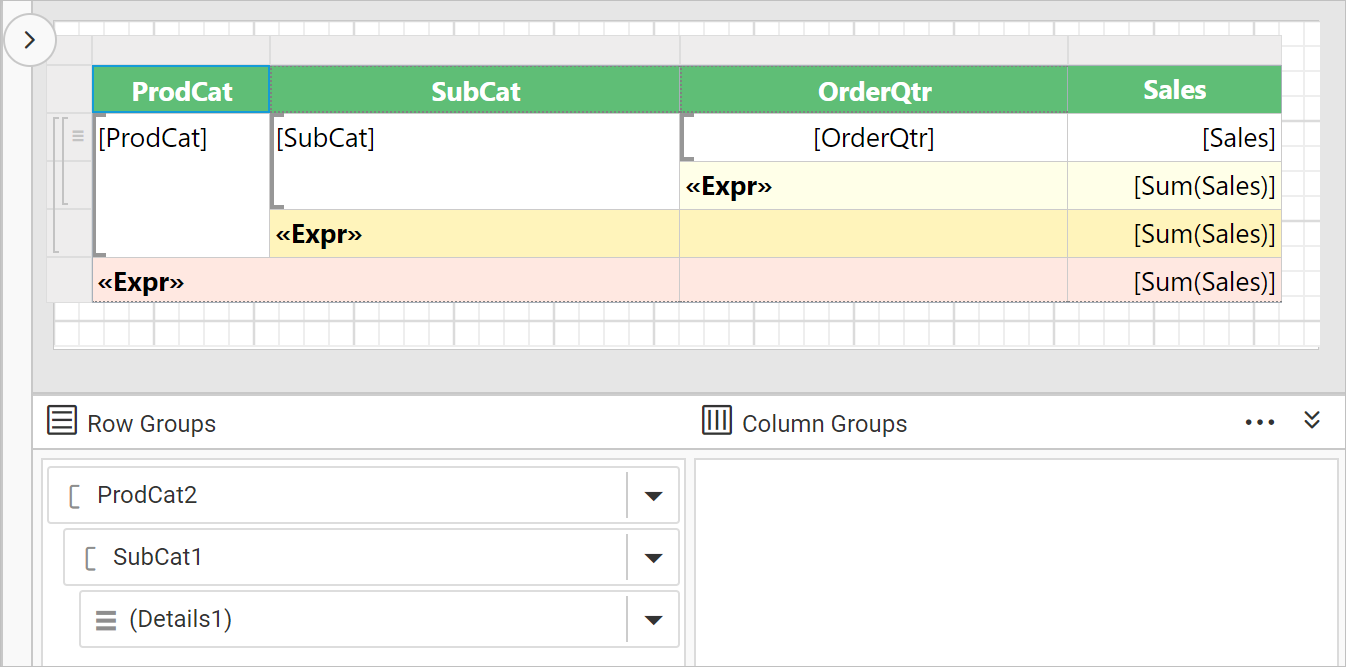
You format total rows in the Bold Reports® Web Report Designer with background colors and font weight. In the following design, the Background color of the total column is set with three different colors. The colors differentiate the totals at the details level and the product category level. Set the font weight of the expression fields as Bold to improve the table design. The background color of the tablix header row is also changed to improve the report presentation.

What does the final design and preview look like?
The final Bold Reports® report design looks like the following image:
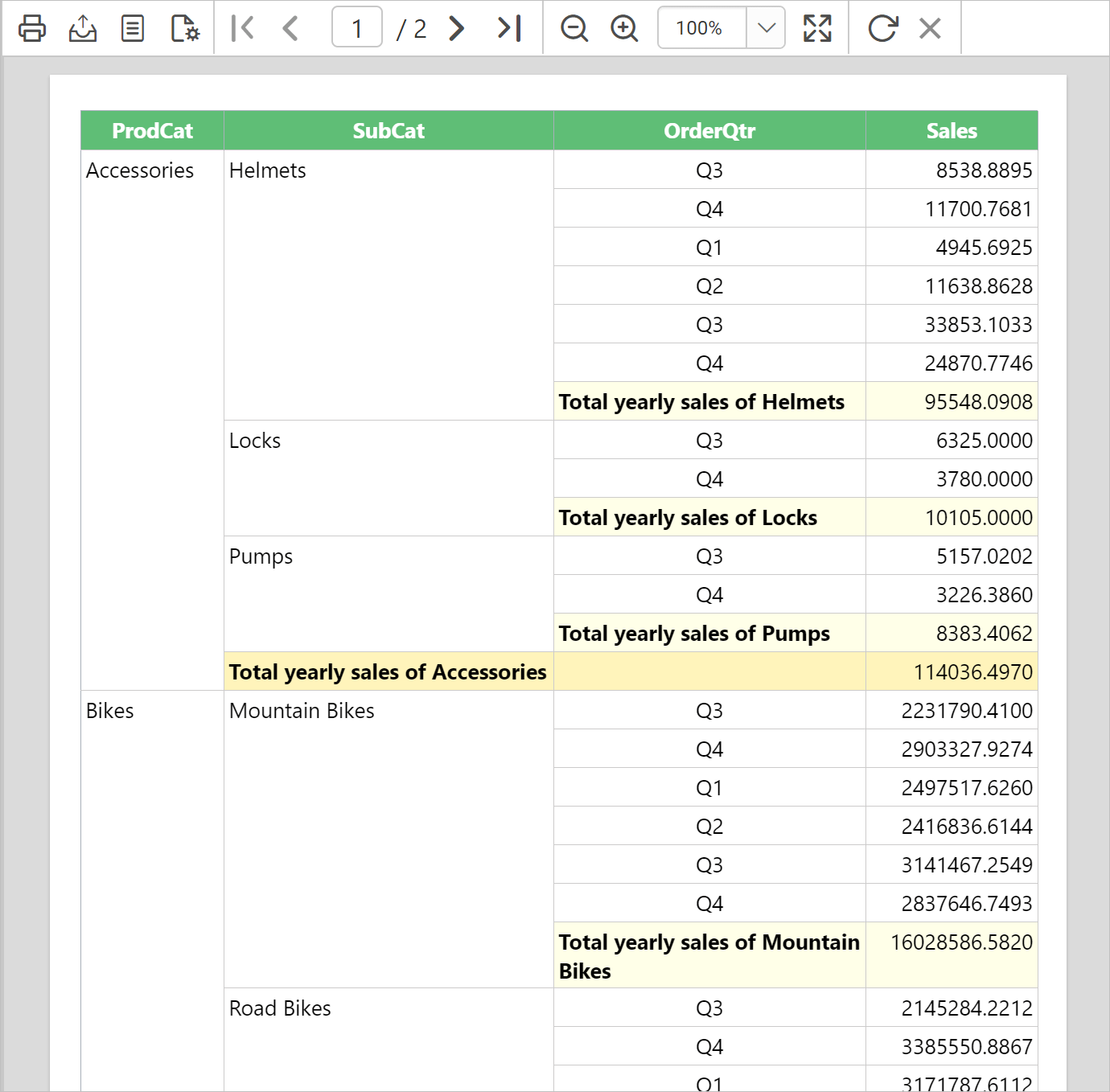
On report preview, the total yearly sales of each product, product category and grand totals at the details group level are displayed as follows.
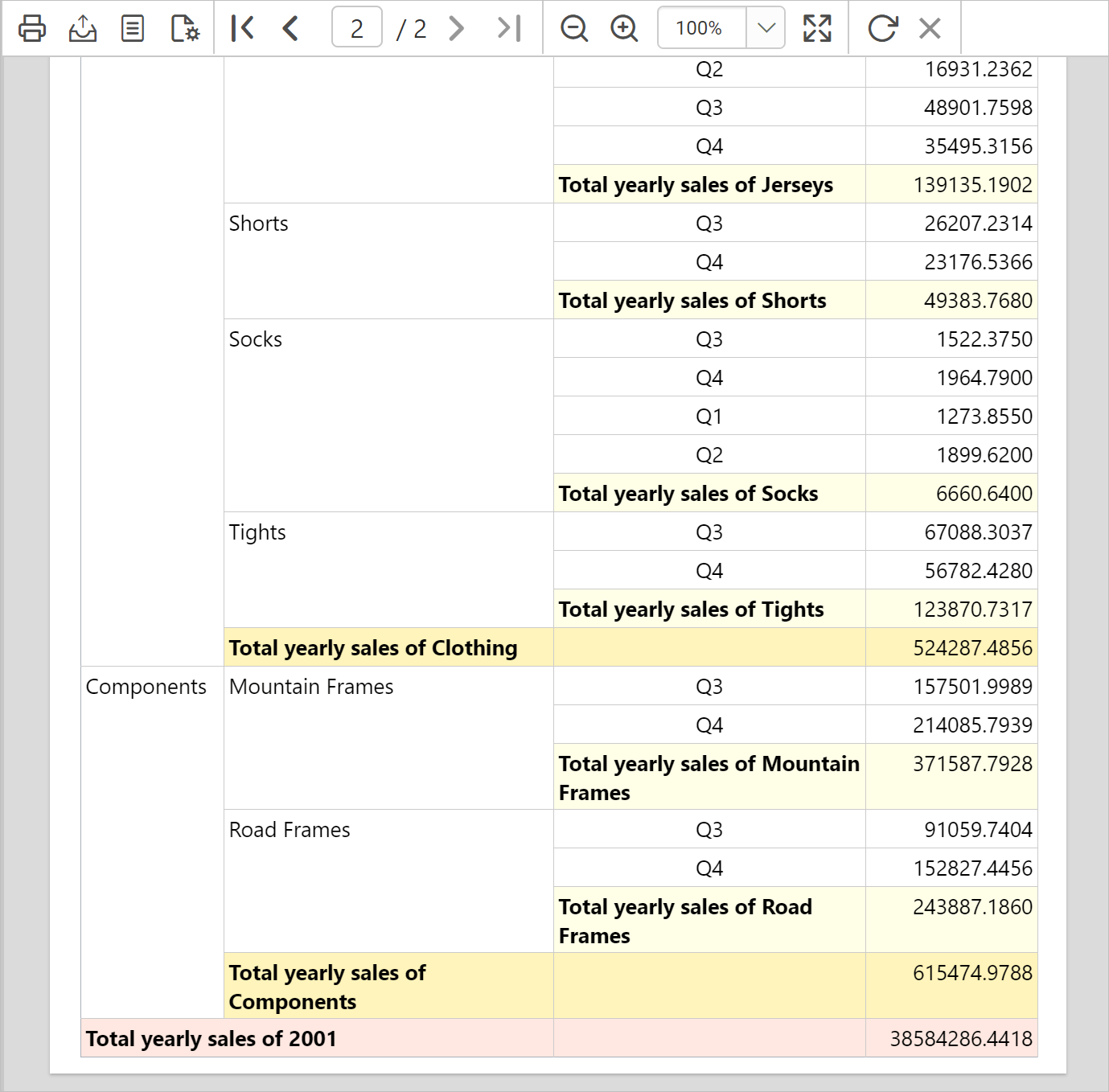
Navigate to the last page of the report in preview. The grand total details are displayed at the end of the report, as follows.
Download the grouping and totals report design (RDL).
Frequently asked questions
Where is the grand total row added?
The grand total row is added outside the ProdCat group in the data region, and the grand total details are displayed at the end of the report.
How do I add the first row group to a basic tablix?
Use the group menu in the grouping panel. Open the context menu on the Details group field and click Parent Group... under Add Group.