Report sections in Bold Reports® Web Report Designer
Bold Reports® Web Report Designer divides a report into three sections: header, body, and footer. Each section has general properties and its own specific properties.
What are the report header and footer?
In Bold Reports® Web Report Designer, the report header and footer sections hold report items at the top and bottom of the report body. You can place images, text boxes, lines, rectangles, and expressions in the header and footer section of the report. For example, you can place the Report Title, Company Logo, Company Address, Report Generated Time, and Page Numbers in the header and footer sections.
Note: You cannot place data regions in the header and footer section of the report design. By default, reports have a report footer, but not a report header. To add or remove the header and footer in a report, see show or hide header and footer.
What is the report body?
The report body section in the Web Report Designer is the main work area for designing reports. You can place all types of report items in the report body section.
General properties
The Web Report Designer provides the following general properties for the report header, body, and footer areas.
Border
Border properties in the Web Report Designer add or customize the border around the header, body, or footer section in the report design. To set border properties for the report sections using the properties panel, see Border Properties.
Background color
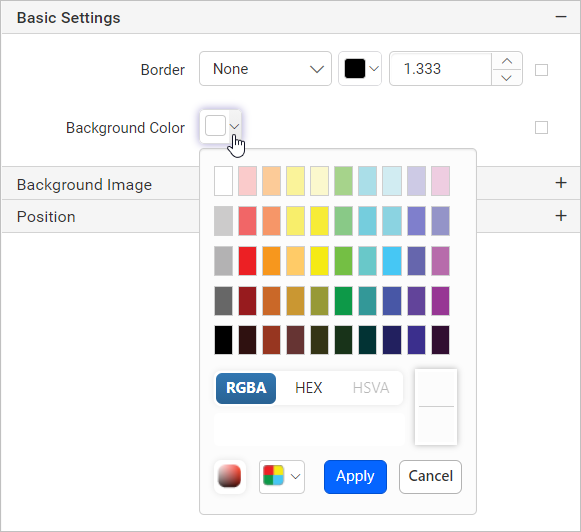
The background color property in the Web Report Designer sets the background color of the header, body, or footer sections.
Background Image
The background image property in the Web Report Designer displays company logos, watermarks, or any other background image in report sections such as the page header, footer, and body. To set a background image for the report sections, see Background Image.
Header and Footer properties
The Web Report Designer provides the following properties that apply only to the report header and footer.
Height
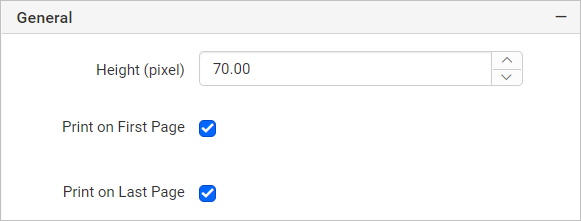
The Height property in the Web Report Designer increases or decreases the height of the report header and footer area. This property is listed under the General category of header and footer properties in the properties panel.
Print on first page
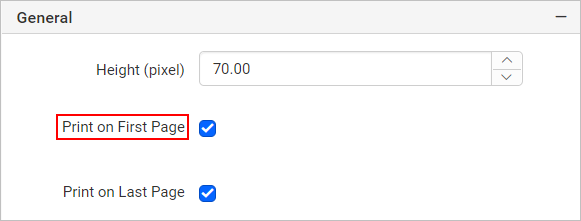
The Print on first page option in the Web Report Designer displays the header or footer only on the first page of a report instead of every page. Enable this option to use it.
Print on last page
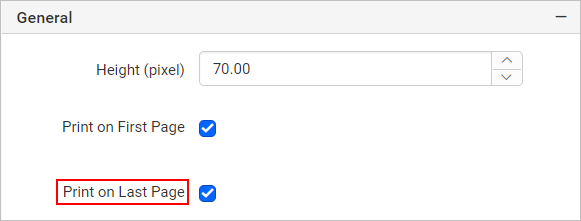
The Print on last page option in the Web Report Designer displays the header or footer only on the last page of a report instead of every page. Enable this option to use it.
Custom Style
The Custom Style property in the Web Report Designer enables the use of external CSS for styling the report header and footer, providing enhanced flexibility beyond the built-in styling options. Use this property to meet specific design requirements and maintain consistent styling across multiple reports. For a step-by-step guide on setting up custom styles in your report, see the How To section of this guide.

Body properties
The Web Report Designer provides the following properties that apply only to the report body.
Size
The Size property in the Web Report Designer sets the width and height of the report body area in the report design. This property is listed under the Position category of body properties in the properties panel.
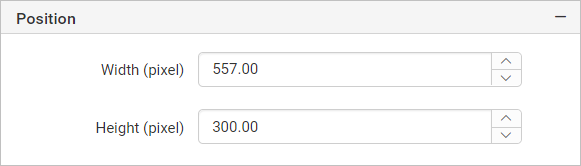
The width of report header and footer will be same as the report body area.
Custom Style
The Custom Style property in the Web Report Designer enables the use of external CSS for styling the report body, providing enhanced flexibility beyond the built-in styling options. Use this property to meet specific design requirements and maintain consistent styling across multiple reports. For a step-by-step guide on setting up custom styles in your report, see the How To section of this guide.
Frequently asked questions
Can I place a data region in the header or footer?
No. You cannot place data regions in the header and footer section of the report design.
Does a new report have a header by default?
No. By default, reports have a report footer, but not a report header.