How to get the username value from the user built-in functions
Retrieving the username requires an additional configuration in the Enterprise Server. Follow the steps below to enable this functionality.
steps to enable the functionality
-
Add the following tag to the
reporting/config.xmlfile to enable user-based filtering by username:<UserBasedFilterType>username</UserBasedFilterType>Path to file:
UMS site → Settings → Configuration → reporting/config.xml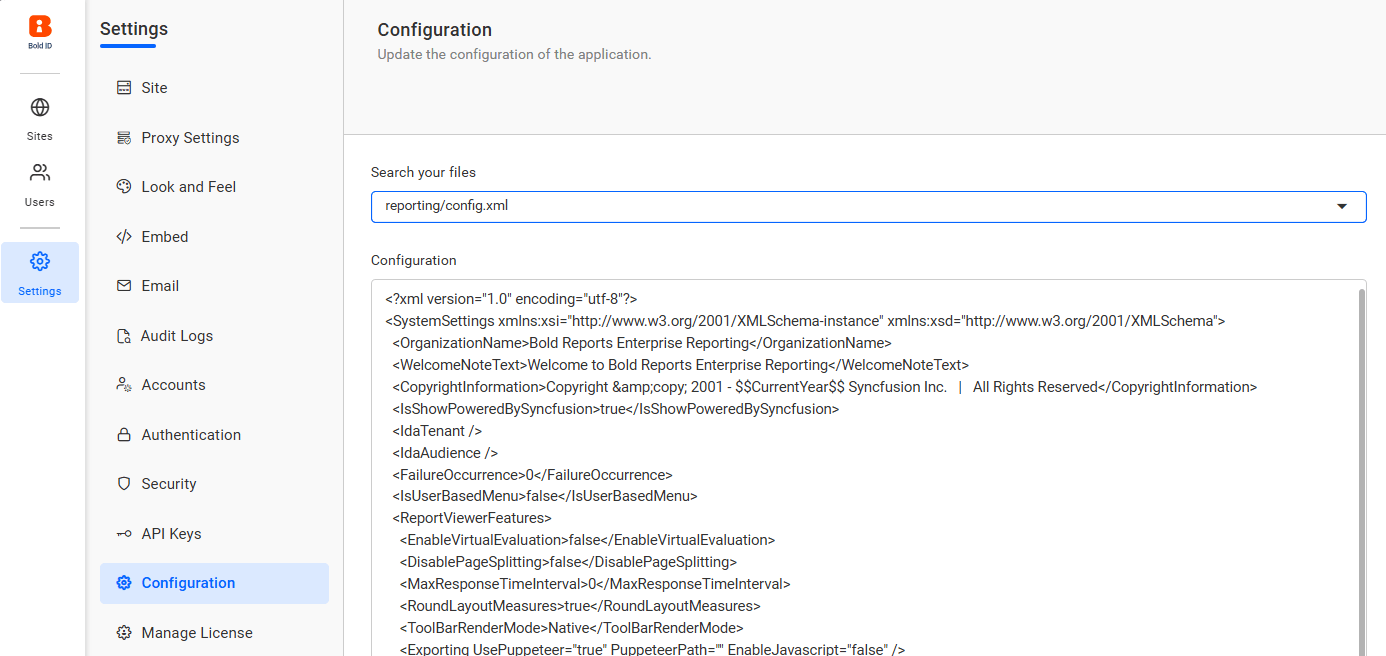
-
Retrieve username in report expression:
Use the following expression in your report to retrieve the username:
=User!UserID -
Append domain name (if required):
To display the username with a domain prefix (for example,
abc/John), use the following expression:="abc/" & User!UserIDReplace
"abc"with your actual domain name as needed.