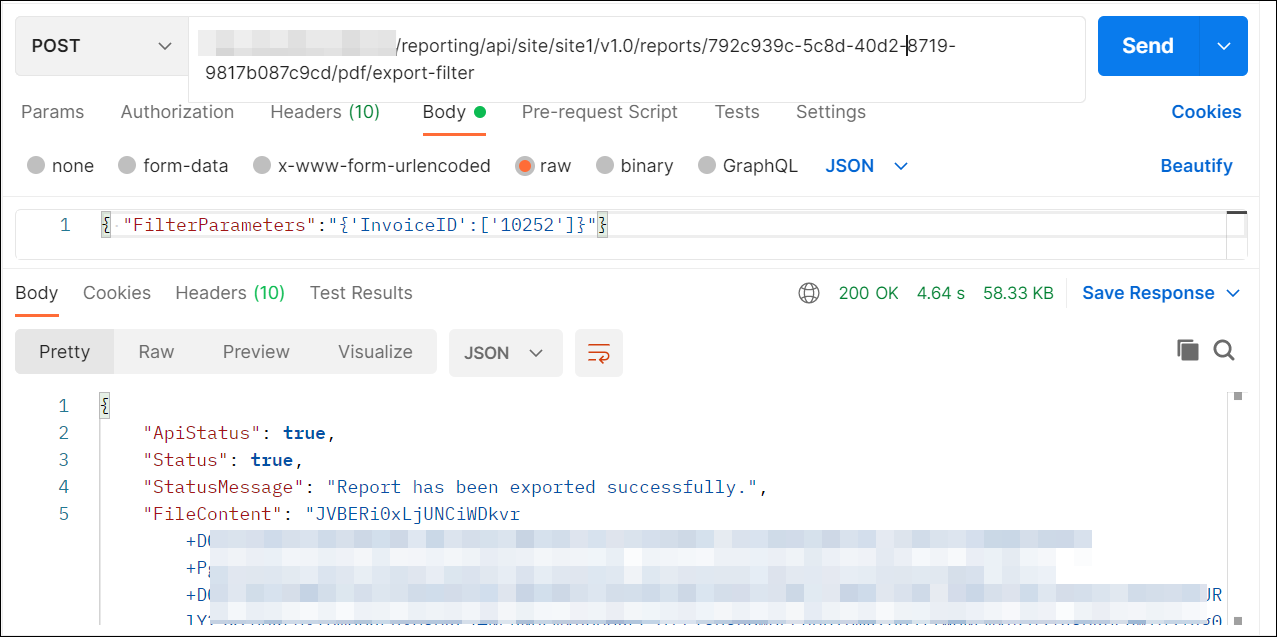
How to export the Report with filter parameter using API from the postman
Users with read access for reports can export a report by providing the report details, filter parameter, and export type (Microsoft Excel, PDF, HTML, PPT, CSV, XML or Word) in the request body.
-
Open the
Postmanapplication and create a newPOSTHttp request. -
First, generate the authentication token.
-
In request URL, provide your Report Server URL and append
reporting/api/site/{tenant-name}/v1.0/reports/exportfor export report. -
In headers section, add
Authorizationas the key,beareras the value, and included the generated token.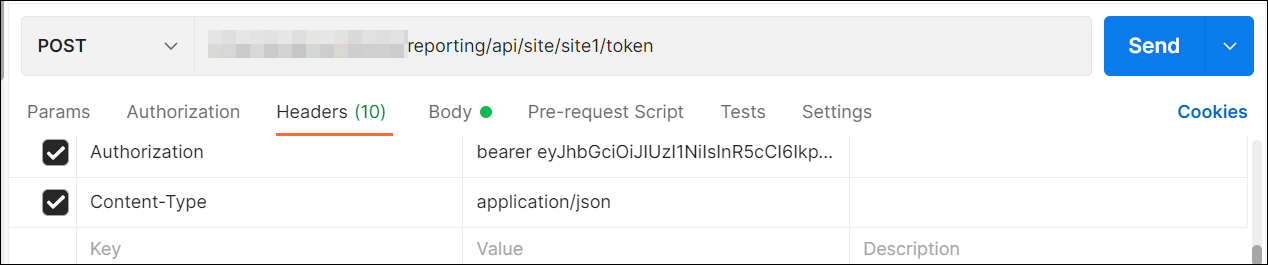
-
Then, in the body section, choose
rawand selectJson. -
Pass the report ID and export type as path parameters, and pass the filter parameter values in JSON format.
-
Click
Send. The response will be an array of bytes.