Connect Strapi with Bold Data Hub
The Bold Data Hub Strapi connector loads content data from Strapi into Bold Reports®. Strapi is a headless CMS (Content Management System) for building API-driven content management systems.
How do I get a Strapi API token?
You create the Strapi API token for Bold Data Hub in the global settings of your Strapi admin panel.
- Log in to
Strapi. - Click the settings icon in the sidebar.
- Go to API tokens under global settings.
- Create a new API token.
- Fill in Name, Description, and Duration.
- Choose a token type: Read Only, Full Access, or custom.
- Save to view your API token.
- Copy it for configuration.
Connection Properties
The Strapi connector in Bold Data Hub reads the following properties from the configuration section of a YAML file:
Connectorname: Strapi
Api_secret_key: API secret key
Domain: Domain
Example
The following Bold Data Hub YAML template shows a complete Strapi extractor configuration:
version: 1
encrypt_credentials: false
plugins:
  extractors:
    - name: Strapi_data
      connectorname: Strapi
      config:
        api_secret_key: <API SECRET KEY>
        domain: <DOMAIN>
      select:
        - TABLE1
        - TABLE2
How do I connect Strapi in Bold Data Hub?
You connect Strapi by creating a project in Bold Data Hub and adding the Strapi template to it.
-
Click the
Bold Data Hubicon on the Navigation Pane.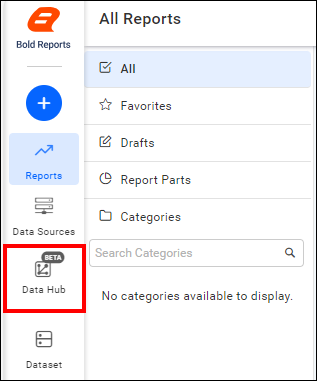
-
Click
Add Projectand enter a name for the new project.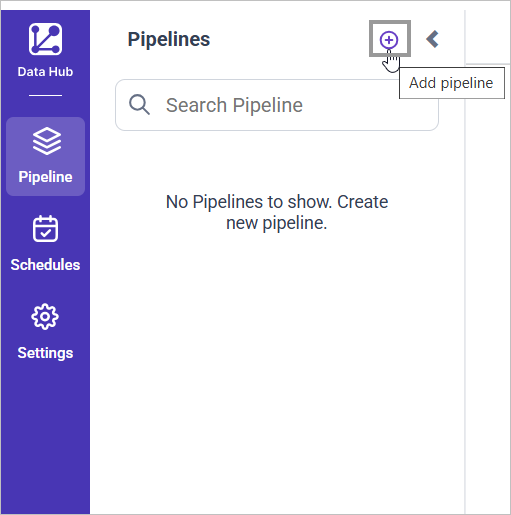
-
Select the newly created project and add the
Strapitemplate.
-
Update the API secret key and domain in the template, and update the resources in the
selectproperty. -
Click Save and choose the destination to save the pipeline.
Creating a pipeline in Bold Data Hub automatically creates a data source in Bold Reports®. The Bold Reports® data source is a live data source to the destination database used in Bold Data Hub.
Warning:
1. The `Encrypt_Credentials` property should be set to false when updating the new access token on the template. If you have modified other properties, such as 'select' or 'account id', the `Encrypt_Credentials` property must be set to true.
2. The default lifetime of the access token is 1 hour. Therefore, you need to convert it to a long-lived access token to use the same token for 60 days. Existing tables should be maintained even if the token has expired or is being used as an invalid token.
How do I schedule the Strapi pipeline?
You schedule the Strapi pipeline in Bold Data Hub from the schedules tab, or you run it on demand.
-
To configure interval-based scheduling, click the schedules tab, select the created pipeline, click the schedule icon, and configure the schedule.


-
For an on-demand refresh, click the
Run Nowbutton.
-
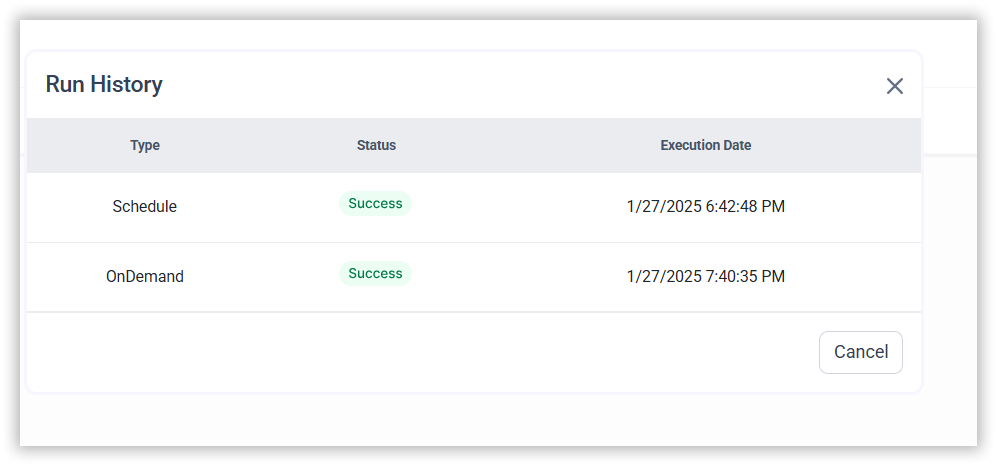
Check the schedule history with the history option and the logs.
-
Click Logs to see whether the run is completed and the data source is created in Bold Reports®.

-
Click the
Edit DataSourceoption to view the created tables.
Frequently asked questions
Which values does the Strapi connector need?
The Bold Data Hub Strapi connector needs an API secret key and your Strapi domain.
Which Strapi token types can I create?
You can choose a Read Only, Full Access, or custom token type when you create the Strapi API token.