Configure Oracle for Bold Reports® application startup
Bold Reports® supports Oracle databases for storing user identities and report details.
Oracle Database Configuration for Bold Reports® Server Sites
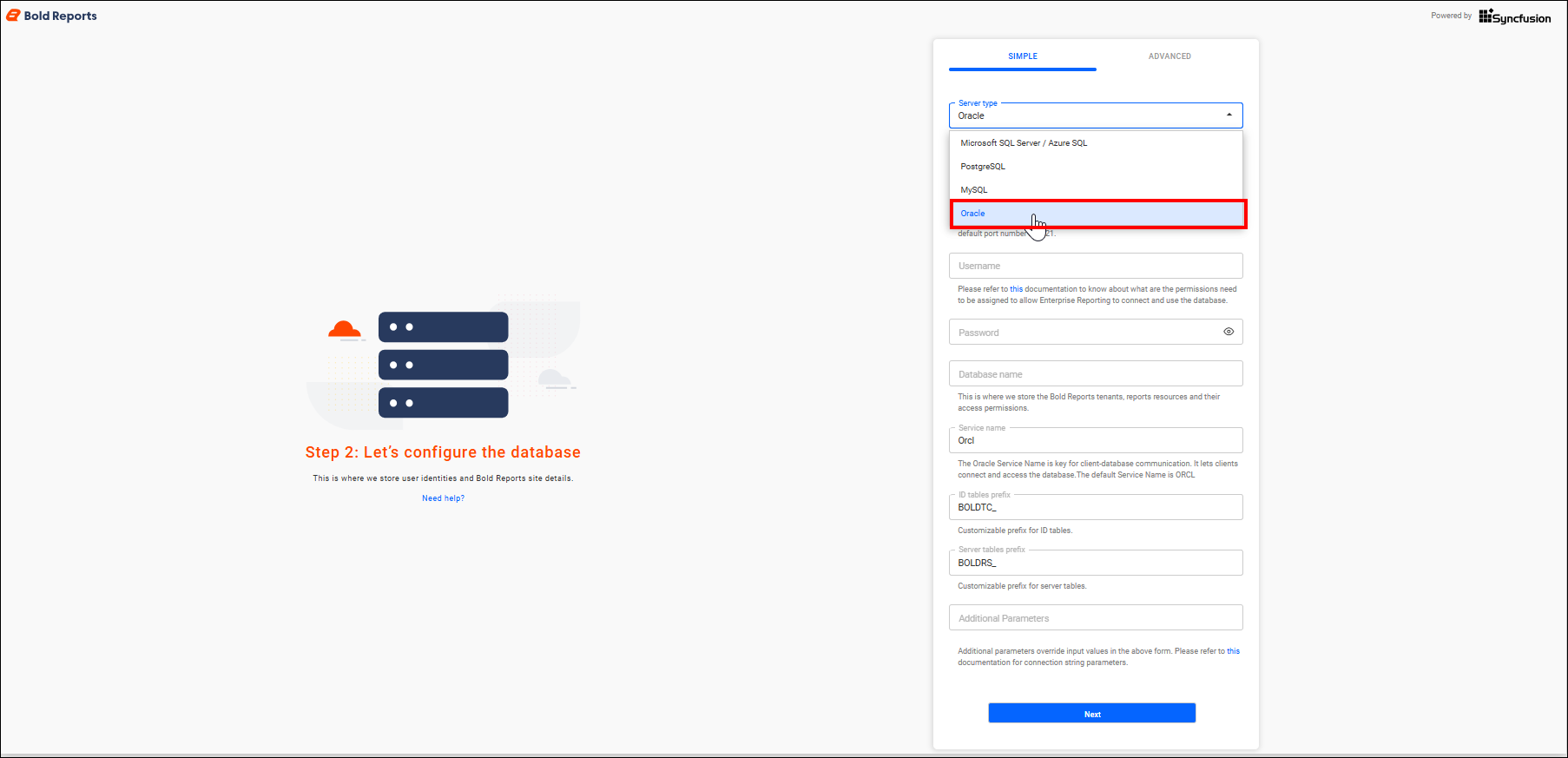
The Bold Reports® Oracle configuration stores the reports, users, and their access permissions in an Oracle Server database. Follow these steps:
-
Select the server type as
Oracleand provide the server details. -
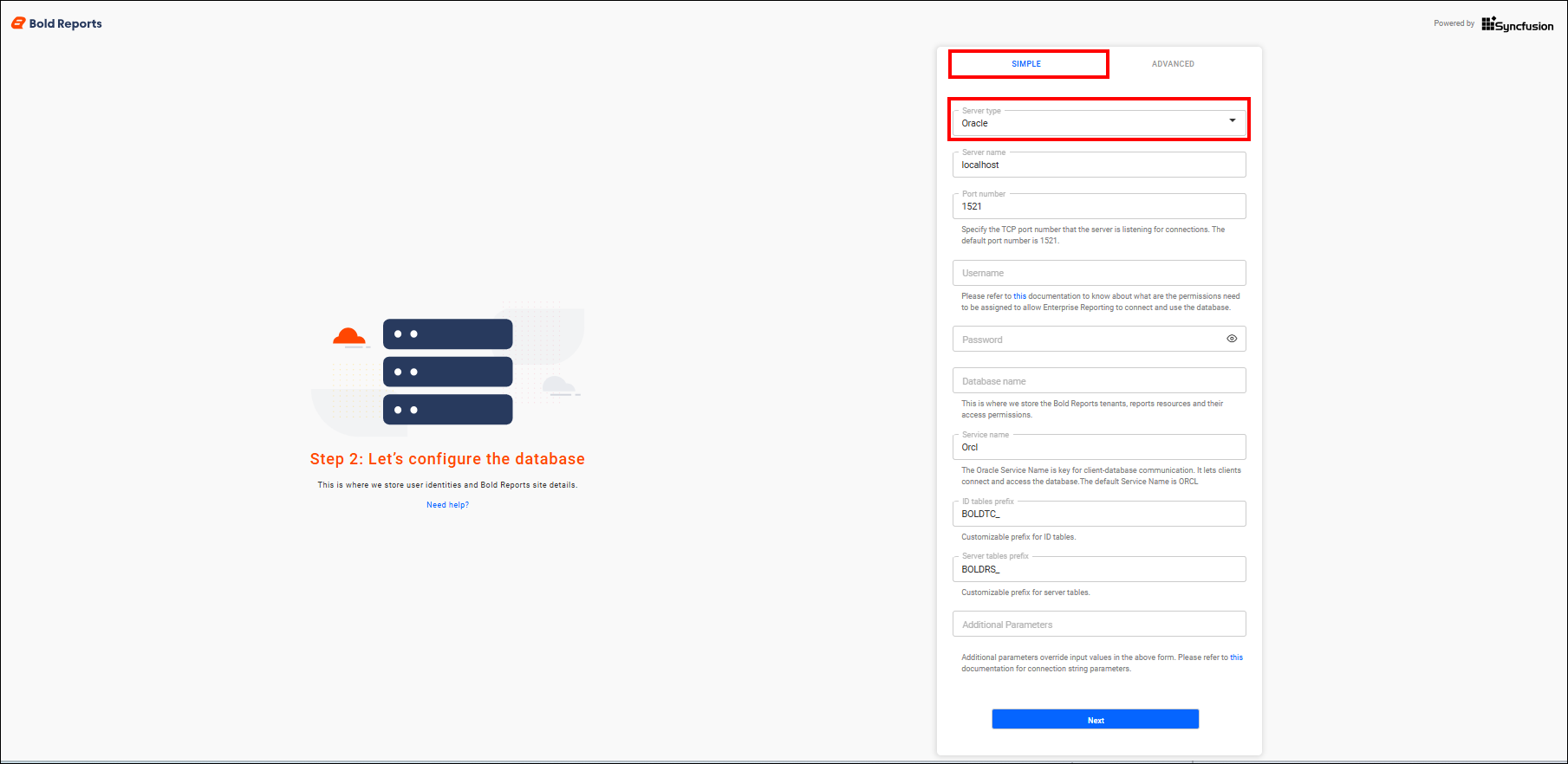
Set the database name to be the same as the username.
Simple mode
Bold Reports® Simple mode configures a single database for Bold ID and Bold Reports®.
The configuration stores the user identities, sites details, reports, users and their access permissions in a single database.
The sites will be deployed to the local file system by default in Simple mode.
Frequently asked questions
What database name should I use for Oracle?
Set the Oracle database name to be the same as the username when you configure Bold Reports®.
Where are sites deployed in Simple mode?
In Bold Reports® Simple mode, the sites are deployed to the local file system by default.