Custom Rebranding / White labeling User Management Server
This section explains how to customize Bold ID by changing the organization name, header logo, favicon, email logo, time zone, and date-time display formats.
User Management Server can be rebranded and white-labeled with the organization name, header logo, favicon, email logo, time zone, and date-time format.
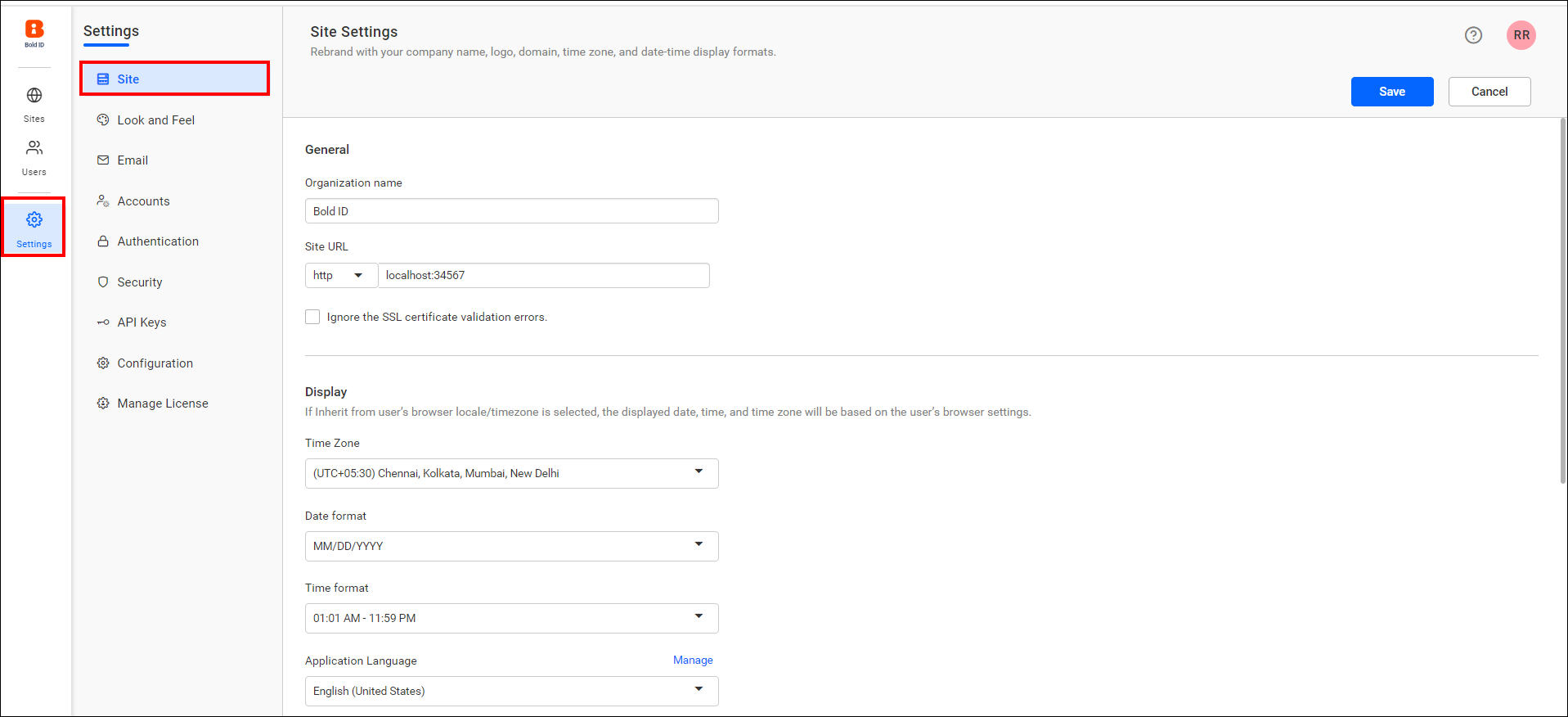
Organization Name
The name of the User Management Server can be changed at any time, and it appears in the title bar of the browser.
Login Screen
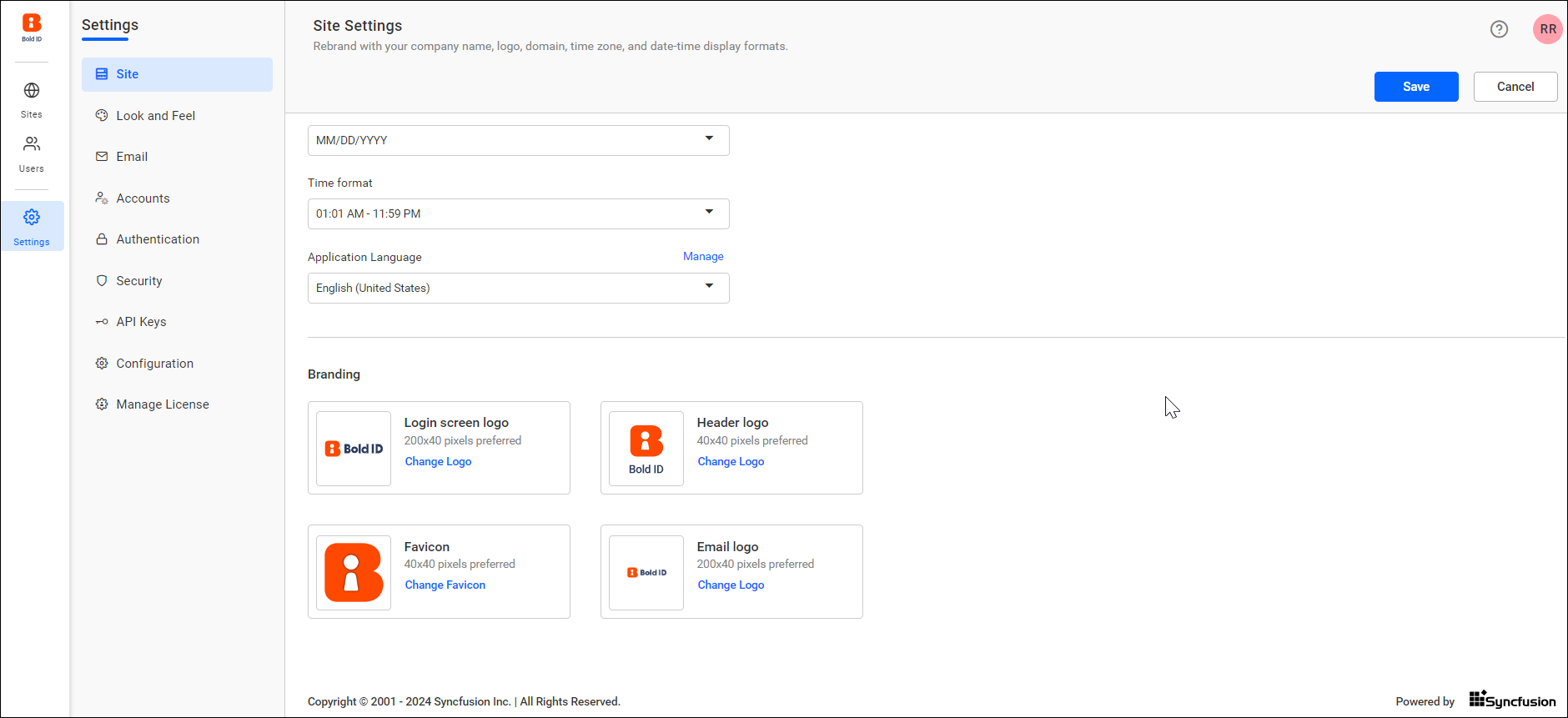
The login page logo image can be changed, and the preferred image size is 200 x 40 pixels. By default, the User Management Server will display the Bold ID login logo.
Header Logo
The header logo image can be changed, and the preferred image size being 40 x 40 pixels. By default, the User Management Server will display the Bold ID logo as the main screen logo.
Favicon
The favicon for the User Management Server can be changed, with the preferred image size being 40 x 40 pixels. By default, it will display the Bold ID favicon.
The email logo image can be changed, with the preferred image size being 200 x 40 pixels. By default, the User Management Server will display the Bold ID email logo.
Display
Time zone
The time zone for the User Management Server can be changed. The User Management Server sets the Coordinated Universal Time (UTC) as the default time zone.
Date format
The date format of the User Management Server can be changed. The User Management Server will use MM/dd/yyyy as the default date format.
Time format
The time format of the Bold Reports® site can be changed. The User Management Server will have 12 hour as the default time format.
Language
You have the option to localize the User Management Server to any culture. Please click here to learn how to add a new localization or edit the existing localization in the User Management Server.