Configure SMTP email settings in Bold Reports® User Management Server
To send emails from the Bold Reports® User Management Server, configure the SMTP server details.
Which operations need SMTP email settings?
The Bold Reports® User Management Server needs SMTP email settings to perform the following operations:
Account Activation: Sends an email for user account activation.
Forgot Password: Sends request links to reset the password when the user has forgotten it.
Reset Password: Sends links to reset the password.
What SMTP details does the User Management Server need?
The following SMTP details are required to send emails from the Bold Reports® User Management Server.
| SMTP Server | The SMTP server specifies the public IP address or provider that delivers the emails to the end user's mail box. |
| SMTP Port | The Port number of the SMTP server should vary based on the SMTP server and the connection type(SSL/TLS). |
| Sender Name | The name displayed on the email as the From name. |
| Sender Email | The email address displayed as the From email address in the recipient's email. |
| Authentication type |
We support two types of authentication:
|
| Username | Username of the user with email-sending access. |
| Password | Password of the user. |
| Enable SSL | If SSL is enabled, it will be used to connect with your SMTP server; otherwise, the connection will be made using TLS. |
How do I configure SMTP account settings?
To configure an SMTP account in the Bold Reports® User Management Server, follow these steps:
-
Click the Settings option in the left-side panel and go to
Email settings, as shown in the following image.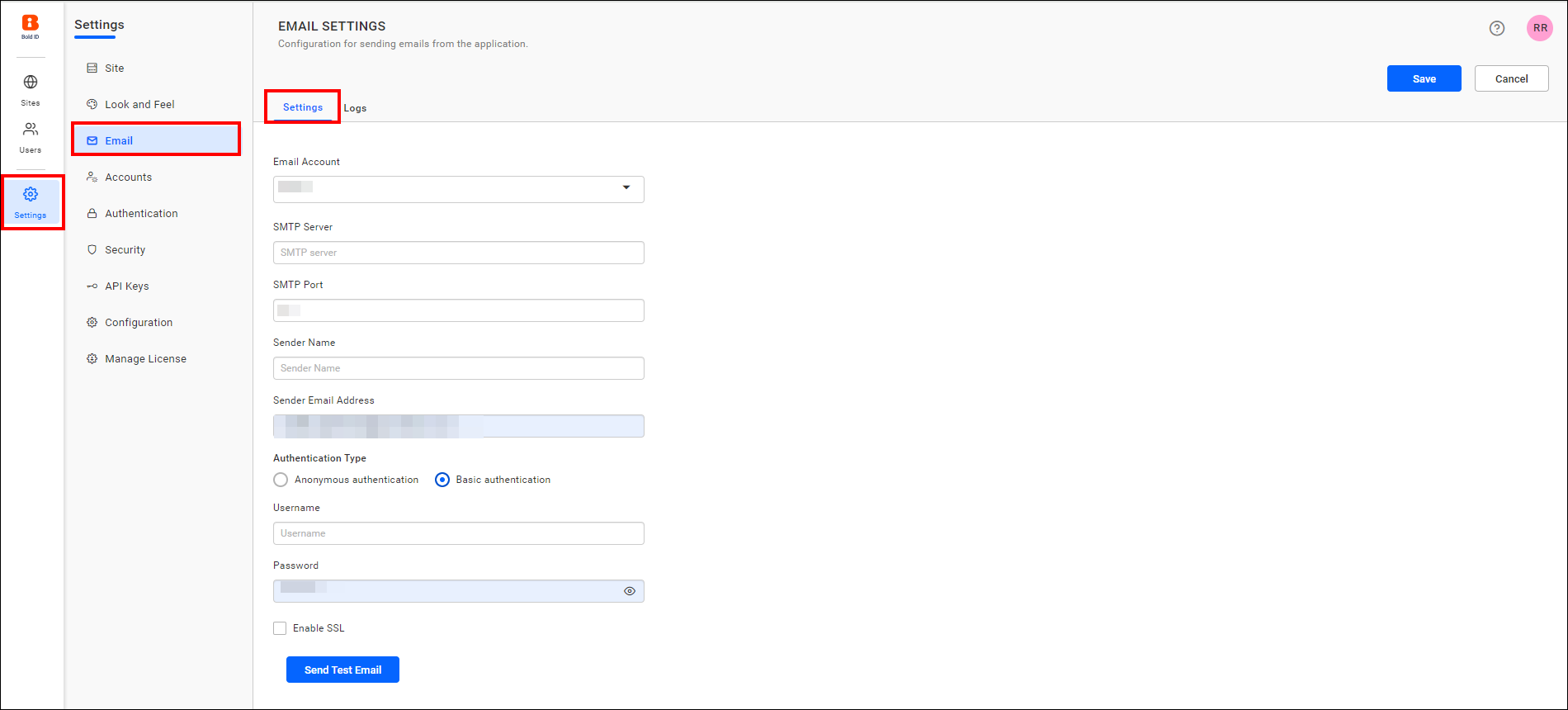
-
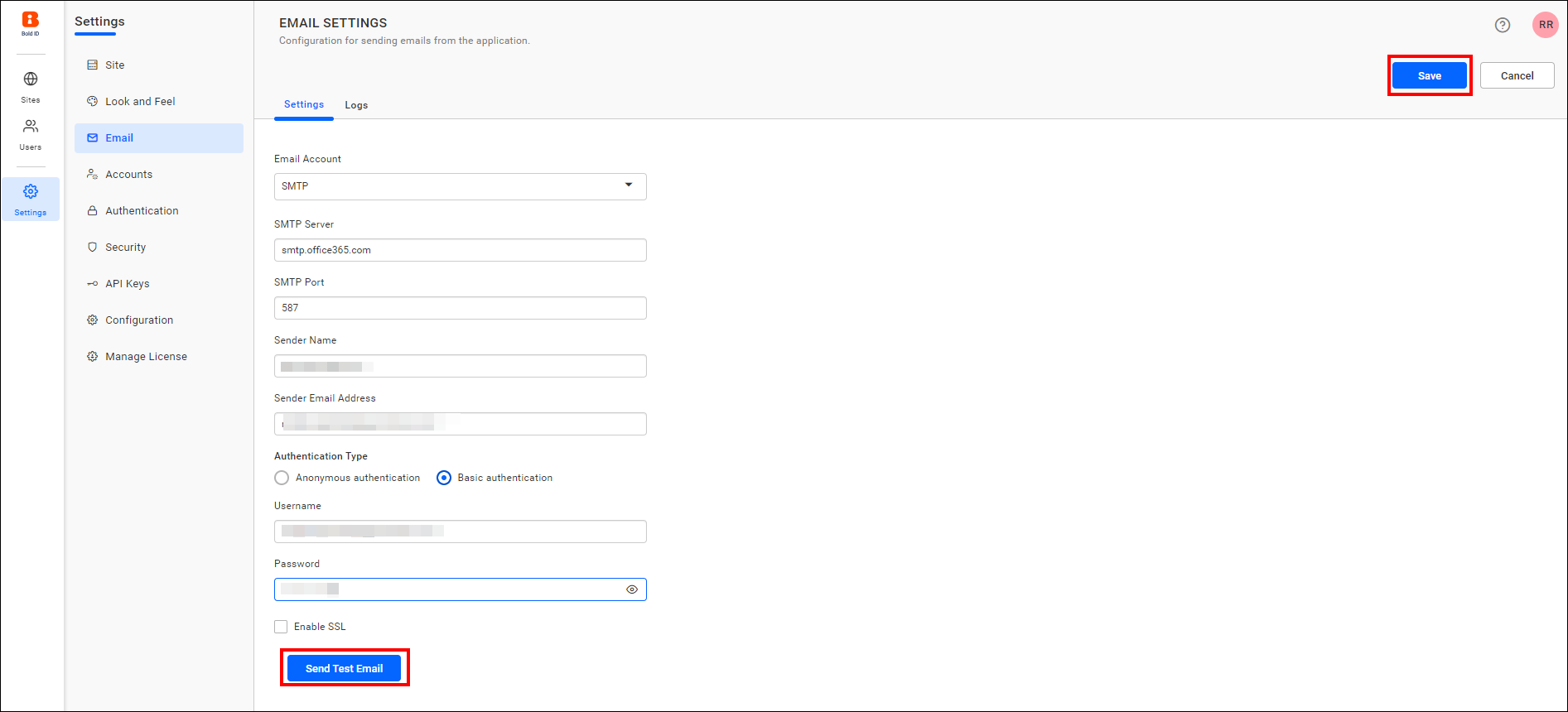
Fill in the SMTP Server, SMTP port, Sender Name, Sender Email Address, Authentication Type, Username, and Password fields.
-
Save the settings.
Frequently asked questions
Which SMTP authentication types are supported?
The User Management Server supports Basic Authentication, the default, which requires a username and password. It also supports Anonymous Authentication for SMTP servers with authentication disabled.
What happens if I do not enable SSL?
If SSL is not enabled, the connection to your SMTP server is made using TLS.