Amazon SES Mailing Support
This section explains how to configure Amazon Simple Email Service (SES) to send emails from the Bold Reports® Server. Amazon SES is a cost-effective, scalable email service that requires proper credentials and region configuration.
The Bold Reports® Server requires the following credentials in order to send email.
| Sender Email Address | The email address, which is displayed as the `From` email address in the recipient's email. |
| AWS Region | The region where your SES service is configured (e.g., `us-east-1`, `us-west-1`). |
| Access Key | The AWS access key ID used to authenticate API requests. |
| Secret Key | The AWS secret access key paired with the access key for secure authentication. |
Steps to Configure Amazon SES in Bold Reports®
-
Navigate to the Settings option in the left-side panel of the Report Server and proceed to the
Emailtabs shown in the following image. You can also access this page directly using the URL -http://{domain}/reporting/site/site1/administration/e-mail-settings.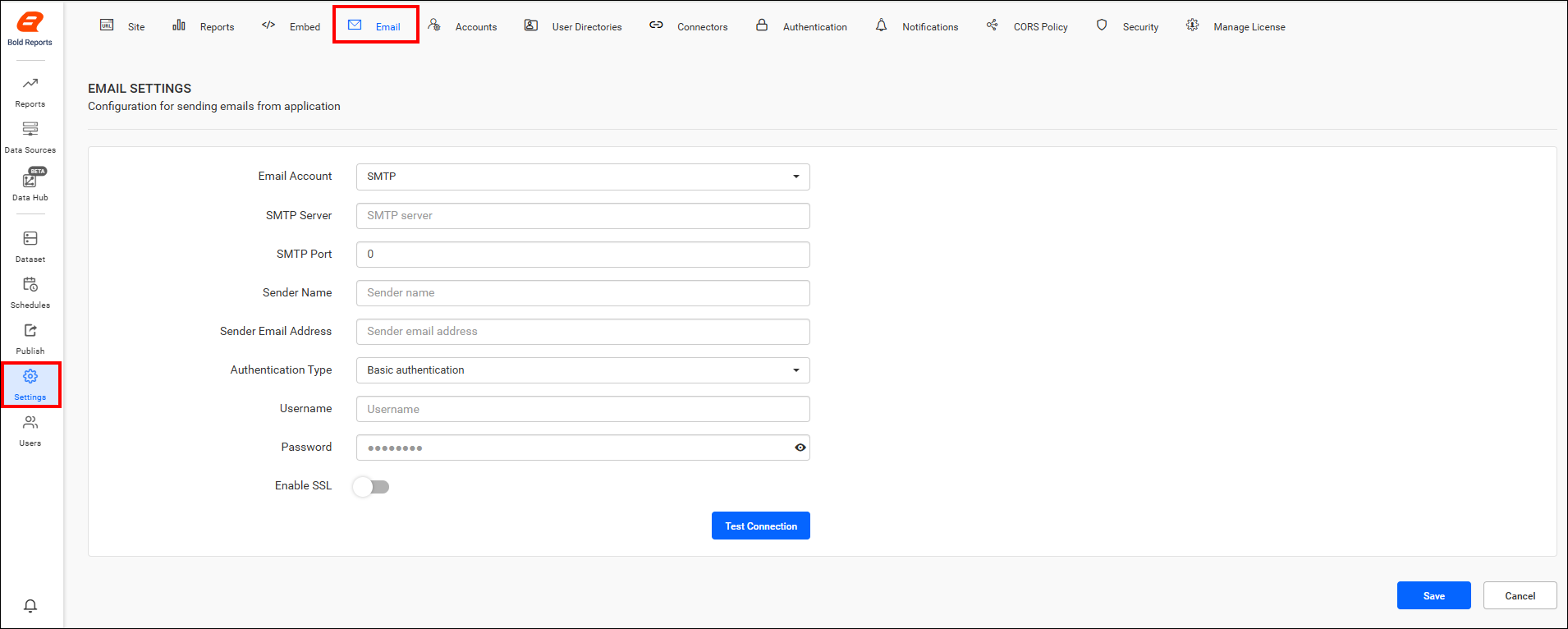
-
Select
Amazon SESfrom theEmail Accountdrop-down menu.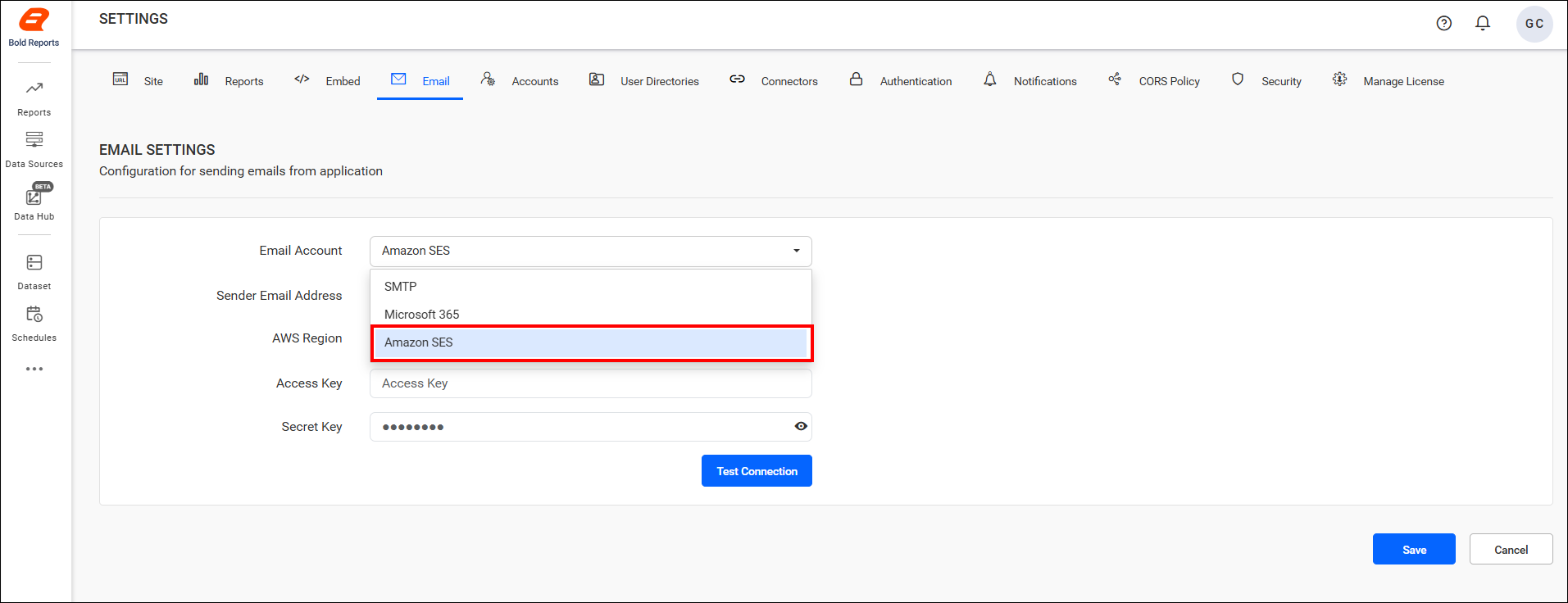
-
Once you’ve input the email settings connection details, validate the settings using the
Test Connectionoption.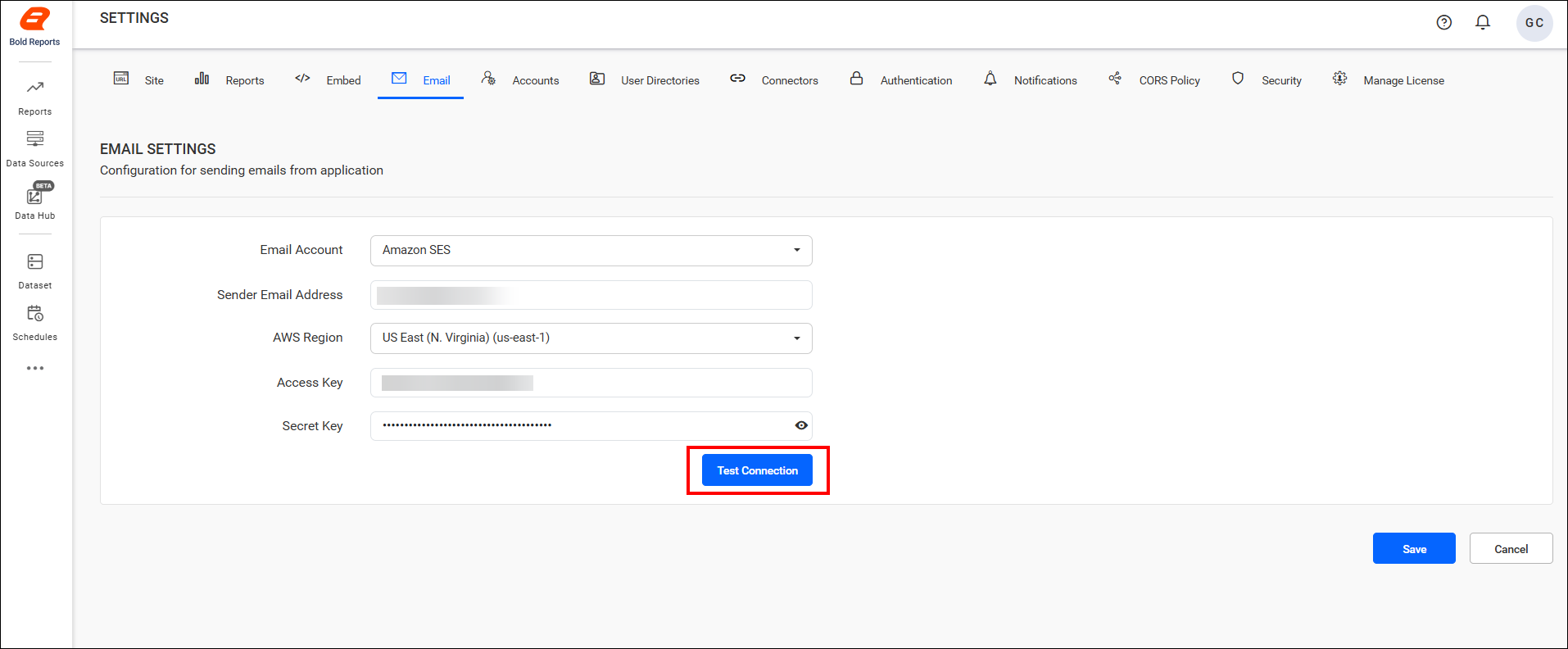
-
Enter an email address and click
Sendto confirm that the configuration is set up correctly.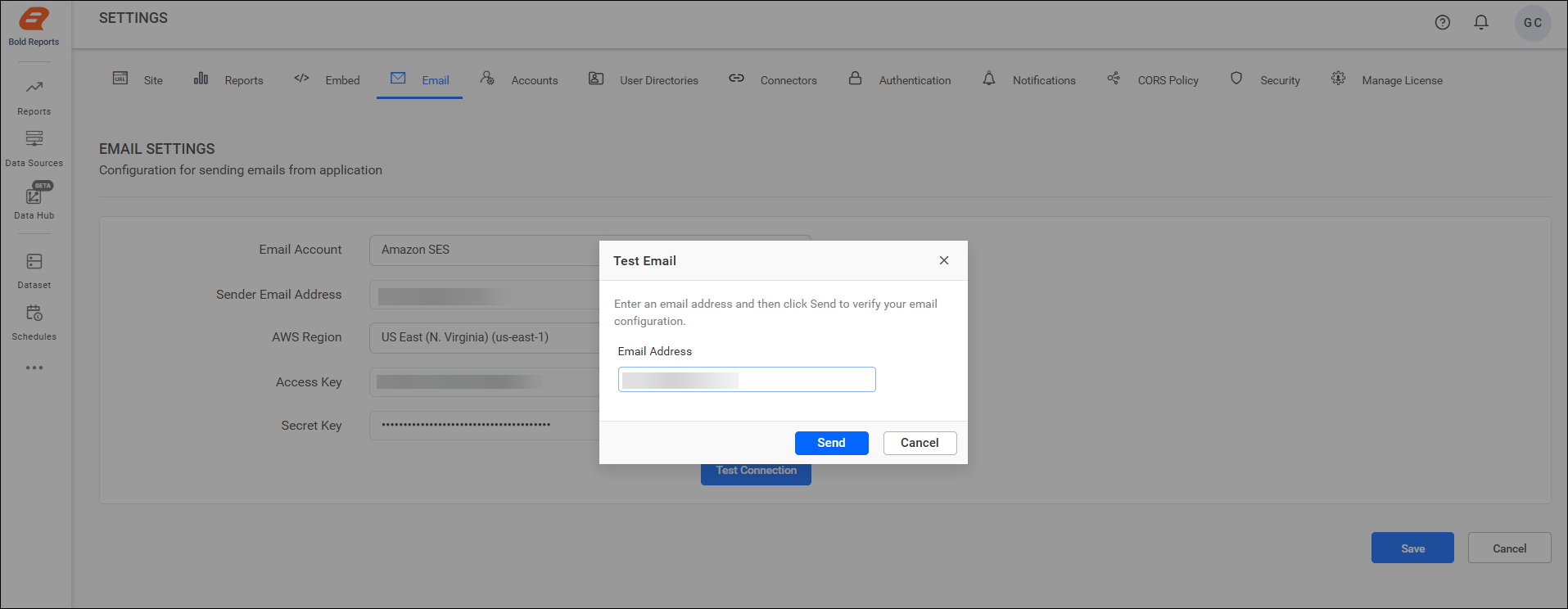
-
Finally, click
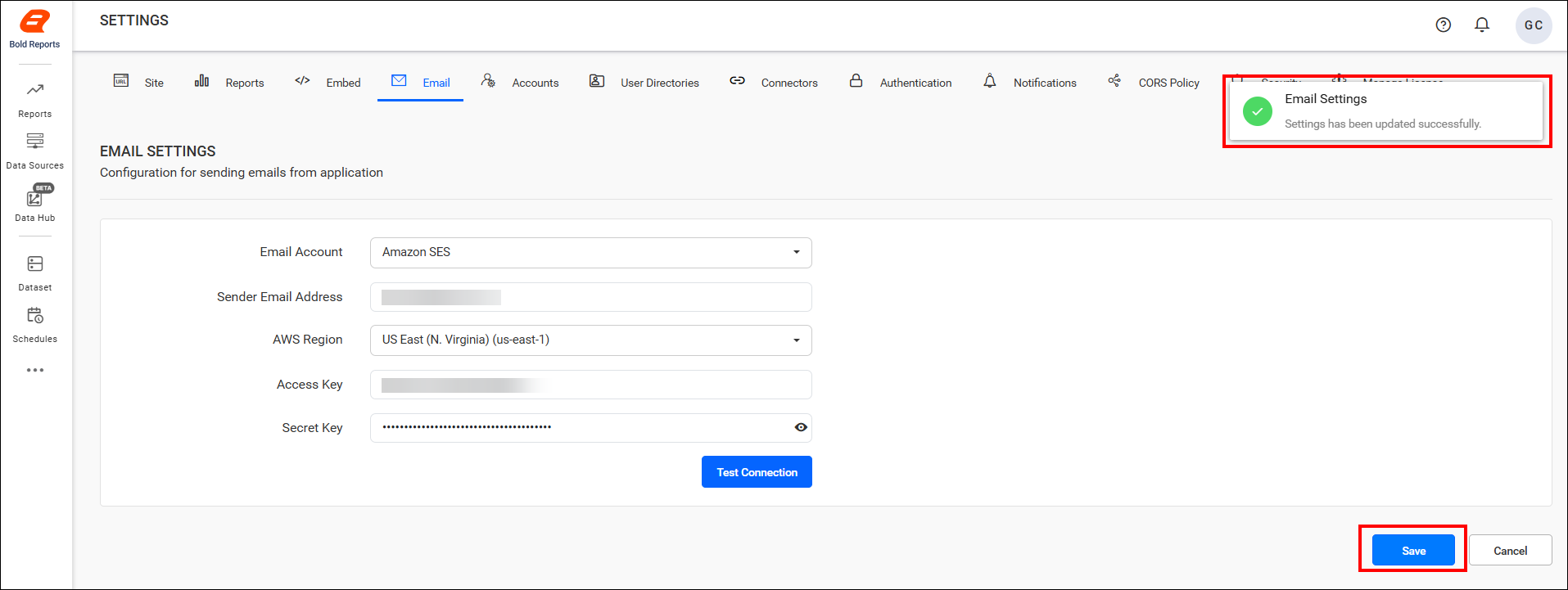
Saveto apply the settings.