Report link with filter parameters in Bold Reports® Report Server
In the Bold Reports® Report Server, you can pass parameters to a report by including them in the report URL. Parameter values in the URL apply filters to the report on initial load.
What is the syntax for a URL parameter?
To set a Bold Reports® report parameter within a URL, use the following syntax:
parameter=value1, value2,…, valueN
Where parameter represents the parameter name.
A parameter can be single-valued or multi-valued.
How do I add parameters to a report URL?
To append a parameter query string to a Report Server report URL, add the prefix (?) to the query string. If the URL already contains (?), add the prefix (&) to the query string.
http://<servername>/<culturename>/reports/<reportid>/<category>/<reportname>?ParameterName=Value
What do single-valued and multi-valued parameters look like?
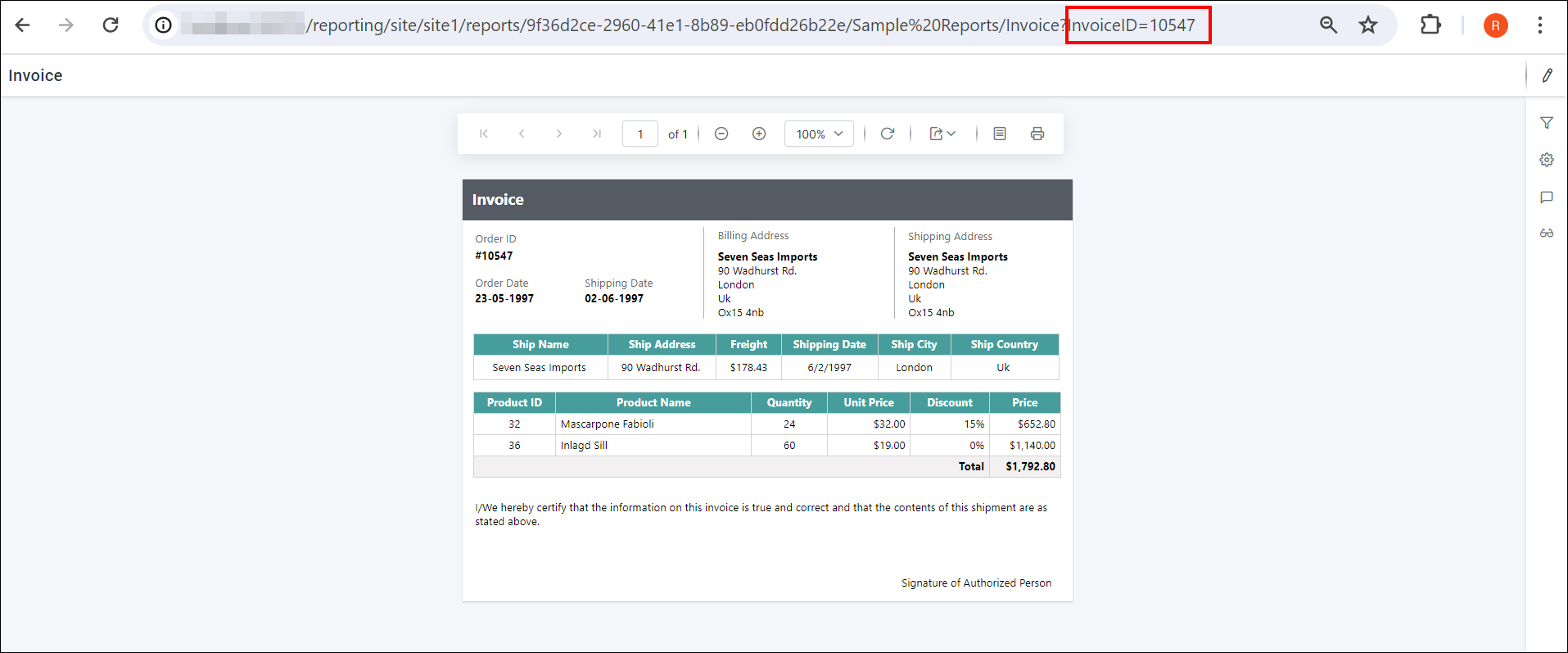
Bold Reports® Report Server filters the report the same way for single-valued and multi-valued parameters in the URL. The following report view shows a single-valued parameter.
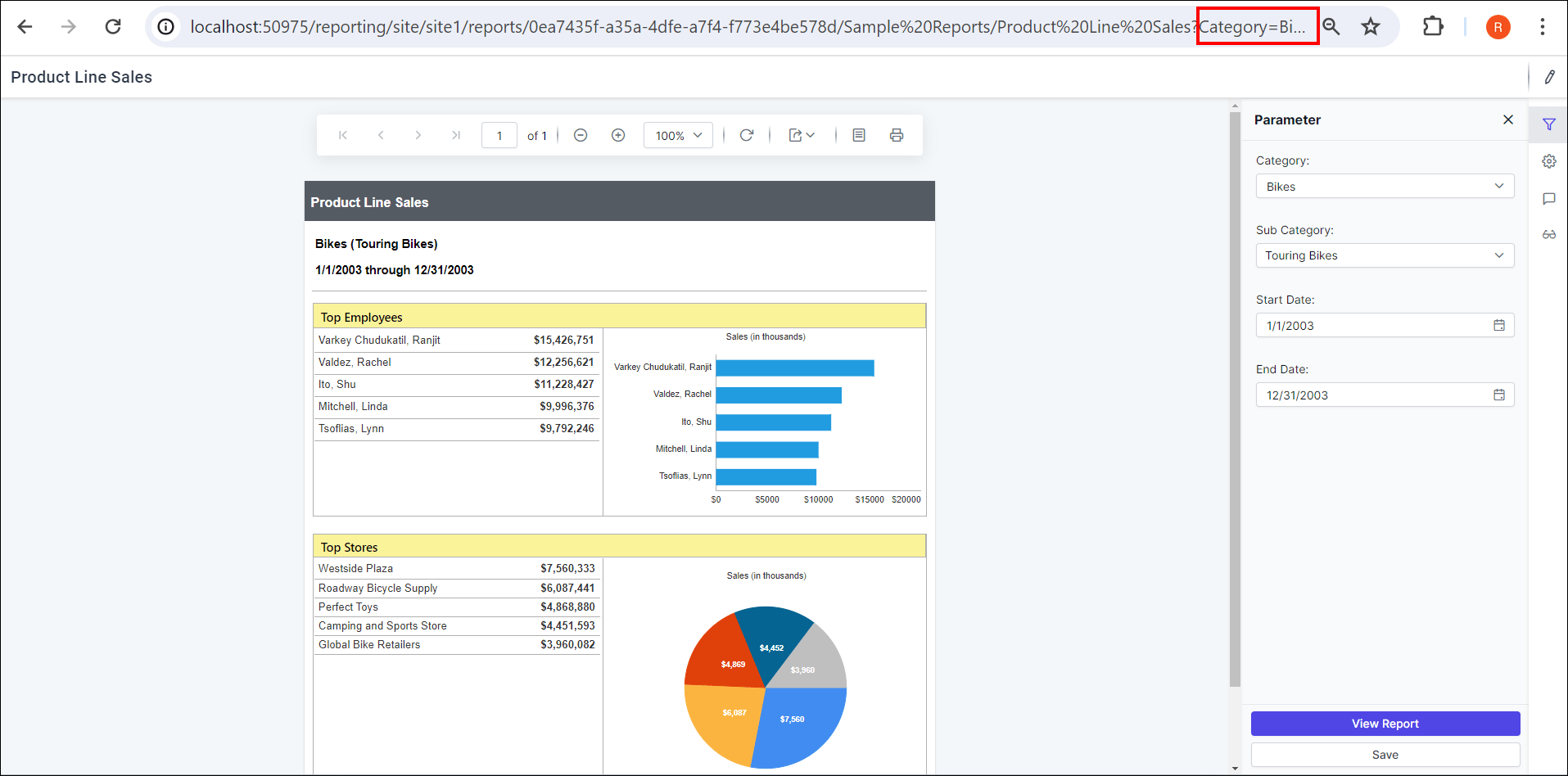
The following report view shows a multi-valued parameter.
Frequently asked questions
When does a URL parameter filter the report?
Report Server applies the filter when the report first loads.
Should I use ? or & before the parameter?
Use (?) to start the query string. If the URL already contains (?), use (&).