Performance Settings
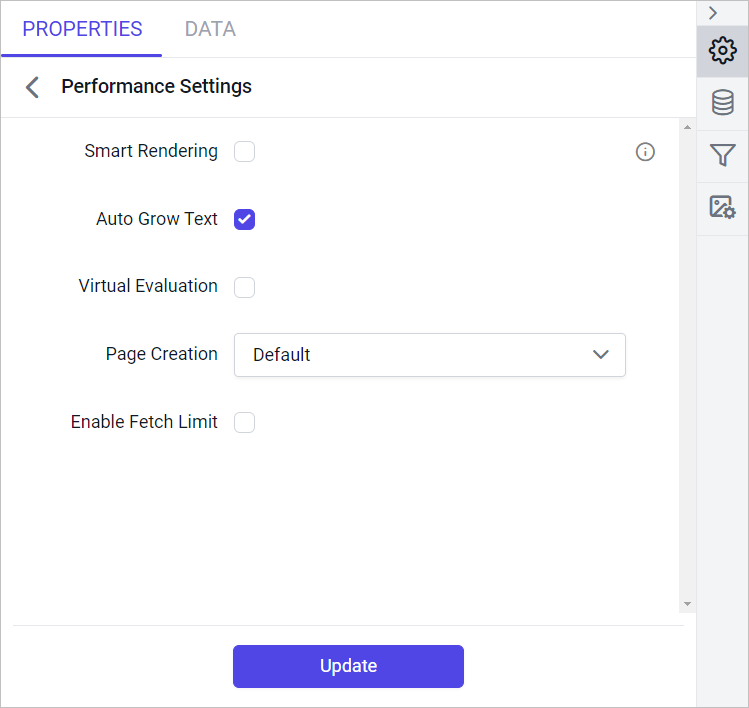
The Performance Settings section enables best practices and optimized ways for rendering RDL/RDLC reports in Bold Reports®. It includes properties that allow Bold Reports® to render millions of records in seconds. Here are the associated properties:
SmartRenderingPageCreationVirtualEvaluationAutoGrowTextFetchLimit
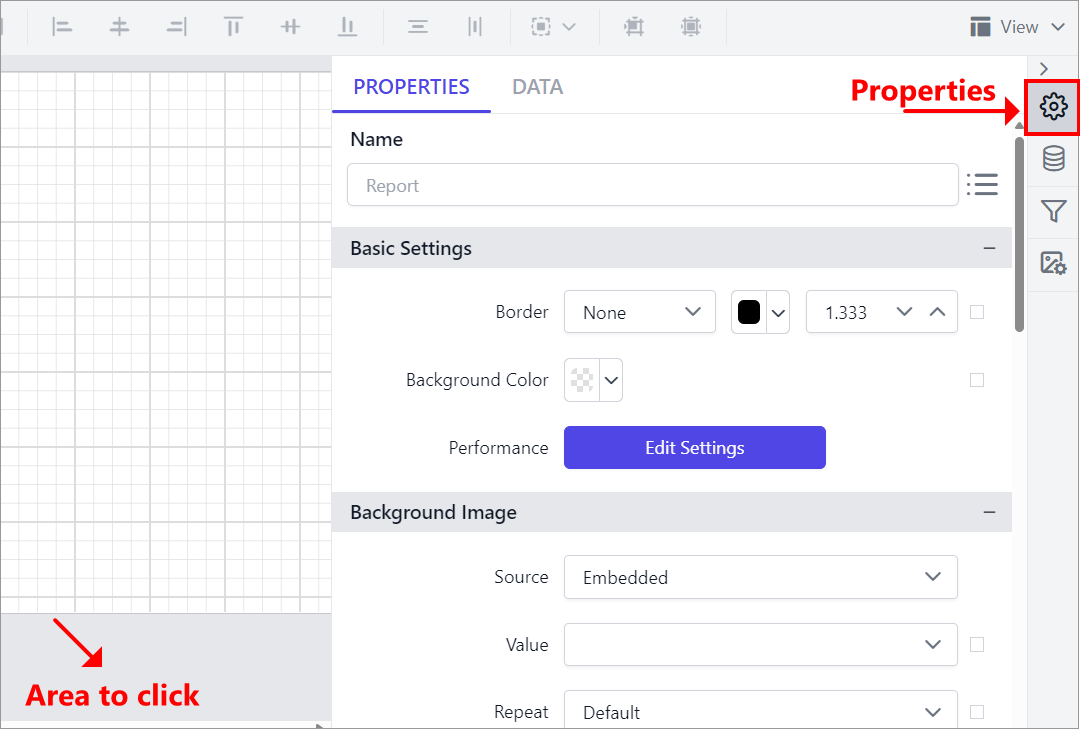
- Click on the outer grey surface of the report area and then click the Properties icon to open the Report Properties.
- The Performance Settings option is listed under the
Basic Settingscategory. Click Edit Settings to open the Performance Settings secondary panel.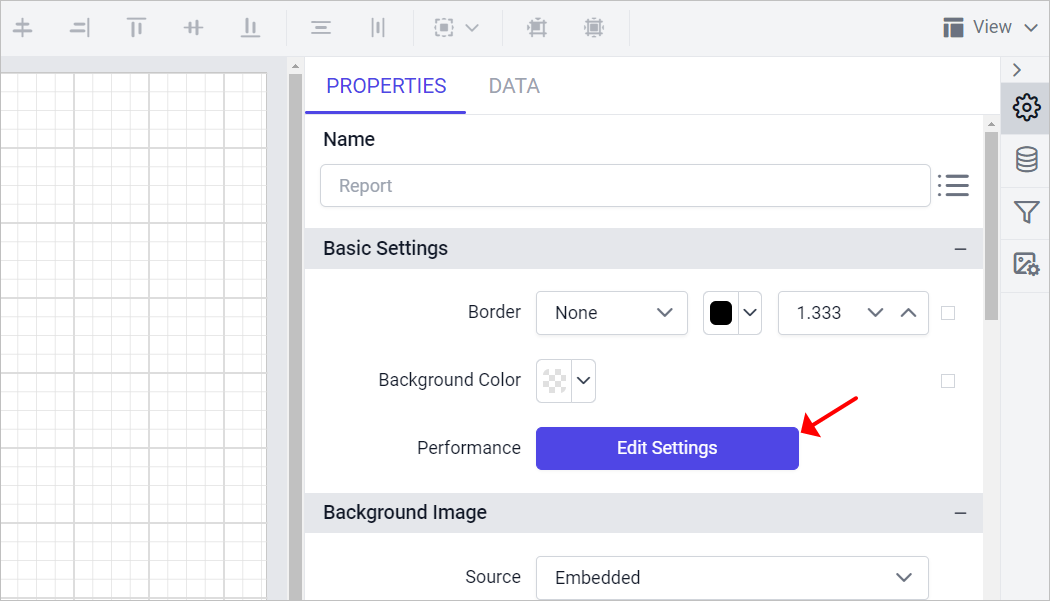
- The Performance Settings panel will be opened as shown below.
Smart Rendering
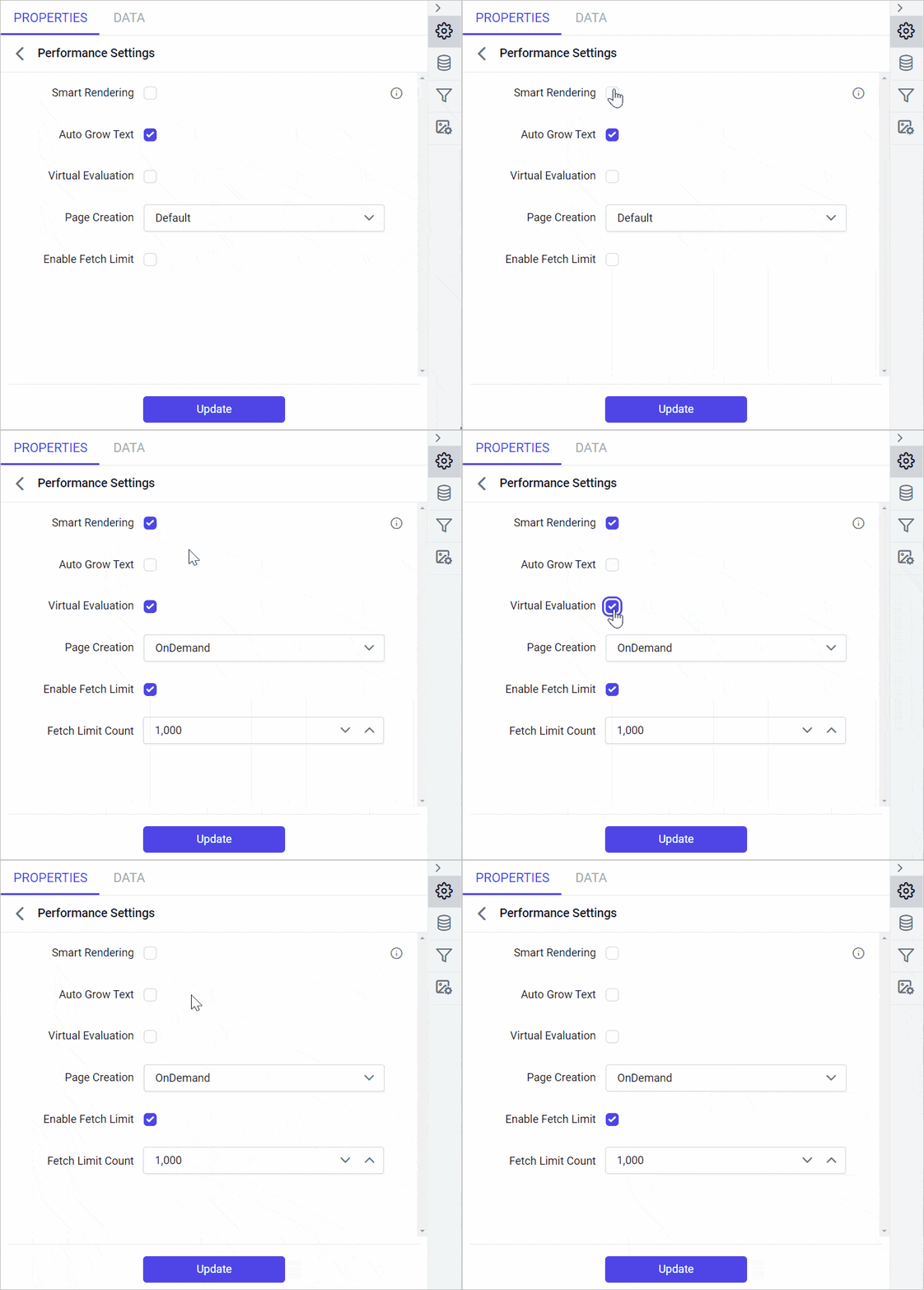
Smart rendering optimizes report rendering. Enabling smart rendering updates the dependent properties as follows:
AutoGrowTextwill be set tofalsePageCreationwill be set toOnDemandVirtualEvaluationwill be set totrueEnableFetchLimitwill be set totrueandFetchLimitCountbecomes visible and setting it to1000.
If you modify any of the above values, the
SmartRenderingproperty will be set tofalse. Disabling smart rendering will revert the dependent items to their default states.
Auto Grow Text
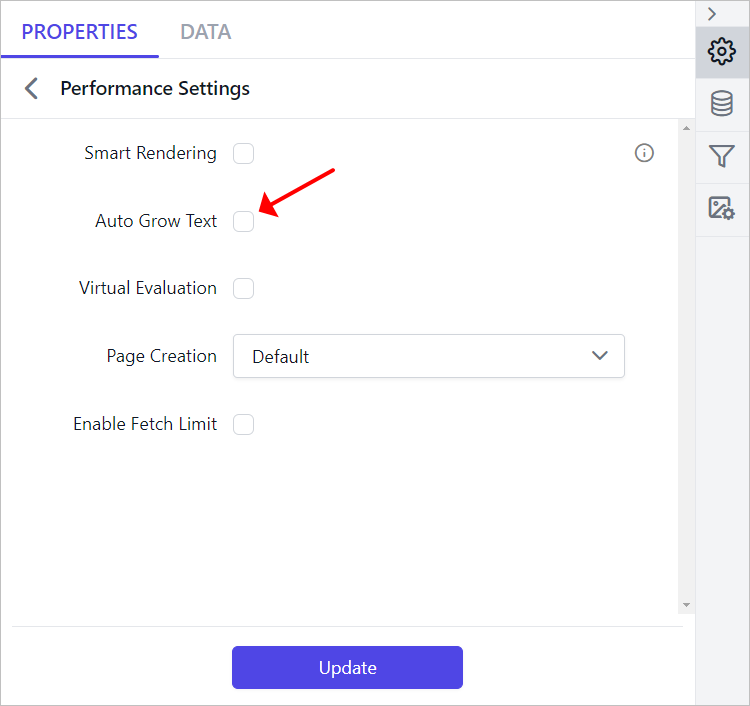
The AutoGrowText property adjusts the text box height dynamically based on the content. When AutoGrowText set to true, the viewer may take additional time to calculate the height of each text box, depending on the data. You can enable or disable AutoGrowText for a report in the designer. By default, AutoGrowText is set to true. Configure AutoGrowText as shown below and click Update.
Virtual Evaluation
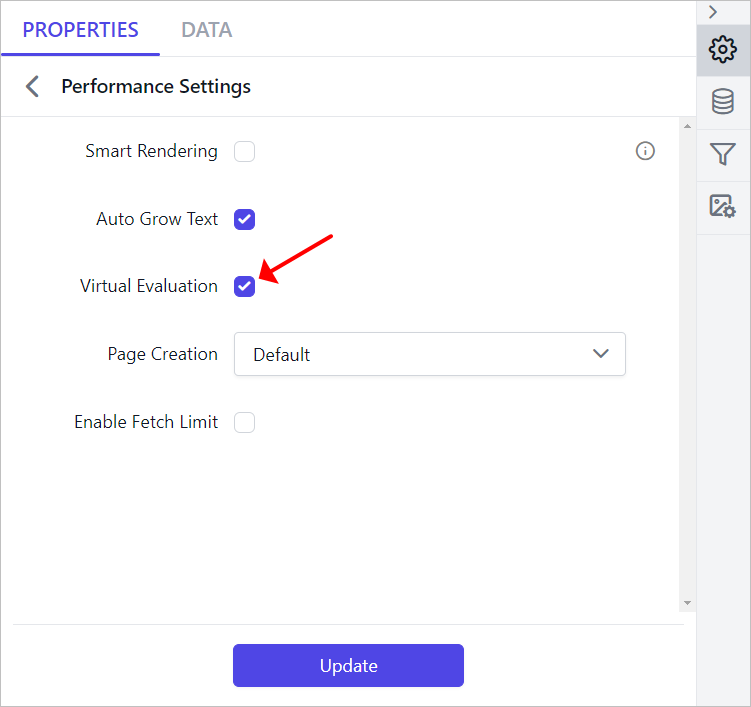
VirtualEvaluation reuses tablix cell objects to optimize memory usage. To enable it for a specific report, turn on the VirtualEvaluation property in the designer. By default, VirtualEvaluation is set to false. Configure VirtualEvaluation as shown below and click Update.
Page Creation
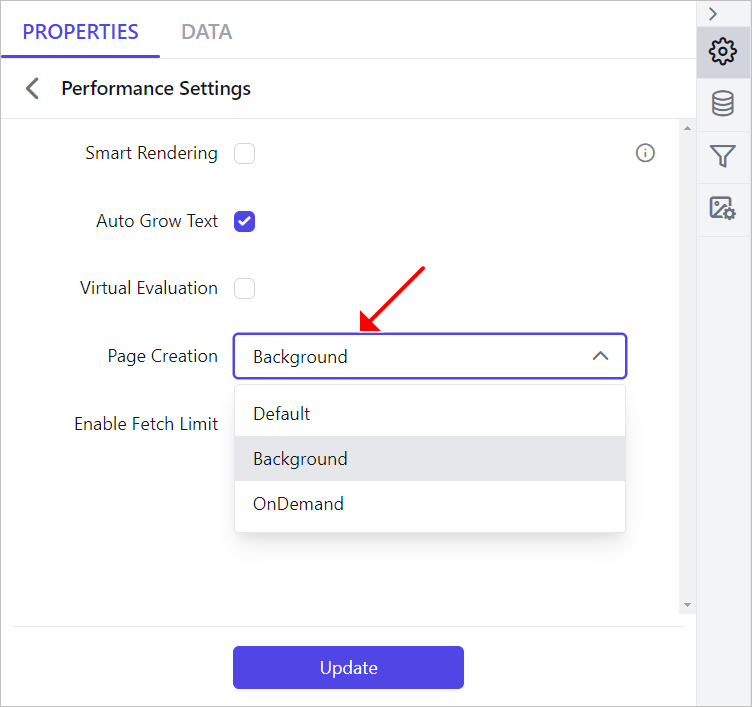
PageCreation controls how pages are processed and created in Bold Reports®.
| Property | Description |
|---|---|
Default |
Creates all pages first, then sends the first page to the client for rendering. |
OnDemand |
Renders the first page immediately; subsequent pages are created as the user navigates. |
Background |
Renders the first page immediately; remaining pages are created in the background, with progress updates. |
To set the PageCreation property for a specific report, choose a value from the dropdown in the designer and click Update.
Fetch Limit
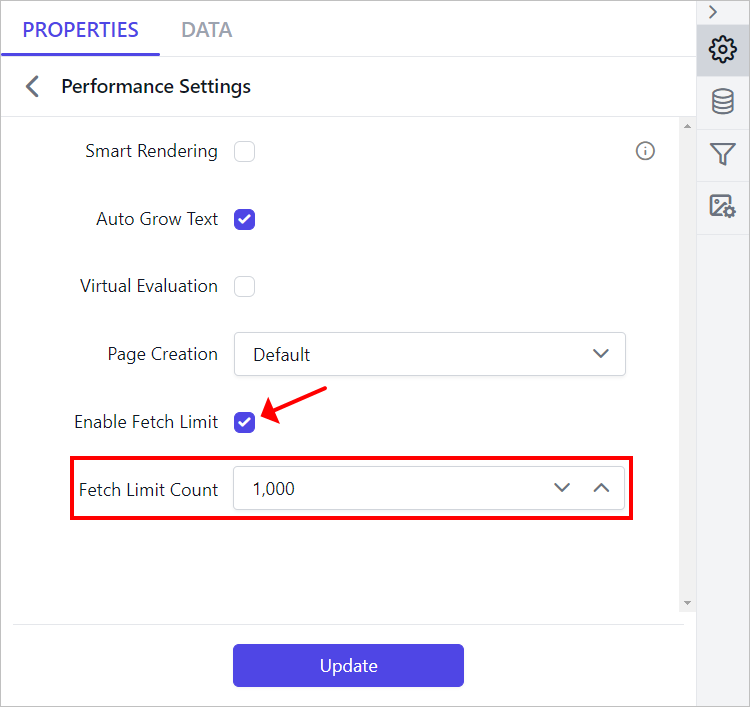
The FetchLimit property controls the number of records fetched in a report. To use it, enable FetchLimit in the designer and specify the desired record count in the FetchLimitCount numeric box as shown below. By default, FetchLimit is set to false. When FetchLimit is set to true, the FetchLimitCount numeric box will become visible.
Behavior of Smart Rendering
- When
SmartRenderingis activated in eitherOnDemandorBackgroundmode, the parameter panel may freeze during the report generation process. This occurs because the document is being created, and the progress bar is visible at the bottom left of the report. - If users need to modify parameters while the report is rendering, they should click
Cancelto stop the rendering process. This will allow them to input new parameters before proceeding with the report execution.
Limitations
This feature is available for tablix-based reports only. It has the following limitations:
- Nested tables are not supported.
- Multiple tables in a report are not supported.
- Tablix cells must contain only text; cells with images or charts are not supported.
- Image-based reports are not supported.
- Reports with toggle items are not supported.
- Sub-reports are not supported.
- Document mapping or bookmark labels are unsupported.
- Table cell sorting in the viewer is limited.
- Tablix structures with repeat headers are unsupported.
- File storage cache settings are not supported.
- Tablix structures with column groups are unsupported.