Define query parameters in the query designer
In the Bold Reports® Web Report Designer query designer, you can create query parameters in both design mode and query mode. The following sections give the steps for each mode.
What do I need before I define query parameters?
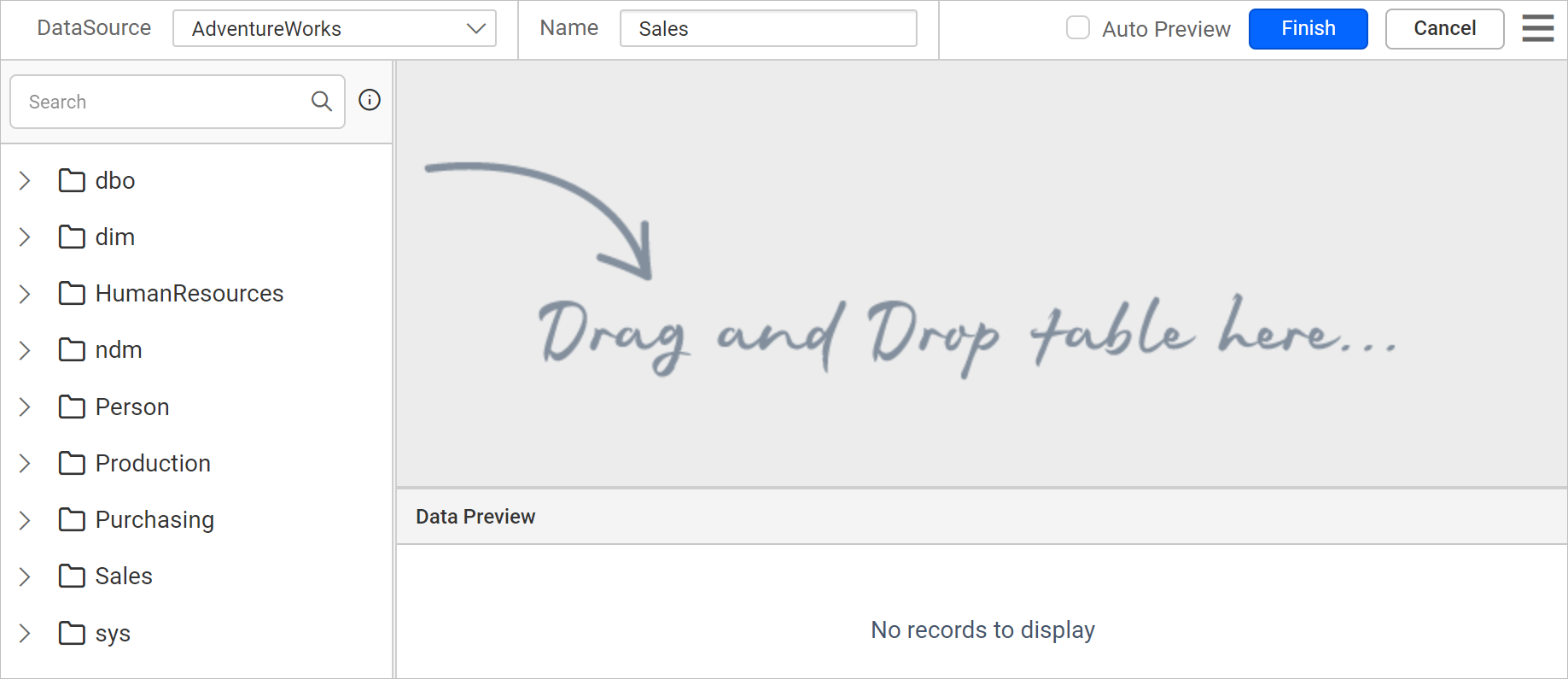
You define query parameters in the Web Report Designer while you create or edit a dataset. To follow the steps below, first read the Create Data section. The following image shows the initial view of the query designer.
Create query parameter in design mode
In design mode, the Web Report Designer creates a query parameter from a query filter. Follow these steps:
- Drag and drop a table into the design area and open the
Query Filtersdialog in the query designer.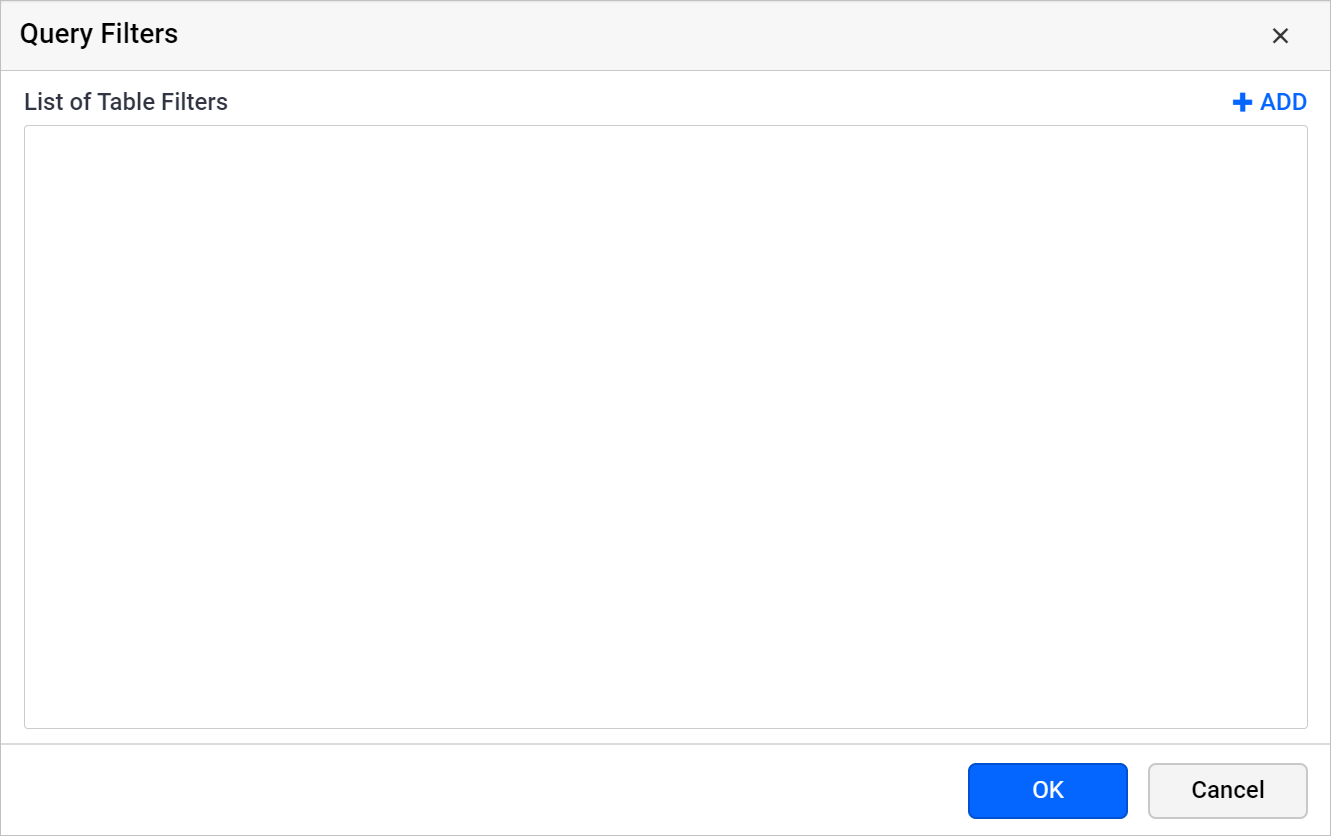
Read the Query filters section to learn more about query filters.
- Click the Add icon to create a new filter.
- Choose any dataset field in the first drop-down list.
- Choose any Operator in the second drop-down list.
- In the Value field, provide a value to filter the data.
- Select the checkbox next to the value field to create a new
query parameter. - Click the
OKbutton.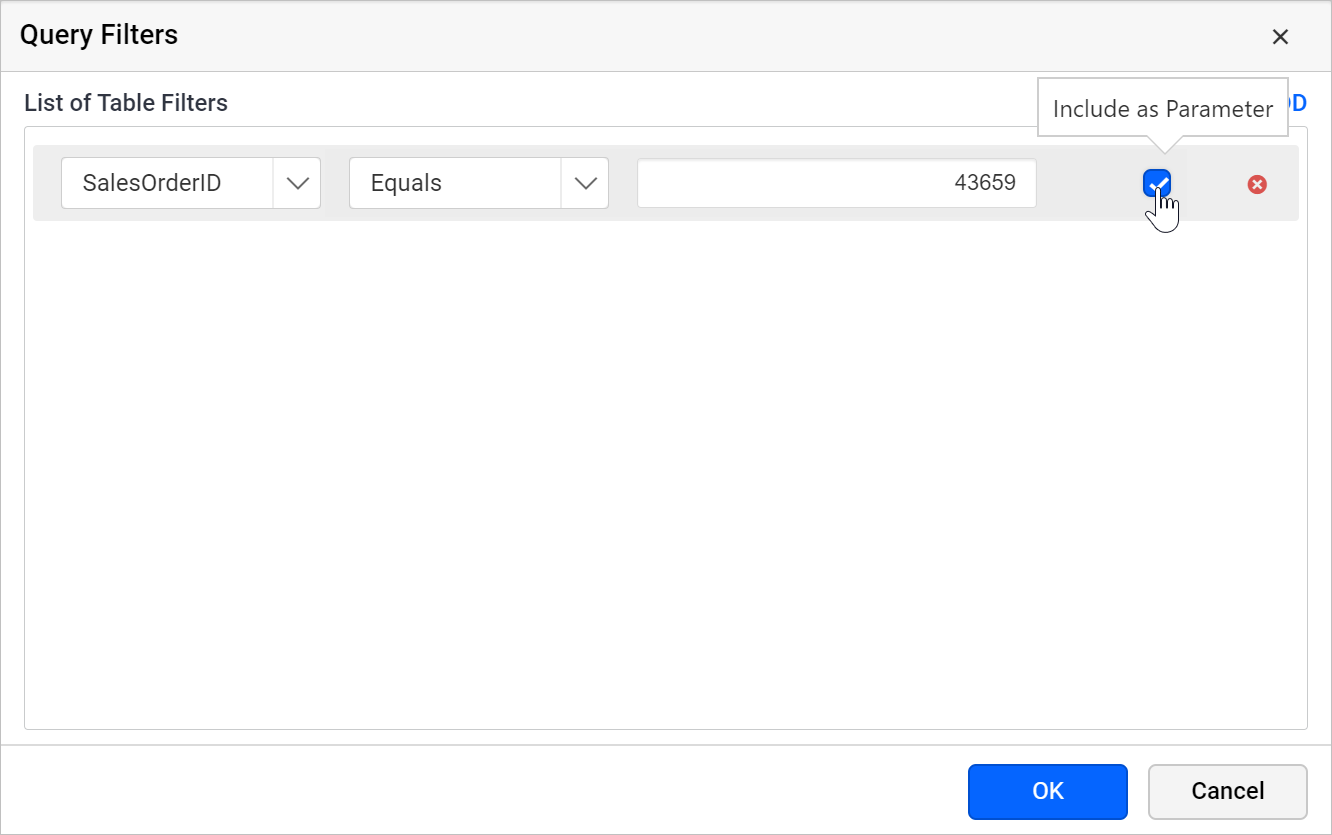
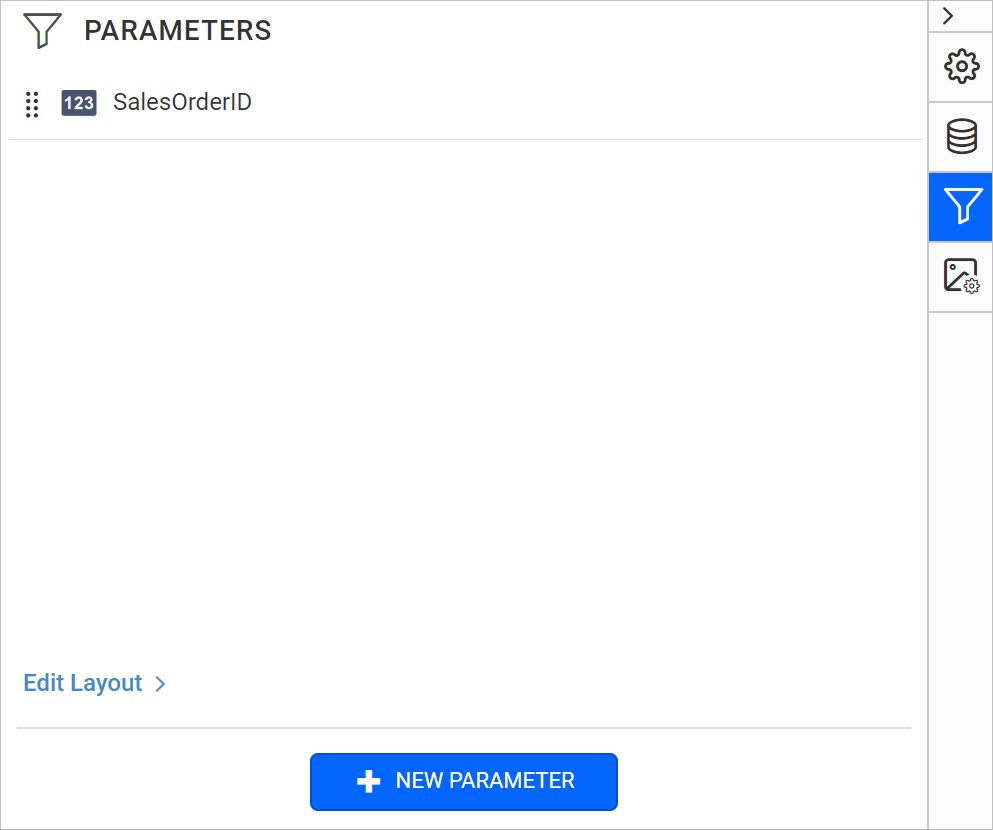
When you save the dataset, the Web Report Designer creates equivalent report parameters under the PARAMETERS panel, as in the following image.
Create query parameter in code mode
In code mode, you create a Web Report Designer query parameter by adding a parameter to the query text. Follow these steps:
- Click the
switcherin the query designer toolbar to switch to query mode.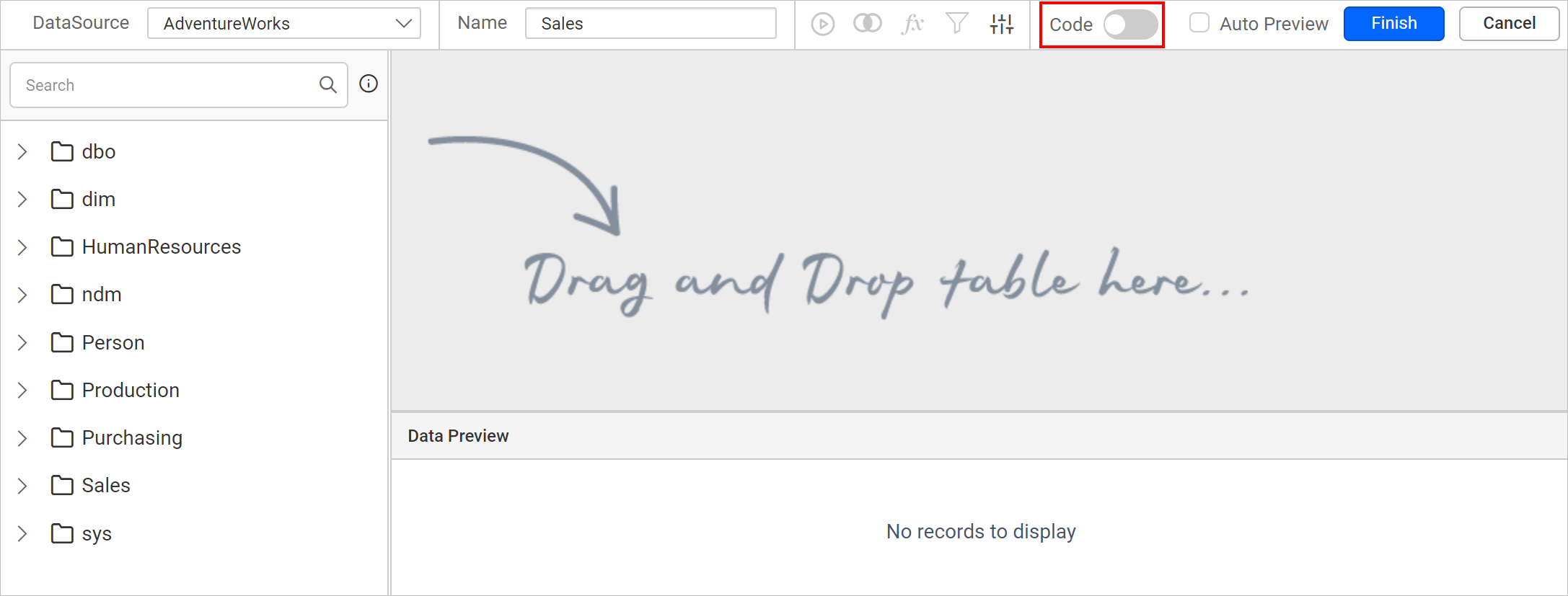
- Specify the query in the text area. The query in the following image returns the list of data from the
AdventureWorksdatabase,SalesOrderDetailtable for theSalesschema.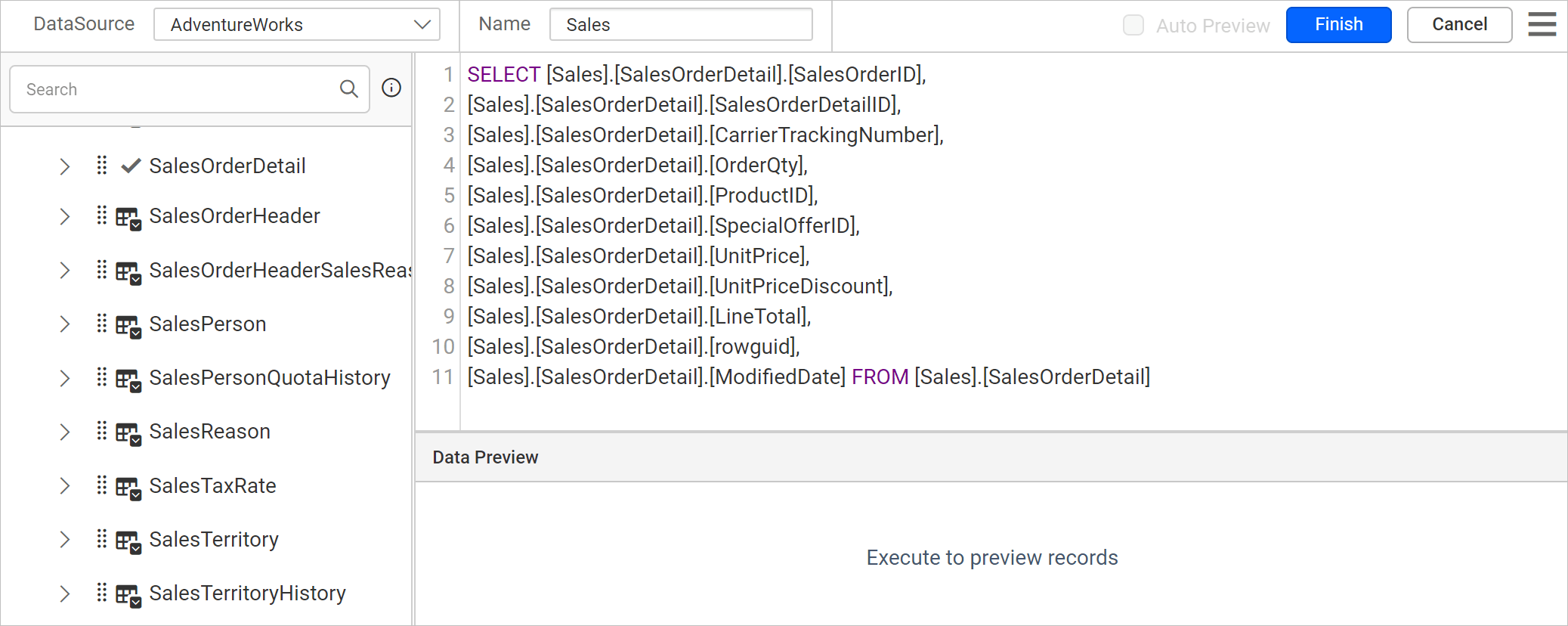
- Add the following
WHEREclause at the end of the query to create a query parameter:WHERE (([Sales].[SalesOrderDetail].[SalesOrderID] = @SalesOrderID))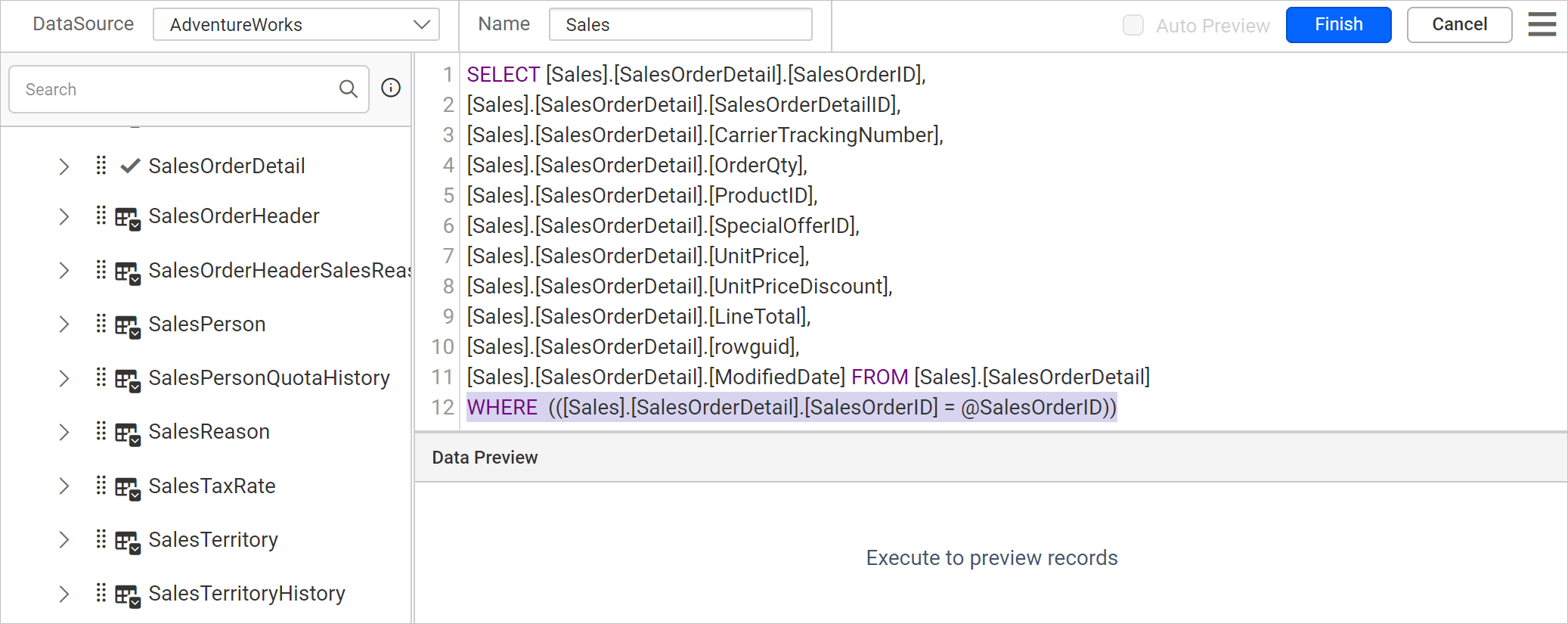
- Click the
Finishbutton. TheParametersdialog opens.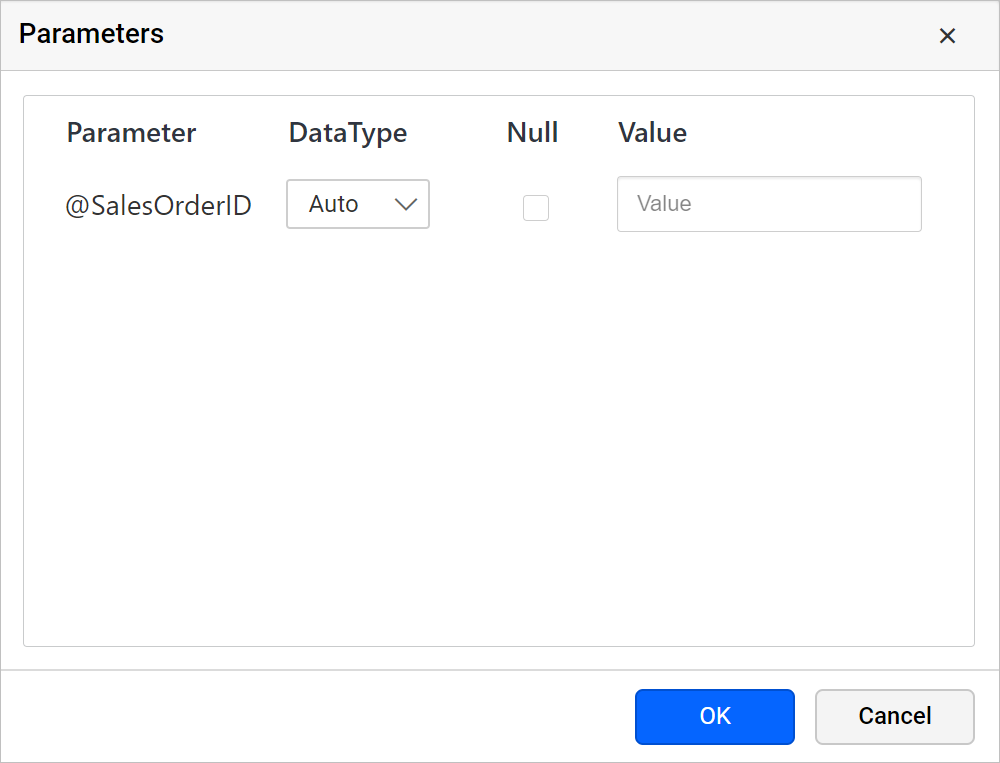
- Enter the value for the parameter in the value field and click
OK.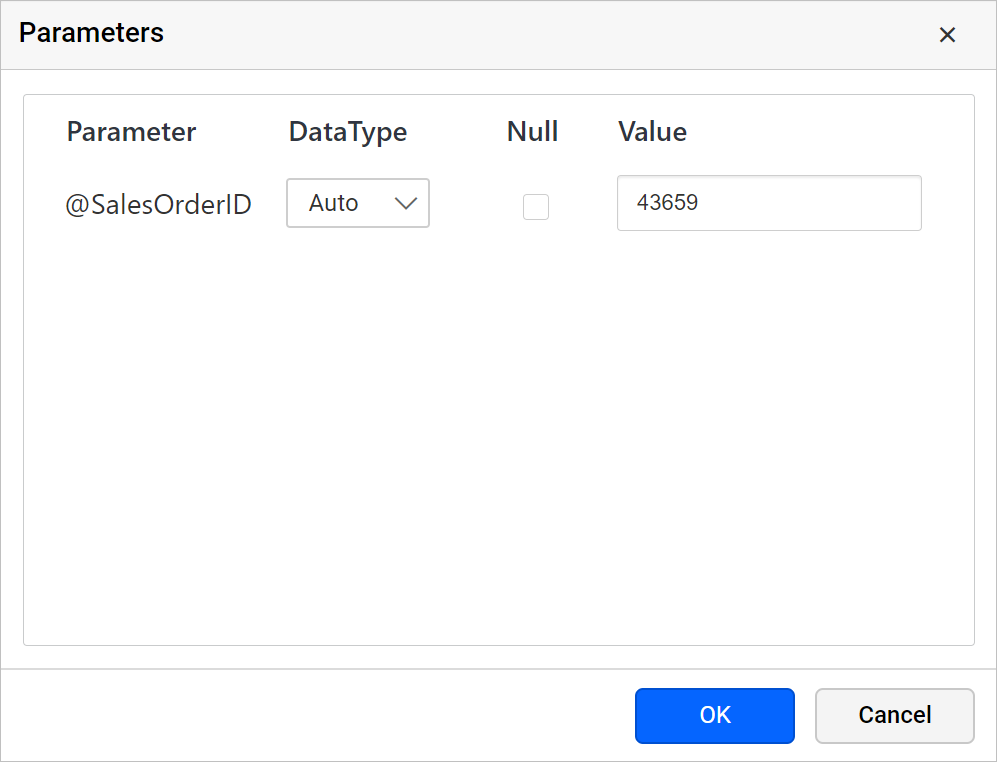
When you save the dataset, the Web Report Designer creates equivalent report parameters under the PARAMETERS panel, as in the following image.
Frequently asked questions
Does a query parameter create a report parameter?
Yes. When you save the dataset, the Web Report Designer creates equivalent report parameters under the PARAMETERS panel.
Which modes support query parameters?
You can create query parameters in both design mode and query (code) mode of the query designer.