Add Total
The add total option can be used to display the sum of numeric values for tablix group or over all tablix data region.
Add total tablix body
- Select the cell which contains numeric field in the tablix data region body area.
- Right click in the cell and click on the
Add Totaloption in the menu.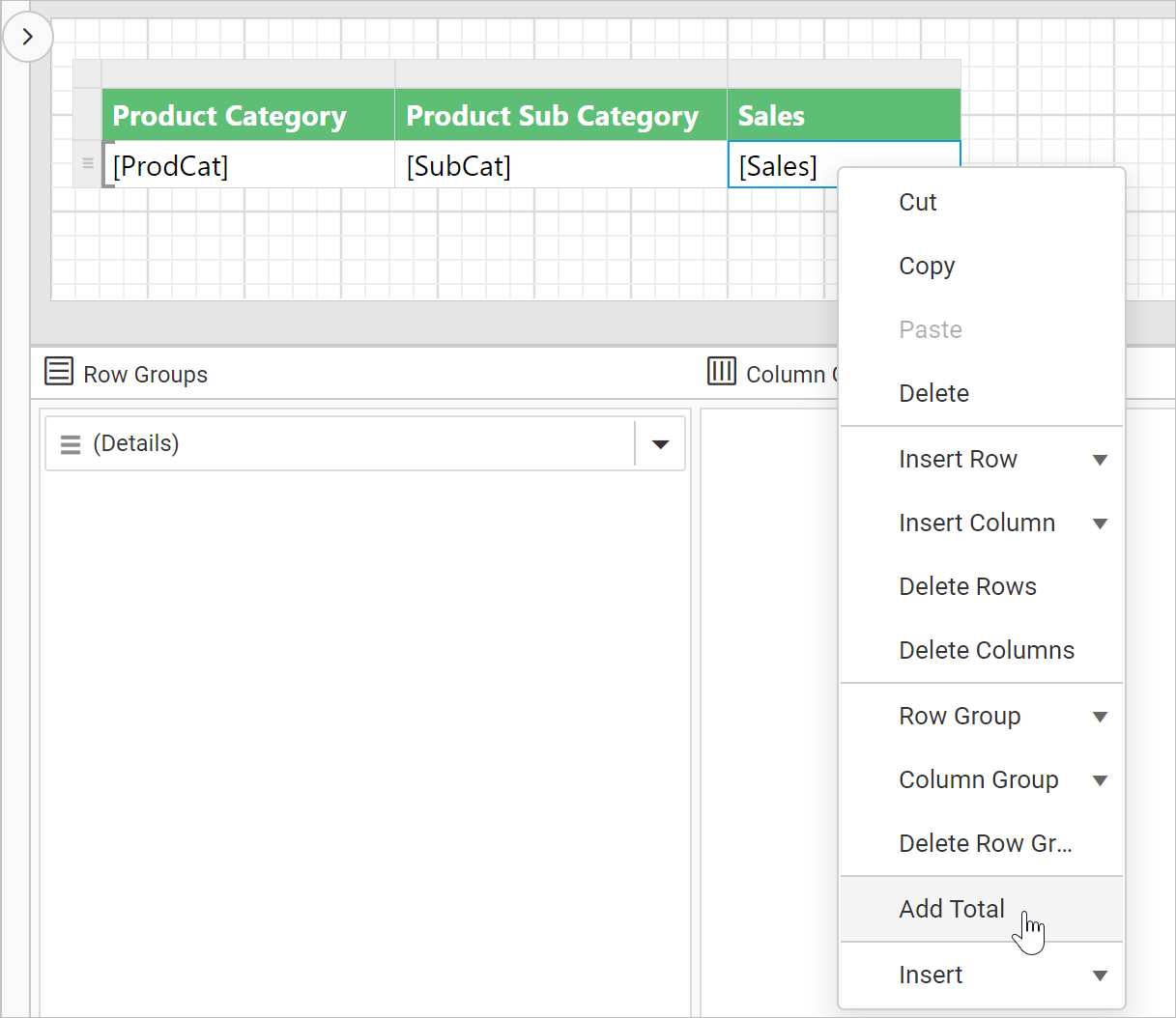
- Now, new row or column will be added outside of the respective cell in the data region.
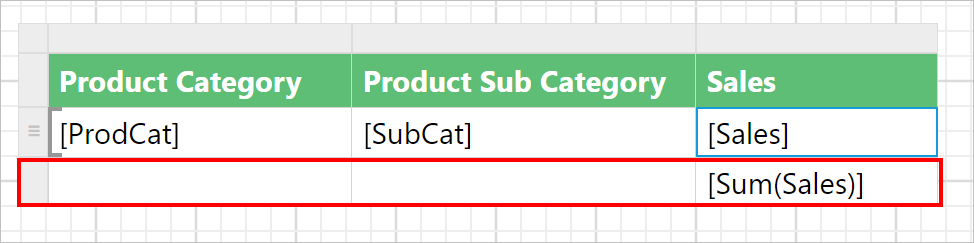
If the cell in body area is common for row and column group as shown in below snap, the Row and Column option will be listed in Add Total menu

Add total for row group
- Select the cell in the row group area for which you want total in the tablix data region.
- Right click in the cell and click on the
Add Totaloption in the menu.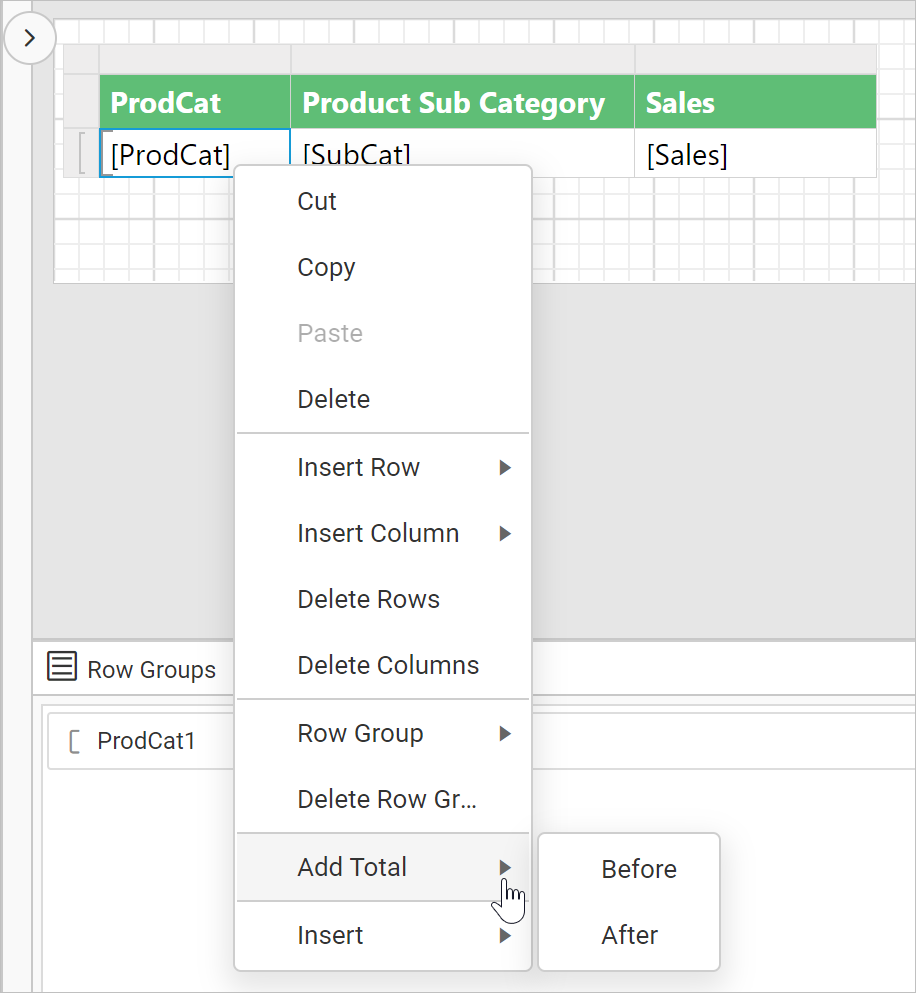
- Click on
BeforeorAfteroption in the cell to add total after or before a group in the tablix data region. - Now, new row will be added outside of the current group in the data region and then a default total is added for each numeric field in the row.
- Add total before:

- Add total after:
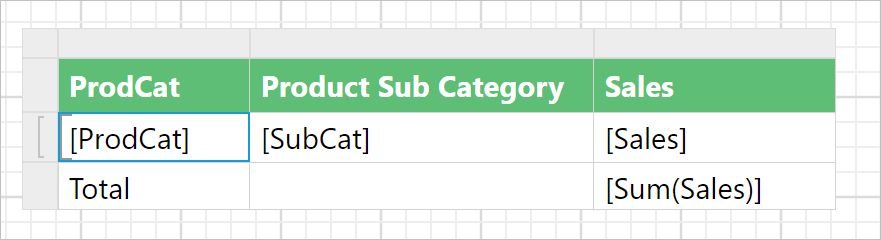
- Add total before:
Add total for column group
- Select the cell in the column group area for which you want total in the tablix data region.
- Right click in the cell and click on the
Add Totaloption in the menu.
- Click on
BeforeorAfteroption in the cell to add total after or before a group in the tablix data region. - Now, new column will be added outside of the current group in the data region and then a default total is added for each numeric field in the column.
- Add total before:

- Add total after:
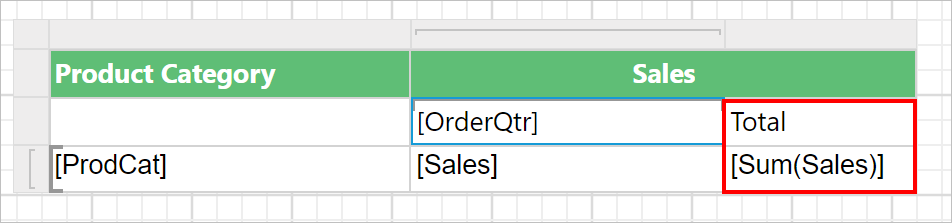
- Add total before: