How to use Report Viewer in partial view
To use the Bold Reports® ASP.NET MVC Report Viewer in a partial view, add a partial view that hosts the viewer, return it from a controller action, and load it with Ajax. Follow these steps:
-
To create your first ASP.NET MVC reporting application, refer to the Getting started with the ASP.NET MVC Report Viewer section.
-
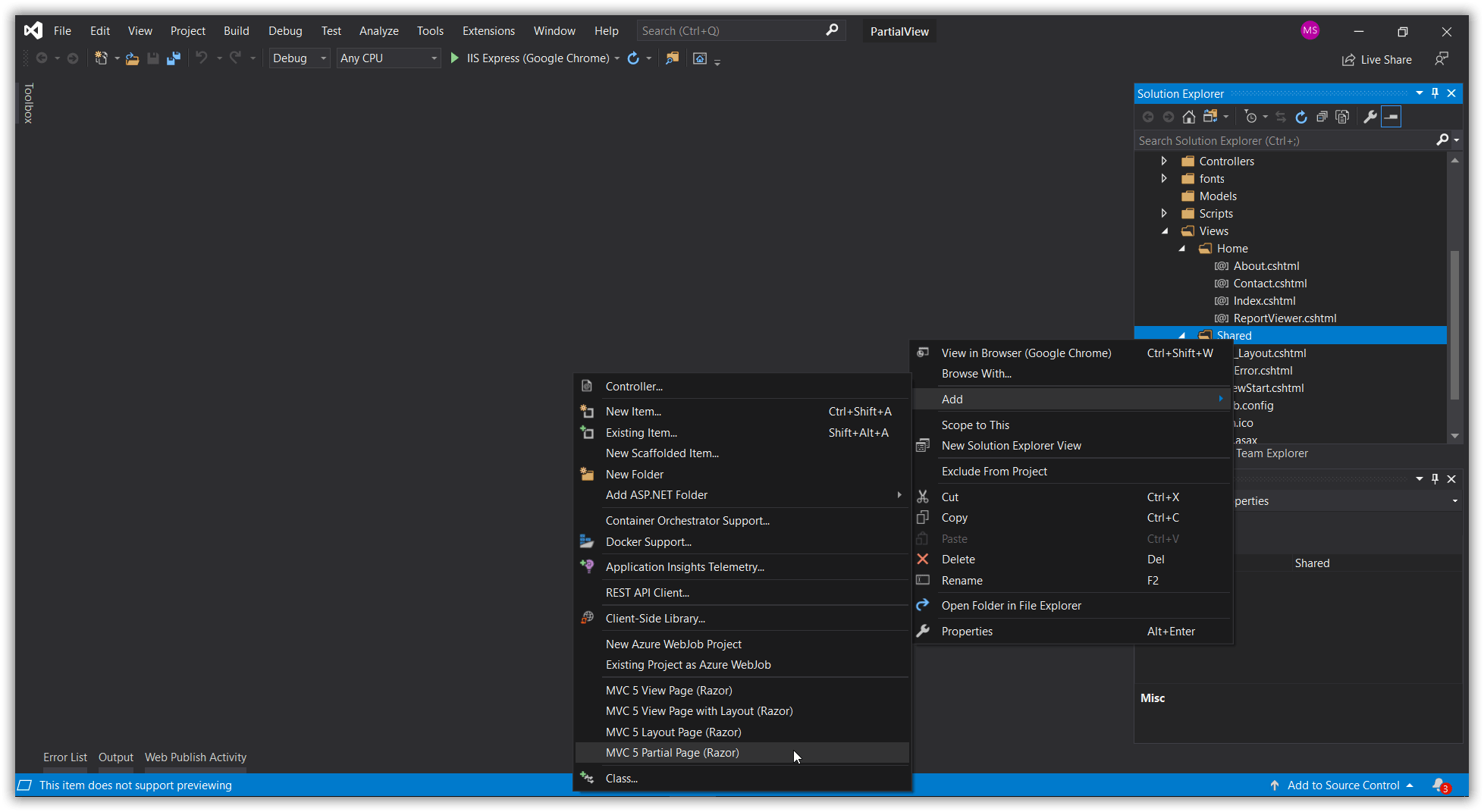
Add a partial view in your project.
-
Add the Report Viewer component in the partial view page with the following code sample.
@(Html.Bold().ReportViewer("viewer") .ReportServiceUrl("/api/ReportViewer") ) @Html.Bold().ScriptManager() -
Add a controller action that returns the partial view.
public ActionResult ReportViewer(string reportName) { ViewBag.Report = reportName; return PartialView("ReportViewerPartial"); } -
Set the
ReportPathAPI value for the Report Viewer, based on the value sent from the main page.@(Html.Bold().ReportViewer("viewer") .ReportServiceUrl("/api/SSRSReports") .ReportPath("~/Resources/" + ViewBag.Report + ".rdl") ) -
You can now load the Bold Reports® Report Viewer in partial view with the ajax load functionality.
function openReport() {
     $('#partialView').load('@Url.Action("ReportViewer", "Home", new {reportName = "sales-order-detail"})');
 }
The
@Url.Action()should be in the format@Url.Action("ActionName","ControllerName", new { value = "Value" } ) -
When you close the Report Viewer, destroy it to avoid creating multiple instances of the Report Viewer component. Use the following code sample to destroy the Report Viewer in your application.
function closeReport() {
     $('#viewer').data('boldReportViewer').destroy();
 }