Localization
To localize the Bold Reports® Angular Report Designer, import the culture script files for your culture and set the culture name to the locale property. Localization is the process of customizing the application for a given culture and locale, which involves much more than the simple translation of text. In the Report Designer, localized strings appropriate to each culture are stored in separate files and loaded according to the UI culture setting.
Follow these steps to localize the Bold Reports® Designer version higher than
v5.2.xx.
By default, the Report Designer displays strings in US English (en-US).
To render the static text with specific culture, refer the following corresponding culture script files and set culture name to the locale property of the Report Designer.
- ej.localetexts.fr-FR.min.js
-
Refer to the
ej.localetexts.fr-FR.min.jsfile fromnode_modulesin theapp.module.tsfile.import { BrowserModule } from '@angular/platform-browser'; import { NgModule } from '@angular/core'; import { BoldReportsModule } from '@boldreports/angular-reporting-components'; //Report Designer component dependent scripts import '@boldreports/javascript-reporting-controls/Scripts/v2.0/common/bold.reports.common.min'; import '@boldreports/javascript-reporting-controls/Scripts/v2.0/common/bold.reports.widgets.min'; //Report Viewer and Designer component scripts import '@boldreports/javascript-reporting-controls/Scripts/v2.0/bold.report-viewer.min'; import '@boldreports/javascript-reporting-controls/Scripts/v2.0/bold.report-designer.min'; import '@boldreports/javascript-reporting-controls/Scripts/v2.0/localization/l10n/ej.localetexts.fr-FR.min.js'; import '@boldreports/javascript-reporting-controls/Scripts/v2.0/localization/reportdesigner/ej.localetexts.fr-FR.min.js'; import '@boldreports/javascript-reporting-controls/Scripts/v2.0/localization/reportviewer/ej.localetexts.fr-FR.min.js'; import { AppRoutingModule } from './app-routing.module'; import { AppComponent } from './app.component'; @NgModule({ declarations: [ AppComponent ], imports: [ BrowserModule, BoldReportsModule, AppRoutingModule ], providers: [], bootstrap: [AppComponent] }) export class AppModule { }If you import the culture before the
@boldreports/angular-reporting-componentspackage, you get the following error in your application. Import the culture after the@boldreports/angular-reporting-componentspackage.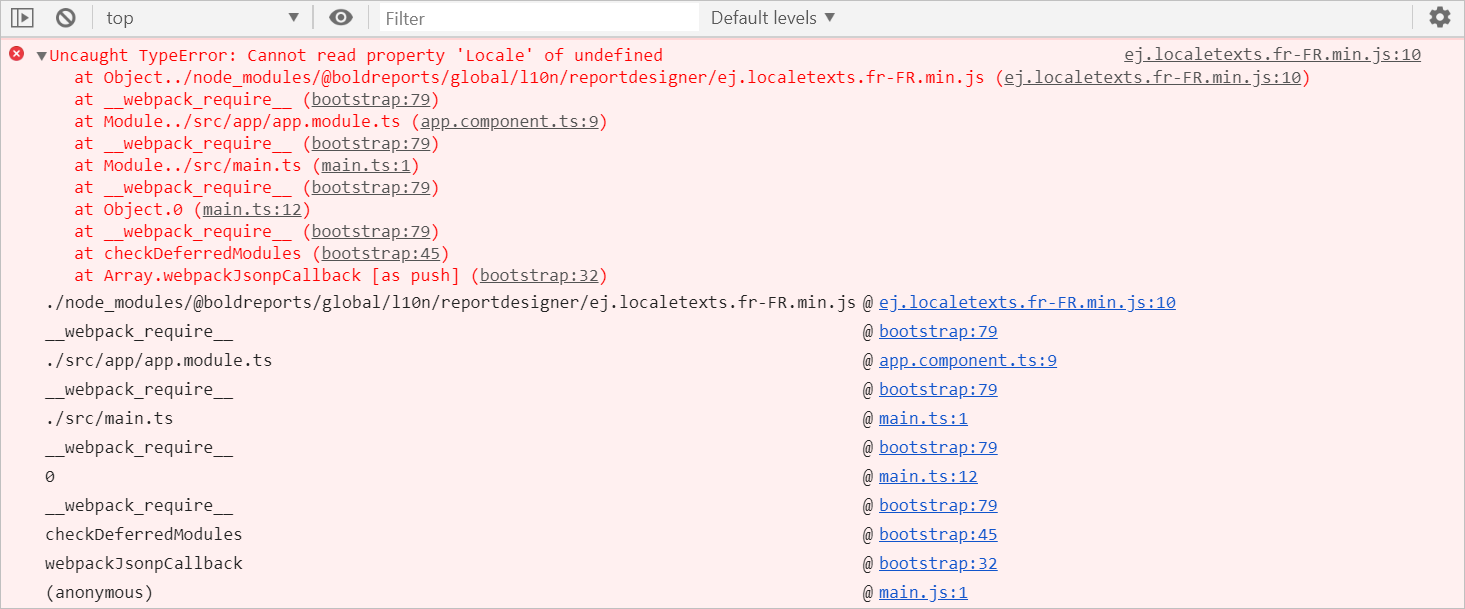
-
Open the
src/app/app.component.tsand initialize thelocalefor Report Designer.import { Component } from '@angular/core'; @Component({ selector: 'app-root', templateUrl: './app.component.html', styleUrls: ['./app.component.css'] }) export class AppComponent { public serviceUrl: string; public locale: string; constructor() { this.serviceUrl = "https://demos.boldreports.com/services/api/ReportingAPI"; this.locale = "fr-FR"; } } -
Open the
src/app/app.component.htmlfile and assign thelocalefor Report Designer.<bold-reportdesigner id="designer" style="position: absolute;height: 550px; width: 1250px;" [serviceUrl] = "serviceUrl" [locale]= "locale"></bold-reportdesigner>