Create a multiple-column report in Web Report Designer
A multiple-column report in Bold Reports® Web Report Designer displays data in multiple sets of columns across the page. When you print the report, it prints adjacent columns until there is no free space left on a page.
You cannot design a report that has a multi-column layout on the top half of the report and a table layout on the bottom half of the report.
Prefer watching over reading? Watch this video on creating and configuring a multi-column report:
How do I set the multiple-column properties?
You set multiple-column properties in the Web Report Designer under the Page Column category of the Report Properties.
-
Open or create a table report.
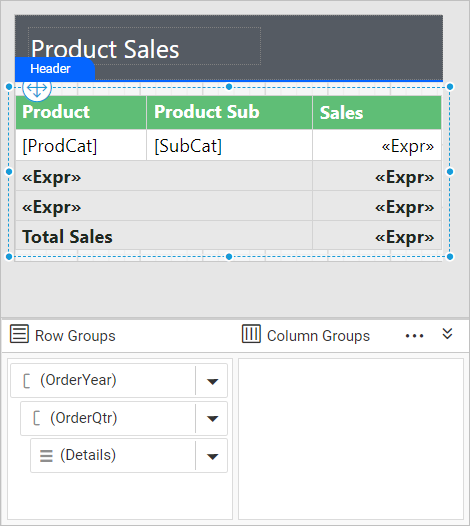
-
Click outside the design area to open the
Report Propertiesin the properties panel. Multi-column properties are listed under thePage Columncategory in the properties list.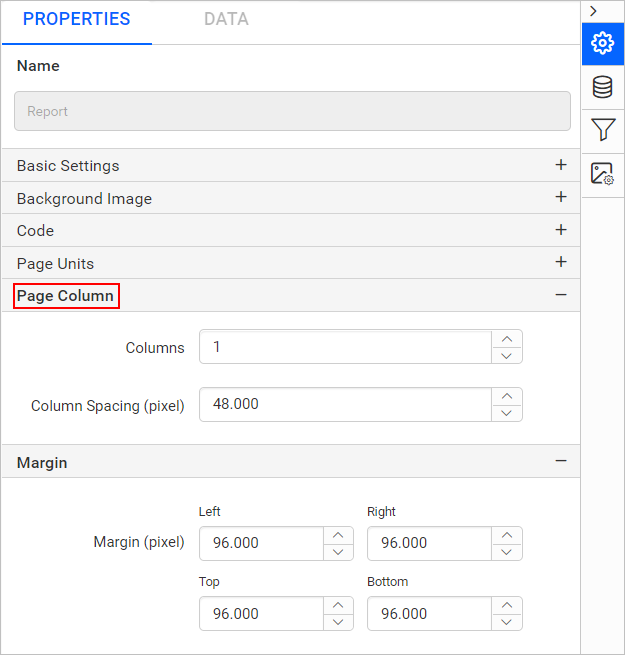
-
In the
Columnsproperty, provide the number of columns in the report. -
In the
Column Spacingproperty, type the width of the space between columns. -
Set the required
MarginandPaper Sizeproperties.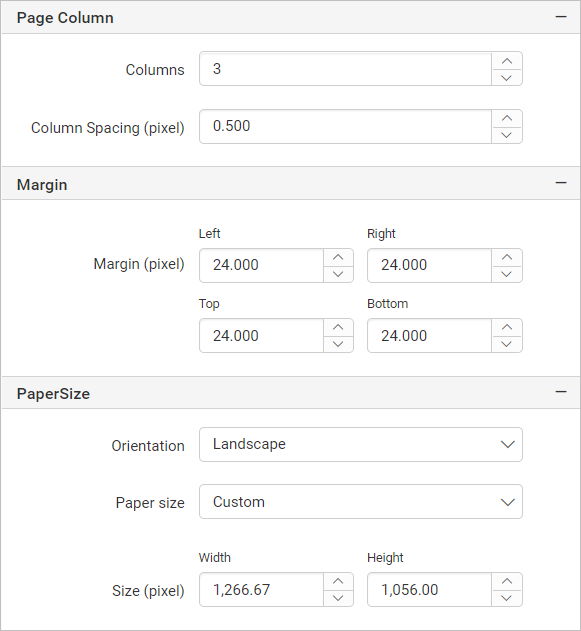
How do I preview a multiple-column report?
The Web Report Designer preview displays a multiple-column report as a single column. To view the table in multi-column layout, use the print layout.
-
Click the
Previewbutton. The report preview is displayed as a single column. -
Click the
Print Layoutoption in the Report Viewer toolbar to view the table in multi-column layout.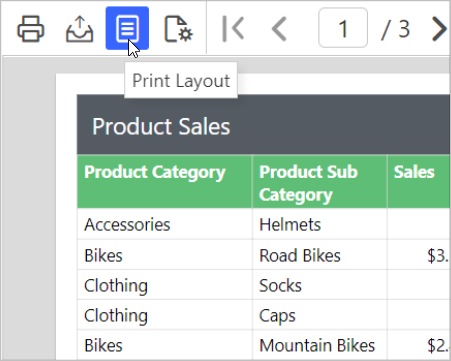
Which export formats show multiple columns?
Only the PDF and Power Point rendering formats in Bold Reports® display data in multiple columns. In export formats such as HTML, Excel, Word, and CSV, a multi-column layout is displayed as a single column.
The following image shows a multi-column report.
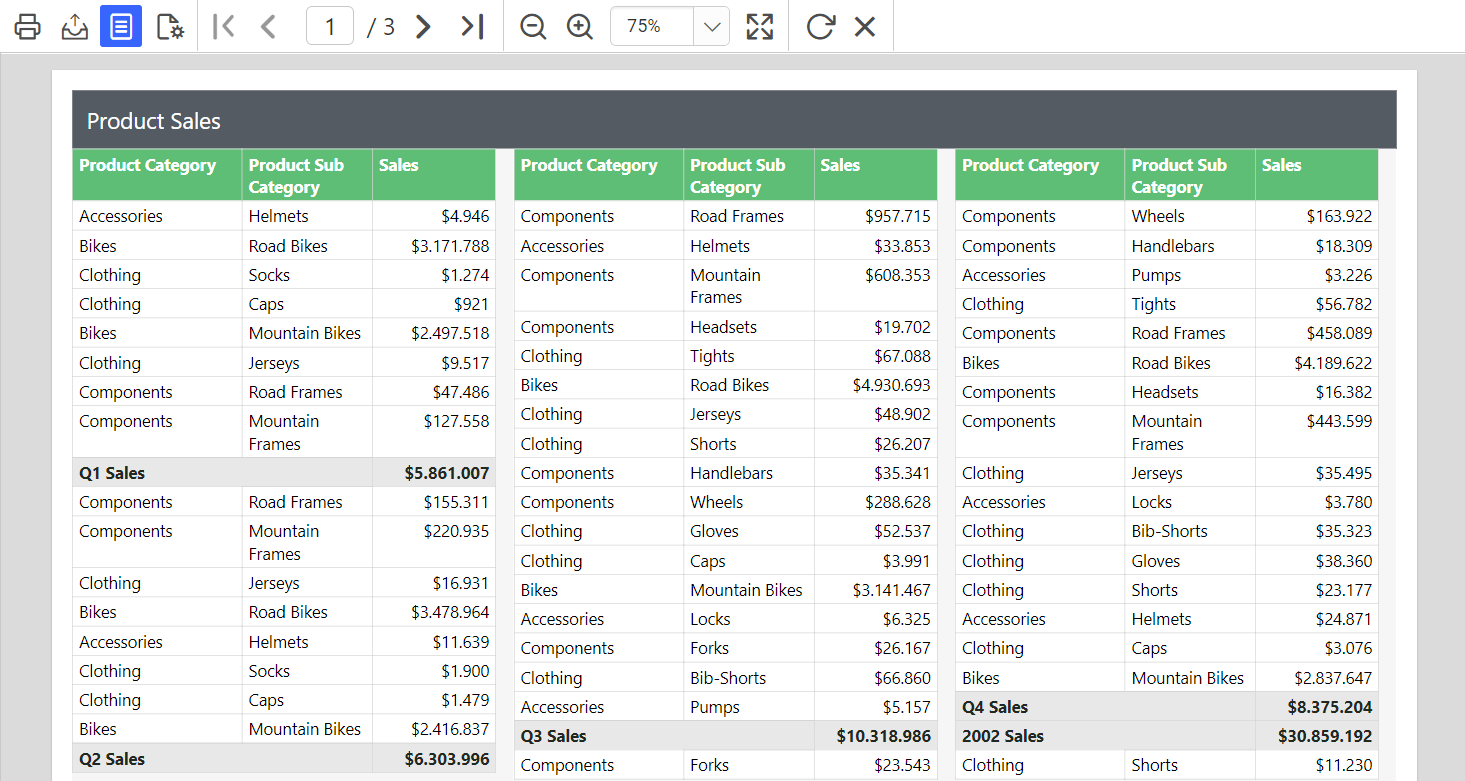
Download the above report design from the multiple-column sample report on GitHub
Frequently asked questions
Can I combine a multi-column layout with a table layout in one report?
No. You cannot design a report that has a multi-column layout on the top half and a table layout on the bottom half.
Why does my report preview show only one column?
The default preview displays the report as a single column. Click Print Layout in the Report Viewer toolbar to view the multi-column layout.