Embed report using embed secret key
This section explains how to render the report in web applications using Single sign-on(SSO) authentication.
To do this, you need to frame the embed URL using the embed secret key. To obtain the embed secret key, please follow the steps below:
- Go to the settings page and click on
Embed. Under that page, enable the Enable embed authentication option.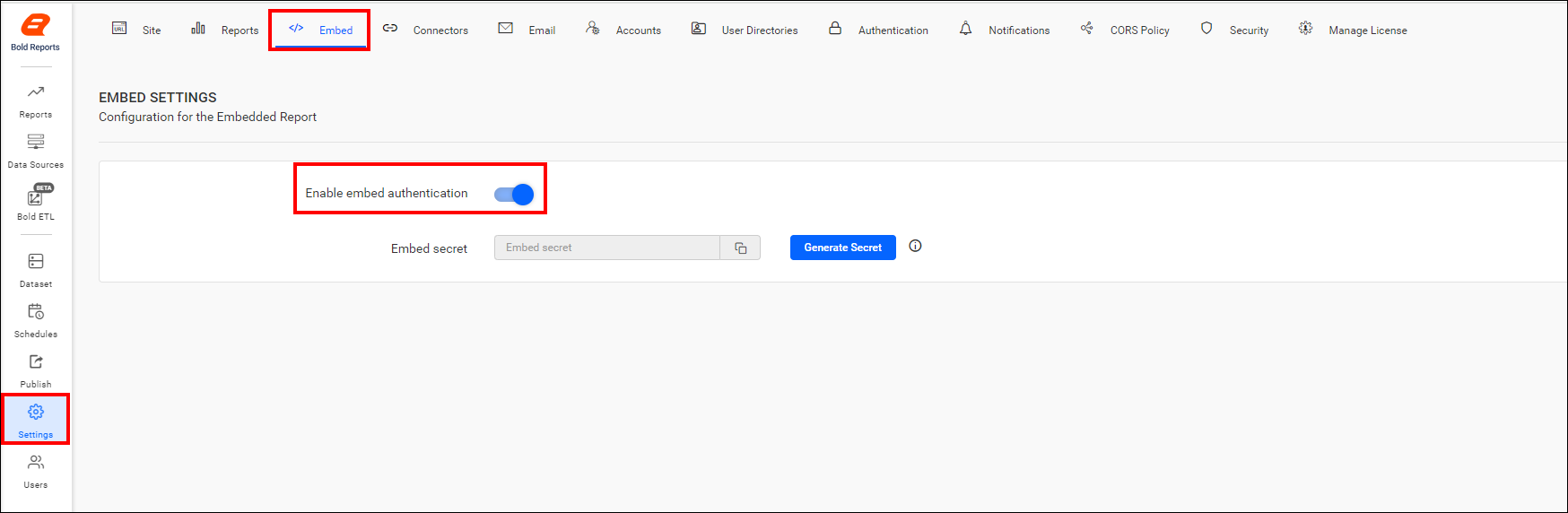
- Click the
Generate Secretbutton.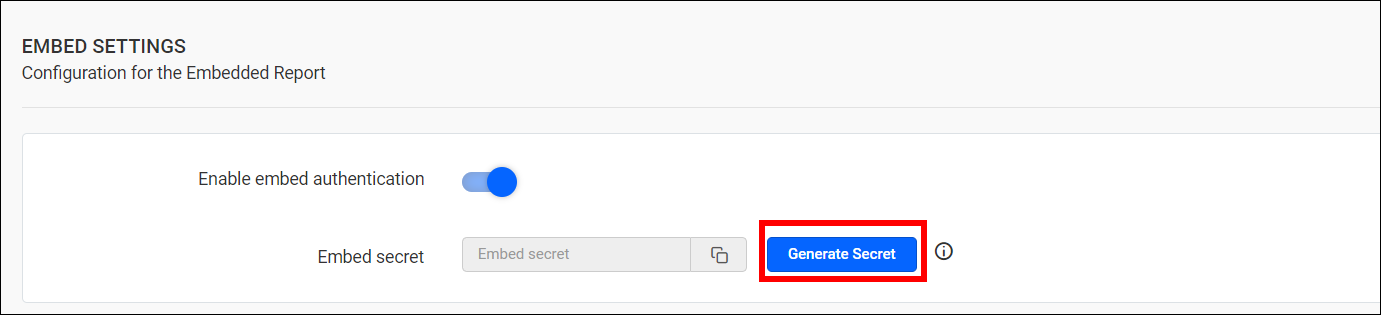
- Upon clicking it, the secret key will be generated. Save the secret key safely, as you will not be able to retrieve or restore this generated secret once it’s been created.
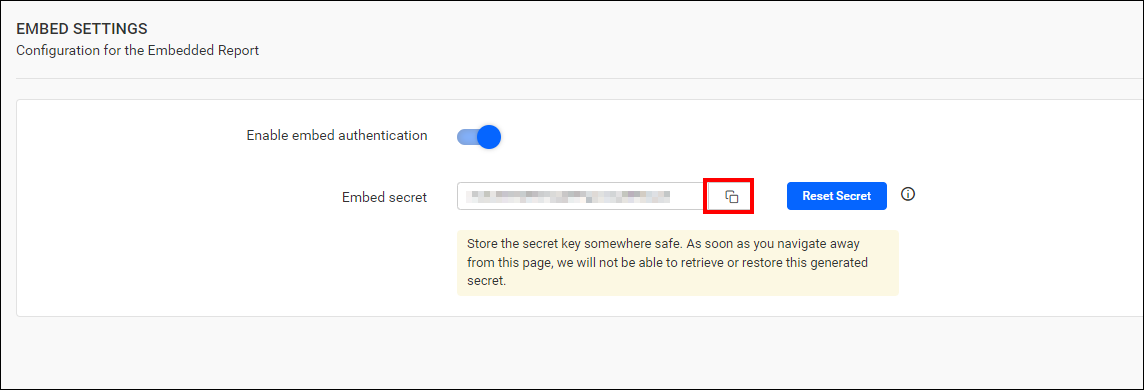
- Once the secret key is generated, you can reset it by clicking the
Reset Secretbutton.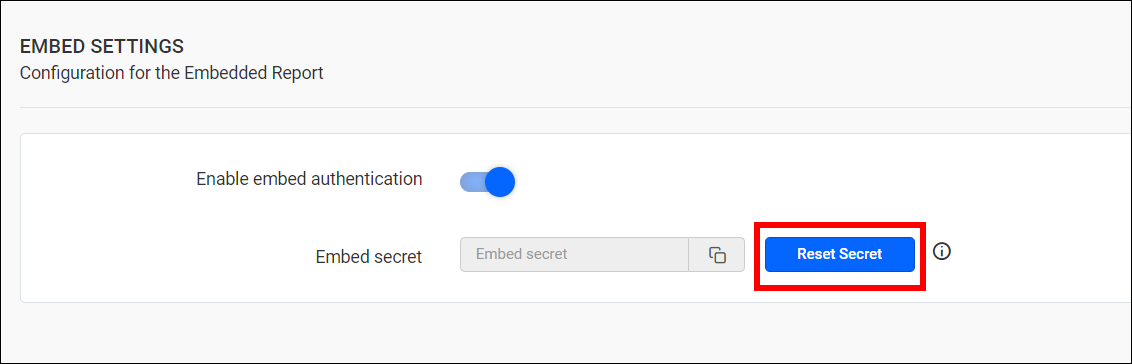
Resetting this code will break the previously functioning embedded reports.
The embed URL should be in the following format:
{report URL}/{embed parameters}&embed_signature={signature}
|
Example: |
Please find the details of the parameters in the URL below,
| Parameter | Description |
|---|---|
| report URL | URL of the report to be embedded. |
| embed parameters | Parameters required to embedding the report with SSO. |
| signature | Authorized key for the report to be embedded. |
Parameters to generate the signature in the embed URL
The values below are necessary to form the signature.
| Parameter | Mandatory | Description | Example |
|---|---|---|---|
|
|
Yes | A random string serves to restrict the URL reconstruction or attacks from the hackers. |
|
|
|
Yes | The email address of the user. | |
|
|
No | This value allows you to check the views in the embedded report. | true |
|
|
No | This value enables you to perform actions such as saving a view, updating a view, and deleting views in the embedded report. | true |
|
|
No | The export option for various formats of the report in the embedded report is displayed based on this value. | true |
|
|
No | Actions related to comments, such as post, edit, delete, reply, watch, unwatch, posting the image and user mention list options can be performed in report based on this value. | true |
|
|
Yes | The current time is represented as a UNIX timestamp. The embedded URL that is formed will be valid for 5 minutes from this embed timestamp. |
|
|
|
No | Set the duration for the token to remain active. It must be represented in seconds. The default time is 86400 seconds, and the maximum is 604800 seconds. |
|
|
|
No | Passes custom attributes to the report. The value must be a Base64-encoded JSON object. Custom attributes can be accessed in report expressions at runtime. |
Custom Attribute JSON (Base64 Encoded) |
|
|
No | Passes report parameter values to the report. The value must be a Base64-encoded JSON array containing the report parameter definitions and values. |
Report Parameter JSON (Base64 Encoded) |
Extended Attribute Example
JSON:
{"AttributeName":"value1","attributeName2":"value2"}Equivalent Base64 value:
eyJBdHRyaWJ1dGVOYW1lIjoidmFsdWUxIiwiYXR0cmlidXRlTmFtZTIiOiJ2YWx1ZTIifQ==Parameter Example
JSON:
[{"name": "SalesOrderNumber","labels": ["SO50752"],"prompt": "Sales Order No:","values": ["SO50752"],"nullable": false}]Equivalent Base64 value:
W3sibmFtZSI6ICJTYWxlc09yZGVyTnVtYmVyIiwibGFiZWxzIjogWyJTTzUwNzUyIl0sInByb21wdCI6ICJTYWxlcyBPcmRlciBObzoiLCJ2YWx1ZXMiOiBbIlNPNTA3NTIiXSwibnVsbGFibGUiOiBmYWxzZX1dGenerating the signature for the embed URL
|
|
Yes | A signature is generated using the secret code to authenticate the embedded URL. |
|
The embed parameter should be formed in the following format.
|
|
The embed parameter formed above is signed with the secret code generated on the Bold Reports® server using the HMACSHA256 algorithm, and the resulting signed key is appended to the embed URL as embed_signature.
Sample to Embed Report Using SSO Authentication
You can download the sample from the Syncfusion® download page.