Gauge report items in Bold Reports® Web Report Designer
Gauge report items in the Bold Reports® Web Report Designer visualize the key performance indicators (KPIs) that track progress toward your targets or goals. When you place a gauge inside a table or matrix, it shows values inside every cell.
Which gauge types can I use?
The Bold Reports® Web Report Designer offers two gauge types, Linear and Radial. You find both in the item panel under the Deviation category.
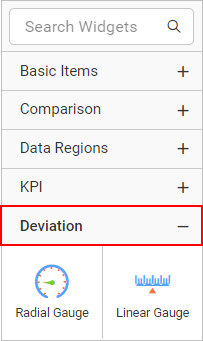
The image shows the linear and radial gauge items in the item panel.
Note: Gauge report items support configuration of only a single data point for the pointer, scale, and range properties.
Frequently asked questions
Can I show a gauge in every row of a table?
Yes. When you place a gauge report item inside a table or matrix, it shows values inside every cell.
How many data points can a gauge pointer use?
Gauge report items support configuration of only a single data point for the pointer, scale, and range properties.