Customize Chart Colors with the Bold Reports® Color Palette
In the Bold Reports® Web Report Designer, you customize the chart series color with the color palette property. You can change the color palette for a chart series by choosing from a predefined set of color palettes or defining a custom palette. The Color Palette property is listed under the Chart Area category in the chart properties panel.
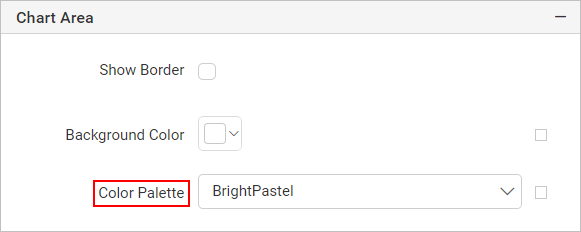
How do I use a built-in color palette?
The Bold Reports® Web Report Designer lets you switch between the predefined color palette options available in the Color Palette dropdown.
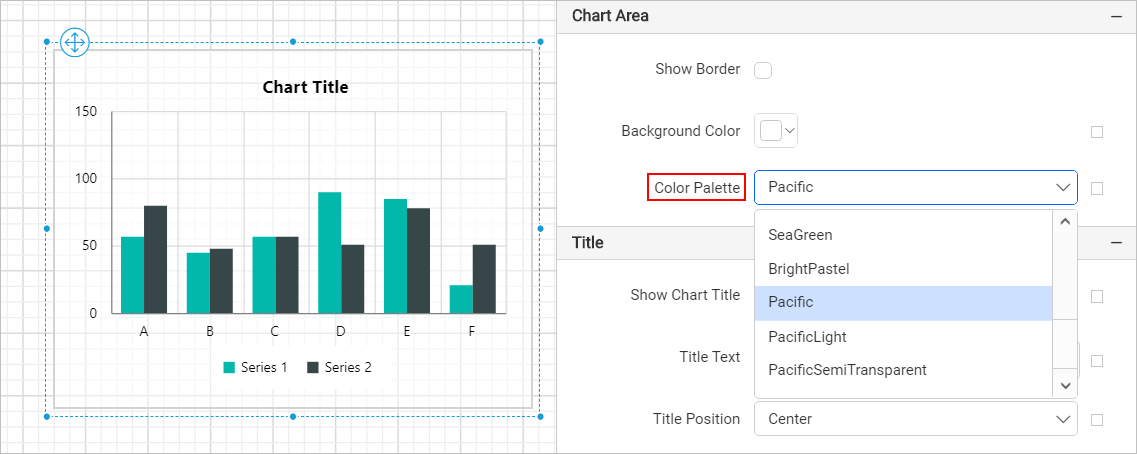
Define custom color palette
You define a custom color palette for a Bold Reports® chart in the Custom Colors panel. To define custom colors, follow these steps:
-
Select the
Customoption from theColor Palettedropdown.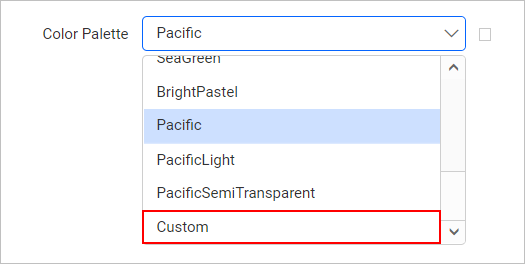
-
Find the
Custom Colorsfield, which now displays under the color palette dropdown.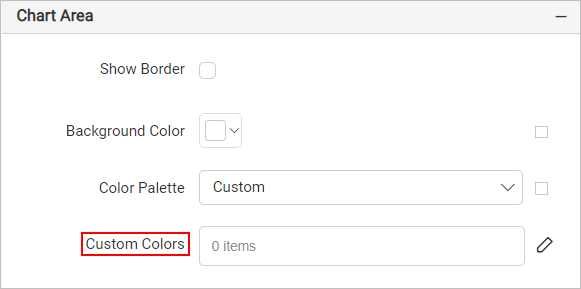
-
Click the edit icon on the right side of the
Custom Colorsproperty.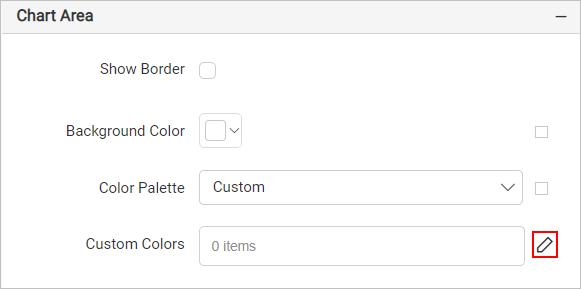
-
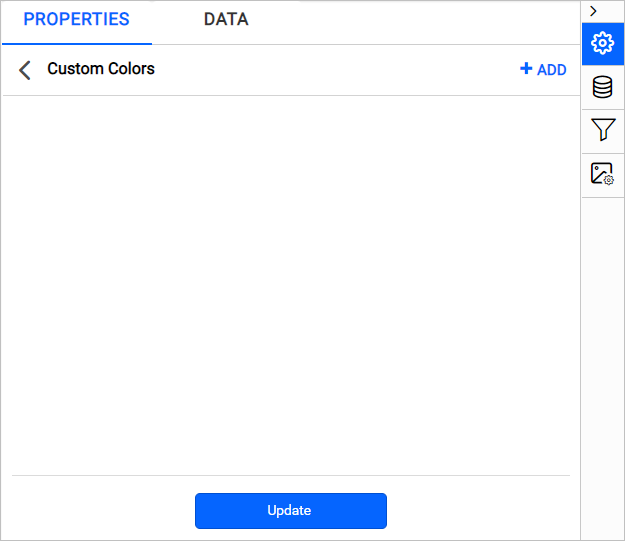
The Custom Colors panel opens.
-
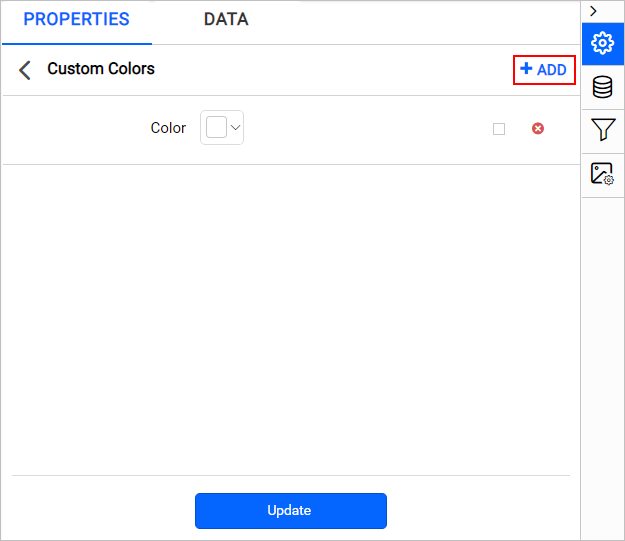
Click the ADD icon in the top-right corner. A new Color field is added to the panel.
-
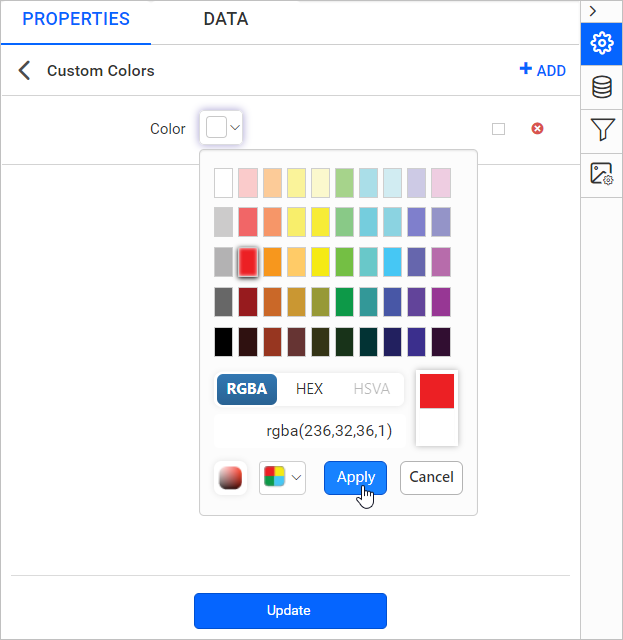
Set the desired color in the color field.
-
Click Update.
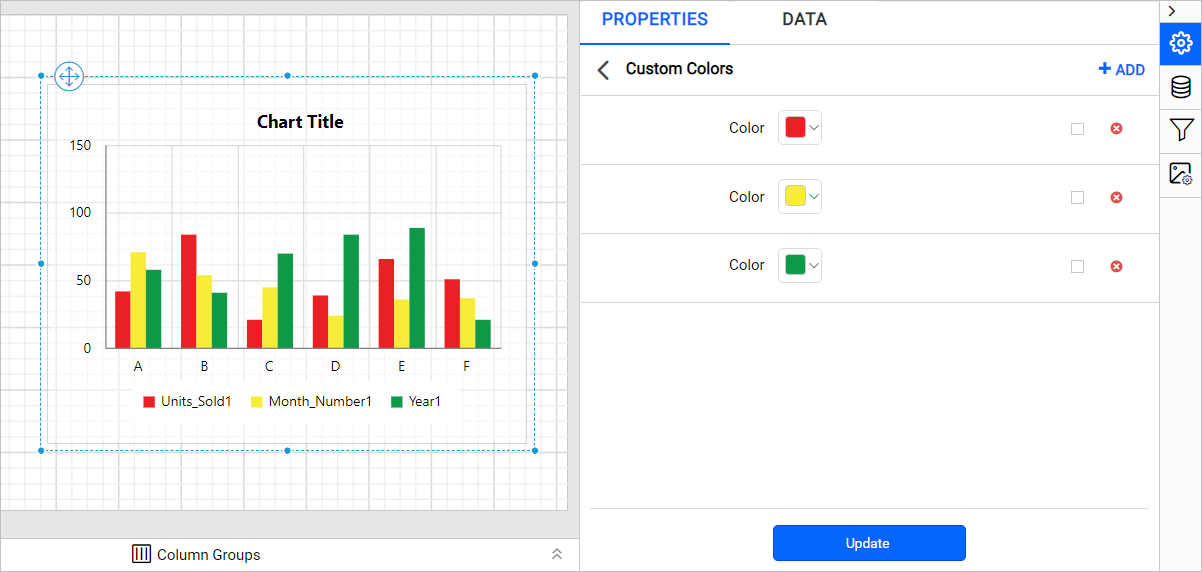
Repeat these steps to define multiple color sets or edit existing color sets. In the following example, three colors are added in the custom colors panel. The chart applies them based on the number of series.
How do I set colors with expressions?
You can set a custom chart color based on dynamic values by using Expressions. Click the square icon on the right side of each field to open the expression menu.
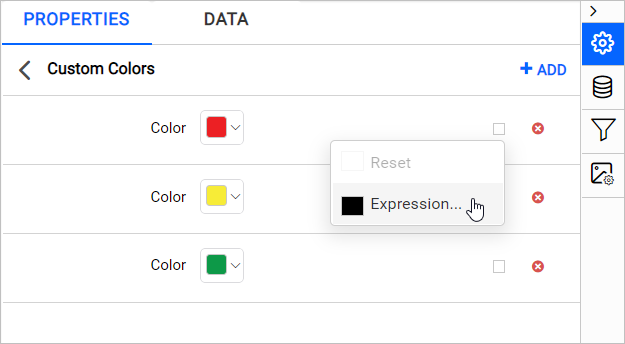
Note: To set and reset expressions for custom colors, see the Set Expressions and Reset Expressions sections.
How do I delete a color set?
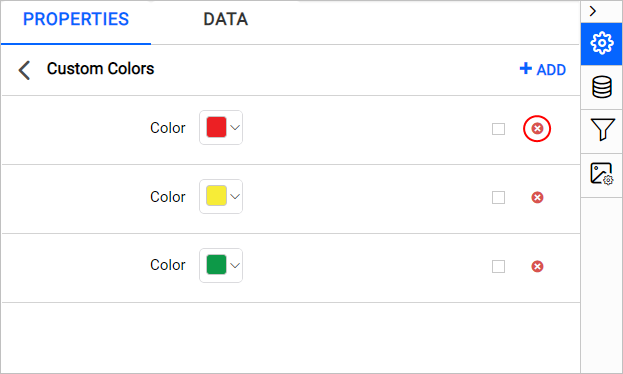
You delete a custom color set from the Chart Custom Colors panel. Follow these steps:
- Click the edit icon for the
Custom Colorsproperty. The Chart Custom Colors panel lists the available color sets. - Click the
Deleteicon in the right corner of the required color set. - Click Update.
Frequently asked questions
Where is the Color Palette property?
The Color Palette property is listed under the Chart Area category in the chart properties panel of the Bold Reports® Web Report Designer.
How are custom colors applied to a chart?
The chart applies the colors in the custom colors panel based on the number of series.