Google Analytics Source
Google Analytics is a service for web analytics that tracks and provides data regarding user engagement with your website or application.
Service Account Credential
Service account credentials are more suitable for server-to-server interactions.
Grab Google Service Account Credentials
To obtain API credentials using a GCP service account, follow these steps:
- Sign in to https://console.cloud.google.com.
- Create a service account if necessary.
- Enable the “Google Analytics API” (refer to Google documentation for detailed instructions).
- Generate credentials:
- Navigate to IAM & Admin in the console’s left panel, and then select Service Accounts.
- Find the service account you want to use and click on the three-dot menu under the “Actions” column.
- Create a new JSON key by selecting “Manage Keys” > “ADD KEY” > “CREATE”.
- Download the “.json” file containing the necessary credentials for future use.
Share the Google Analytics Property with the API
Note: For service account authentication, use the
client_email.
- Log into your Google Analytics account.
- Choose the website property you wish to share.
- In the lower-left corner, click on the “Admin” tab.
- In the “Account” column, go to “Account Access Management.”
- Find and click on the blue “+” icon in the top right corner of the screen.
- Choose “Add users” and enter the email from the service account or OAuth authentication methods. Make sure to grant at least viewer privileges. Ensure to grant at least viewer privileges.
- Complete the process by clicking “Add” in the top right corner.
Connection Properties
The config section in a YAML file includes the following properties:
Connectorname: Google_analytics
project_id: ID of the project
client_email: Email of the client
private_key: Private key
Example Configuration
version: 1
encrypt_credentials: false
plugins:
  extractors:
    - name: Google_analytics_data
      connectorname: Google Analytics
      config:
        project_id: <PROJECT ID>
        client_email: <CLIENT EMAIL>
        private_key: <PRIVATE KEY>
      properties:
        property_id: <PROPERTY ID>
        query:
          - resource_name: sample_analytics_data1
            dimensions: ["browser", "city"]
            metrics: ["totalUsers", "transactions"]
          - resource_name: sample_analytics_data2
            dimensions: ["browser", "city", "dateHour"]
            metrics: ["totalUsers"]
        start_date: <START DATE>
Configure the Data Hub to connect Google Analytics
OAuth Authentication with Google Analytics
- Double Click on the connector, which will prompt a Authentication Setup window.
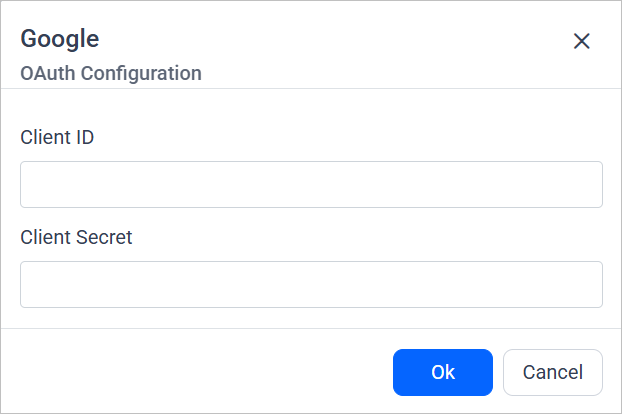
- Fill the Client ID and Client Secret and click Ok.
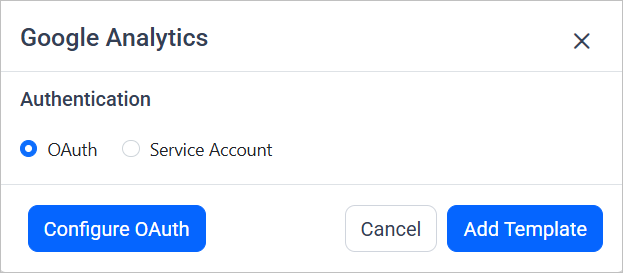
-
Click on Allow in the authorization window to accept the scopes requested by Bold DataHub.
-
Update the project ID, client ID and client secret in the template. Also, Update the resources on the
propertiesproperty and Click Save and choose the desired destination to save the pipeline.
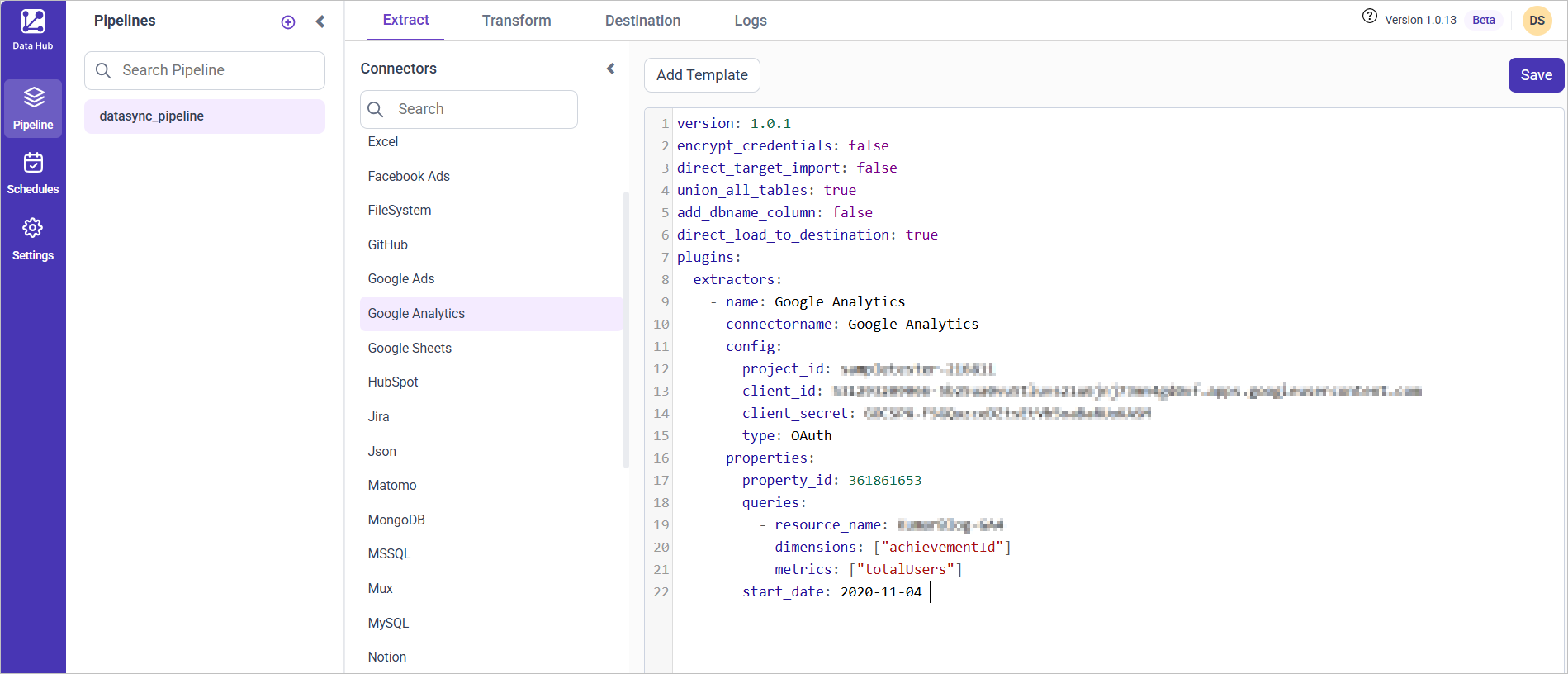
- Creating a Pipeline in Bold Data Hub automatically creates a Data Source in Bold Reports®. The Bold Reports® Data Source is a live data source to the destination database used in Bold Data Hub.

Service Authentication with Google Analytics
- To start, Click the
Bold Data Hubicon on the Navigation Pane.
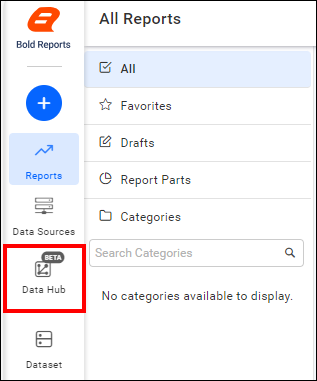
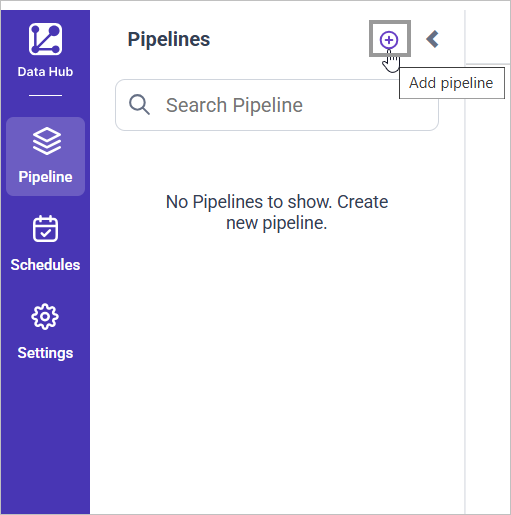
- Click
Add Projectand provide the name for the new project.
- Select the newly created project and add the
Google Analyticstemplate.
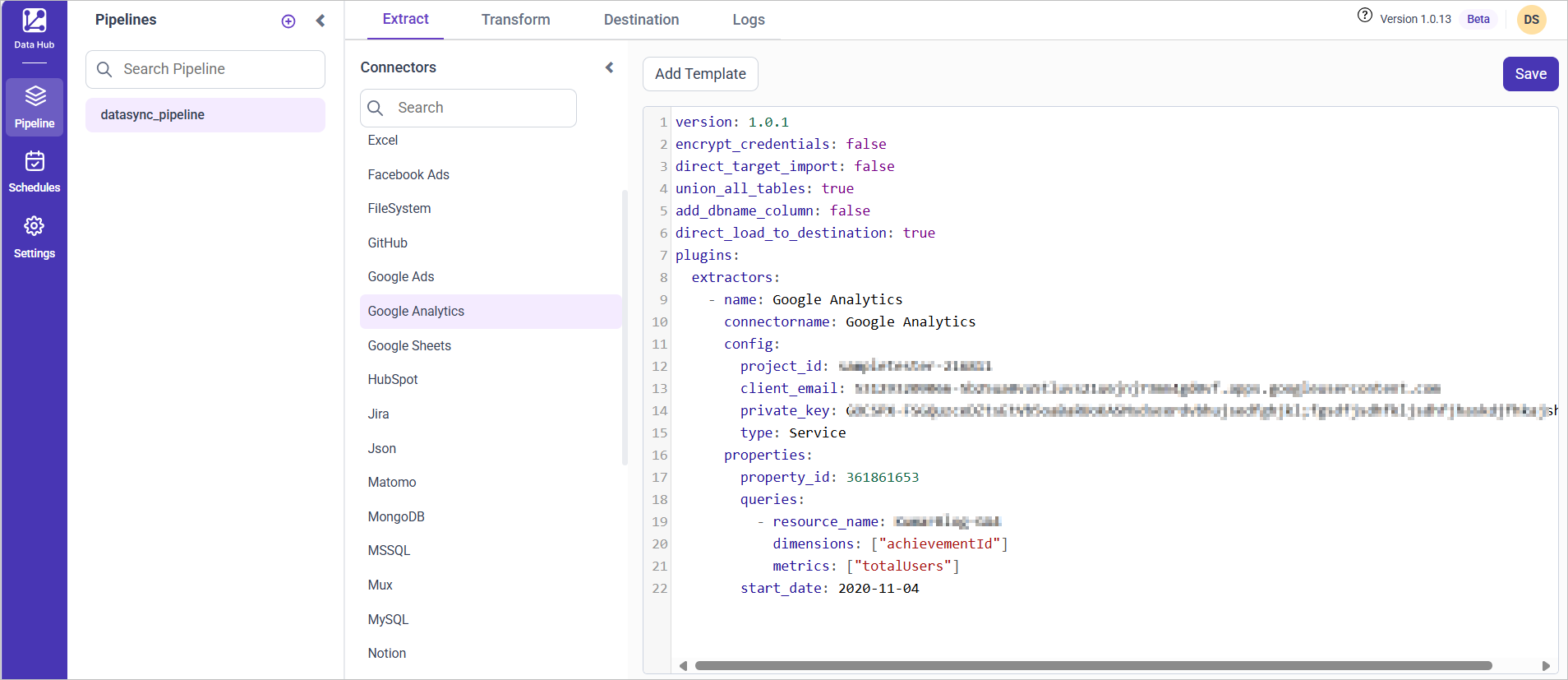
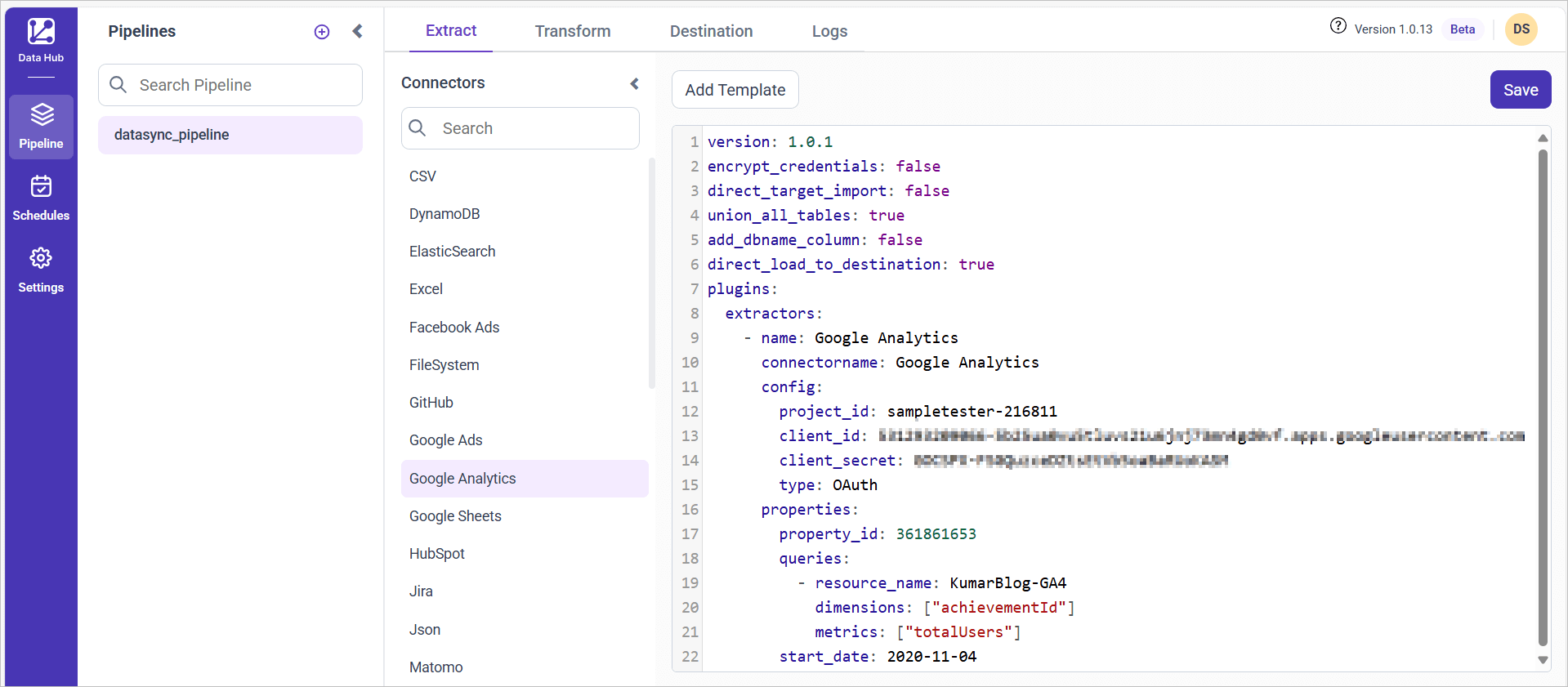
- Update the project ID, client email and private key secret in the template. Also, Update the resources on the
propertiesproperty and save it to the Bold Reports® Data Store.
Warning:
1. The `Encrypt_Credentials` property should be set to false when updating the new access token on the template. If you have modified other properties, such as 'select' or 'account id', the `Encrypt_Credentials` property must be set to true.
2. The default lifetime of the access token is 1 hour. Therefore, you need to convert it to a long-lived access token in order to use the same token for 60 days. Existing tables should be maintained even if the token has expired or is being used as an invalid token.
Schedule Data Hub Job
- To configure interval-based scheduling, click on the schedules tab and select the created pipeline and click on the schedule icon and configure it.


- For on-demand refresh, click
Run Nowbutton.
 .
.
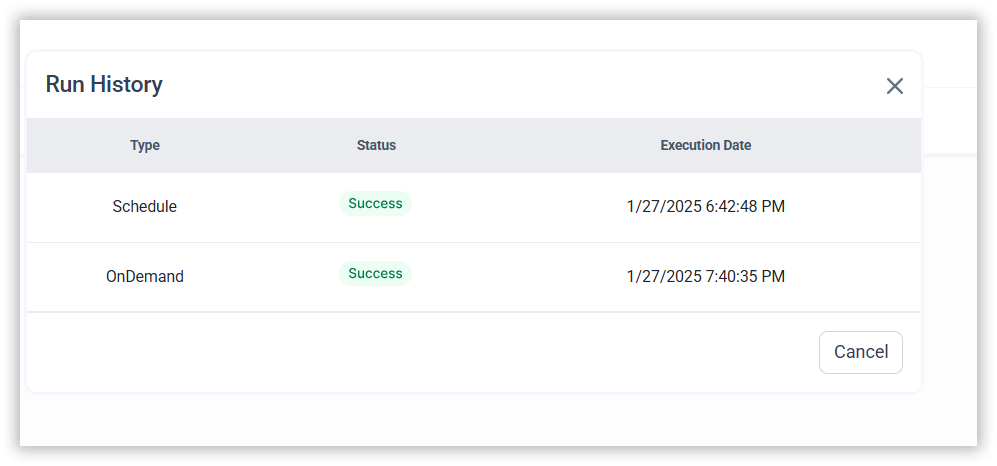
- The Schedule history can be checked using the history option as well as logs.
- Click on Logs to see if the run is completed and data source is created in Bold Reports®.
- Click
Edit DataSourceOption to view the created tables.
CONTENTS
- Service Account Credential
- Grab Google Service Account Credentials
- Share the Google Analytics Property with the API
- Connection Properties
- Example Configuration
- Configure the Data Hub to connect Google Analytics
- OAuth Authentication with Google Analytics
- Service Authentication with Google Analytics
- Schedule Data Hub Job
CONTENTS
- Service Account Credential
- Grab Google Service Account Credentials
- Share the Google Analytics Property with the API
- Connection Properties
- Example Configuration
- Configure the Data Hub to connect Google Analytics
- OAuth Authentication with Google Analytics
- Service Authentication with Google Analytics
- Schedule Data Hub Job
Thank you for your feedback and comments.We will rectify this as soon as possible!