Upgrade Bold Reports® Azure App Service version from v2.x to v2.4.19
You can upgrade a Bold Reports® Azure App Service from v2.x to v2.4.19 in the Azure portal by reconnecting its Deployment Center to the Bold Reports® GitHub repository and syncing. Data migration is not required.
What do I need before upgrading?
Bold Reports® Azure App Service upgrades need access rights to edit the Bold Reports® Azure App Service.
-
Bold Reports® releases several major versions in a year. Each version includes new features, bug fixes and other improvements.
-
You can review the features and enhancements in the Release Notes.
-
To upgrade the Bold Reports® Azure App Service, you must have access rights to edit the Bold Reports® Azure App Service.
How do I upgrade from v2.x to v2.4.19?
You upgrade the Bold Reports® Azure App Service from v2.x to v2.4.19 by following these steps:
- Log in to the Azure portal.
- Select
App Servicesin Microsoft Azure Services.
- Select
Bold Reports Azure App Service. - In the
Overviewsection, click theStopbutton.
- Select
Deployment centerin the left panel of the Bold Reports® App Service.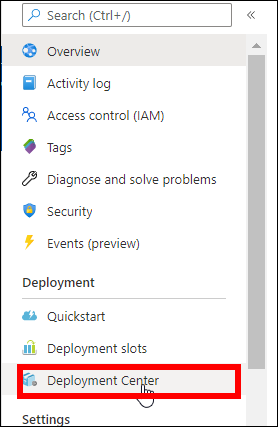
- In the deployment center, click
Disconnect. The deployment panel opens.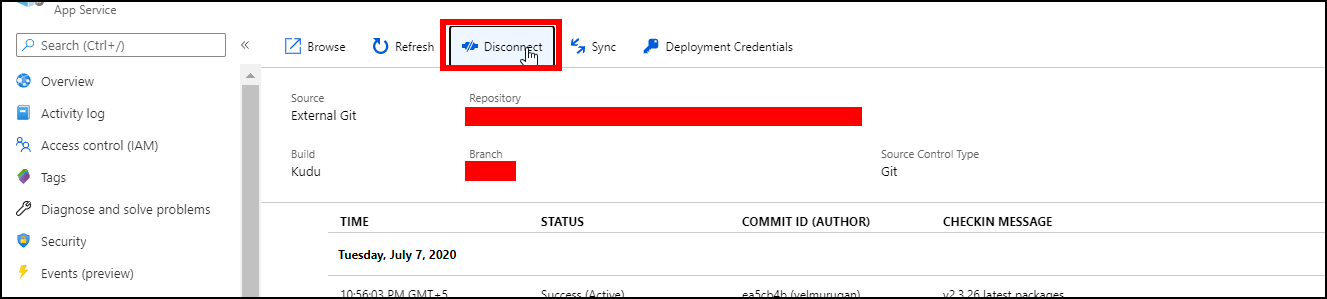
- Select
Externalin the source control tab and clickContinue.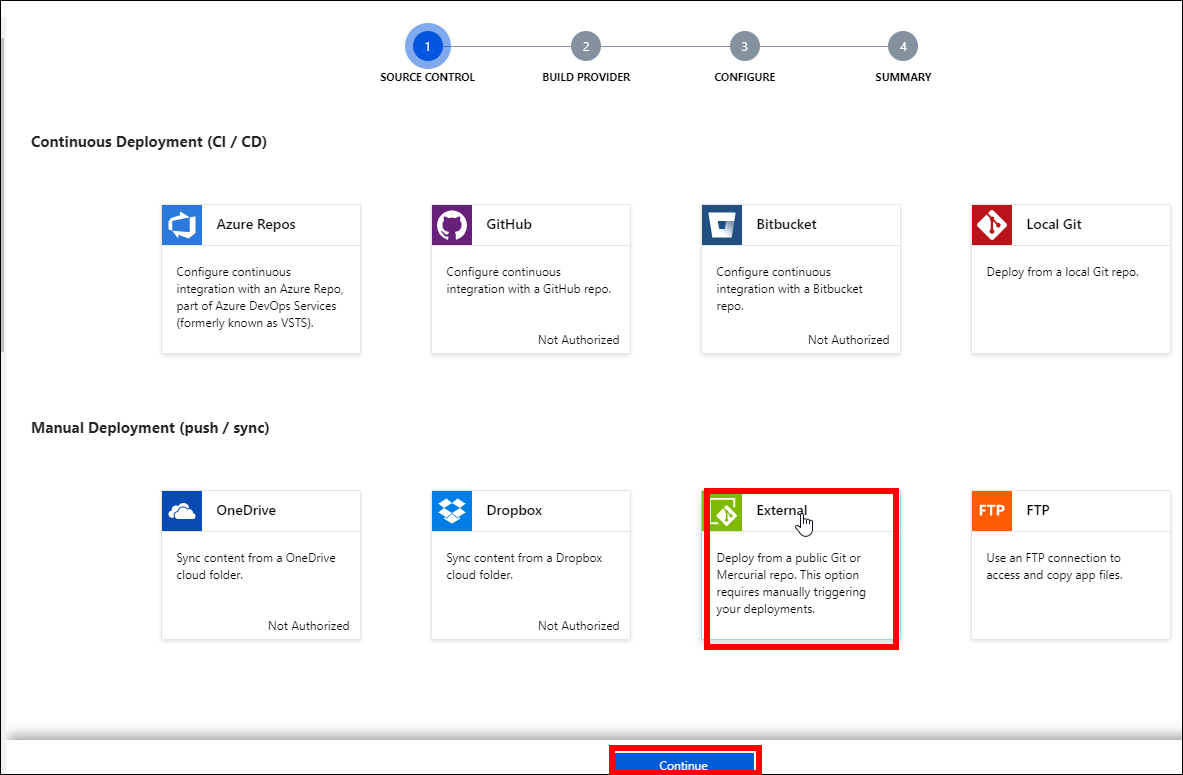
- Select
App Service build serviceand clickContinue.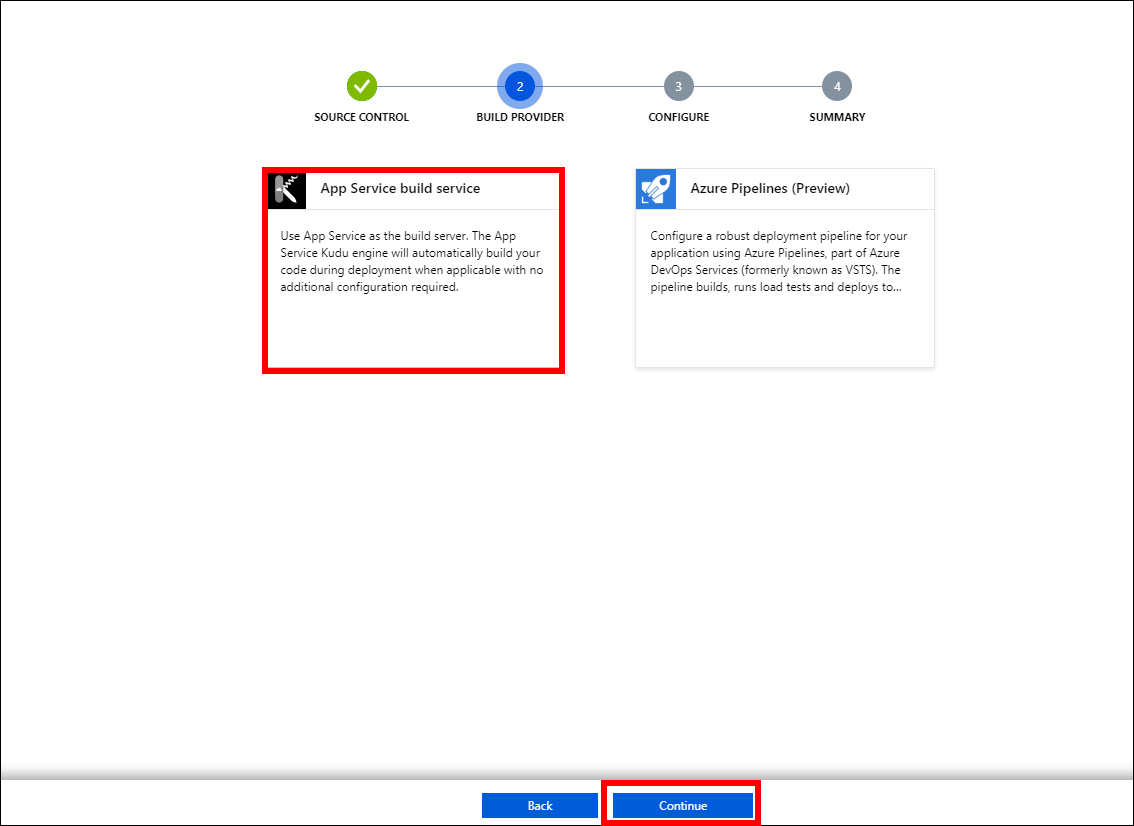
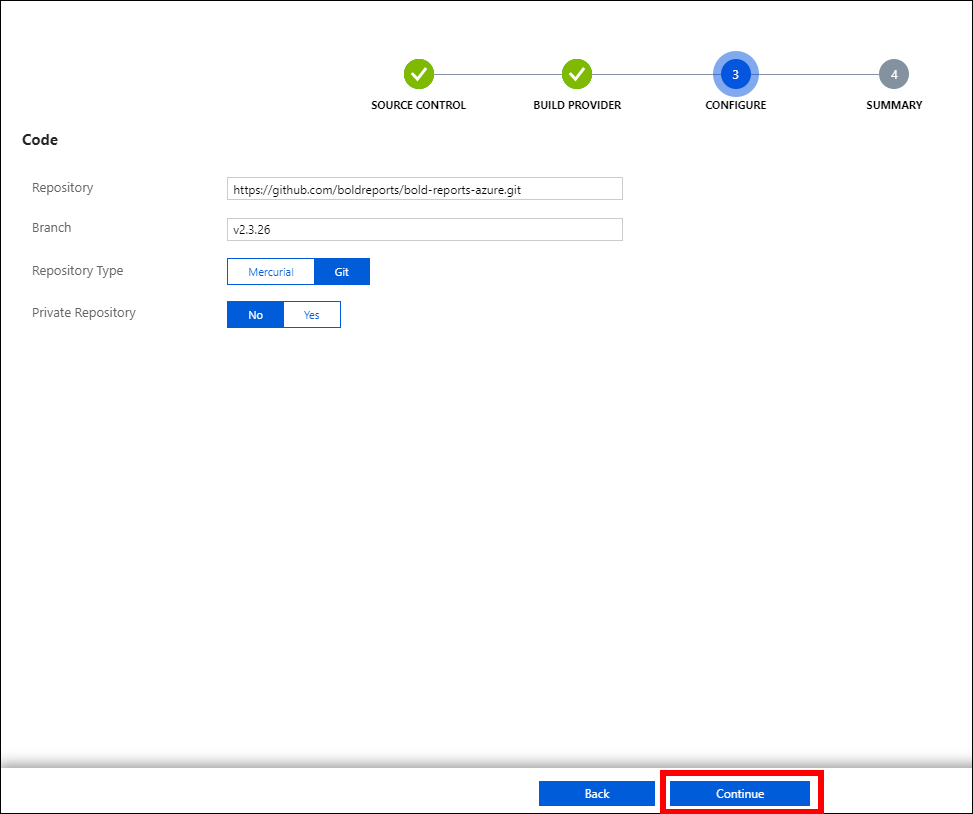
- Fill in the following details in the
Configuretab and clickContinue:- Repository -
https://github.com/boldreports/bold-reports-azure.git - Branch -
v{release-version} - Repository Type -
Git - Private Repository -
No
- Repository -
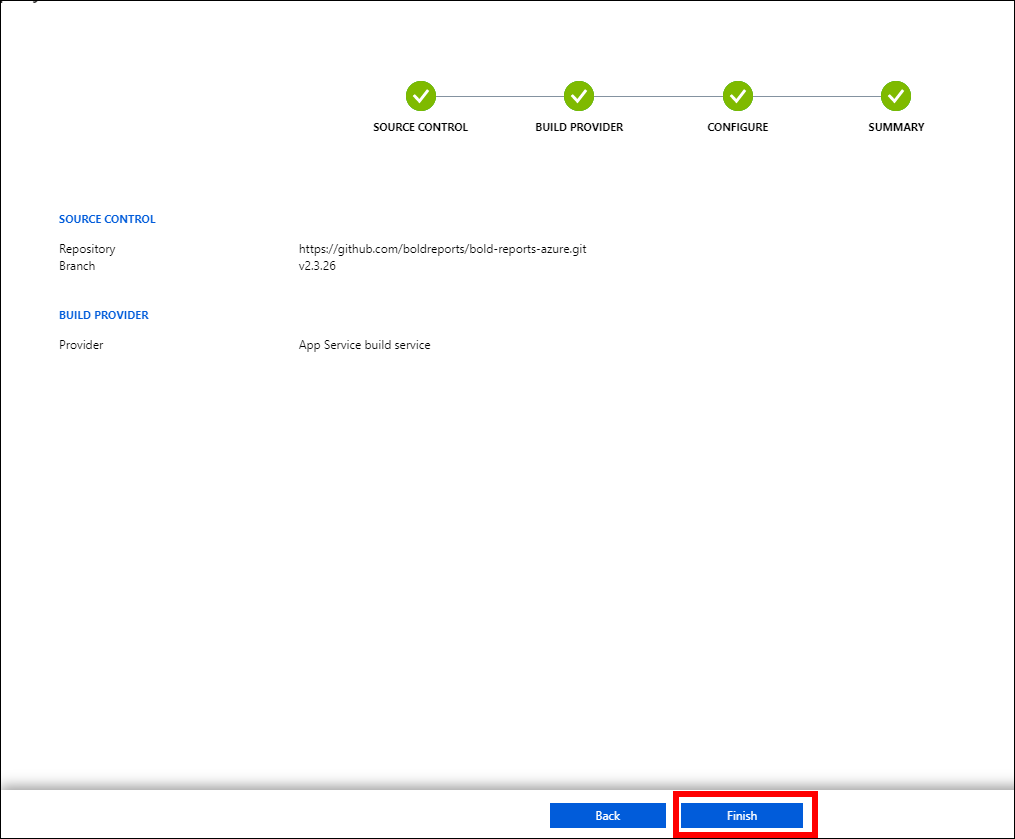
- Click the
Finishoption. The “Successfully set up deployment” notification is shown in the notifications.
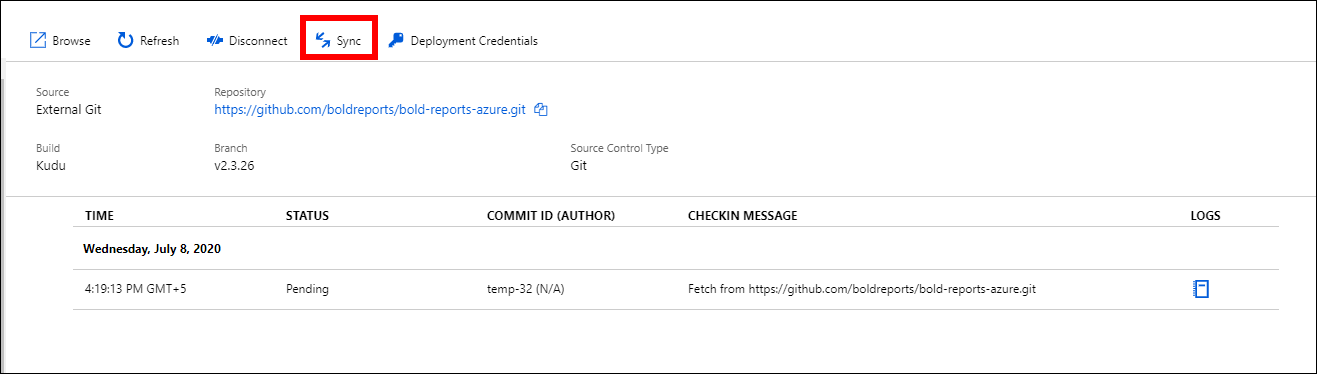
 11. Select the
Sync button on the deployment center page.
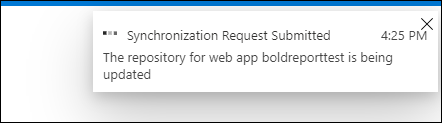
 12. A synchronization request submitted notification is shown, and the synchronization progress is shown on the deployment center page.
 13. Wait until synchronization is completed.
14. Select
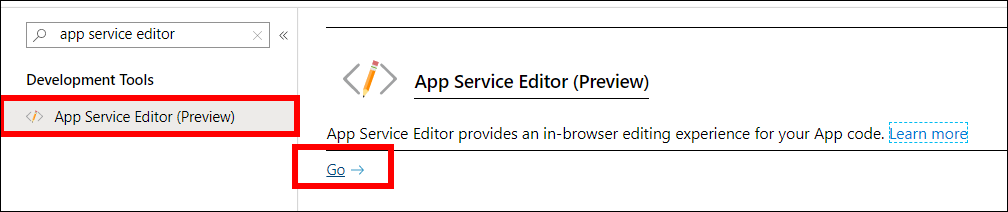
App Service Editor in the left panel of the Bold Reports® Azure App Service, then click Go.
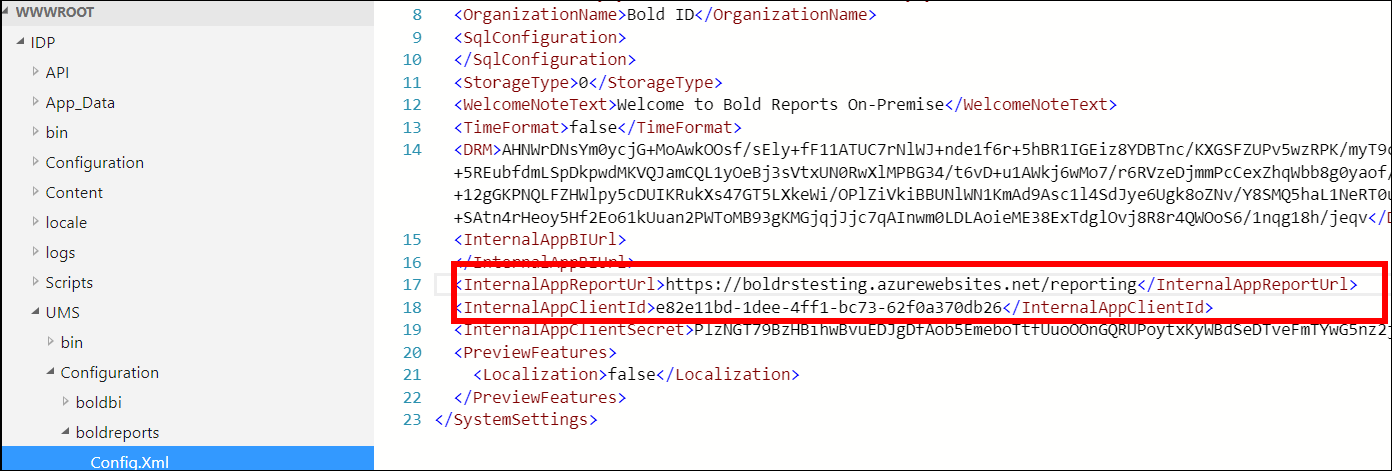
 15. Copy your Web App URL, and then update the xml node
InternalAppReportUrl in the config.xml file under wwwroot/IDP/UMS/Configuration/boldreports/config.xml.
The URL must be, InternalAppReportUrl- {web App URL}/reporting
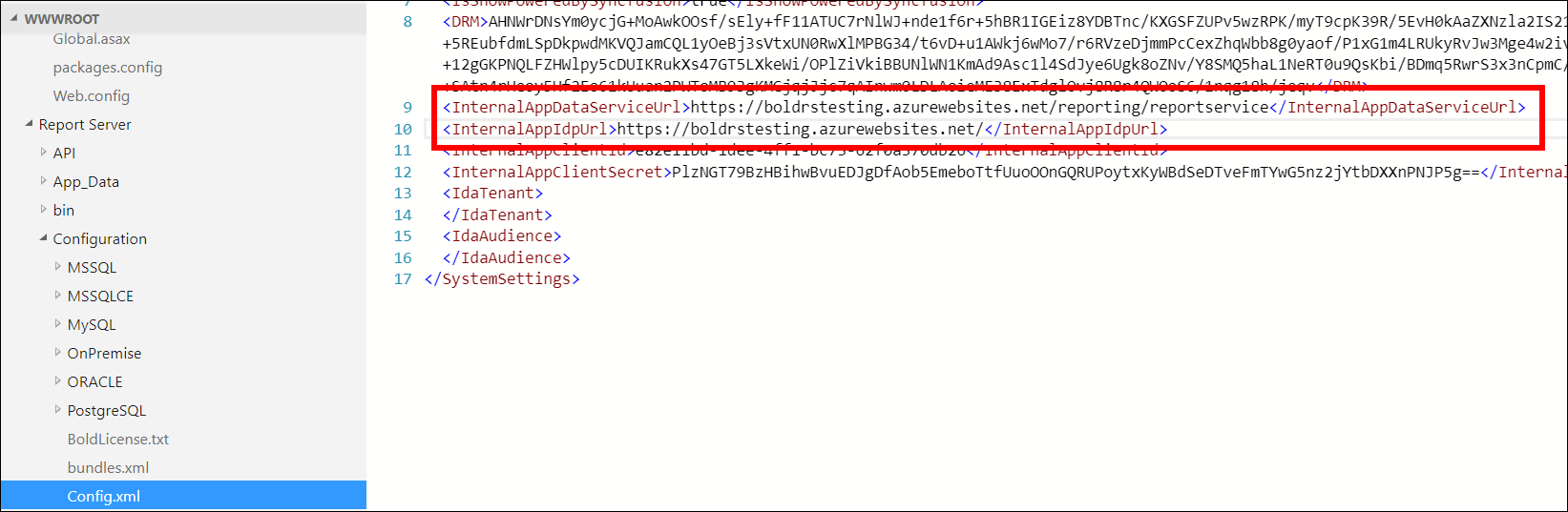
 16. Copy your Web App URL, and then update the xml nodes
InternalAppDataServiceUrl and InternalAppIdpUrl in the config.xml file under wwwroot/Report Server/Configuration/config.xml.
The URL must be, InternalAppDataServiceUrl – {web App URL}/reporting/reportservice
InternalAppIdpUrl – {web App URL}/
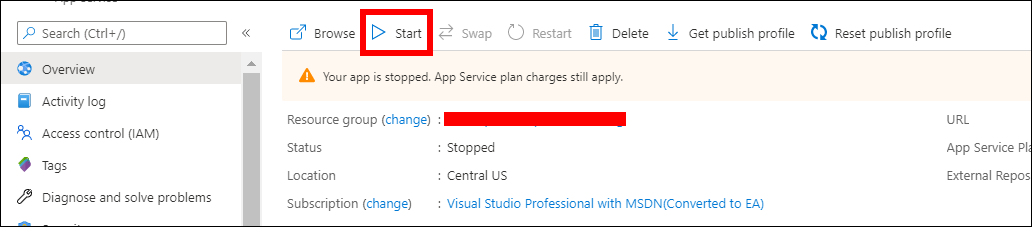
 17. Start the Bold Reports® Azure App Service by clicking the
Start button in the Overview section.
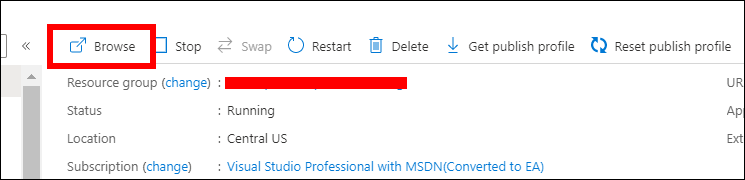
 18. The Bold Reports® upgrade process is complete. Launch Bold Reports® by clicking the
browse option or by typing the Bold Reports® URL in the browser.
Data Migration is not required to upgrade Bold Reports® Azure App Service from v2.x to a later version.
Frequently asked questions
Do I need data migration to upgrade from v2.x?
No. Data migration is not required to upgrade Bold Reports® Azure App Service from v2.x to a later version.
Which repository does the Deployment Center use?
The Bold Reports® Deployment Center uses the https://github.com/boldreports/bold-reports-azure.git repository with the branch v{release-version}.