Upgrade Bold Reports® Enterprise Reporting version from 3.x to v5.4.30
You can upgrade the Bold Reports® Azure App Service from version 3.x to version 5.4.30 by syncing its Deployment Center with the Bold Reports® Azure Git repository.
What changes between Bold Reports® versions?
-
Bold Reports® releases several major versions in a year. Each version includes new features, bug fixes, and other improvements.
-
You can review the features and enhancements in the Release Notes.
What do I need before upgrading?
- To upgrade the Bold Reports® Azure App Service to version 5.4.30, you must have access rights to edit the Report Server App Service.
How do I upgrade from version 3.x to version 5.4.30?
Follow these steps to upgrade the Bold Reports® Azure App service from version 3.x to version 5.4.30:
- Log in to the Azure portal.
- Select
App Servicesin Microsoft Azure Services.
- Select
Bold Reports Azure App Service. - In the
Overviewsection, click theStopbutton.
- Select
Deployment Centerin the left panel of the Bold Reports® App Service.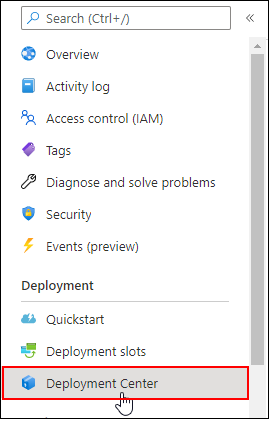
- In the Deployment Center, click
Disconnect. The deployment panel opens.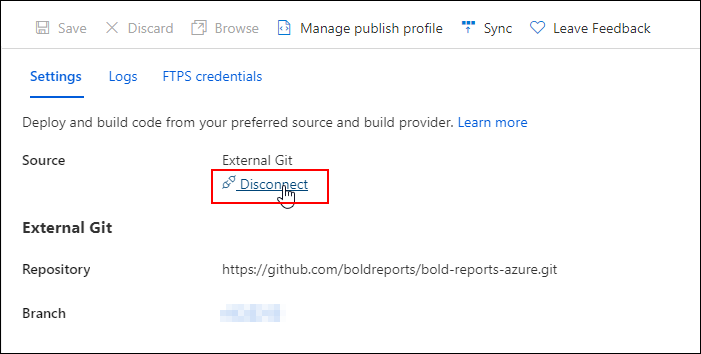
- Choose the
External Git.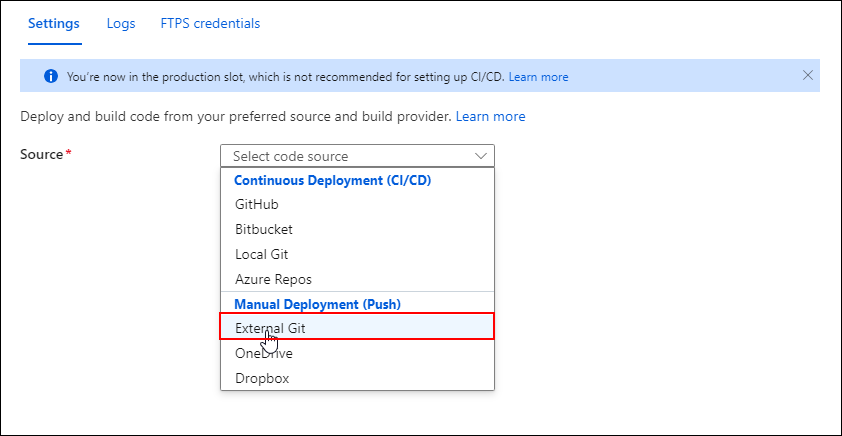
- Fill in the following details in the
Settingstab and clickSave:- Repository:
https://github.com/boldreports/bold-reports-azure.git - Branch:
v{release-version} - Repository Type:
Public
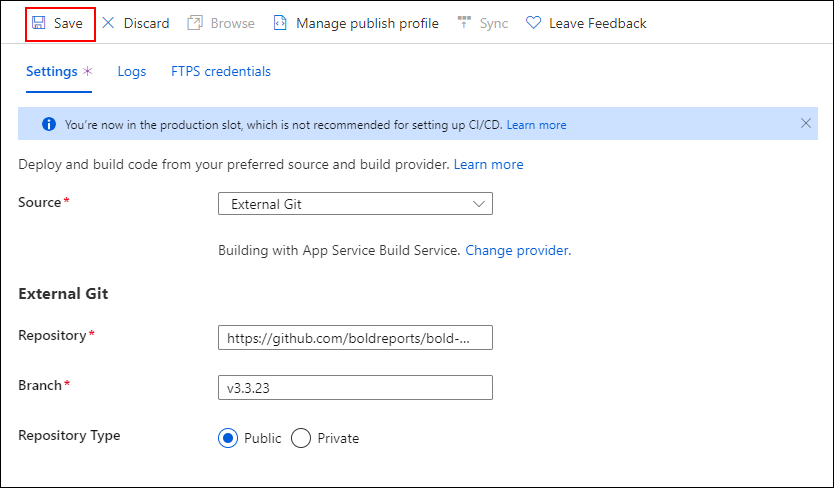
- Repository:
- Azure displays the
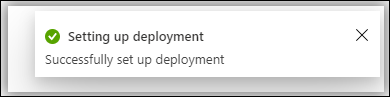
Successfully set up deploymentnotification.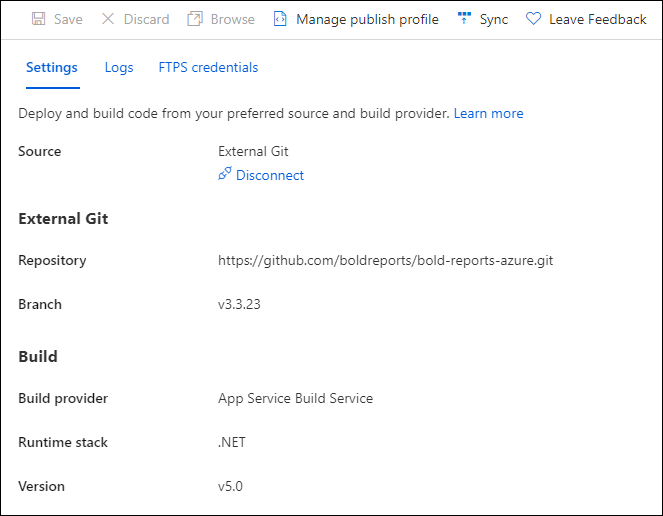
- Select the
Syncbutton on the deployment center page.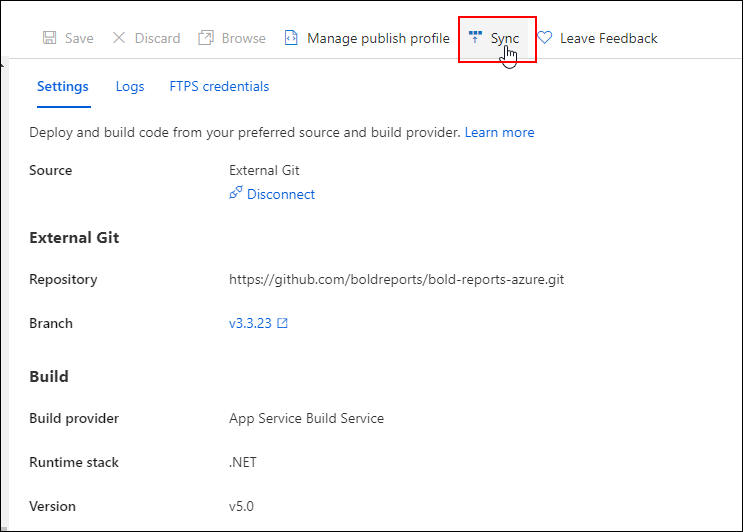
- The notification shows that the synchronization request was submitted, and the deployment center page shows the synchronization progress.
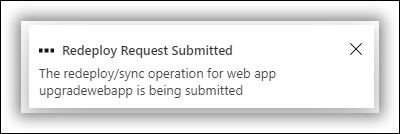
- Wait until synchronization is completed.
-
Breaking Changes: This step is applicable only for upgrading Azure App Service from version 3.x to version 5.4.30. Otherwise, skip this step.
-
In the
Configurationsection, change the following value inGeneral Settings.Settings Value .NET version .NET 6 (LTS) 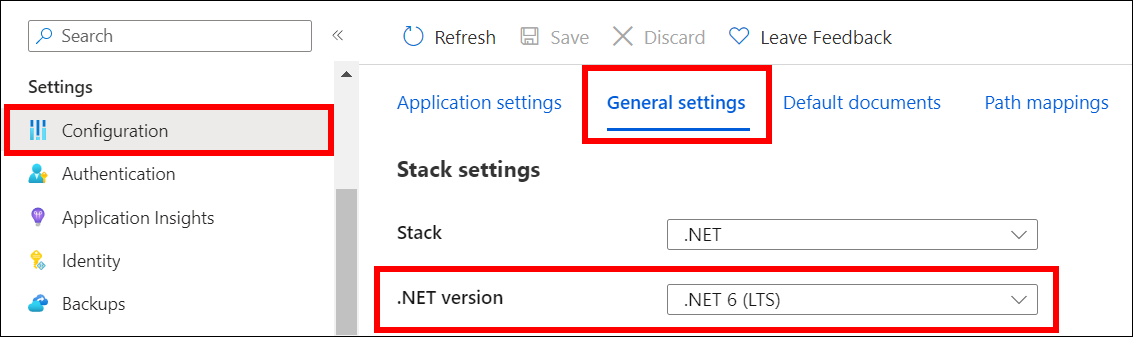
-
Add the following Physical Path in
Path MappingsandSavethe settings.Virtual Path Physical Path /reporting/viewer site\wwwroot\reporting\viewer 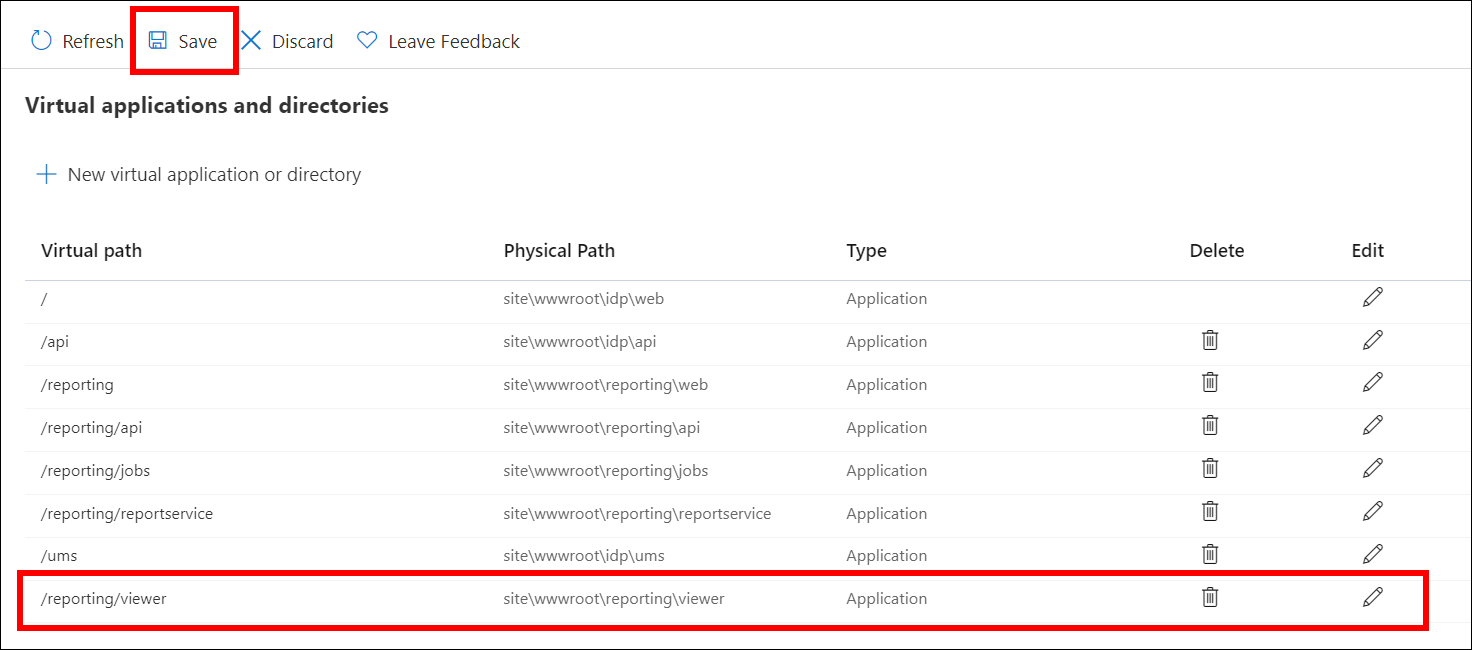
-
- Start the Bold Reports® Azure App Service by clicking the
Startbutton in the Overview section.
- The Bold Reports® upgrade is now complete. Launch Bold Reports® by clicking the
Browseoption, or type the Bold Reports® URL in the browser.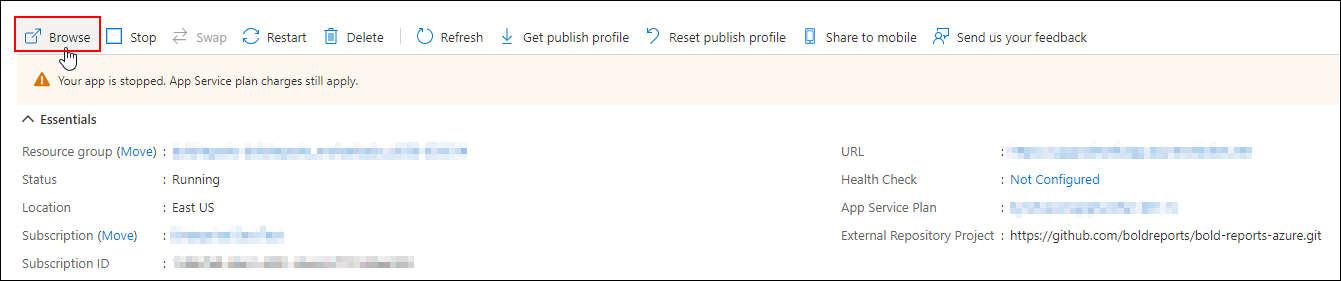
Frequently asked questions
Which .NET version does version 5.4.30 need on Azure App Service?
When you upgrade from version 3.x to version 5.4.30, set the .NET version to .NET 6 (LTS) in General Settings.
Which path mapping do I add during the upgrade?
Add the virtual path /reporting/viewer with the physical path site\wwwroot\reporting\viewer in Path Mappings, and then save the settings.