Known Domain Feature
The Known Domains Feature is a security enhancement in Bold Reports® that helps protect your application from certain vulnerabilities. It specifically addresses two common security risks:
- Server-Side Request Forgery (SSRF)
- Open redirect vulnerabilities.
Server-Side Request Forgery(SSRF)
-
SSRF is a type of security vulnerability where an attacker tricks a server into making requests to internal resources or other external servers.
-
By exploiting SSRF, an attacker can potentially access sensitive information, bypass firewalls, or perform actions on behalf of the server.
Open Redirect vulnerabilities
- An open redirect vulnerability occurs when an application redirects a user to an external URL without proper validation.
- Attackers can abuse open redirects to trick users into visiting malicious websites or phishing pages.
Block Sending Data to Unknown Domain
-
The callback URL will be present throughout a certain workflow within the application, allowing the operation status and other data to be delivered back to the program via that URL. What if a scammer changes the URL and manages to regain access to the encrypted data? This is a type of Server-side request forgery (SSRF) attack.
-
A server-side request forgery (SSRF) attack is an attack that misuses server functionality to access or modify resources. By modifying the request URL, the attacker induces a server-side application to make requests to an unintended destination.
Importance of configuring known domains in Bold Reports®
SSRF attack can be avoided by configuring known domains in Bold Reports® using a known domain JSON file.
-
With the Known Domains feature, you can define a list of trusted domains that your Bold Reports® application is allowed to communicate with.
-
Any requests made to domains outside this list are automatically blocked.
-
This ensures that your application only communicates with authorized and safe domains, reducing the risk of SSRF attacks.
Steps to configure the Known Domain
-
Navigate to
Settingsin Bold Reports® under UMS, then selectConfiguration, as shown in the following image. Alternatively, access the UMS page using the following URL:http://<your-domain>/ums/administration/config-editor.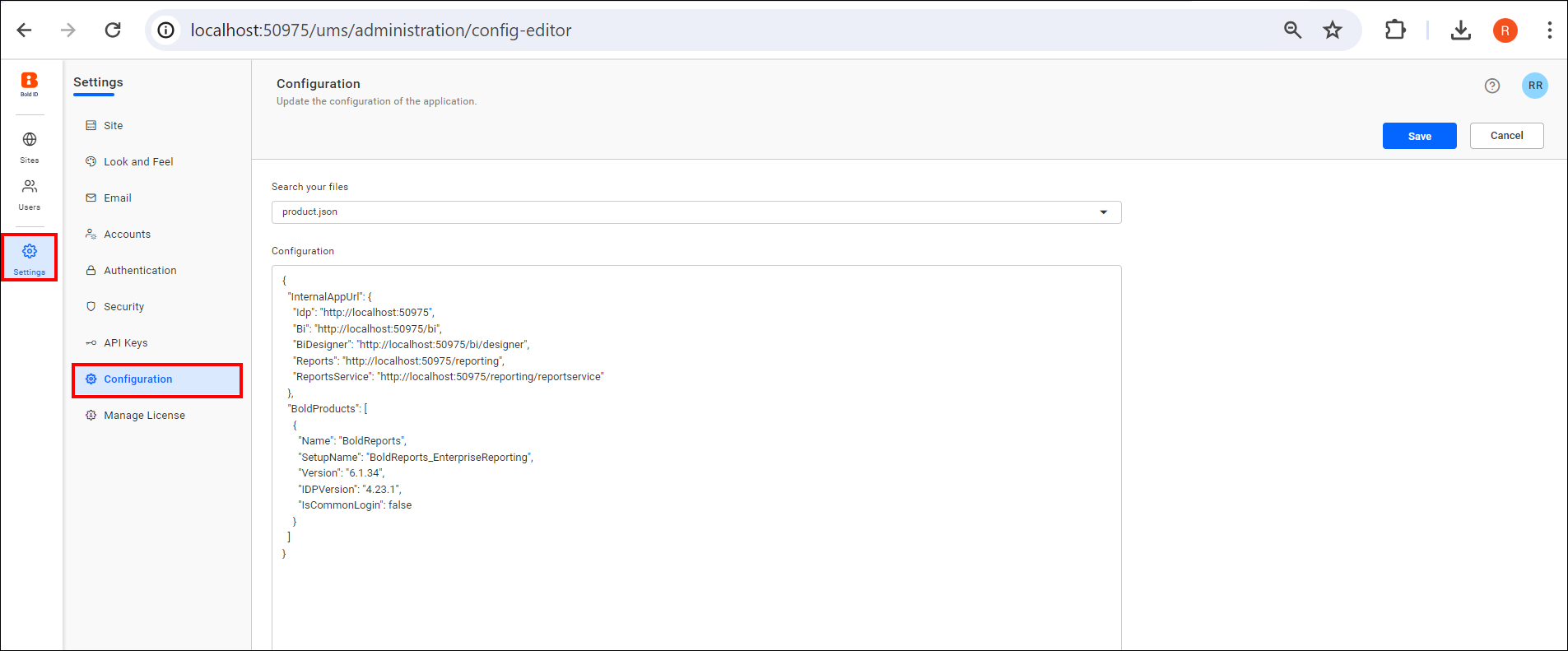
-
Select the
known_domains.jsonfile to configure the list of allowed and denied domains on this page.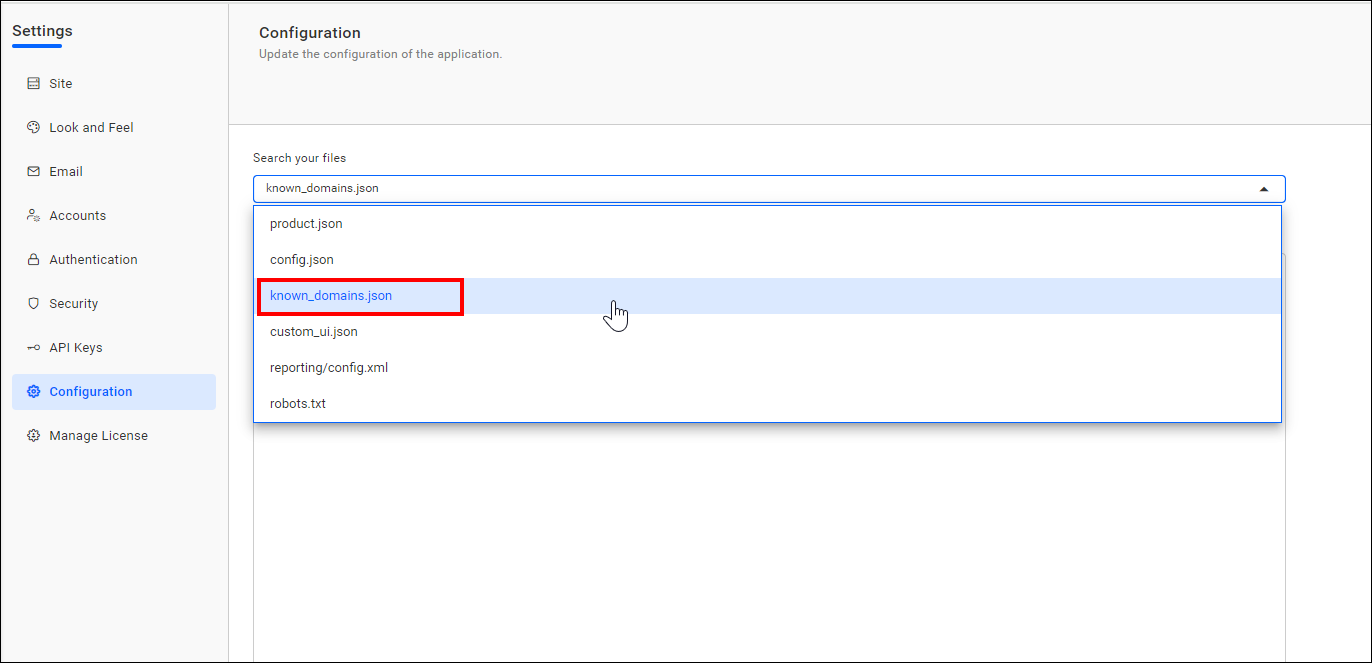
-
If you want to configure known domains in Bold Reports®, you must set the
Enablednode totrue.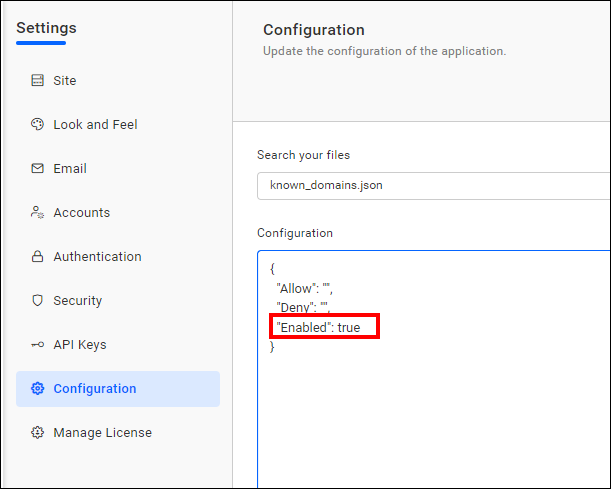
-
You can add a list of denied domains to the
Denynode. If you want to allow or deny all external domains, you can use the wildcard * in known domain JSON nodes. You can also use a wildcard with the subdomain, such as (*.boldreports.com, *.*.boldreports.com).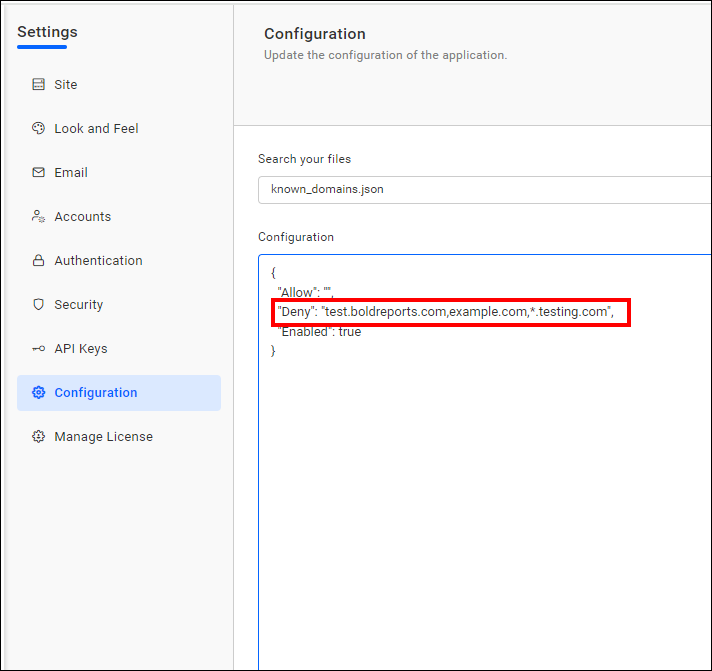
-
You can add a list of allowed domains to the
Allownode. You can add more than one domain by using a comma.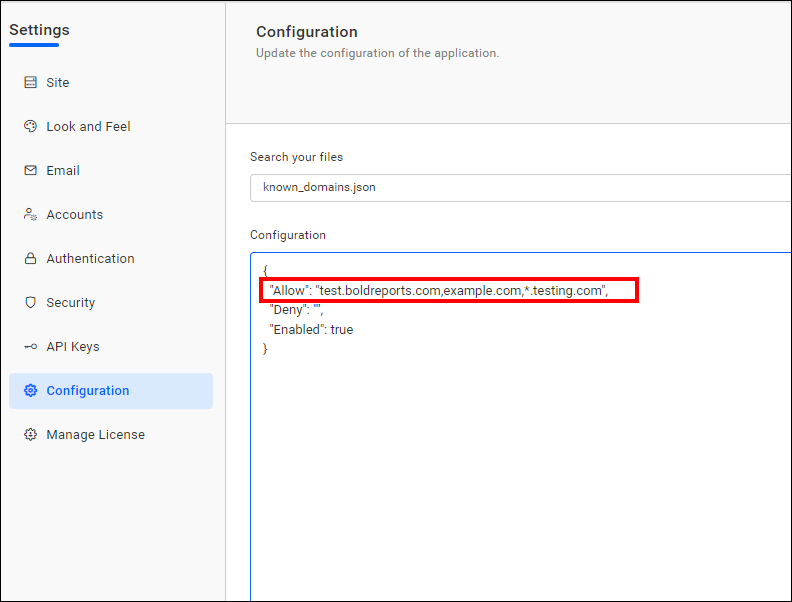
By default, internal Bold Reports® domains are allowed, meaning domains from Bold Reports® sites.
-
After configuring, click the
Savebutton to update the Known Domain JSON file.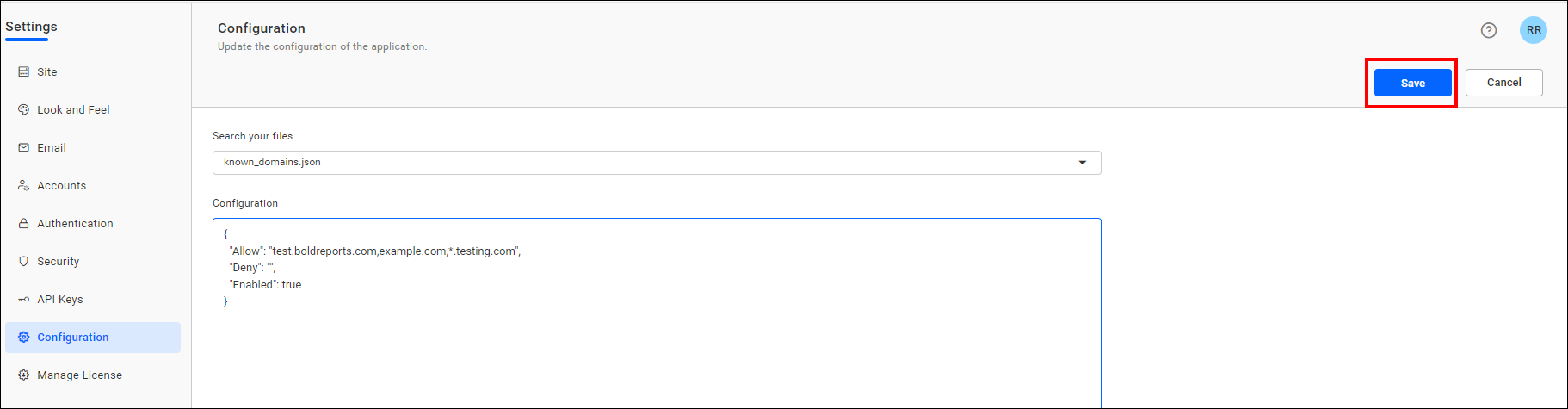
Note: If you have configured the same domain in both the
AllowandDenylists, the domain will be denied, as the Deny list takes priority.