JWT Authentication support in BoldReports
The Bold Reports® application can be configured to support JSON Web Token (JWT) authentication, allowing users to access the Bold Reports® application by validating a trusted token issued by an external authentication provider.
Prerequisites
- An external authentication application capable of generating JSON Web Token (JWT) tokens.
Steps to configure JWT Authentication in BoldReports
-
Click the Settings option in the left-side panel of the Report Server.
-
Navigate to the
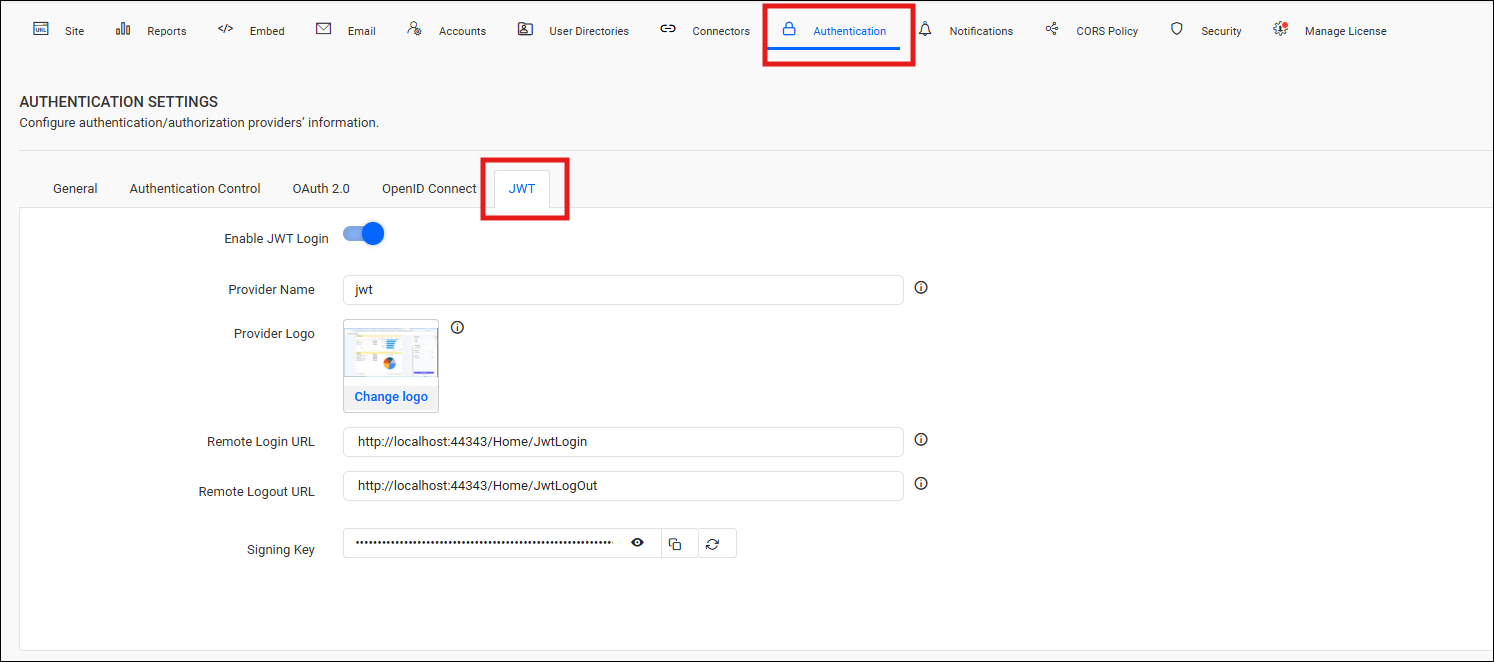
Authenticationtab andJWTas shown in the following image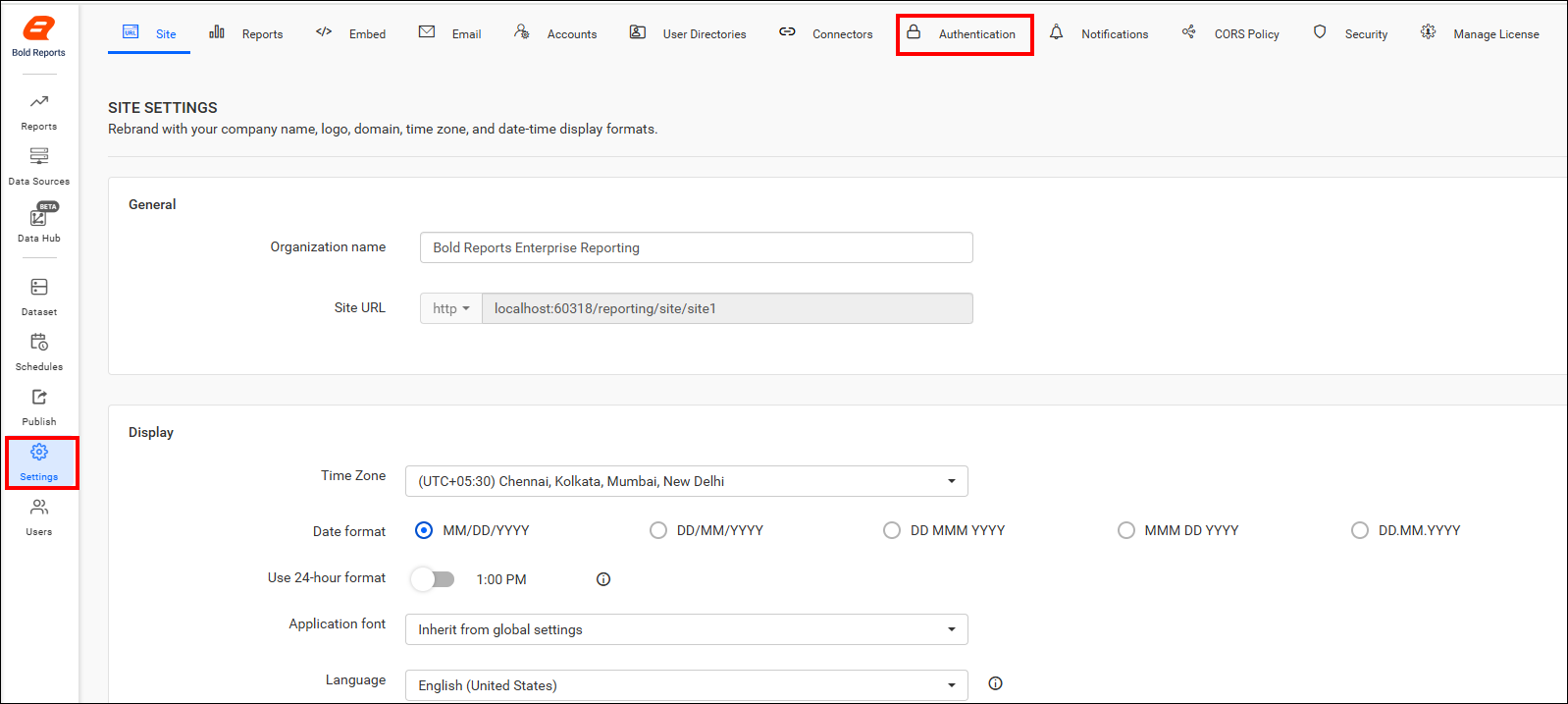
-
Provide the following details in the JWT Authentication settings of BoldReports application.
| Provider Name | It represents the name of the JWT authentication provider configured in the application. |
| Provider Logo | It represents the logo of the authentication provider to be displayed on the login page. |
| Remote Login URL | It specifies the endpoint of the external authentication application that issues JSON Web Tokens. |
| Remote Logout URL | It specifies the endpoint of the external authentication application that handles user logout from the Bold Reports® application. |
| Add User to Default Group | Automatically adds authenticated JWT users to the configured default group during login. When enabled, users are assigned to the default group after successful authentication. |
Note: After the JWT settings are saved, the application automatically generates a signing key. Use this signing key in the external authentication application when signing JWT tokens.