Scaling Bold Reports®: Leveraging Multiple Replica Sets for High Availability and Performance
Introduction to Replicas in Kubernetes
Replica typically refers to a set of identical Pods running concurrently in a Kubernetes cluster. Kubernetes uses the concept of Replicas to manage the availability and scalability of applications.
Understanding Pods
Pods: Pods are the smallest deployable unit in Kubernetes, representing single instances of containerized applications.
Controllers for Managing Replicas
Replication Controller (deprecated) / Replica Set / Deployment: These are Kubernetes controllers responsible for managing multiple identical pods. They ensure that a specified number of Pod replicas are running at any given time. However, Deployment is the recommended way for managing replicas in modern Kubernetes. For Bold Reports®, a Deployment might be used to manage the replicas of Pods serving the reporting engine and related services.
Ensuring High Availability and Scalability
Replicas: A Replica is simply an instance of a Pod within a Replica Set or Deployment. When you define a Replica Set or Deployment for Bold Reports®, you specify the desired number of replicas. Kubernetes ensures that this number of Pods are running and healthy based on the configuration you provide. Replicas are crucial for ensuring high availability and scalability.
Multiple Replica
Introduction to Multiple Replica Sets: Multiple replica sets refer to the scenario in a Kubernetes cluster where there are more than one instance of a Replica Set managing sets of identical Pods.
Functionality and Flexibility: Each Replica set manages its own set of Pods, which may serve different functions or components of the Bold Reports® application. This modular approach allows for better management and scalability of specific components.
Benefits of Multiple Replica Sets
Enhanced Management Flexibility: By using multiple replica sets, Bold Reports® gains flexibility and granularity in managing its application components. This allows for independent scaling and management of different parts of the application.
Deployment Strategies: Multiple replica sets enable sophisticated deployment strategies like rolling updates for Bold Reports®. This enhances scalability, fault tolerance, and deployment strategies specific to the needs of the application.
Ensuring Minimum Availability
- The
minReplicasparameter defines the minimum number of replicas (instances) of a pod or deployment that should be maintained. - Ensures that the application or workload always has a baseline level of availability, even during periods of low demand.
- Preventing the number of replicas from dropping below the specified minimum threshold helps maintain responsiveness and reliability.
- Useful for critical applications or services where continuous availability is essential.
BoldReports is configured with a default
minReplicassetting of 1. While users have the option to adjust the minimum value, it must always remain at least 1.
Managing Scalability Limits
- The
maxReplicasparameter specifies the maximum number of replicas (instances) of a pod or deployment that can be scaled up to. - Prevents over-provisioning of resources and helps control costs by limiting the maximum number of instances.
- Ensures that the application or workload does not consume excessive resources beyond what is necessary.
- Useful for managing resource utilization and ensuring scalability without exceeding infrastructure constraints.
BoldReports is initially configured with a
maxReplicassetting of 20, providing users with the flexibility to customize this value according to workload demands, with an upper limit of 100.
Modifying Replica Scaling Settings in Bold Reports®
- Bold Reports® provides the capability to edit the
minReplicasandmaxReplicas, except for the jobs and designerHPAswhere bothminReplicasandmaxReplicasare fixed to 1. - There are two ways to edit the
minReplicasandmaxReplicasvalues: before deployment and after deployment.
Before Deployment
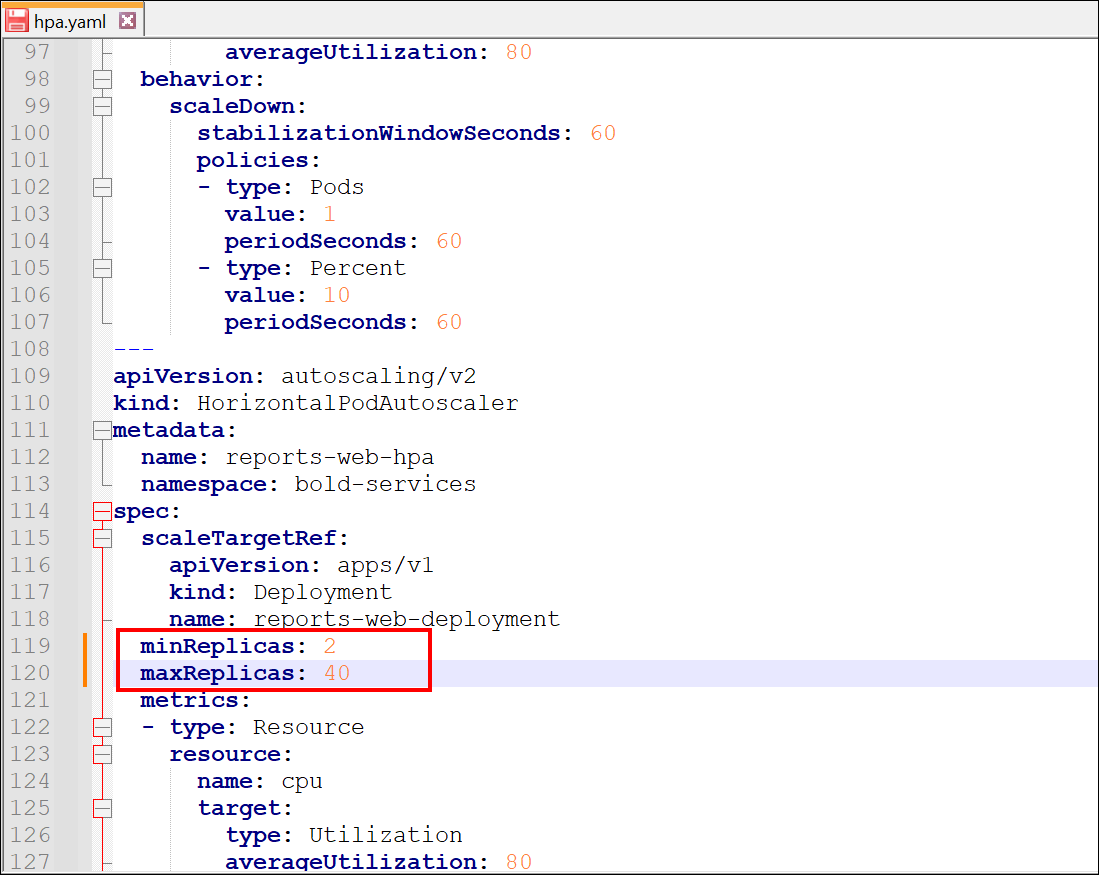
Before initiating the deployment process for Bold Reports®, you have the option to modify the minReplicas and maxReplicas configurations in the hpa.yaml file, which was downloaded from the GitHub repository, to align with your scalability goals.
After you have edited, save the changes.
After Deployment
- After deployment, you will be able to access the list of available
HPAswithin thehpa.yamlfile using the following command:
kubectl get hpa -A
- You can open and edit the file using the following command:
    kubectl edit hpa hpa-name -n namespace
e.g kubectl edit hpa reports-viewer-hpa -n bold-services-
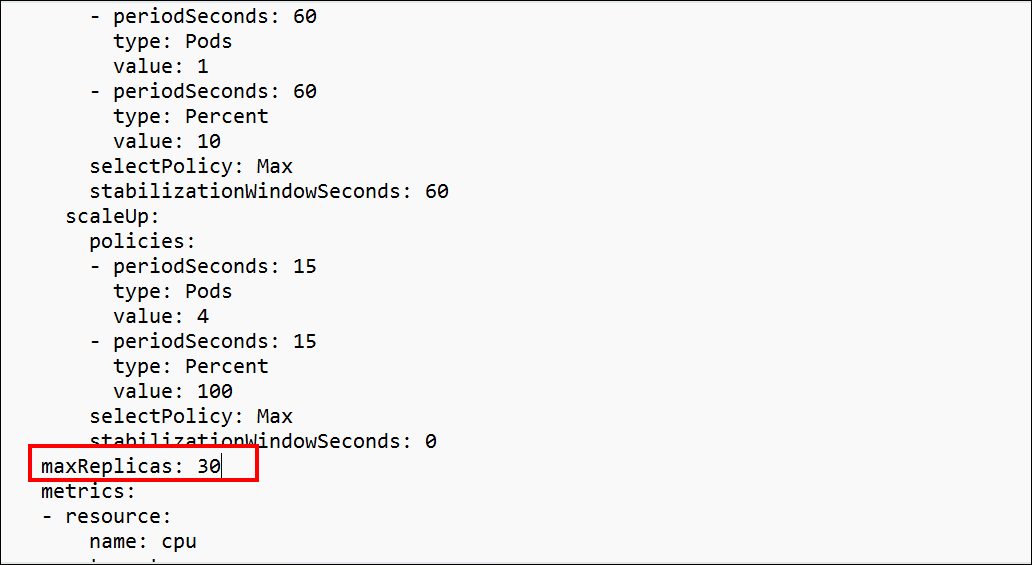
Once the command succeeds, the file will be opened. Change the values based on your workload, save the changes, and close the file. You will receive a message similar to the one shown in the image below.

-
You can verify the changed replicas by listing the
HPAsusing the same command:
kubectl get hpa -A